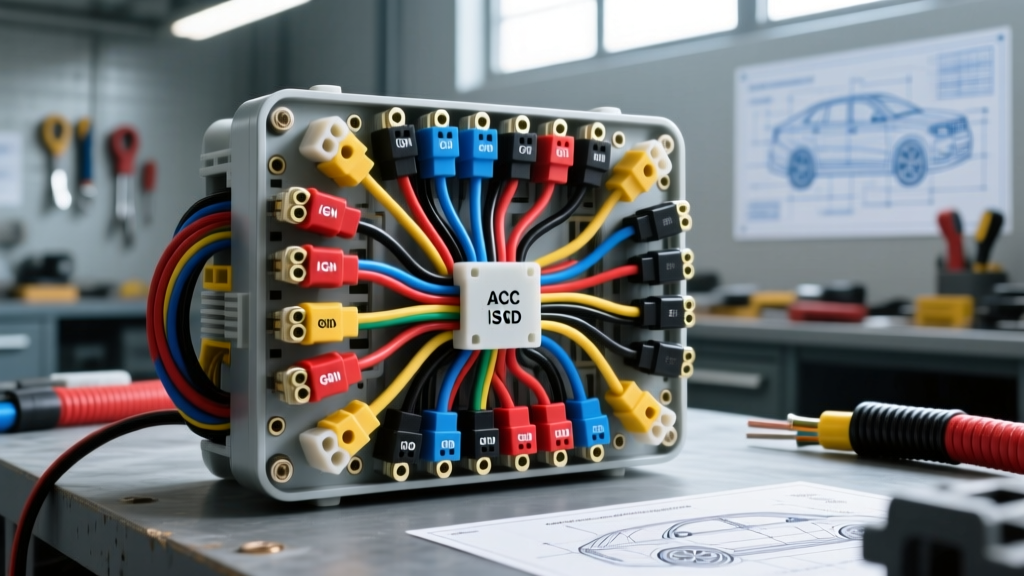
Introduction to Car Stereo Wiring Diagram Troubleshooting
When an aftermarket head unit fails to power on, produces distorted audio, or drains the battery, the root cause almost always traces back to a misinterpreted car stereo wiring diagram. Unlike factory schematics that rely on proprietary multiplexed networks, aftermarket installations typically adhere to the EIA/CEA standard color codes or utilize vehicle-specific ISO 10487 harness adapters. Troubleshooting these systems requires a systematic, step-by-step diagnostic flow rather than random wire probing.
As automotive electrical systems have evolved from simple 12-volt analog circuits to complex CAN-bus networks, reading a car stereo wiring diagram now requires understanding both traditional power delivery and modern data communication protocols. This guide provides a comprehensive troubleshooting flow for diagnosing head unit power, speaker outputs, and data line faults using a Digital Multimeter (DMM).
Standard EIA/CEA Car Stereo Wiring Diagram Color Code Chart
Before initiating the diagnostic flow, verify your aftermarket pigtail against the Consumer Technology Association (formerly CEA) standard. Most aftermarket harnesses use 18 AWG for signal/illumination and 16 AWG for power and speaker outputs. Refer to the table below for standard pinouts and wire specifications.
| Wire Color | Function | Typical AWG | DMM Expected Value |
|---|---|---|---|
| Yellow | 12V Constant (Battery/Memory) | 16 AWG | 12.4V - 12.8V (Key Off) |
| Red | 12V Switched (Accessory/Ignition) | 16 AWG | 12.4V (Key ACC/ON), 0V (Off) |
| Black | Chassis Ground | 16 AWG | < 0.1V Voltage Drop |
| Blue / White Stripe | Amplifier Turn-On (Remote) | 18 AWG | 12V (When Source On) |
| Orange / White Stripe | Illumination / Dimmer | 18 AWG | 0V - 12V (Variable with dash) |
| Purple / Purple-Black | Right Rear Speaker (+/-) | 16 AWG | AC Voltage (Audio Signal) |
Phase 1: Power and Ground Circuit Decision Tree
The most common car stereo wiring diagram failure point is the power and ground foundation. If the head unit is completely dead, follow this step-by-step decision tree to isolate the fault.
Step 1: Verify Constant 12V (Yellow Wire)
Set your DMM to DC Voltage. Connect the black probe to a known good chassis ground and the red probe to the yellow wire on the aftermarket harness. If you read below 11.5V, you have excessive resistance in the constant power feed. Check the inline AGU or blade fuse (typically 10A to 15A) for corrosion. If the fuse is intact, trace the yellow wire back to the vehicle's battery junction block or cigarette lighter constant feed.
Step 2: Verify Switched 12V (Red Wire)
Turn the ignition to the ACC position. Probe the red wire. If voltage is absent, consult the vehicle-specific car stereo wiring diagram to confirm the correct ignition source. In modern vehicles (e.g., 2010+ GM or Chrysler), the factory radio may not have a physical switched 12V wire; instead, it wakes up via a CAN-bus data message. In these cases, a CAN-bus interface module (like a PAC RP5-GM31 or Axxess XSVI) is required to generate the switched 12V output for the aftermarket red wire.
Step 3: Perform a Ground Voltage Drop Test
A poor ground will cause the head unit to reboot when bass notes hit or cause the display to flicker. Do not just test for continuity. With the stereo powered on and volume at 20, place your DMM in DC Voltage mode. Put the red probe on the black ground wire (as close to the stereo as possible) and the black probe on the bare metal chassis. A reading greater than 0.1V indicates a failing ground connection. Strip back the insulation, clean the chassis contact point to bare metal, and secure with a star washer and ring terminal.
Phase 2: Switched Accessory and Illumination Diagnostics
If the stereo powers on but fails to retain presets, or the display blinds you at night, the issue lies in the memory or illumination circuits.
Memory Loss Troubleshooting
Memory loss occurs when the yellow (constant) and red (switched) wires are swapped at the ISO 10487 connector or the vehicle-specific adapter. Consult your car stereo wiring diagram to verify that the yellow wire connects to a circuit that maintains voltage when the key is removed and the doors are opened. Swapping these wires forces the head unit's internal capacitor to maintain memory for only a few seconds after shutdown.
Illumination Circuit Verification
The orange/white dimmer wire expects a variable voltage signal (typically dropping from 12V to 2V when headlights are turned on). If the aftermarket stereo display does not dim, use the DMM to probe the vehicle's headlight switch output. Many modern cars use PWM (Pulse Width Modulation) for dash lighting. An aftermarket stereo cannot read PWM dimmer signals directly; you must use a PWM-to-analog converter interface to translate the signal for the car stereo wiring diagram's standard dimmer input.
Phase 3: Speaker Output and Impedance Verification
Audio distortion, missing channels, or head unit thermal shutdowns are usually caused by speaker wiring faults. Factory amplified systems (such as Bose, JBL, or Harman Kardon) present unique challenges when interpreting a car stereo wiring diagram.
Step 1: Check for Differential (Bridged) Factory Outputs
Factory amplified systems often use bridged outputs, meaning neither the positive nor negative speaker wire is referenced to chassis ground; both carry an AC audio signal. If you connect an aftermarket head unit's standard single-ended outputs (where the negative wire is grounded internally) to a factory bridged harness, you will short the head unit's internal amplifier IC, triggering protect mode or causing permanent damage. Always use a line output converter (LOC) or a dedicated integration module when retaining factory amplifiers.
Step 2: Measure Speaker Impedance
Disconnect the speaker harness from the head unit. Set your DMM to Ohms. Measure across the positive and negative wires for each speaker channel (e.g., White and White/Black for Left Front). Standard aftermarket speakers should read between 3.2 and 4.5 ohms. If you read 0 ohms (dead short) or OL (open loop), the fault is in the wiring run through the door jamb boot. Inspect the 16 AWG stranded copper wires for fatigue breaks caused by repeated door articulation.
Phase 4: CAN-Bus and Data Network Troubleshooting
In late-model vehicles, the car stereo wiring diagram includes data lines (CAN-H and CAN-L) rather than simple 12V triggers. These networks transmit volume commands, steering wheel control (SWC) inputs, and chime warnings.
Diagnosing CAN-Bus Termination and Voltage
If your interface module fails to communicate with the vehicle's BCM (Body Control Module), the data bus may be compromised. Turn the ignition off and disconnect the battery. Set your DMM to Ohms and measure between the CAN-H (typically Green or White) and CAN-L (typically Blue or Tan) wires at the radio connector. You should read exactly 60 ohms, indicating the two 120-ohm termination resistors at the ends of the bus are intact. A reading of 120 ohms means one resistor is missing or a module is offline; a reading of 0 ohms indicates a short between the data lines.
For active testing, reconnect the battery and turn the key to ON. Set the DMM to DC Voltage. CAN-H should read approximately 2.6V to 3.5V, while CAN-L should read 1.5V to 2.5V. If both read 12V or 0V, the transceiver in the interface module or the BCM has failed, requiring deeper OBD2 network scanning.
Conclusion and Best Practices
Troubleshooting a car stereo installation requires more than just matching wire colors; it demands a methodical approach to voltage, resistance, and data protocol verification. Always cross-reference your physical harness with a verified car stereo wiring diagram resource before making any cuts or crimps. For comprehensive automotive electrical theory, refer to AutoShop 101's Basic Electricity guides to master multimeter techniques. Finally, ensure all connections are secured with adhesive-lined heat shrink rather than electrical tape, adhering to SAE standards for automotive electrical reliability, ensuring your audio system performs flawlessly for years to come.