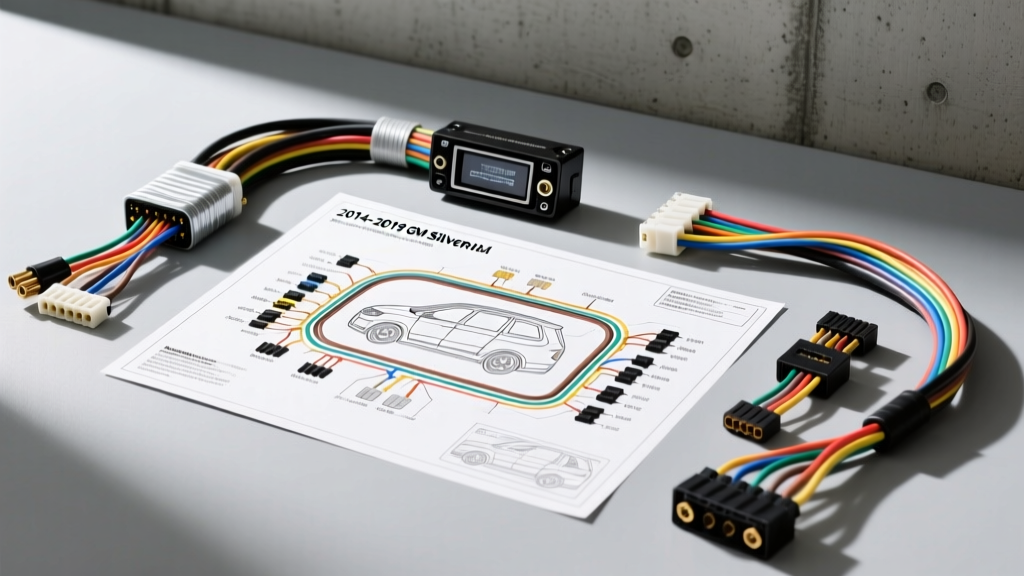
Mastering the GM K2XX Car Stereo Wiring Schematic for Audio Upgrades
When executing a high-fidelity audio upgrade on the 2014-2019 Chevrolet Silverado and GMC Sierra (K2XX platform), relying on generic wiring harnesses is a recipe for failure. Modern GM trucks utilize complex multiplexed data networks to manage everything from chime generation to steering wheel controls. To successfully integrate an aftermarket Digital Signal Processor (DSP) and high-output amplifiers, you must thoroughly understand the OEM car stereo wiring schematic. This guide breaks down the factory pinouts, data line retention, and signal interception strategies required for a flawless modification project.
Factory Head Unit Pinout: The 44-Pin X1 Connector
The heart of the K2XX infotainment system is the 44-pin X1 connector located on the rear of the radio module (IO5/IO6/Bose systems). Unlike older vehicles that used simple 12V switched power and discrete analog speaker wires, this schematic integrates high-speed data buses. Below is the critical pinout data extracted from the OEM service manual for the primary X1 connector.
| Pin | Wire Color | Circuit Function | AWG | Upgrade Notes |
|---|---|---|---|---|
| 1 | Red/White | Battery 12V Constant | 16 | Feed aftermarket DSP memory line. |
| 12 | Black/White | Chassis Ground | 16 | Must be upgraded to 12 AWG for DSP/Amp. |
| 32 | Light Green | Class 2 Serial Data | 22 | 10.4 kbps bus; handles basic body module comms. |
| 33 | Light Green/Black | GMLAN High (CAN-H) | 22 | 33.3 kbps bus; critical for radio wake-up. |
| 34 | Light Blue/Black | GMLAN Low (CAN-L) | 22 | Do not swap with CAN-H or bus will crash. |
| 13 | Brown/White | Left Rear Speaker (+) | 18 | Pre-amp (Non-Bose) or Post-amp (Bose). |
| 14 | Brown | Left Rear Speaker (-) | 18 | Reference ground for differential input. |
| 15 | Dark Blue/White | Right Rear Speaker (+) | 18 | Pre-amp (Non-Bose) or Post-amp (Bose). |
| 16 | Dark Blue | Right Rear Speaker (-) | 18 | Reference ground for differential input. |
| 44 | Yellow | Ignition 12V Switched | 18 | Often missing on K2XX; radio wakes via CAN. |
Signal Interception: Bose vs. Non-Bose Schematics
The most common pitfall when reading the car stereo wiring schematic for these trucks is misidentifying the audio signal state. In non-Bose (base audio) trucks, the head unit outputs low-level, pre-amplified, full-range analog signals. You can route these 18 AWG wires directly into the high-level inputs of a modern DSP (such as a Helix DSP PRO or Audison bit ONE) without issue.
The Bose Amplifier Bypass Challenge
If your Silverado is equipped with the factory Bose amplifier (located under the center console), the schematic changes dramatically. The head unit outputs low-level signals to the Bose amp, which then applies factory crossover slopes, time alignment, and amplification before sending high-level signals to the door speakers. If you tap into the speaker wires at the head unit harness for your DSP, you will receive a weak, un-equalized signal that lacks the factory crossover processing, resulting in blown tweeters and muddy mid-bass.
The Solution: To retain the factory crossover points for a DSP summing device, you must intercept the wiring at the Bose amplifier's output harness (Connector X2). According to the schematic, you will need to run new 14 AWG oxygen-free copper (OFC) speaker wire from the center console amp location back to the DSP in the cabin or under the seat. Never use 18 AWG wire for long high-level signal runs, as capacitance will roll off high frequencies above 10kHz.
Data Line Retention and GMLAN Topology
In the K2XX platform, the radio does not use a traditional 12V accessory wire to turn on. Instead, it 'wakes up' when it detects a specific GMLAN (General Motors Local Area Network) message from the Body Control Module (BCM). If your aftermarket installation severs or improperly terminates the GMLAN bus, the radio will fail to power on, and you will lose OnStar, Bluetooth, and backup camera functionality.
When integrating a data retention module like the iDatalink Maestro RR, you are essentially creating a parallel node on the GMLAN bus. The schematic dictates that the CAN-H and CAN-L lines must be spliced using proper solder-and-seal techniques. Crimp connectors or 'T-taps' introduce micro-ohms of resistance that can alter the 120-ohm impedance of the CAN bus, leading to intermittent radio reboots or 'Service Stabilitrak' dash errors.
Steering Wheel Controls (SWC) Schematic Tracing
Unlike older GM vehicles that used a resistive ladder network (varying voltage drops on a single wire) for steering wheel controls, the 2014-2019 Silverado transmits SWC button presses as digital GMLAN packets. The car stereo wiring schematic shows no discrete SWC wires entering the radio. Therefore, analog SWC adapters (like the Axxess ASWC-1) will not work. You must use a digital data interface that reads the CAN bus, translates the button press, and injects an IR or hardwired signal into your aftermarket head unit, or use the Maestro to flash the aftermarket radio directly.
Power and Ground Topology for High-Current Mods
While the factory schematic provides 16 AWG power and ground for the OEM head unit (max draw ~10A), adding a 1000W RMS amplifier and a DSP requires a complete power overhaul. Referencing Basic Car Audio Electronics standards for current draw and voltage drop:
- Main Power (Battery to Amp): Use 4 AWG or 1/0 AWG OFC wire. The factory schematic shows the main battery fuse block under the hood. Use a ZCI (Zero Contact Interface) circuit tap or a mechanical terminal block to connect your ANL fuse holder. Never wrap wire around factory battery terminals.
- DSP Power: Run a dedicated 12 AWG power and 12 AWG ground wire from the battery or a fused distribution block. Do not share the factory radio ground (Pin 12), as the DSP's high-speed processing can induce ground loops and alternator whine into the analog audio stage.
- Star Grounding: The OEM schematic utilizes a 'star ground' topology for sensitive audio modules. When mounting your aftermarket amplifiers, sand the chassis down to bare metal, use a stainless steel bolt with a serrated flange nut, and treat the connection with dielectric grease to prevent galvanic corrosion.
Troubleshooting Common Schematic Misinterpretations
Even seasoned installers make mistakes when deviating from the factory car stereo wiring schematic. Here is a decision tree for common GM truck audio mod failures:
Symptom: Radio turns on, but no audio from aftermarket DSP
Cause: The factory Bose amplifier requires a 12V 'Amp Turn-On' signal to activate its internal relays. On the schematic, this is often tied to a switched 12V output from the radio (Pin 43, Gray wire). If you bypassed the Bose amp but forgot to provide a 12V trigger to the factory amp's harness, the audio path is physically disconnected inside the factory amp before it reaches your DSP high-level inputs.
Fix: Use a relay triggered by the Maestro's accessory output to send 12V to the factory amp turn-on wire.
Symptom: Alternator Whine that changes with engine RPM
Cause: Ground loop. You grounded the DSP to a seatbelt bolt that shares a return path with the vehicle's high-current window motors or HVAC blower.
Fix: Consult the chassis grounding schematic (available via Motor Information Systems) to find a dedicated, low-current audio ground point, or run a dedicated 12 AWG ground wire back to the vehicle's main battery negative terminal.
Conclusion
Upgrading the audio system in a 2014-2019 GM truck is a highly rewarding project, provided you respect the complexity of the vehicle's electrical architecture. By meticulously studying the car stereo wiring schematic, properly managing the GMLAN data bus, and executing high-current power runs with the correct AWG specifications, you can achieve audiophile-grade sound without sacrificing factory convenience features or triggering BCM fault codes.