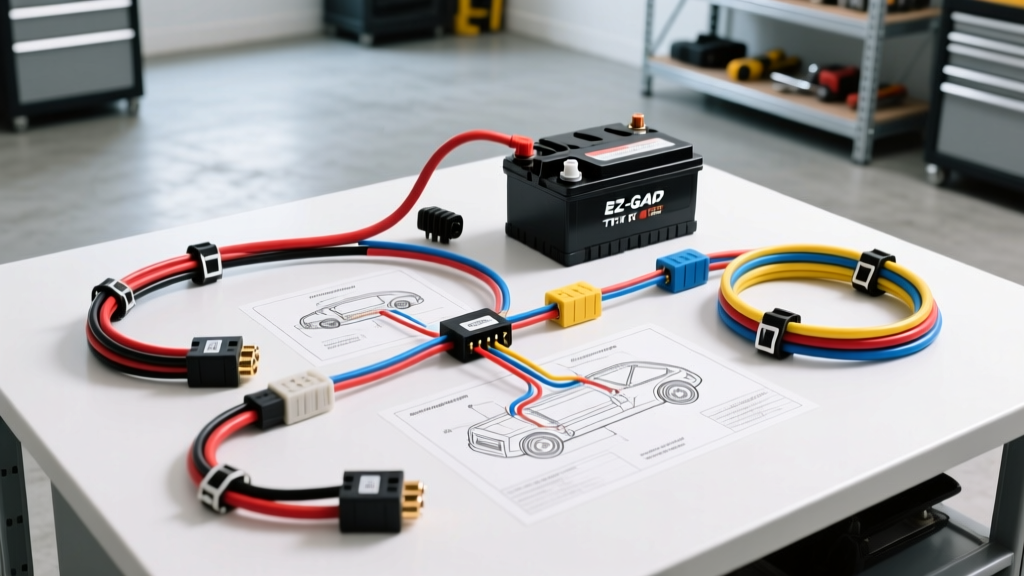
Decoding the EZ-GO TXT 48V Battery Wiring Diagram PDF
When your EZ-GO TXT 48V electric golf cart refuses to move, the first instinct is to search for an ezgo txt 48v battery wiring diagram pdf. While a static PDF schematic is essential for tracing circuits, it does not tell you where to start testing when the cart is completely dead. As automotive and small electric vehicle (SEV) electrical experts, we have translated the official OEM PDS (Precision Drive System) and Series wiring schematics into a dynamic, step-by-step troubleshooting flow. This guide will help you systematically isolate voltage drops, solenoid failures, and controller faults using real-world diagnostic data.
Safety First: The Tow/Run Switch Protocol
Before touching a multimeter or referencing your wiring diagram, locate the Tow/Run switch under the passenger seat. For any 48V PDS system, this switch must be in the 'TOW' position before disconnecting any battery cables or controller plugs. Failing to do so can cause a massive inductive voltage spike that will instantly destroy the Curtis controller's internal logic board or cause the cart to unexpectedly lurch forward if a short is present.
Core Wiring Specifications & AWG Requirements
The 48V TXT platform relies on high-amperage DC currents. Using undersized cables or improper torque specs will result in severe voltage sag, triggering the controller's Low Voltage Cutoff (LVC). Reference the table below when verifying your physical harness against your wiring diagram PDF.
| Circuit Function | Wire Gauge (AWG) | OEM Color Code | Connection Type | Torque Spec |
|---|---|---|---|---|
| Main B+ (Battery to Solenoid) | 1/0 AWG | Red | 3/8' Ring Terminal | 110 in-lbs |
| Main B- (Battery to Controller) | 1/0 AWG | Black | 3/8' Ring Terminal | 110 in-lbs |
| Solenoid to Controller B+ | 2 AWG | Red | 3/8' Ring Terminal | 110 in-lbs |
| Solenoid Coil Activation | 14 AWG | Blue / White | 1/4' Spade / Deutsch | Snug (35 in-lbs) |
| ITS Throttle Signal | 18 AWG (Shielded) | Red/Blk/Wht | 3-Pin Weather-Pack | N/A |
Step-by-Step Troubleshooting Flow: No-Start & Voltage Drop
Follow this sequential diagnostic tree. Do not skip phases, as a fault in Phase 1 will mask the symptoms in Phase 3.
Phase 1: Battery Pack Health & LVC Verification
The EZ-GO TXT 48V system utilizes six 8V deep-cycle batteries (or occasionally four 12V batteries). A fully charged 6x8V pack should read between 50.4V and 51.2V at rest.
- Test Pack Voltage: Place your multimeter probes on the main negative and main positive battery posts. If the pack reads below 42V, the Curtis controller's Low Voltage Cutoff (LVC) is engaged. The cart will not click or move.
- Test Under Load: If the pack reads 49V at rest but drops to 38V the moment you press the throttle, you have a bad cell or severe sulfation. The wiring diagram shows the main B+ and B- paths; ensure you are testing the entire pack, not just one 8V battery.
- Inspect Interconnects: Corrosion on the 1/0 AWG series link cables creates massive resistance. Clean all 3/8' studs with a wire brush and apply a dielectric antioxidant grease.
Phase 2: Solenoid & Key Switch Circuit Testing
If the pack is healthy (>48V) but you do not hear the distinct 'clack' of the HD solenoid when turning the key and pressing the pedal, the issue lies in the activation circuit.
- Verify Key Switch Voltage: Using the wiring diagram, trace the Red wire from the B+ stud to the key switch. You should have full pack voltage (48V+) on the input terminal when the cart is on.
- Test the F/R Microswitches: The Forward/Reverse lever actuates microswitches that complete the solenoid coil ground path. If the cart is in 'Neutral' or the microswitch is misaligned, the solenoid will not engage. Test for continuity across the F/R switch terminals while moving the lever.
- Solenoid Coil Resistance: Disconnect the two small spade terminals on the solenoid. Set your multimeter to Ohms. A healthy 48V solenoid coil (such as the Albright SW80 or Trombetta) should read between 14 and 18 ohms. If it reads infinite (OL), the internal coil is burnt open.
- Contact Voltage Drop: If the solenoid clicks but the cart won't move, test for voltage drop across the two large 3/8' terminals while the pedal is pressed. A drop greater than 0.2V indicates pitted or melted internal copper contacts. Replace the solenoid.
Phase 3: The ITS (Inductive Throttle Sensor) Diagnostics
Unlike older Series carts that used a mechanical V-Glide resistor board, the 48V PDS TXT uses an Inductive Throttle Sensor (ITS). The ITS sends a variable signal to the controller based on a magnetic plunger's position.
- Locate the ITS Harness: Follow the 18 AWG shielded 3-wire harness from the throttle box to the controller logic plug.
- Test Input Voltage: Back-probe the Red wire at the ITS connector. You should see exactly 5V DC or 12V DC (depending on the specific Curtis 1268 controller revision) referenced from the controller.
- Test Signal Sweep: Connect your multimeter to the signal wire (usually White or Green). With the key ON and F/R engaged, slowly press the pedal. The voltage should sweep smoothly from roughly 0.8V up to 3.5V - 4.2V. Any dead spots or erratic jumps indicate a failing ITS magnet or internal coil, requiring immediate replacement of the throttle box assembly.
Phase 4: Controller & Motor Pinout Verification
If all inputs (Pack Voltage, Solenoid Click, ITS Signal, F/R Switch) are verified, the fault likely lies within the Curtis controller or the DC motor. Referencing the controller pinout from your ezgo txt 48v battery wiring diagram pdf, check the following:
- F1 (B+ Input): Must have full pack voltage when the solenoid is engaged.
- F2 (B- Output): Must have a clean, zero-resistance path to the main battery negative.
- F3 & F4 (Motor Field & Armature): Test the DC motor independently. Disconnect the motor cables from the controller. Apply 12V directly from a standalone battery to the motor's A1 and A2 terminals. If the motor spins aggressively, the motor is healthy, and the controller's internal MOSFETs have likely failed short or open.
Common Failure Modes in the 48V TXT System
Based on field data and SAE J1128 cable degradation standards, the most frequent real-world failure modes we see include:
- Melted Solenoid Contacts: Caused by 'inching' the pedal repeatedly. The high inrush current arcs across the contacts, welding them together. The cart will creep forward even with the key off.
- Controller Logic Board Burnout: Almost exclusively caused by failing to put the cart in 'TOW' mode before jump-starting or charging, allowing AC ripple or voltage spikes to fry the low-voltage logic side.
- Corroded Motor Studs: The TXT DC motor studs are prone to water ingress. If the nut seizes and the stud spins inside the motor casing, it will destroy the internal brush rigging.
Authoritative References & Schematic Resources
For deep-dive component specifications and OEM replacement part numbers, always cross-reference your findings with manufacturer documentation. We recommend consulting the following resources when working on EZ-GO electrical systems:
- EZ-GO Official Parts & Support - For OEM wiring harness diagrams, ITS calibration specs, and service bulletins.
- Curtis Instruments - For detailed 1268 and 1205 controller pinouts, fault code LED flash sequences, and programming manuals.
- SAE International (J1128) - For battery cable AWG, strand count, and voltage drop tolerance standards in low-tension DC applications.
By treating the ezgo txt 48v battery wiring diagram pdf not just as a map, but as a sequence of logical electrical gates, you can accurately diagnose and repair your golf cart without resorting to the 'parts cannon' approach. Always verify voltage at the source, trace the activation circuit, and validate the signal outputs.