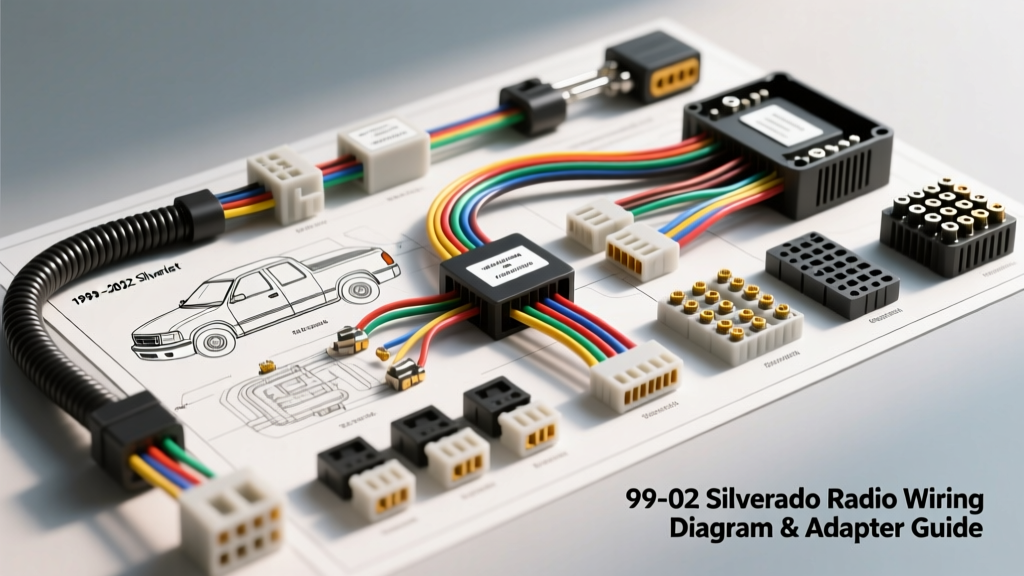
Decoding the 99-02 Silverado Radio Wiring Diagram
The 1999-2002 Chevrolet Silverado (GMT800 platform) represents a transitional era in General Motors' electrical architecture. Unlike modern vehicles that rely heavily on CAN-bus networks, the 99-02 Silverado utilizes a hybrid system combining traditional hardwired 12V power feeds with the SAE J1850 Class 2 serial data bus. When consulting a 99-02 Silverado radio wiring diagram, the most critical detail for aftermarket installers is the conspicuous absence of a dedicated switched 12V (ignition) wire at the head unit cavity. Instead, the Body Control Module (BCM) wakes the factory radio via the Class 2 data line. Understanding this architecture is mandatory before selecting an aftermarket wiring harness adapter.
OEM 24-Pin Connector Pinout Reference
The base and premium audio systems in the 99-02 Silverado typically interface through a single 24-pin connector (or a dual 8-pin/16-pin setup depending on the exact build month). Below is the critical pinout data for the primary 24-pin cavity, referencing GM Service Information via Helm Incorporated.
| Pin | Cavity | Wire Color | Function | AWG |
|---|---|---|---|---|
| A1 | 1 | Orange | 12V Battery (Constant) | 16 AWG |
| A8 | 8 | Dark Green | Class 2 Serial Data | 18 AWG |
| A12 | 12 | Black/White | Ground | 16 AWG |
| B1 | 13 | Light Green/White | Right Front Speaker (+) | 18 AWG |
| B2 | 14 | Light Green/Black | Right Front Speaker (-) | 18 AWG |
| B5 | 17 | Tan/White | Left Front Speaker (+) | 18 AWG |
| B6 | 18 | Tan/Black | Left Front Speaker (-) | 18 AWG |
| B9 | 21 | Brown/White | Left Rear Speaker (+) | 18 AWG |
| B10 | 22 | Brown/Black | Left Rear Speaker (-) | 18 AWG |
| B11 | 23 | Dark Blue/White | Right Rear Speaker (+) | 18 AWG |
| B12 | 24 | Dark Blue/Black | Right Rear Speaker (-) | 18 AWG |
The Switched 12V Dilemma: Why Basic Harnesses Fail
If you purchase a generic, non-amplified $5 wiring harness for a GMT800 truck, you will immediately notice a missing red wire. Because the factory radio receives its 'turn-on' command via the Dark Green Class 2 data wire (Pin A8), an aftermarket radio—which requires a hardwired 12V switched signal to prevent battery drain—will not power on with the ignition key. To solve this, premium harness adapters incorporate a built-in relay that taps into the vehicle's accessory circuit (often the cigarette lighter or HVAC fuse) or simulate the Class 2 wake-up signal. Selecting the correct adapter is not just about making the speakers work; it is about preserving vehicle functionality and preventing parasitic draws.
Product Comparison: Selecting the Right Harness Adapter
Choosing the correct interface depends entirely on your Silverado's RPO (Regular Production Option) codes. Check your glovebox sticker for UQ4 (Premium Audio/Amplified) or Y91 (OnStar/Chime integration). Below is a technical comparison of the top three harness solutions for the 99-02 Silverado.
| Feature | Metra 70-1857 (Standard) | Axxess GMOS-01 (Chime) | Axxess GMOS-04 (Amplified) |
|---|---|---|---|
| Target RPO | Base Audio (No UQ4) | Base Audio + OnStar/Chime | UQ4 (Factory Amp) |
| Switched 12V Solution | Built-in Relay (Fuse Tap) | Internal BCM Logic Board | Internal BCM Logic Board |
| Door Chime Retention | No (Chimes Lost) | Yes (Integrated Speaker) | Yes (Integrated Speaker) |
| OnStar Retention | No | Yes | Yes |
| Factory Amp Turn-On | N/A | N/A | Yes (Blue/White Wire) |
| Approx. Cost | $15 - $20 | $60 - $80 | $90 - $110 |
Scenario 1: Base Audio & No Chime Concerns (Metra 70-1857)
If your 99-02 Silverado is a base work truck without OnStar or premium audio, the Metra 70-1857 is the most cost-effective solution. It features an internal relay that requires you to run a fuse tap to an ignition-switched 12V source in the driver's side fuse block. Expert Warning: By bypassing the BCM for power, you will lose the factory door chime, as the chime module is integrated into the factory radio's internal amplifier.
Scenario 2: Retaining Door Chimes & OnStar (Axxess GMOS-01)
For trucks equipped with the Y91 RPO code, the Axxess GMOS-01 is mandatory. According to Metra Electronics technical documentation, the GMOS-01 intercepts the Class 2 data line, reads the BCM wake-up commands, and safely triggers the aftermarket radio's switched 12V lead. Furthermore, it includes a built-in micro-speaker to retain the critical GM door chime and safety warning tones, which are legally and practically necessary for daily driving.
Scenario 3: Factory Amplified Systems (Axxess GMOS-04)
If your Silverado features the UQ4 premium audio package, the factory head unit outputs low-level (pre-amp) signals to an external amplifier located under the center console or behind the rear seat. The GMOS-04 not only handles the Class 2 data and chime retention but also includes a low-level signal converter and a dedicated 12V remote turn-on lead (Blue/White) to wake the factory amplifier. Attempting to use a standard high-level harness on a UQ4 system will result in severe audio distortion and potential damage to the aftermarket head unit's internal amplifier.
Expert Installation & SAE Standards
When splicing your aftermarket radio's pigtail to the selected GM harness adapter, adhere strictly to SAE J1850 standards for data line integrity and standard automotive electrical best practices. The Class 2 data line (Dark Green) is highly sensitive to voltage drops and electromagnetic interference (EMI).
- Wire Stripping: Use precision micro-strippers calibrated for 18 AWG and 16 AWG wire. Never use a blade knife, which can nick the copper strands and reduce the tensile strength and current-carrying capacity of the wire.
- Connections: Avoid 'twist-and-tape' methods. Electrical tape degrades under the high thermal loads of a dashboard exposed to sunlight. Use either adhesive-lined marine-grade heat shrink butt connectors or high-quality solder-seal connectors.
- Data Line Routing: Keep the Dark Green Class 2 data wire routed away from high-current power wires (like the 16 AWG constant 12V feed) to prevent inductive interference, which can cause BCM communication faults.
Troubleshooting Common GMT800 Audio Failures
Even with the correct wiring diagram and harness, GMT800 platforms are notorious for specific electrical gremlins. Use this diagnostic tree to resolve common post-installation issues:
Symptom: Radio Stays On After Key Removal (Parasitic Draw)
Cause: The Class 2 data line is being held awake, or the aftermarket harness relay is sticking. In some cases, a faulty ignition switch cylinder (a common GMT800 failure) fails to send the 'sleep' command to the BCM. Fix: Use a digital multimeter to monitor the Dark Green wire at Pin A8. With the key off and doors closed, voltage should drop to 0V within 10 minutes (BCM sleep mode). If it pulses or stays at 12V, check the ignition switch housing for worn contacts.
Symptom: Loud 'Pop' From Speakers Upon Engine Start
Cause: The aftermarket radio's amplifier circuit is powering up before the head unit's internal muting circuit engages, or the factory amplifier (UQ4) is receiving the remote turn-on signal prematurely. Fix: Install a 1000µF capacitor in parallel with the remote turn-on wire, or use a delayed-trigger relay module to ensure the head unit fully boots and stabilizes its pre-amp outputs before the external or internal amplifiers engage.
Symptom: Dash Illumination Not Syncing with Headlights
Cause: The Brown/White illumination wire on the aftermarket harness is either not connected or is receiving 12V+ instead of a variable ground signal. GM uses a variable resistance ground for dash dimming. Fix: Verify the illumination circuit with a multimeter. If your aftermarket radio requires a positive 12V trigger for dimming, you must install a 12V SPDT relay triggered by the headlight switch circuit rather than tapping directly into the GM dimmer slider.