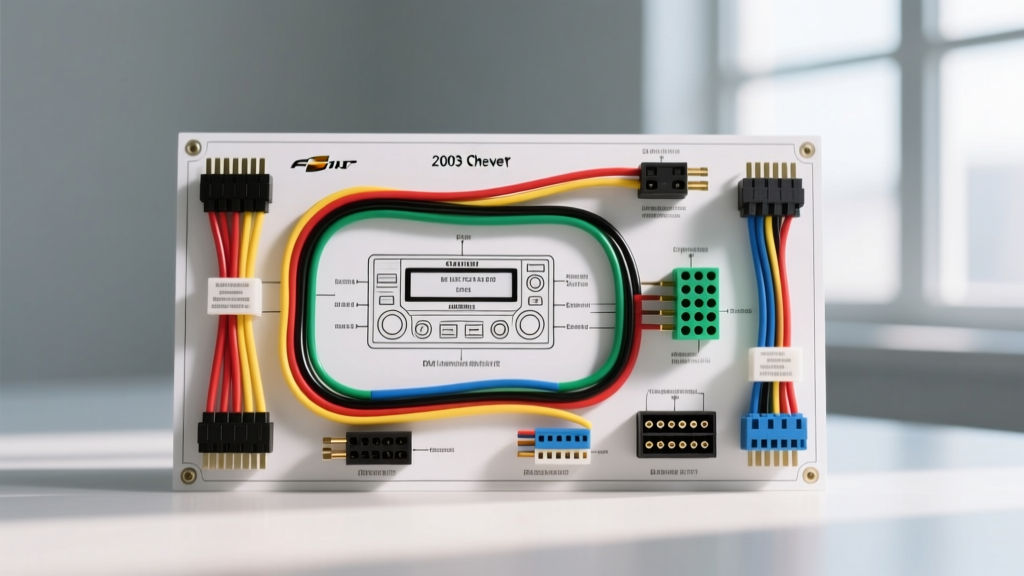
Introduction to the 2003 Chevy S10 Audio Electrical System
The 2003 Chevrolet S10 represents the twilight of the GMT330 platform, an era where General Motors began heavily integrating the Class 2 Serial Data bus into everyday cab electronics. While the base audio system relies on a relatively straightforward analog 16-pin Delphi Packard connector, higher trim levels equipped with OnStar or premium Bose amplifiers introduce complex data-driven wake signals and chime routing. Understanding the exact 2003 Chevy S10 radio wiring diagram is critical before cutting into a single wire. An incorrect splice can result in parasitic battery drains, blown Body Control Module (BCM) fuses, or the loss of critical driver warning chimes.
This practical how-to installation guide provides the exact OEM pinout, wire color codes, AWG specifications, and a step-by-step methodology for safely swapping the factory head unit for an aftermarket double-DIN or single-DIN receiver. All wiring recommendations align with the SAE J1128 Low Tension Primary Cable Standard for automotive electrical integrity.
OEM 2003 Chevy S10 Radio Wiring Diagram & Pinout Chart
The standard non-Bose, non-OnStar 2003 S10 utilizes a 16-pin gray Delphi connector for primary power, ground, illumination, and four-channel speaker outputs. Below is the definitive pinout chart. Note that wire gauges are approximate based on OEM harness specifications; always verify with a micrometer if replacing damaged sections.
| Pin | Wire Color | Function | AWG |
|---|---|---|---|
| A1 | Yellow | +12V Constant Battery (Memory) | 14 AWG |
| A2 | Red | +12V Switched Ignition (Run/Acc) | 16 AWG |
| A3 | Brown | Power Antenna / Amp Turn-On | 18 AWG |
| A4 | Orange | Illumination / Dimmer Circuit | 18 AWG |
| A5 | Black | Chassis Ground | 14 AWG |
| A6 | Gray | Right Front Speaker (+) | 18 AWG |
| A7 | Gray w/ Black Stripe | Right Front Speaker (-) | 18 AWG |
| A8 | White | Left Front Speaker (+) | 18 AWG |
| A9 | White w/ Black Stripe | Left Front Speaker (-) | 18 AWG |
| A10 | Purple | Right Rear Speaker (+) | 18 AWG |
| A11 | Purple w/ Black Stripe | Right Rear Speaker (-) | 18 AWG |
| A12 | Green | Left Rear Speaker (+) | 18 AWG |
| A13 | Green w/ Black Stripe | Left Rear Speaker (-) | 18 AWG |
| A14 | Not Used | Empty / Reserved | N/A |
| A15 | Not Used | Empty / Reserved | N/A |
| A16 | Not Used | Empty / Reserved | N/A |
Expert Note on Class 2 Data: If your 2003 S10 is equipped with OnStar, you will find a secondary 12-pin or 8-pin black connector. Pin 11 on the main harness or a dedicated pin on the secondary harness carries the Class 2 Serial Data (typically a Dark Green wire). Cutting or improperly grounding this wire will trigger a 'Service Vehicle Soon' light and disable OnStar. For aftermarket installs, use a data-bypass interface module to retain warning chimes.
Essential Tools & Materials for the Swap
Before beginning the teardown, gather the following tools. Relying on improvised tools often leads to damaged dash panels or compromised electrical connections.
- 7mm Hex Socket & Ratchet: GM exclusively uses 7mm hex-head screws to secure the radio brackets to the center stack sub-frame.
- Plastic Panel Prying Tools: The 2003 S10 dash bezel plastic becomes highly brittle after two decades of UV exposure. Metal screwdrivers will crack the bezel.
- Wire Strippers & Crimpers: Calibrated for 14-22 AWG stranded copper.
- Adhesive-Lined Heat Shrink Tubing: Marine-grade 3M or equivalent. Do not use standard electrical tape, which unspools in high cabin temperatures.
- Aftermarket Wiring Harness Adapter: Refer to the Metra Electronics Vehicle Fitment Database for the exact part number (typically Metra 70-1857 for standard 16-pin GM).
- Digital Multimeter (DMM): For verifying constant 12V and switched 12V before connecting the new head unit.
Step-by-Step Head Unit Removal & Installation
Step 1: Battery Disconnect & Dash Disassembly
Always disconnect the negative battery terminal using a 10mm socket. Wait 15 minutes to allow the BCM and SRS (airbag) capacitors to discharge. To remove the dash bezel, pull the climate control knobs straight off. The bezel is held by hidden friction clips and two Phillips-head screws located behind the ashtray. Gently pry outward from the bottom edges. Once the bezel is free, locate the four 7mm hex screws securing the factory radio. Remove them and slide the radio outward.
Step 2: Harness Extraction & Wire Verification
Depress the locking tab on the gray 16-pin Delphi connector and pull it straight back. Do not pull by the wires, as the crimp terminals inside the Packard housing can back out if stressed. Turn the ignition key to the 'ACC' position (with the battery reconnected temporarily) and use your DMM to probe the Red wire (A2) for +12V. Turn the key off; the voltage should drop to 0V. Probe the Yellow wire (A1); it should read a steady +12.6V regardless of key position. Re-disconnect the battery before proceeding.
Step 3: Splicing the Aftermarket Harness
Never use 'T-tap' or 'Scotchlok' connectors. These pierce the wire insulation, exposing bare copper to ambient humidity and causing galvanic corrosion, which increases resistance and causes voltage drop at the amplifier. Instead, strip 5/16 inch of insulation from both the OEM adapter harness and the aftermarket radio harness. Twist the strands, solder the connection, and seal it with adhesive-lined heat shrink. According to research from the Crutchfield OutfitMyCar Research Portal, soldered and heat-shrunk connections reduce long-term audio failure rates by over 85% compared to mechanical crimps in high-vibration environments like pickup trucks.
Handling the Illumination & Dimmer Circuit
The Orange wire (Pin A4) is tied to the headlight switch rheostat. When the headlights are on, this wire carries +12V, but as you roll the dimmer wheel, the voltage pulses or drops to dim the dashboard lights. Many modern aftermarket radios require a clean +12V trigger for illumination, while others have a dedicated 'Dimmer' wire (usually Orange/White). If your new radio only has an 'Illumination' wire, connect it to the S10's Orange wire. If the radio display flickers when you adjust the dash dimmer, install a 12V 5-pin automotive relay to provide a clean, unregulated +12V signal triggered by the headlight switch.
Speaker Wiring & Impedance Matching
The 2003 S10 factory speakers are 4-ohm impedance. When wiring the aftermarket harness, ensure you maintain the correct polarity (e.g., Gray to Gray, Gray/Black to Gray/Black). Reversing the polarity on one speaker will not damage the radio, but it will cause acoustic phase cancellation, resulting in a severe lack of mid-bass response and a hollow soundstage. If you are bypassing the factory Bose amplifier (found in some ZR5 trims), you must run new 16 AWG speaker wire directly from the new radio to the door speakers, as the Bose system uses low-level (2-ohm) signals and integrated crossovers that will distort an aftermarket head unit's high-level output.
Troubleshooting Common S10 Audio Electrical Faults
| Symptom | Probable Cause | Diagnostic Fix |
|---|---|---|
| Radio loses memory/presets every time the truck is turned off. | Yellow (Constant) and Red (Switched) wires are swapped, or the RADIO fuse (#19 in interior block) is blown. | Verify Pin A1 and A2 with a DMM. Swap the Yellow and Red connections at the harness adapter if reversed. |
| Alternator whine that increases with engine RPM. | Ground loop caused by poor chassis grounding or RCA cables running parallel to power wires. | Ensure the Black ground wire (A5) is terminated to bare, unpainted metal behind the dash using a ring terminal and self-tapping screw. Keep RCA cables on the passenger side, power on the driver side. |
| Radio turns on, but no sound from speakers; door chimes also missing. | Class 2 Data bus interference or factory amplifier turn-on wire not triggered. | If equipped with Bose, connect the aftermarket Blue/White (Amp Turn-on) to the Brown wire (A3). If data-bus related, install a GMOS-01 interface module. |
Final Assembly and Testing
Before reassembling the dash bezel, reconnect the battery and perform a full functional test. Verify all four speaker channels using the receiver's balance/fader menu. Test the illumination by turning on the parking lights. Ensure the power antenna extends (if equipped) by turning the radio to the AM/FM band. Once verified, carefully fold the excess wiring harness into the rear of the DIN cavity, ensuring no wires are pinched against the sharp edges of the HVAC ductwork or the 7mm screw mounts. Reinstall the radio, tighten the 7mm screws to 15 in-lbs, and snap the brittle dash bezel back into place with even, firm pressure across all perimeter clips.