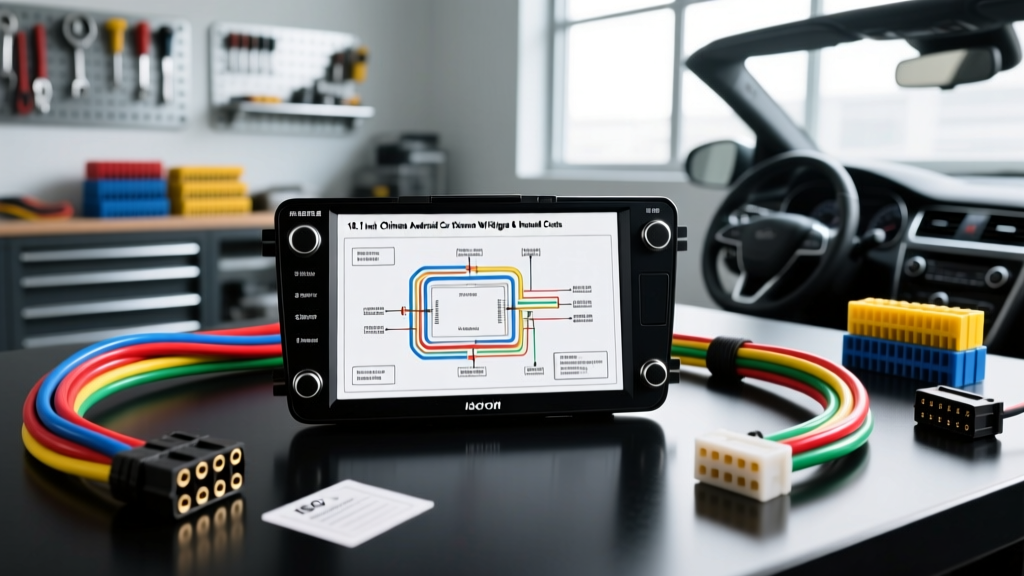
Introduction to Generic 10.1 Inch Android Head Unit Wiring
Installing a generic 10.1 inch Chinese Android car stereo (often sold under brands like Xtrons, Dasaita, Atoto, or unbranded Alibaba imports) presents unique electrical and financial challenges. Unlike premium units from Pioneer or Alpine, these budget-friendly touchscreens rely on a fragmented mix of ISO 10487 standards and proprietary auxiliary pigtails. Furthermore, the included documentation is notoriously inaccurate, making a reliable 10.1 inch Chinese Android car stereo wiring diagram an absolute necessity.
Beyond the schematic itself, professional installers and DIY enthusiasts must carefully evaluate the hidden costs of doing the job right. The head unit might only cost $150 to $300, but the adapters, CANbus decoders, and specialized tools required to integrate it safely into a modern vehicle's electrical system can easily double your initial budget. This guide provides a comprehensive cost and tool requirements analysis alongside the exact wiring schematics you need for a safe, functional installation.
Cost & Tool Requirements Analysis
Many buyers assume that a 'plug-and-play' harness is all they need. However, modern vehicles utilize multiplexed CAN networks, and cheap Android units often lack the internal circuitry to interpret these signals without external hardware. Below is a realistic breakdown of the tools and materials required to wire a 10.1 inch Android stereo properly, avoiding the common pitfalls of electrical fires and battery drain.
Tool & Material Budget Breakdown
| Item / Tool | Purpose | Estimated Cost | Expert Recommendation |
|---|---|---|---|
| Vehicle-Specific Harness | Prevents cutting OEM wires; plugs into factory radio connector. | $15 - $45 | Never use T-taps. Solder and use marine-grade heat shrink. |
| CANbus Decoder Box | Translates CAN signals to analog 12V triggers and SWC outputs. | $30 - $75 | Required for 2010+ vehicles to prevent battery drain and retain steering controls. |
| Digital Multimeter (DMM) | Verifies ACC, B+, and Ground continuity before connecting. | $20 - $50 | Essential. Chinese harnesses frequently swap Red (ACC) and Yellow (B+) wires. |
| Wire Strippers (18-22 AWG) | Prepares wires without nicking the copper core. | $15 - $25 | Use ratcheting strippers for clean cuts on thin signal wires. |
| Soldering Iron & Heat Shrink | Creates permanent, low-resistance connections. | $30 - $50 | Mandatory for power wires to prevent voltage drop and melting. |
| Inline ATC Fuse Holder (15A) | Protects the vehicle from short circuits in the head unit. | $5 - $10 | Install within 18 inches of the power source if tapping the battery directly. |
Total Estimated Wiring & Tool Cost: $115 - $255 (excluding the head unit itself).
The 10.1 Inch Chinese Android Car Stereo Wiring Diagram
Most 10.1 inch Android units utilize a dual-block ISO 10487 connector for primary power and speakers, supplemented by a proprietary 8-pin or 12-pin auxiliary connector for advanced features. Below is the universal pinout reference for these units.
ISO Block A: Power & Control (Standard 8-Pin)
According to the ISO 10487 standard, Block A handles power distribution. Warning: Many Chinese manufacturers swap the Yellow and Red wires on the pigtail to match specific Asian domestic market vehicles. Always verify with a multimeter.
| Pin | Wire Color (Typical) | Function | AWG Spec |
|---|---|---|---|
| Pin 4 | Yellow | B+ (Constant 12V Memory) | 18 AWG |
| Pin 7 | Red | ACC (Switched 12V Ignition) | 18 AWG |
| Pin 8 | Black | Chassis Ground (GND) | 16 AWG |
| Pin 5 | Blue/White | Power Antenna / Amp Turn-On (PC-CON) | 20 AWG |
| Pin 1 | Orange/Brown | Illumination (Dimmer Trigger) | 22 AWG |
| Pin 3 | Light Green | Park Brake (Must ground for video) | 22 AWG |
ISO Block B: Speaker Outputs (Standard 8-Pin)
Block B handles the amplified speaker outputs. These units typically feature an internal 4 x 50W Class-D amplifier. Do not connect these wires to an external amplifier's inputs; use the RCA pre-outs instead.
| Pin | Wire Color | Function | AWG Spec |
|---|---|---|---|
| Pin 1 | White | Front Left (+) | 20 AWG |
| Pin 2 | White/Black | Front Left (-) | 20 AWG |
| Pin 3 | Gray | Front Right (+) | 20 AWG |
| Pin 4 | Gray/Black | Front Right (-) | 20 AWG |
| Pin 5 | Green | Rear Left (+) | 20 AWG |
| Pin 6 | Green/Black | Rear Left (-) | 20 AWG |
| Pin 7 | Purple | Rear Right (+) | 20 AWG |
| Pin 8 | Purple/Black | Rear Right (-) | 20 AWG |
Proprietary Auxiliary Pigtail (8-Pin/12-Pin)
This non-standard harness handles reverse cameras, steering wheel controls, and microphone inputs.
- BACK (Pink/Orange): Reverse Camera Trigger. Requires +12V from the reverse light circuit to switch the screen to camera mode.
- KEY 1 & KEY 2 (Brown/White): Analog Steering Wheel Controls (SWC). Uses a resistor-ladder voltage divider network.
- MIC+ & MIC- (Pink/Green): External microphone input for Bluetooth hands-free calling.
- TX / RX (Yellow/Green): Digital CANbus data lines. Connects only to the external CANbus decoder box, never directly to the vehicle's CAN network.
Deep Dive: Steering Wheel Controls (SWC) & CANbus Integration
One of the most complex aspects of wiring a 10.1 inch Chinese Android stereo is integrating the steering wheel controls. Older vehicles use an analog resistor network where pressing a steering wheel button changes the resistance on a single wire. The Android unit's KEY 1 and KEY 2 inputs read this voltage drop (typically between 0.1V and 3.3V) and map it to a specific function in the Android 'Car Settings' menu.
However, modern vehicles (typically 2010 and newer) send SWC commands over the vehicle's CANbus network. The Android head unit cannot read CANbus directly. This is where your budget must account for a CANbus Decoder Box. The decoder intercepts the vehicle's CAN-High and CAN-Low signals, translates the steering wheel button presses, and outputs the corresponding analog voltage to the Android unit's KEY 1 and KEY 2 wires. For a deeper understanding of CANbus integration and retention modules, refer to Crutchfield's comprehensive guide on steering wheel control interfaces.
Critical Wiring Specifications & Fire Safety
A major cost-cutting measure employed by overseas manufacturers is the use of undersized wire gauges on the main power pigtail. It is incredibly common to find 22 AWG wire used for the Yellow (B+) and Red (ACC) lines on a unit that can draw up to 12 Amps under heavy load (e.g., high volume with the screen at max brightness). According to SAE International standards for automotive electrical systems, 22 AWG wire is only rated for roughly 5 Amps in a chassis wiring harness. Running 12 Amps through 22 AWG wire will cause severe voltage drop, erratic reboots, and potentially melt the wire insulation, leading to a dashboard fire.
The Fix: When splicing your vehicle-specific adapter harness to the Android unit's pigtail, cut off the undersized Chinese power wires as close to the connector as possible. Splice the adapter's 18 AWG or 16 AWG wires directly to the head unit's internal pins if possible, or use high-quality 18 AWG extension wire with soldered connections and dual-wall heat shrink tubing. Never rely on the provided twist-caps or electrical tape.
Real-World Failure Modes & Troubleshooting
Even with the correct 10.1 inch Chinese Android car stereo wiring diagram, installers frequently encounter specific electrical gremlins inherent to these budget units.
1. Alternator Whine in Audio Output
Cause: Ground loops. The internal DAC (Digital-to-Analog Converter) and Class-D amplifier in cheap Android units have poor power supply rejection ratios (PSRR). If the stereo ground and the external amplifier ground are at different potentials, a 60Hz+ alternator whine will bleed into the RCA pre-outs.
Fix: Do not ground the stereo to a random dash bolt. Run a dedicated 16 AWG ground wire from the ISO Block A Pin 8 directly to a clean, unpainted metal point on the vehicle's main chassis crossmember. Ensure your external amplifier is grounded to the exact same chassis point.
2. Parasitic Battery Drain (Dead Battery Overnight)
Cause: Swapped ACC and B+ wires, or a faulty CANbus decoder that fails to enter sleep mode. If the Red (ACC) and Yellow (B+) wires are both connected to constant 12V, the Android unit will never enter deep sleep, drawing 300mA+ continuously and killing the battery in 48 hours.
Fix: Use a digital multimeter to verify that the Red wire only receives 12V when the ignition is in the 'ON' or 'ACC' position. If using a CANbus decoder, ensure the decoder's 'Sleep' wire is properly configured to cut power when the vehicle's data bus goes dormant.
3. Reverse Camera Displays 'No Signal'
Cause: The 'BACK' trigger wire is not receiving +12V, or the camera's power is being pulsed by a modern vehicle's PWM (Pulse Width Modulation) tail light circuit.
Fix: Verify 12V on the Pink/Orange BACK wire when the car is in reverse. If the voltage fluctuates rapidly (PWM), install a 12V DC relay or a PWM filter module between the reverse light and the camera's power source to provide a steady 12V signal to both the camera and the stereo's trigger wire.