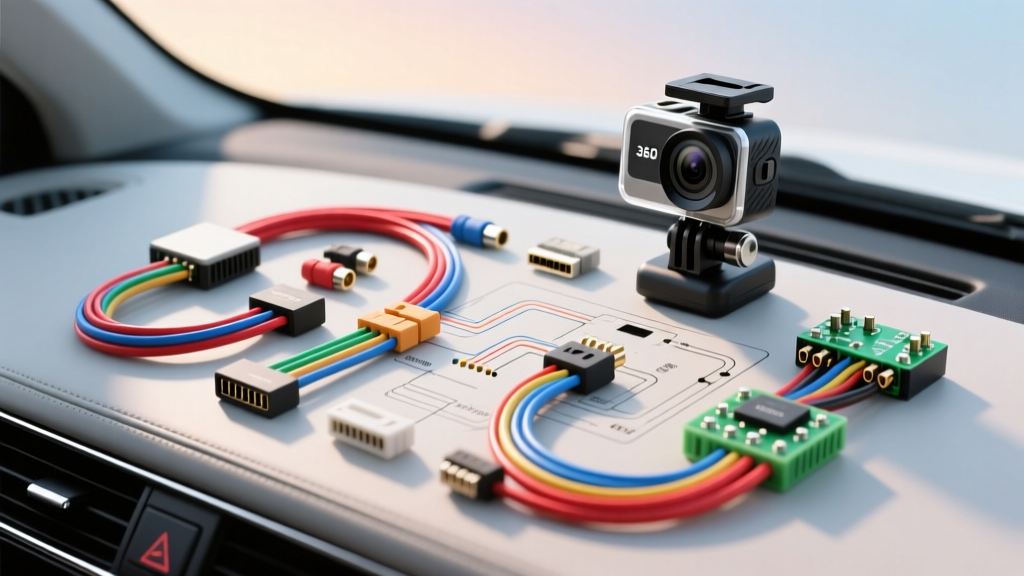
Upgrade Project: Integrating an Aftermarket 360 Camera System
Upgrading a vehicle with an aftermarket 360-degree bird's-eye view camera system is one of the most complex but rewarding modification projects an automotive electronics enthusiast can undertake. Unlike a standard single-channel backup camera, a 360 system requires synchronizing four discrete video feeds, managing high-speed data transmission, and integrating with the vehicle's CAN bus network for seamless trigger events. This comprehensive 360 camera wiring diagram and installation guide provides the exact specifications, wire gauges, and pinout configurations required to execute a flawless OEM-style integration.
System Architecture & Component Breakdown
A universal 360 camera kit consists of four primary hardware nodes: the front grille camera, rear license plate camera, left and right side-mirror cameras, and the central Video Processing ECU (Electronic Control Unit). The ECU is the brain of the operation, responsible for stitching the four overlapping fisheye images into a single cohesive top-down render. Because the ECU processes massive amounts of visual data in real-time, its power and ground connections must be exceptionally stable to prevent voltage drops that lead to system reboots or image tearing.
Core 360 Camera Wiring Diagram & ECU Pinout
The central ECU typically utilizes a 24-pin main harness for power, ground, trigger signals, and CAN bus communication. Below is the standard pinout configuration for high-definition aftermarket 360 ECUs. Always cross-reference this with your specific manufacturer's schematic, as color codes can occasionally vary between batches.
| Pin Number | Wire Color | Function | AWG Size | Connection Point |
|---|---|---|---|---|
| 1 | Red | 12V Constant (B+) | 18 AWG | Battery Positive (via 5A ATM Fuse) |
| 2 | Yellow | 12V Accessory (ACC) | 18 AWG | Ignition Switch or BCM ACC Circuit |
| 3 | Black | Chassis Ground | 16 AWG | Factory Ground Stud (M6 Bolt) |
| 4 | Green | CAN-High | 22 AWG | OBD2 Port Pin 6 or BCM CAN-H |
| 5 | White | CAN-Low | 22 AWG | OBD2 Port Pin 14 or BCM CAN-L |
| 6 | Purple | Reverse Trigger | 22 AWG | Reverse Light Circuit or CAN Decoder |
| 7 | Brown | Left Turn Trigger | 24 AWG | Left Turn Signal Wire or CAN Decoder |
| 8 | Orange | Right Turn Trigger | 24 AWG | Right Turn Signal Wire or CAN Decoder |
| 9-12 | Shielded | LVDS Video Out | Proprietary | Aftermarket Head Unit / Interface Module |
Power, Ground, and CAN Bus Routing Specifications
When executing a 360 camera wiring diagram, power management is critical. The ECU draws between 2.5A and 4A during peak processing (such as initial boot-up and 3D model rendering). Do not tap into a low-amperage accessory circuit like the cigarette lighter or a shared dome light circuit. Run a dedicated 18 AWG power wire directly from the battery positive terminal, protected by a 5A ATM fuse located within 8 inches of the battery post. The ground must be secured to a bare metal chassis point using an M6 ring terminal; sand away any paint or corrosion to ensure resistance is below 0.5 ohms.
CAN Bus Integration and Trigger Logic
Modern vehicles utilize multiplexed CAN bus networks rather than simple 12V analog wires for lighting and gear selection. To wake up the 360 system when shifting into reverse or activating a turn signal, you must interface with the vehicle's data bus. According to SAE J1939 CAN Bus Standards, the CAN-H and CAN-L lines operate on a twisted pair to reject electromagnetic interference (EMI). You must maintain the twist in the 22 AWG green and white wires all the way to the OBD2 port or Body Control Module (BCM). If your vehicle uses LIN bus or encrypted CAN messages for reverse gear, you will need an aftermarket CAN decoder module (such as a PAC or Maestro interface) to translate the digital data into a 12V analog trigger for Pin 6 on the ECU.
Camera Harness Routing & Aviation Connectors
The individual cameras connect to the ECU via 4-pin aviation connectors (GX12 or GX16 style). These connectors carry both power and video over a single shielded cable. The pinout for the camera side is typically: Pin 1 (12V+), Pin 2 (Ground), Pin 3 (Video Signal+), and Pin 4 (Video Shield/Ground). Because these cables must pass through the vehicle's firewall and door jambs, routing requires extreme care.
- Front Camera: Route through the main firewall grommet. Use a blunt-nosed fish tape and apply dielectric grease to the aviation connector to prevent moisture ingress. Wrap the harness in TESA cloth tape to prevent rattling against the HVAC housing.
- Side Mirror Cameras: This is the most labor-intensive step. You must remove the interior door panel, disconnect the factory mirror harness, and feed the camera cable through the flexible rubber door boot. Use a lubricated pull string to guide the 4-pin connector through the tight corrugated tube. Ensure the cable has enough slack to accommodate full door articulation without stressing the internal copper strands.
- Rear Camera: Route through the trunk lid hinge conduit. Secure the cable with adhesive-backed loom clips every 6 inches to prevent it from rubbing against the trunk lid's torsion springs, which will quickly sever the video shield and cause signal noise.
Video Signal Transmission: LVDS vs. Composite
Older or budget 360 systems rely on standard RCA composite video (CVBS) for the final output to the head unit. However, composite video is highly susceptible to alternator whine and ground loop interference. Premium upgrade projects utilize LVDS (Low-Voltage Differential Signaling) or Fakra Z coaxial connections to transmit the stitched 1080p or 4K 360 render to the display. LVDS uses a twisted pair to transmit data at high speeds with low voltage, effectively eliminating EMI from the vehicle's ignition system. If your head unit lacks an LVDS input, you will need an LVDS-to-HDMI or LVDS-to-RCA converter box, which requires its own dedicated 12V ACC tap and a clean chassis ground.
Stitching and Calibration Protocol
Wiring is only half the battle; calibration is where the 360 camera system is actually born. The ECU requires a physical calibration mat (usually a high-contrast checkerboard or ArUco marker pattern) placed on the ground around the vehicle. According to installation guidelines referenced by SEMA Garage Accessory Integration, the calibration mats must be placed at exact distances from the vehicle's centerline—typically 500mm laterally and 800mm longitudinally. The ECU uses these known geometric reference points to calculate the lens distortion, overlap zones, and blending gradients. If the mats are misaligned by even 2 inches, the final stitched image will feature visible seams, warped lines, or a disjointed 'ghosting' effect where the front and side cameras meet.
Troubleshooting Matrix
Even with a perfect 360 camera wiring diagram, real-world variables can introduce faults. Use this decision tree to diagnose common post-installation anomalies.
| Symptom | Probable Cause | Diagnostic Fix |
|---|---|---|
| Alternator whine in audio / video rolling bars | Ground loop or unshielded video cable | Verify ECU ground is under 0.5 ohms. Ensure camera aviation connectors are fully seated and shielding is intact. |
| System reboots when shifting into reverse | Voltage drop on ACC line | Move the Yellow ACC wire from a shared fuse tap to a dedicated ignition relay or direct BCM output. |
| Side cameras do not trigger on turn signals | CAN bus decoder mismatch or analog tap failure | Use a multimeter to verify 12V pulse on Pins 7/8 during turn signal activation. Check CAN decoder DIP switch settings. |
| Stitched image has severe tearing at seams | Calibration mat misalignment or dirty lens | Clean all lenses with isopropyl alcohol. Re-measure mat placement to exact OEM specs and re-run the stitch algorithm. |
| ECU fails to boot (No LED indicator) | Blown main fuse or reversed polarity | Check 5A ATM fuse at battery. Verify Red wire has constant 12V and Black wire has continuity to ground. |
Authoritative References
For further reading on vehicle network topology and safe accessory integration, consult the following industry standards and resources:
- SAE J1939 CAN Bus Standards - Essential for understanding high-speed data bus routing and twisted pair requirements.
- Crutchfield Car AV Installation Guides - Excellent visual references for dash disassembly, trim removal, and head unit LVDS interfacing.
- SEMA Garage Accessory Integration - Best practices for aftermarket electronics mounting, thermal management, and calibration protocols.