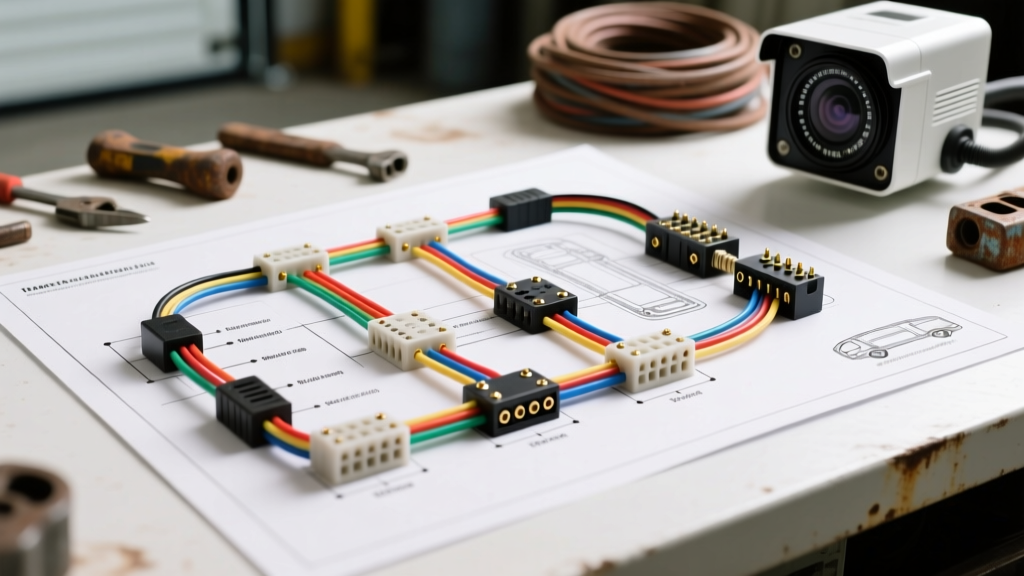
Understanding the Trailer Surveillance Camera Wiring Diagram Architecture
Deploying a heavy-duty or RV trailer surveillance camera system requires more than simply plugging in a connector. Unlike standard backup cameras that only activate in reverse, a continuous-feed surveillance camera wiring diagram must support constant 12V power, handle the high current draw of infrared (IR) night-vision arrays, and transmit an uninterrupted analog or AHD (Analog High Definition) video signal over distances exceeding 40 feet. When your monitor displays a black screen, rolling horizontal bars, or a 'No Signal' error, a systematic troubleshooting flow is required to isolate the fault.
This guide provides a step-by-step diagnostic flow for troubleshooting 4-pin aviation (GX16/M12) and 7-way RV blade surveillance camera wiring diagrams. We will cover voltage drop calculations, ground loop isolation, and factory head unit integration using video interface modules.
Phase 1: Power Delivery and Voltage Drop Diagnostics
The most common cause of surveillance camera failure at night is voltage drop. When the ambient light sensor triggers the camera's IR LEDs, the current draw can spike from a baseline of 150mA to over 850mA. If the wire gauge is insufficient, the voltage at the camera pigtail will drop below the 10.5V threshold, causing the internal voltage regulator to shut down to protect the CMOS sensor.
Step-by-Step Power Diagnostic Flow
- Verify Source Voltage: Set your digital multimeter (DMM) to DC Volts. At the tow vehicle's 7-way blade connector, probe Pin 4 (Auxiliary 12V+) and Pin 1 (Ground). You should read between 13.2V and 14.4V with the engine running.
- Measure Loaded Voltage at the Camera: Disconnect the camera from the trailer harness. Plug the camera directly into a known-good 12V source with an inline ammeter. Cover the camera's ambient light sensor to force the IR LEDs to activate. Note the amperage draw (typically 0.6A to 0.9A).
- Calculate Harness Voltage Drop: Reconnect the trailer harness. With the IR LEDs active, back-probe the 4-pin aviation connector at the camera side of the joint. If the voltage reads below 11.5V, you have excessive voltage drop.
- Corrective Action (AWG Upgrades): Standard camera pigtails often use 20 AWG or 18 AWG wire. According to etrailer wiring guidelines, 18 AWG wire is only rated for short runs. For a 30-foot trailer run, you must upgrade the main harness to 16 AWG stranded copper. For toy haulers or fifth wheels exceeding 45 feet, 14 AWG is mandatory to maintain the required voltage under the 850mA IR load.
Phase 2: Video Signal Degradation and Ground Loop Isolation
If the camera powers on but the monitor displays rolling horizontal lines, static, or a washed-out image, you are likely dealing with a ground loop or signal shielding failure. Surveillance cameras typically output a 1.0V peak-to-peak CVBS (Composite Video Baseband Signal) or a higher-frequency AHD signal, both of which are highly susceptible to electromagnetic interference (EMI) from trailer braking controllers and alternator whine.
Signal Troubleshooting Decision Tree
- Symptom: Rolling horizontal bars that change speed with engine RPM.
- Cause: Alternator whine entering the video shield due to a ground potential difference between the tow vehicle and the trailer.
- Fix: Test the resistance between the camera's metal housing and the trailer chassis. It must be less than 0.5 ohms. If higher, run a dedicated 16 AWG ground wire from the camera mounting bracket directly to the main trailer ground bus, bypassing the aluminum skin or hinges.
- Symptom: Image is completely black, but audio (if equipped) works.
- Cause: Video+ pin failure or broken coaxial shielding inside the GX16 connector.
- Fix: Perform a continuity test on Pin 2 (Video+) from the camera pigtail to the monitor input. Check for chafing at the trailer's A-frame hinge point, a notorious failure zone for surveillance camera wiring diagrams.
Phase 3: Factory Head Unit Integration and RCA Adapters
Many modern fleet vehicles and luxury RVs integrate the surveillance camera feed directly into the factory infotainment screen rather than using a standalone dash monitor. This requires adapting the camera's hardwired harness to an RCA input, often routed through a video interface module or a Line Output Converter (LOC) setup designed for video switching.
Integration Troubleshooting Steps
- Check the Video Interface Module Trigger: Factory screens require a 12V trigger to switch from the navigation/radio display to the camera input. Ensure the interface module is receiving 12V on the 'Reverse' or 'Aux Camera' trigger wire. If using a CAN-bus decoder, verify the module is reading the correct vehicle network data.
- Inspect the RCA Adapter Solder Joints: When adapting a 4-pin aviation connector to a male RCA plug, the Video+ wire must be soldered to the RCA center pin, and the Ground wire to the outer shield. A common DIY error is twisting the wires together and using electrical tape, which introduces high resistance and destroys the 75-ohm impedance required for a clean video signal.
- Verify DIP Switch Settings: If your surveillance camera supports both NTSC and PAL formats, ensure the internal DIP switch or jumper is set to NTSC (standard for North American automotive head units). A mismatched format will result in a black-and-white, scrolling image.
4-Pin Aviation (GX16) to 7-Way RV Blade Pinout Mapping
Understanding the exact pinout is critical when fabricating adapter harnesses or testing continuity. The following table maps the standard 4-pin GX16 aviation connector found on most aftermarket surveillance cameras to the standard 7-way RV blade connector governed by SAE J560 standards.
| Camera Connector (GX16 4-Pin) | Wire Color (Typical) | Function | 7-Way RV Blade Target Pin | Notes & Specifications |
|---|---|---|---|---|
| Pin 1 | Red | 12V DC Power (+) | Pin 4 (Auxiliary) | Requires inline 5A ATC fuse. Use 16 AWG for runs over 15ft. |
| Pin 2 | Yellow / White | Video Signal (+) | N/A (Routed to Monitor) | Must use shielded coaxial cable to prevent EMI from brake controllers. |
| Pin 3 | Green / Blue | Audio / IR Control (+) | N/A (Routed to Monitor) | Often unused in modern digital AHD systems; verify with manufacturer. |
| Pin 4 | Black | Ground (-) | Pin 1 (Ground) | Must terminate at a clean, bare-metal chassis ground. Do not exceed 0.5 ohms resistance. |
Real-World Failure Modes and Corrective Actions
Even with a perfect surveillance camera wiring diagram on paper, physical environment factors cause the majority of field failures. Use this checklist to inspect the physical harness:
- Pin Tension Loss in the 7-Way Blade: Over time, the female pins inside the tow vehicle's 7-way receptacle lose their spring tension, causing micro-arcing and intermittent power loss when hitting bumps. Fix: Use a terminal pick tool to gently bend the internal tangs back toward the center of the socket to restore friction.
- Water Ingress in the M12/GX16 Connector: The rubber O-ring on the aviation connector degrades under UV exposure, allowing water to short Pin 1 (12V) to Pin 2 (Video), instantly frying the monitor's input circuit. Fix: Disassemble the connector, clean the pins with electrical contact cleaner, and pack the rear housing with marine-grade dielectric grease. Warning: Do not pack grease directly onto the pin contact faces, as it can impede low-voltage video signals.
- Chafing at the Trailer Hinge Point: On fifth wheels and toy haulers, the harness must flex every time the suspension cycles. Standard PVC-jacketed wire will crack and short against the steel frame within one season. Fix: Replace the flex-zone section of the harness with Cross-Linked Polyethylene (XLPE) jacketed wire or route it through a split-loom conduit secured with adhesive-backed P-clamps, ensuring a 3-inch slack loop at the pivot point.
For further reading on low-voltage routing and chassis grounding best practices, consult the RV Industry Association (RVIA) technical bulletins and always verify your specific monitor's voltage requirements before applying power to a newly fabricated adapter harness.