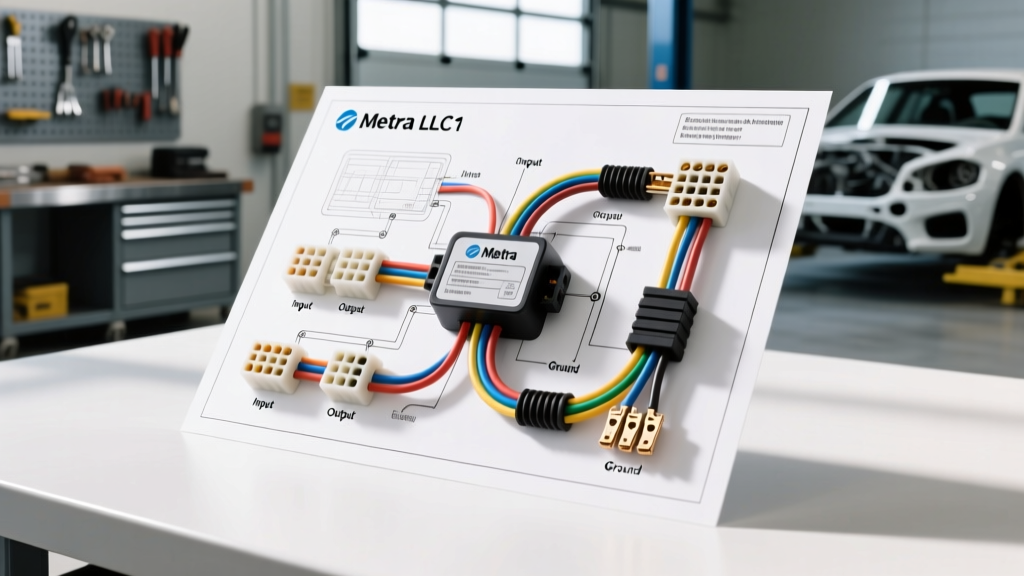
Introduction to the Metra LLC1 Line Output Converter
When upgrading your vehicle's technology—whether you are installing an aftermarket multimedia receiver for Apple CarPlay, routing a backup camera's RCA video cable, or adding a dedicated DSP (Digital Signal Processor)—you will inevitably interact with the factory audio system. The Metra LLC1 wiring diagram is a fundamental reference for any installer looking to bridge the gap between factory high-level speaker outputs and aftermarket low-level RCA inputs.
Many modern vehicles feature amplified factory audio systems or complex CAN-bus networks that make traditional radio replacement difficult. By utilizing a Line Output Converter (LOC) like the Metra LLC1, you can tap directly into the factory speaker wiring to feed a clean, adjustable signal to an aftermarket amplifier or DSP. This is especially useful when performing a full dash teardown for a camera and tech integration project, as it allows you to upgrade the audio without replacing the entire factory head unit.
Understanding High-Level vs. Low-Level Signals
Before cutting into any wires, it is crucial to understand the electrical differences between the signals you are working with. Automotive electrical systems operate on a 12V DC baseline, but audio signals are AC (Alternating Current) waveforms superimposed on that baseline.
- High-Level (Speaker-Level) Signals: These are the amplified signals sent from the factory radio or factory amplifier to the door and deck speakers. They typically range from 10V to 40V peak-to-peak depending on the volume and the factory amplifier's wattage. The factory wiring is usually 18 to 20 AWG (American Wire Gauge).
- Low-Level (Pre-Out/RCA) Signals: These are unamplified, line-level signals designed for aftermarket amplifiers and DSPs. They operate at a much lower voltage, typically 2V to 4V RMS. Because the voltage is low, they are highly susceptible to electromagnetic interference (EMI) and alternator whine if not properly shielded.
The Metra LLC1 acts as a step-down transformer and voltage divider, safely reducing the high-level AC voltage to a manageable low-level signal while matching the impedance to prevent factory amplifier protection circuits from tripping.
Metra LLC1 Wiring Diagram & Pinout Table
The LLC1 is a 2-channel passive line output converter. It features a pigtail harness for high-level inputs and standard female RCA jacks for low-level outputs. Below is the definitive wiring diagram reference for the input harness.
| Function | Wire Color | AWG Size | Connection Point |
|---|---|---|---|
| Left Channel Positive (+) | White | 18 AWG OFC | Factory Left Speaker (+) |
| Left Channel Negative (-) | White w/ Black Stripe | 18 AWG OFC | Factory Left Speaker (-) |
| Right Channel Positive (+) | Gray | 18 AWG OFC | Factory Right Speaker (+) |
| Right Channel Negative (-) | Gray w/ Black Stripe | 18 AWG OFC | Factory Right Speaker (-) |
| Ground (Shield/Chassis) | Bare Copper / Black | 18 AWG OFC | Factory Amp Ground or Chassis |
Note: Always verify factory wire colors using a Digital Multimeter (DMM) or an automotive wiring diagram specific to your vehicle's make, model, and year. Factory wire colors can vary wildly between trim levels (e.g., base audio vs. premium Bose/Harman systems).
Step-by-Step Installation Fundamentals
Integrating the LLC1 into your vehicle's harness requires precision. Since you are likely already running RCA cables for a backup camera or dash cam, you can route your audio RCAs in the same channel, provided they are kept away from high-current power wires to avoid EMI.
Step 1: Locating and Testing Factory Speaker Wires
- Remove the necessary trim panels to access the factory radio harness or factory amplifier. If you are installing a backup camera, you may already be behind the head unit.
- Set your DMM to AC Voltage (V~).
- Turn the vehicle to the 'ON' position (engine off to prevent alternator noise during testing) and play a test tone (a 50Hz sine wave is ideal) at 50% volume.
- Probe the suspected speaker wires. A reading between 2V and 8V AC confirms you have found an active speaker circuit.
Step 2: Making the Connections (Solder vs. T-Taps)
While quick-splice T-taps are popular among beginners, they are notorious for causing intermittent connections and wire corrosion in automotive environments. For a reliable, long-lasting installation, follow these professional standards:
- The Posi-Tap Method: If you cannot cut the factory wire, use high-quality Posi-Taps designed for 18-24 AWG wire. They use a set-screw mechanism that bites into the wire without severing the copper strands.
- The Solder and Splice Method (Recommended): Cut the factory speaker wire. Strip back 3/8 inch of insulation from both the factory wire and the LLC1 pigtail. Twist the copper strands together, apply 60/40 rosin-core solder, and seal the connection with 3:1 ratio adhesive-lined heat shrink tubing. This prevents moisture ingress and vibration-induced failures.
Step 3: Adjusting the Potentiometer (Gain Matching)
The Metra LLC1 features built-in potentiometers (small adjustment screws) to set the output voltage. Improper gain staging is the #1 cause of distorted audio and blown speakers.
- Connect your DMM to the RCA outputs of the LLC1 using an RCA-to-bare-wire test lead.
- Set the DMM to AC Millivolts (mV~).
- Play your 50Hz test tone at the maximum unclipped volume of your factory radio (usually around 80-90% of the volume knob).
- Use a small flathead jeweler's screwdriver to adjust the potentiometer until your DMM reads between 2000mV and 4000mV (2V - 4V), matching the input sensitivity of your aftermarket amplifier.
Troubleshooting Common LOC Issues
When integrating audio alongside camera systems, ground loops and signal interference are common. Use this decision tree to diagnose issues related to your Metra LLC1 wiring diagram implementation.
| Symptom | Probable Root Cause | Verified Solution |
|---|---|---|
| High-pitched alternator whine that revs with the engine. | Ground loop between the factory amp ground and the aftermarket amp ground. | Ensure the LLC1 ground is tied to the exact same chassis ground point as the aftermarket amplifier. If the issue persists, install a PAC Ground Loop Isolator (GLI) on the RCA cables. |
| Audio cuts out when volume exceeds 50%. | Factory amplifier load-protection circuit is tripping due to incorrect impedance. | Verify the LLC1 is connected in parallel with the factory speaker, not in series. The LLC1's high impedance prevents it from dropping the overall load below the factory amp's 2-ohm minimum threshold. |
| Severe audio distortion (clipping) even at low volumes. | LOC potentiometer set too high, overdriving the aftermarket amp's input stage. | Repeat the gain matching process (Step 3). Ensure the factory head unit's internal EQ is set to flat, and bass boost features are turned off during testing. |
| No signal on one channel. | Blown internal transformer or broken pigtail connection. | Test continuity of the LLC1 pigtail wires. If the wire is intact, the internal step-down coil may be damaged by a short circuit. Replace the unit. |
Best Practices for Camera and Tech Integration
When you are already inside the dash routing wires for a reverse camera trigger (typically tapping the +12V reverse light circuit), take the time to properly secure your LOC. Use nylon braided wire loom and automotive-grade Tesa tape to bundle the LLC1 pigtails with the factory harness. This prevents the LOC from rattling behind the dash and protects the delicate RCA connections from being snagged during the reassembly of your multimedia head unit and backup camera monitor.
Authoritative References
For further reading on automotive electrical integration and line output converters, consult the following industry resources:
- Crutchfield: Line Output Converters Explained - A comprehensive guide to understanding high-level to low-level signal conversion and gain staging.
- Metra Electronics Official Portal - Manufacturer documentation, vehicle-specific fit guides, and integration harness specifications.