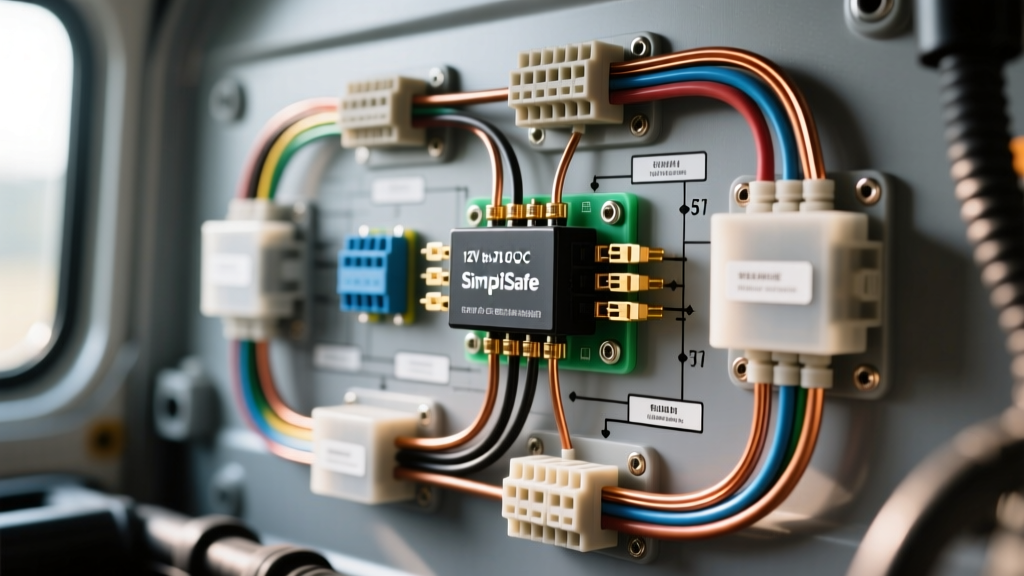
Adapting Home Security for the 12V Automotive Environment
Integrating residential security hardware into mobile platforms requires a deep understanding of automotive electrical systems. A standard SimpliSafe outdoor camera installation is designed for a stable 120V AC home environment, utilizing a proprietary step-down transformer to deliver 5V DC via USB-C or a barrel connector. However, when adapting this camera for perimeter monitoring on Class B camper vans, expedition trucks, or marine vessels, you are interfacing with a nominal 12V DC system that fluctuates between 11.8V (resting) and 14.4V (alternator charging). Direct wiring is impossible and will instantly destroy the camera's internal logic board. This complete wiring diagram walkthrough details the exact methodology for safely stepping down 12V automotive power to a stable 5V DC output, managing voltage drop over long cable runs, and ensuring IP67 weatherproofing for exterior bulkhead pass-throughs.
Core Wiring Diagram: 12V House Battery to 5V DC-DC Buck Converter
Unlike standard automotive backup cameras that operate natively on 12V, the SimpliSafe Outdoor Camera requires a precise 5V DC input at a minimum of 2.0 Amps (10 Watts). To achieve this, we utilize an IP67-sealed DC-DC step-down (buck) converter. The diagram below outlines the logical flow of the harness.
[12V House Battery Bank] --> [5A ATO Blade Fuse] --> [16 AWG Marine Wire] --> [IP67 12V-to-5V 3A Buck Converter] --> [14 AWG 5V Output Wire] --> [Deutsch DT Bulkhead Connector] --> [SimpliSafe Camera USB-C/Barrel Adapter]
Component Sourcing and Specifications
When sourcing components for a mobile SimpliSafe outdoor camera installation, automotive-grade and marine-grade materials are mandatory to resist vibration, thermal cycling, and moisture intrusion. Refer to the specification chart below for exact part requirements.
| Component | Specification | Automotive/RV Standard |
|---|---|---|
| Primary Wire (12V Side) | 16 AWG Tinned Copper (Red/Black) | SAE J378 / ABYC E-11 |
| Secondary Wire (5V Side) | 14 AWG Tinned Copper (Red/Black) | SAE J1128 |
| Overcurrent Protection | 5A ATO Blade Fuse w/ Inline Holder | SAE J554 |
| Step-Down Converter | IP67 12V to 5V 3A DC-DC Module | Sealed, Epoxy-Potted |
| Exterior Connector | Deutsch DT 2-Pin Bulkhead Receptacle | IP68 Rated |
| Splice Terminations | Adhesive-Lined Heat Shrink Butt Splices | 3M Polyimide / Dual-Wall |
Step-by-Step Wiring Walkthrough
1. Tapping the 12V Auxiliary Power Source
Never tap into the vehicle's primary chassis battery for security camera installations, as this risks draining the starter battery during dry camping. Instead, connect to the RV's 12V house battery bank or a dedicated upfitter auxiliary switch panel. According to ABYC E-11 standards for DC electrical systems, overcurrent protection must be installed within 7 inches of the power source. Strip 3/8 inch of insulation from the 16 AWG red positive wire, crimp on a ring terminal, and secure it to the positive bus bar. Insert the 5A ATO fuse immediately downstream. The black negative wire should be routed directly to the house battery's negative bus bar—do not use the vehicle's metal chassis as a ground return, as this introduces ground loops and alternator whine into sensitive 5V logic circuits.
2. Integrating the DC-DC Step-Down Converter
Mount the IP67 buck converter in a dry, ventilated interior cabinet. The converter will feature four wires: two for 12V input and two for 5V output. Splice the 16 AWG 12V input wires to the converter's input leads using adhesive-lined marine heat shrink. Apply heat until the dual-wall adhesive purges from the edges, ensuring a watertight seal. The 3A rating of the converter provides a 33% overhead buffer above the camera's 2A peak draw, preventing thermal throttling of the converter during night vision IR LED activation, which spikes amperage draw.
3. Managing 5V Voltage Drop on Long Cable Runs
The most common failure point in a mobile SimpliSafe outdoor camera installation is voltage drop on the 5V DC side. USB and 5V barrel systems require a minimum of 4.75V to operate reliably. If you use the standard 18 AWG cable included in the retail box for a 20-foot run from the interior converter to the exterior roof rack, the camera will fail to boot. Let us calculate the voltage drop using standard AWG resistance metrics.
Voltage Drop Formula: VD = (2 × Length × Current × Ohms per 1000ft) / 1000
- Scenario A (18 AWG at 20ft / 2A): (2 × 20 × 2 × 6.385) / 1000 = 0.51V Drop. Resulting voltage at camera: 4.49V (System Failure / Wi-Fi Dropouts).
- Scenario B (14 AWG at 20ft / 2A): (2 × 20 × 2 × 2.525) / 1000 = 0.20V Drop. Resulting voltage at camera: 4.80V (Optimal Operation).
By upsizing the 5V output wire to 14 AWG, you guarantee stable voltage delivery to the exterior bulkhead, even when the vehicle's 12V system dips to 11.8V under heavy house loads.
4. Weatherproofing and Exterior Bulkhead Routing
Drilling into an RV or expedition vehicle requires strict moisture management. Use a stepped drill bit to create a 1/2 inch hole through the roof or sidewall. Install a marine-grade cable gland or a Deutsch DT bulkhead receptacle. If you must cut the OEM SimpliSafe USB-C plug to pass the wire through the bulkhead, you must re-terminate it using an IP67-rated USB-C field-attachable connector. Seal the interior cable gland with marine-grade silicone or butyl tape to prevent capillary action from drawing water into the vehicle's interior walls.
Pinout Configuration & Converter Wiring Reference
When wiring the DC-DC converter to the Deutsch DT bulkhead connector, maintain strict polarity. Reversing 5V polarity will instantly short the camera's USB-C power management IC (PMIC).
| Converter Output | Wire Color | Deutsch DT Pin | Camera Adapter Input |
|---|---|---|---|
| 5V Positive (+) | Red (or Yellow w/ Red Tracer) | Pin 1 (Socket) | USB-C VBUS / Barrel Tip |
| 5V Negative (-) | Black | Pin 2 (Socket) | USB-C GND / Barrel Sleeve |
Troubleshooting Common Power Delivery Failures
Even with meticulous adherence to SAE J378 wiring standards, mobile environments introduce unique electrical anomalies. Use the following diagnostic tree to resolve common installation issues.
- Symptom: Camera powers on but drops Wi-Fi connection at night.
- Cause: IR Night Vision activation causes a transient current spike exceeding 2.5A, triggering the buck converter's internal over-current protection or causing a severe voltage sag below 4.75V.
Fix: Verify the DC-DC converter is rated for at least 3A continuous output. Check all 14 AWG crimp connections for high resistance using a multimeter's voltage drop test under load. - Symptom: Camera exhibits random reboots while the vehicle is driving.
- Cause: Alternator ripple voltage or voltage spikes from the vehicle's starter motor are passing through an unregulated or low-quality buck converter.
Fix: Install a 1000µF electrolytic capacitor across the 12V input terminals of the buck converter to smooth transient voltage spikes, or upgrade to an automotive-certified Victron Orion DC-DC converter with integrated ripple filtering. - Symptom: Moisture detected inside the camera lens housing.
- Cause: Capillary action drawing water down the stranded wire into the camera housing due to a breached exterior cable jacket or improper drip loop formation.
Fix: Ensure a physical 'drip loop' is formed in the cable immediately before it enters the bulkhead connector. Seal the wire entry point of the SimpliSafe housing with a dab of marine-grade epoxy or GE Silicone II.
Final System Validation
Before sealing the interior panels and finalizing your SimpliSafe outdoor camera installation, perform a loaded voltage test. Connect a multimeter to the 5V output terminals at the exterior bulkhead while the camera is actively streaming video with night vision enabled. The reading must remain strictly between 4.85V and 5.10V. If the voltage sags below 4.75V, you must increase the wire gauge on the 5V run or shorten the cable path. For comprehensive technical specifications regarding the camera's native power requirements and Wi-Fi antenna clearances, always consult the official SimpliSafe support documentation alongside your vehicle's specific upfitter electrical schematics.