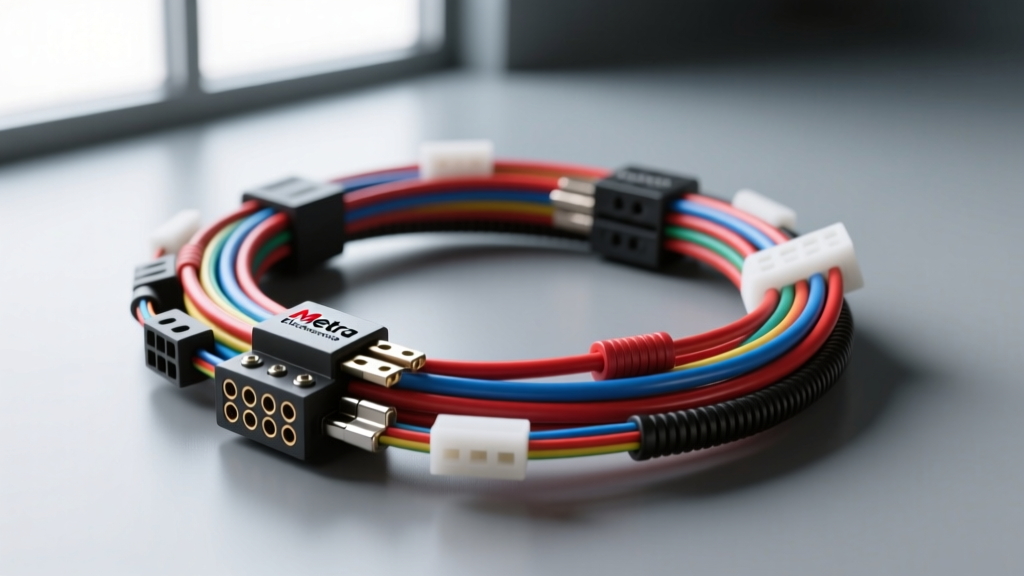
Introduction to the AZ-INCH1 Harness & Camera Integration
Integrating an aftermarket backup camera with a new head unit requires more than just plugging in an RCA cable. When working with tight dashboard cavities, the Metra Electronics radio wiring harness AZ-INCH1 variant becomes a critical component. This specialized harness is engineered with a low-profile, 1-inch depth bulkhead connector, specifically designed for shallow DIN openings found in modern vehicles where standard harness plugs interfere with the rear chassis of the radio and the routing of camera video cables.
As an automotive electrical specialist, I frequently see botched camera installations stemming from poor tool selection, cheap consumables, and a misunderstanding of the reverse trigger circuit. This comprehensive cost and tool requirements analysis will break down exactly what you need to execute a flawless, factory-style camera integration using the AZ-INCH1 harness, ensuring long-term reliability and adherence to SAE J1128 low-tension cable standards.
The 1-Inch Depth Constraint: Why This Harness Matters
Modern vehicle HVAC controls and structural cross-bracing often encroach on the rear of the aftermarket DIN sleeve. Standard Metra harnesses utilize bulky Molex or Yazaki-style connectors that can add up to 1.5 inches of depth. The AZ-INCH1 utilizes a staggered, flat-blade terminal layout that reduces the connector footprint to exactly 1 inch. This clearance is vital when routing the stiff, shielded RCA video cable from your backup camera, as bending an RCA cable at a sharp angle behind the radio will fracture the internal copper shielding, resulting in static or a complete loss of the camera feed.
Comprehensive Tool Requirements Checklist
Skipping professional-grade tools is the primary cause of melted dash plastics, frayed 18 AWG camera wires, and intermittent ground faults. Below is the mandatory tooling required for this integration.
| Tool Category | Recommended Specification | Application in Camera Install |
|---|---|---|
| Wire Strippers | Precision automatic strippers (10-22 AWG) | Stripping 18 AWG camera power and 14 AWG harness power without nicking copper strands. |
| Soldering Station | 60W Temperature-controlled (e.g., Hakko FX-888D) | Creating permanent, low-resistance splices for the reverse trigger and 12V constant lines. |
| Digital Multimeter | True RMS with back-probe pins | Identifying the OEM reverse lamp trigger wire and verifying 12V continuity. |
| Trim Removal Kit | Nylon/Polycarbonate pry tools (non-marring) | Safely popping dash bezels and routing the camera RCA through the firewall or trunk grommets. |
| Heat Gun | Dual-temp with reflector nozzle | Shrinking adhesive-lined marine heat shrink over soldered camera power connections. |
Using a standard butane lighter instead of a temperature-controlled heat gun will scorch the PVC insulation on the Metra harness, leading to off-gassing and eventual short circuits against the metal radio chassis.
Cost Breakdown: Parts, Harness, and Consumables
Budgeting for a camera installation goes beyond the price of the head unit and the camera itself. The consumables required to properly adapt the AZ-INCH1 harness and integrate the camera trigger represent a significant, often overlooked portion of the project cost.
| Item | Estimated Cost (USD) | Notes |
|---|---|---|
| Metra AZ-INCH1 Harness | $22.00 - $28.00 | Low-profile variant; prices vary by retailer. |
| OEM Backup Camera | $45.00 - $120.00 | Aftermarket license plate or flush-mount CCD camera. |
| Adhesive Heat Shrink (Assorted) | $15.00 | 3M or marine-grade with internal hot-melt adhesive sealant. |
| RCA Ground Loop Isolator | $12.00 - $18.00 | Critical for preventing alternator whine in the camera feed. |
| Posi-Tap Connectors (16-18 AWG) | $8.00 (Pack of 5) | For tapping the reverse light if soldering at the taillight is not feasible. |
| Loom & Tesa Tape | $14.00 | For wrapping the camera RCA run to prevent rattling against OEM wiring. |
Total consumable and harness costs typically range between $115 and $220, excluding the head unit. Investing in a high-quality backup camera system with low-light CCD sensors will push the upper limit but guarantees a usable image at night.
Wiring the Backup Camera: Pinouts and EIA Wire Colors
The Metra AZ-INCH1 harness follows standard EIA (Electronic Industries Alliance) color-coding. However, integrating the camera requires bridging the gap between the EIA harness, the head unit's camera trigger input, and the vehicle's OEM reverse lighting circuit.
| Wire Color (Metra AZ-INCH1) | Function | AWG Size | Camera Integration Role |
|---|---|---|---|
| Yellow | 12V Constant (BATT) | 14 AWG | Powers head unit memory; does not connect to camera. |
| Red | 12V Switched (ACC) | 14 AWG | Powers head unit; camera monitor turns on with ACC. |
| Black | Chassis Ground | 14 AWG | Must share a clean, bare-metal chassis ground with the camera's RCA shield. |
| Blue / White Stripe | Amp Turn-On / Accessory | 18 AWG | Often used as the reverse trigger input on the head unit side. |
| Purple / White Stripe (Optional) | Reverse Trigger Input | 18 AWG | If present on the harness, connects directly to the OEM reverse lamp circuit. |
Tapping the Reverse Trigger Signal
To activate the camera overlay on the head unit, the radio needs a +12V signal indicating the vehicle is in reverse. If your AZ-INCH1 harness includes a dedicated reverse trigger wire (usually Purple/White or Orange/White depending on the exact vehicle application), you must run this 18 AWG wire to the rear of the vehicle and tap into the OEM reverse lamp positive wire.
Pro-Tip: Many modern vehicles use Pulse Width Modulation (PWM) or CAN-bus signals for their taillights rather than a clean 12V analog signal. If your multimeter reads fluctuating voltage on the reverse wire, you must install a 12V automotive relay. Use the OEM reverse wire to trigger the relay coil, and pull a clean 12V feed from the taillight power supply to the relay's switched terminal, which then feeds the Metra reverse trigger wire.
Real-World Troubleshooting & Failure Modes
Even with the correct tools and the low-profile AZ-INCH1 harness, camera installations are prone to specific electrical faults. Here is how to diagnose the most common issues based on field experience:
1. Alternator Whine or Visual Static in the Camera Feed
Cause: A ground loop. This occurs when the camera head's ground and the head unit's ground are at different electrical potentials, causing current to flow through the RCA cable's outer shield.
Fix: Ensure the camera's 12V ground is tied to the exact same chassis bolt as the Metra AZ-INCH1 Black ground wire. If the issue persists, install an RCA Ground Loop Isolator inline near the back of the head unit. Do not use cheap, passive isolators; opt for transformer-based isolators to preserve the CCD camera's video bandwidth.
2. Camera Image is Upside Down or Mirrored
Cause: Incorrect camera orientation or failure to cut the designated image-flip loop wire on the camera pigtail.
Fix: Most flush-mount cameras feature two small, un-terminated 18 AWG wires (often green and white). Snipping the green wire typically flips the image vertically, while snipping the white wire mirrors it horizontally. Consult your specific camera manufacturer's datasheet before cutting.
3. Harness Binding Behind the Radio
Cause: Using a standard bulkhead harness instead of the AZ-INCH1, or failing to properly dress the wires.
Fix: Use Tesa tape to bundle the Metra harness wires flat against the top of the radio chassis. Route the bulky RCA video cable down the passenger side of the radio cage, away from the HVAC controls, utilizing the 1-inch clearance provided by the AZ-INCH1 connector to prevent the radio from being pushed out of the DIN sleeve.
For further reference on OEM integration standards and harness compatibility, always verify your specific vehicle's pinout via Metra Online's vehicle fitment database before cutting or splicing any factory wiring.