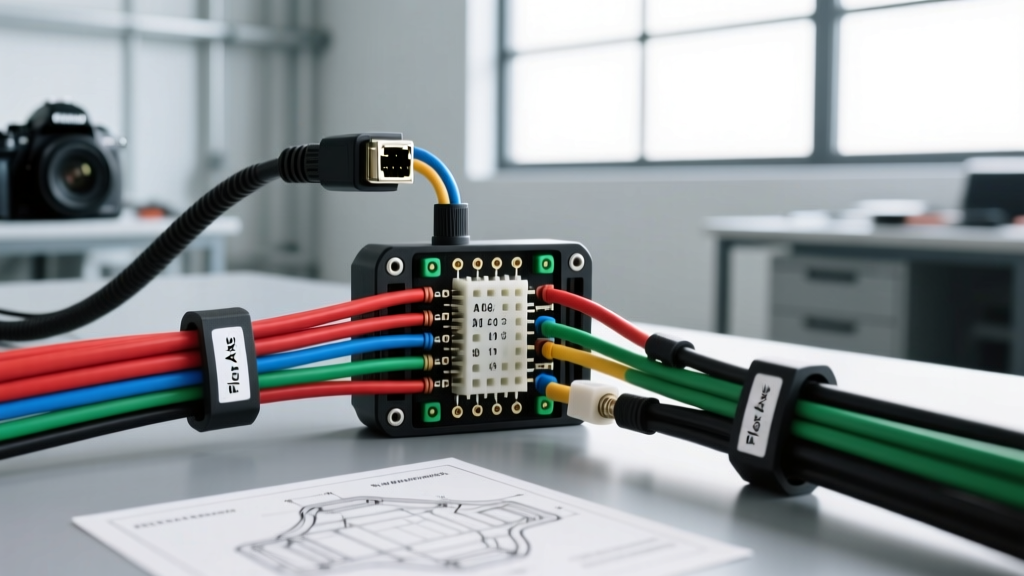
Introduction to Mobile IP Camera Integration
When upgrading commercial fleets, transit buses, emergency response vehicles, or high-end custom overland rigs, standard analog AHD or TVI backup cameras quickly reach their bandwidth and resolution limits. This is where a professional Axis camera installation becomes the gold standard. Axis Communications produces ruggedized mobile IP cameras—such as the AXIS P39-R and F series—specifically engineered for the brutal electrical and physical environments of automotive applications. These cameras feature IK10 impact resistance, IP6K9K dust and high-pressure water ingress protection, and integrated heaters for extreme cold.
However, integrating an enterprise-grade IP camera into a 12V or 24V DC vehicle architecture requires a fundamental shift in wiring philosophy. You are no longer running simple coaxial RG59 cables; you are deploying a localized Gigabit Ethernet network with Power over Ethernet (PoE). This advanced technical deep dive covers the precise electrical requirements, M12 connector pinouts, AWG sizing, and electromagnetic interference (EMI) mitigation strategies required for a flawless mobile Axis camera installation.
Power over Ethernet (PoE) Architecture in 12V/24V Vehicles
Mobile Axis cameras operate on IEEE 802.3af (15.4W) or 802.3at (30W) PoE standards, requiring a nominal 44-57V DC supply delivered directly over the Ethernet data pairs. Because a vehicle's electrical system nominally operates at 12.8V (engine running) or 24.8V (heavy duty), you must utilize an automotive-grade DC-DC PoE injector. Consumer-grade PoE injectors will fail catastrophically due to load dump transients, which can spike a 12V system to over 80V for milliseconds during alternator decoupling.
For a reliable installation, select a PoE injector with a wide input voltage range (typically 9-36 VDC) and integrated transient voltage suppression (TVS). The injector must be wired to a dedicated circuit, ideally fed directly from the main battery bus or a secondary auxiliary battery bank via a mega fuse, to avoid voltage sag caused by other high-draw accessories like air compressors or hydraulic lifts.
Voltage Drop Calculations and AWG Selection
Supplying the DC-DC injector requires careful attention to wire gauge. If the voltage at the injector's input terminals drops below its Under-Voltage Lockout (UVLO) threshold—usually around 8.5V to 9V—the injector will shut down, dropping the Axis camera offline. This often happens during engine cranking or when running undersized wire over long chassis distances.
| Injector Input Voltage | Max Current Draw | Cable Run Distance | Recommended AWG (Copper) | Voltage Drop Estimate |
|---|---|---|---|---|
| 12V Nominal | 2.5 Amps | Under 10 ft | 16 AWG | 0.20V |
| 12V Nominal | 2.5 Amps | 10 ft - 25 ft | 14 AWG | 0.31V |
| 12V Nominal | 2.5 Amps | 25 ft - 40 ft | 12 AWG | 0.49V |
| 24V Nominal | 1.2 Amps | Up to 40 ft | 16 AWG | 0.19V |
Always use stranded, automotive-grade cross-linked polyethylene (XLPE) wire such as GXL or TXL. Never use solid-core building wire, as the constant vibration of the vehicle chassis will cause solid copper to work-harden, fracture, and create high-resistance open circuits.
M12 X-Coded Connector Pinout and Termination
Standard RJ45 connectors are entirely unsuitable for mobile environments. The retention clips snap under vibration, and the contacts corrode when exposed to humidity and road salts. Automotive Axis cameras utilize the M12 X-Coded 8-pin connector for Gigabit Ethernet and PoE delivery. The X-coding features a metal cross that separates the four twisted pairs, providing superior crosstalk isolation and allowing for full-duplex Gigabit speeds.
Terminating an M12 X-coded connector in the field requires precision. The wiring follows the TIA/EIA-568-B standard mapped to the 8-pin circular layout. Below is the definitive pinout mapping for field-terminable M12 X-code plugs:
| M12 Pin Number | Signal Function | T568B Wire Color | PoE Power Delivery |
|---|---|---|---|
| 1 | TX+ / RX+ (Pair 2) | White/Orange | Positive (Mode A/B) |
| 2 | TX- / RX- (Pair 2) | Orange | Negative (Mode A/B) |
| 3 | TX+ / RX+ (Pair 3) | White/Green | Positive (Mode A/B) |
| 4 | TX- / RX- (Pair 6) | Blue | Not Used |
| 5 | TX+ / RX+ (Pair 6) | White/Blue | Not Used |
| 6 | TX- / RX- (Pair 3) | Green | Negative (Mode A/B) |
| 7 | TX+ / RX+ (Pair 4) | White/Brown | Positive (Alt Mode) |
| 8 | TX- / RX- (Pair 4) | Brown | Negative (Alt Mode) |
Installation Tip: When terminating the M12 connector, ensure the cable jacket is clamped securely by the connector's rear strain relief. Apply a small amount of dielectric grease to the O-ring before threading the coupling nut to prevent moisture ingress and galvanic corrosion between the stainless steel camera housing and the nickel-plated connector.
Shielding, Grounding, and EMI Mitigation
Vehicles are electrically hostile environments. Alternator whine, ignition coil arcing, and electric brake actuators generate massive amounts of Electromagnetic Interference (EMI). According to SAE J1113 standards for electromagnetic compatibility, mobile electronic equipment must be shielded against both radiated and conducted emissions.
For an Axis camera installation, you must use double-shielded (SF/UTP) CAT6A cable with a 22 AWG stranded copper drain wire. The shielding strategy is critical to prevent ground loops, which manifest as horizontal rolling bars on the video feed or massive packet loss on the network.
The Single-Point Ground Rule
Never ground the Ethernet shield at both the camera end and the MDVR/injector end. The camera's metal housing is already grounded to the vehicle chassis via its mounting bracket. If you also ground the drain wire at the PoE injector, you create a ground loop antenna that will pick up chassis noise. Correct Procedure: Terminate the drain wire into the metal shield of the M12 connector at the camera end. At the PoE injector or MDVR switch end, trim the drain wire flush, wrap it in heat shrink, and leave it floating, relying on the injector's internal optical isolation and common-mode chokes to handle signal integrity.
Integration with Mobile MDVR and Telematics
Once the physical layer is established, the Axis camera must communicate with the vehicle's Mobile Digital Video Recorder (MDVR) or edge-computing telematics gateway. Unlike analog systems that require a DVR with BNC inputs, IP cameras connect to an industrial managed switch inside the MDVR enclosure.
Configure the Axis camera using the Axis Device Manager or a direct laptop connection before final mounting. Set the camera to a static IP address on a dedicated VLAN subnet (e.g., 192.168.100.x) to isolate video traffic from the vehicle's CAN bus or telematics data streams. Enable Axis's Zipstream technology to dynamically lower the bitrate during uneventful driving, preserving critical MDVR solid-state storage space for high-resolution incident capture.
Troubleshooting Network Drops and PoE Faults
Even with meticulous planning, mobile environments present unique failure modes. Use this diagnostic decision tree to resolve common Axis camera installation issues:
- Symptom: Camera powers on, but video feed drops intermittently when the engine revs.
Cause: Alternator EMI overwhelming the Ethernet signal, or a ground loop.
Fix: Verify SF/UTP shielded cable is used. Check that the drain wire is only grounded at the M12 camera connector. Route the Ethernet cable at least 6 inches away from high-current alternator output cables. - Symptom: Camera fails to negotiate PoE; injector LED blinks fault.
Cause: Voltage drop on the 12V/24V input side triggering UVLO, or a short in the M12 termination.
Fix: Measure voltage at the injector terminals during engine cranking. If it drops below 9V, upgrade the input wire to a heavier AWG or move the injector closer to the power distribution block. Inspect M12 pins for crossed strands. - Symptom: Link establishes at 100Mbps instead of 1000Mbps (Gigabit).
Cause: X-code requires all 8 pins for Gigabit. A single mis-terminated pin or broken strand forces a fallback to 100Mbps (which only uses 4 pins).
Fix: Re-terminate the M12 connector using a continuity tester to verify all 8 pins map perfectly to the T568B standard.
For further reference on ruggedized network deployments, consult the Axis Mobile Network Technologies documentation, which provides detailed environmental testing parameters and mounting torque specifications for their automotive camera lineup.