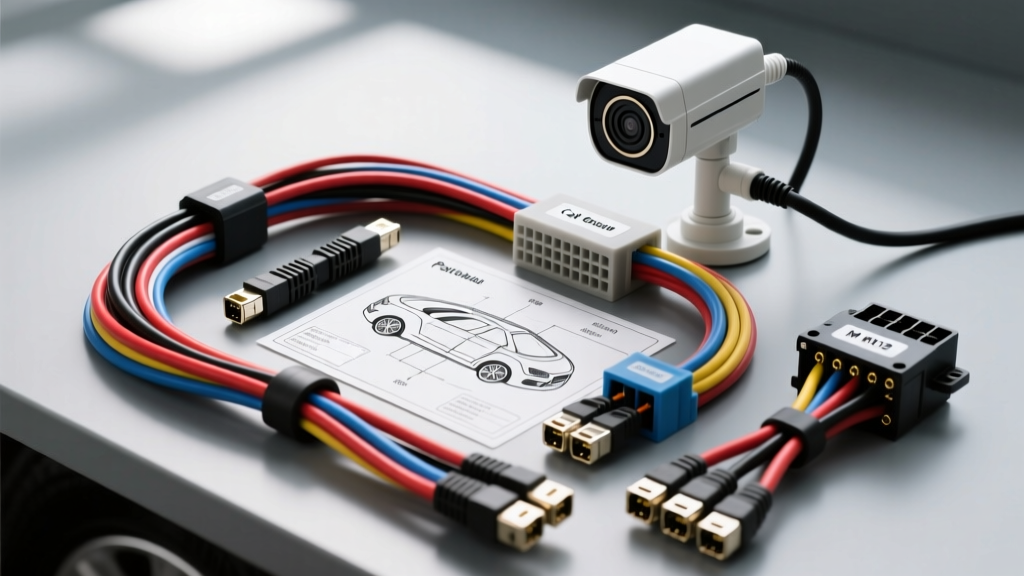
The Economics of Fleet Surveillance: Why Installation Costs Are So High
For fleet managers and owner-operators, outfitting a commercial van with a multi-channel IP camera system is a critical investment for liability and cargo security. However, the professional surveillance camera installation cost for a high-roof Ford Transit or Mercedes Sprinter frequently exceeds $2,500 per vehicle. Upfitters typically charge $125 to $175 per hour for labor, and routing shielded data cables through corrugated steel chassis channels is immensely time-consuming.
By executing the wiring yourself using proper automotive electrical standards, you can reduce the total surveillance camera installation cost by up to 70%, paying only for the hardware. This complete wiring diagram walkthrough details the exact architecture, wire gauges, M12 connector pinouts, and grounding protocols required to install a 4-channel Power over Ethernet (PoE) IP surveillance system in a modern commercial van.
System Architecture: PoE Fleet Surveillance Wiring Diagram
Modern commercial vehicle surveillance relies on IP cameras powered via PoE (IEEE 802.3at / PoE+). Unlike older analog AHD systems that require separate coaxial and power lines, PoE delivers both data and 48V DC power over a single shielded Cat6 cable. This drastically reduces harness weight and simplifies bulkhead pass-throughs.
High-Level Schematic Flow
- 12V Vehicle Battery → 30A MAXI Fuse → 10 AWG Primary Power Feed
- Ignition Trigger (ACC) → Customer Access Wire (CAN Bus / Upfitter Module)
- Automotive DC-DC Isolator → Steps 12V-14.4V vehicle power to a stable 12V output, isolating the NVR from alternator whine and voltage spikes.
- PoE NVR / Managed Switch → Boosts 12V to 48V PoE+ and manages data switching.
- Cat6 STP (Shielded Twisted Pair) → Routes through chassis to exterior M12 bulkheads.
- M12 X-Coded Connectors → IP67-rated termination at the exterior camera nodes.
Main Power & Ignition Trigger Circuit
To ensure the Network Video Recorder (NVR) shuts down gracefully and does not drain the vehicle battery, you must use an ignition-sense trigger. According to the Ford Motor Company Body Builder Layout Book (BBLB), the Transit features dedicated Customer Access Wires (CAW) behind the driver-side B-pillar trim and the rear door sill.
Power Feed Specifications
| Circuit Segment | Wire Gauge (AWG) | Wire Color | Protection / Hardware |
|---|---|---|---|
| Battery to DC-DC Isolator | 10 AWG Stranded | Red | 30A MAXI Fuse (within 18' of battery) |
| DC-DC Isolator to NVR | 14 AWG Stranded | Red | 10A ATC Inline Fuse |
| Ignition Sense Trigger | 18 AWG Stranded | Yellow | 5A ATM Fuse Tap (to BBLB CAW) |
| Main Chassis Ground | 10 AWG Stranded | Black | M6 Ring Terminal, Star Ground |
Expert Note: Never tap the ignition trigger directly from the ignition switch harness. Modern vehicles use multiplexed CAN bus networks. Tapping a CAN wire with a standard relay will throw a U-code (network communication fault) and illuminate the check engine light. Always use the BBLB-specified Upfitter Module or a dedicated ignition-sense relay driven by a fused accessory circuit.
M12 X-Coded Connector Pinout & Cat6 Routing
Exterior fleet cameras are subjected to high-pressure washes, road salt, and severe vibration. Standard RJ45 connectors will fail due to oxidation and fretting corrosion. You must use M12 X-Coded 8-pin connectors, which are rated IP67 and designed specifically for Gigabit Ethernet and PoE+ in harsh environments.
M12 X-Code to RJ45 (T568B) Mapping Table
When fabricating your own Cat6 STP harnesses, you must map the internal NVR RJ45 ports to the M12 X-Coded bulkhead connectors. The X-Code cross-separates the pairs to prevent crosstalk at high frequencies.
| M12 X-Code Pin | Signal Designation | Cat6 Pair / Color (T568B) | RJ45 Pin |
|---|---|---|---|
| 1 | DA+ (Data A +) | Pair 2: White/Orange | 1 |
| 2 | DA- (Data A -) | Pair 2: Solid Orange | 2 |
| 3 | DB+ (Data B +) | Pair 3: White/Green | 3 |
| 4 | DB- (Data B -) | Pair 1: Solid Blue | 4 |
| 5 | DC+ (Data C +) | Pair 1: White/Blue | 5 |
| 6 | DC- (Data C -) | Pair 3: Solid Green | 6 |
| 7 | DD+ (Data D +) | Pair 4: White/Brown | 7 |
| 8 | DD- (Data D -) | Pair 4: Solid Brown | 8 |
Shielding Protocols & EMI Mitigation
Commercial vehicles generate massive amounts of Electromagnetic Interference (EMI) from the alternator, ABS modules, and high-current inverters. To comply with the electromagnetic immunity requirements outlined in SAE J1113, all data cables must be Shielded Twisted Pair (STP) with a continuous foil shield and a stranded drain wire.
The 360-Degree Shield Clamp Rule
A common mistake that drives up long-term maintenance costs—indirectly increasing the total ownership and surveillance camera installation cost over time—is improper shield termination. Do not simply twist the Cat6 drain wire and tuck it under a screw terminal. This creates a 'pigtail' that acts as an antenna, broadcasting high-frequency noise directly into the camera's logic board.
Instead, use a 360-degree shield clamp at the NVR bulkhead entry point. Strip back 1 inch of the Cat6 outer jacket, fold the braided shield back over the jacket, and secure it with a grounded metal cable gland. This maintains a continuous Faraday cage from the camera housing all the way to the NVR chassis ground.
Step-by-Step Wiring Execution
- Mount the DC-DC Isolator: Secure the isolated power supply to a metal cross-member using rivet nuts. Ensure adequate airflow, as these units dissipate significant heat when driving 4 PoE+ cameras (approx. 120W total draw).
- Run the Primary Power: Route the 10 AWG red wire from the battery through the firewall using an existing OEM rubber grommet. Apply dielectric grease to the grommet to prevent tearing. Install the 30A MAXI fuse holder within 18 inches of the battery positive terminal, per SAE J1292 automotive wiring standards.
- Fabricate the Cat6 Harness: Measure the runs from the NVR to each camera location (Front Bulkhead, Rear Doors, Driver B-Pillar, Cargo Ceiling). Add 15% slack for vehicle flex and suspension articulation. Wrap the Cat6 STP cables in split loom tubing and secure them every 12 inches with adhesive-backed P-clips.
- Terminate the M12 Connectors: Use a precision M12 crimping tool. Strip the Cat6 pairs to exactly 5mm. Insert the pins into the X-Code carrier, ensuring the color-coded alignment block matches the T568B mapping table above. Torque the M12 locking collar to 0.5 Nm to ensure IP67 water resistance without cracking the ceramic insert.
- Establish Star Grounding: Run a dedicated 10 AWG ground wire from the NVR chassis, the PoE switch, and the DC-DC isolator to a single, centralized chassis ground point. Scrape away all paint and primer down to bare steel. Apply an anti-oxidant compound, and torque the M6 ground bolt to 8.5 Nm (75 lb-in).
Troubleshooting Voltage Drop & PoE Negotiation Failures
Even with a flawless diagram, real-world fleet environments present unique electrical challenges. Here is a decision tree for common PoE surveillance failures:
Symptom: Camera Powers On, But Link Speed Drops to 10Mbps (or Fails to Negotiate)
- Cause 1: Shield shorting to the chassis. If the Cat6 foil shield touches a sharp metal edge inside the van's roof rib, the PoE+ voltage (48V) can leak to the chassis, causing the NVR's internal protection circuit to throttle or drop the port.
- Fix: Use a multimeter in continuity mode to test between the RJ45 shield shell and the vehicle chassis. If there is continuity, re-route the harness and apply additional friction tape and split loom.
- Cause 2: Excessive Voltage Drop. IEEE 802.3at requires a minimum of 42.5V at the Power Sourcing Equipment (PSE). If you use cheap, Copper-Clad Aluminum (CCA) Cat6 cable instead of 100% bare copper, the resistance over a 40-foot run will drop the voltage below the camera's negotiation threshold.
- Fix: Replace all CCA cables with 23 AWG solid bare copper Cat6 STP.
Symptom: NVR Reboots Randomly When Engine Cranks
- Cause: Voltage sag during starter motor engagement. A standard 12V vehicle battery can drop to 9V during cranking. If your DC-DC isolator does not have a wide input range (e.g., 9V-36V), it will drop out, causing the NVR to hard-reset.
- Fix: Upgrade to a wide-input military-grade DC-DC converter (such as those meeting MIL-STD-1275D for load dump and voltage sag) or install a supercapacitor buffer module parallel to the NVR power input to bridge the 2-second cranking sag.
Conclusion
Taking control of your fleet's electrical upfitting is the most effective way to reduce the overall surveillance camera installation cost. By adhering to SAE standards, utilizing M12 X-Coded terminations, and properly managing EMI shielding, you ensure that your DIY installation will outlast and outperform many professional setups. Always consult your specific vehicle's Body Builder Layout Book before tapping into any OEM wiring harnesses to protect your factory warranty and ensure long-term electrical reliability.