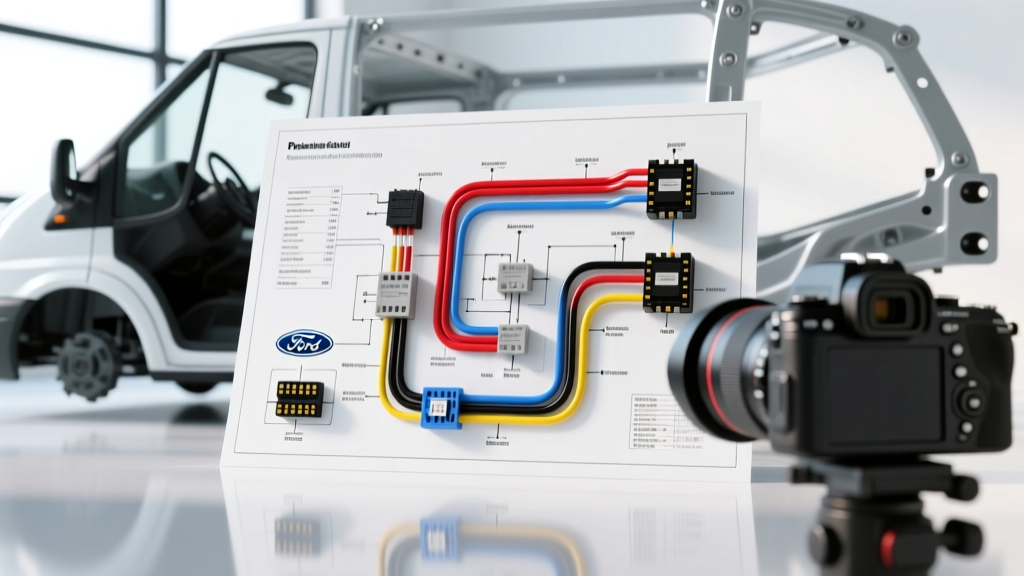
Introduction to Commercial Outside Camera Installation
Executing a flawless outside camera installation on a commercial platform like the Ford Transit requires more than simply routing a video cable and tapping a 12V source. Exterior cameras—specifically IP69K-rated blind-spot and rear-observation units—operate in high-vibration, high-moisture environments where voltage drop and ground loops are the primary causes of failure. This complete wiring diagram walkthrough details the exact architecture required to integrate a 4-pin M12 aviation-style exterior camera into a Ford Transit (2015-2023) using an automotive relay, upfitter switch integration, and shielded RCA routing. By adhering to SAE J1128 Low Tension Primary Cable Standards, this guide ensures your exterior camera system is resistant to alternator whine, thermal degradation, and water ingress.
System Architecture and Component Specifications
Before cutting into the vehicle harness, it is critical to understand the electrical load and signal path. A standard commercial outside camera draws between 150mA and 300mA at 12V DC, primarily due to the integrated infrared (IR) LED array that activates in low light. Because the camera will be mounted on the exterior rear doors or high-roof blind-spot mirrors, we utilize a localized 5-pin ISO relay triggered by the vehicle's turn signal or an auxiliary upfitter switch. This prevents back-feeding voltage into the Transit's CAN-bus lighting modules, which can trigger BCM (Body Control Module) fault codes.
Wire Gauge and Material Specifications
According to Del City Automotive Wire Standards, selecting the correct insulation type is just as important as the AWG rating. We mandate the use of SXL (Cross-Linked Polyethylene) wire for all exterior engine bay and door-jamb routing due to its superior resistance to abrasion and high temperatures compared to standard PVC GXL wire.
| Circuit Path | AWG Size | Wire Type | Protection |
|---|---|---|---|
| Main 12V Power (Battery to Relay) | 14 AWG | SXL Red | Split Loom + 10A ATM Fuse |
| Relay to Camera 12V+ | 18 AWG | SXL Red | Adhesive Heat Shrink |
| Camera Ground to Chassis | 18 AWG | SXL Black | Ring Terminal + Dielectric Grease |
| Turn Signal Trigger | 20 AWG | TXL Blue | Posi-Tap Connector |
| RCA Video Signal | RG-59 Shielded | Copper Braid | Single-End Shield Grounding |
Step-by-Step Wiring Diagram Walkthrough
Step 1: The Power Circuit and Inline Fusing
Begin at the under-hood fuse box or the auxiliary battery terminal. Run a 14 AWG SXL red wire from a constant 12V source. Install an inline 10A ATM (Mini) fuse holder within 18 inches of the power source to protect the main trunk line. Route this wire through the factory firewall grommet located behind the driver-side kick panel. Use a plastic loom expander tool to safely pierce the rubber grommet without slicing existing OEM harnesses. Once inside the cabin, this 14 AWG wire will feed Pin 30 (Constant Power In) of your standard Bosch-style 12V 30A automotive relay.
Step 2: Bosch Relay Pinout and Trigger Wiring
The relay acts as the gatekeeper, ensuring the camera only powers on when needed, preserving the vehicle's battery during long idling periods. Below is the exact pinout configuration for the ISO mini relay used in this outside camera installation:
| Relay Pin | Function | Connection Target | Wire Color |
|---|---|---|---|
| 85 | Coil Ground | Chassis Ground (M6 Bolt) | Black (18 AWG) |
| 86 | Coil Trigger (+) | Left/Right Turn Signal or Upfitter Switch | Blue (20 AWG) |
| 30 | Common (Power In) | 12V Battery via 10A Fuse | Red (14 AWG) |
| 87 | Normally Open (Out) | Camera Pin 1 (12V+) | Red (18 AWG) |
| 87a | Normally Closed | Not Used (Tape and Secure) | N/A |
To tap the turn signal for Pin 86, locate the BCM connector behind the driver's side A-pillar. Use a Posi-Tap connector to interface with the OEM turn signal wire. Avoid T-taps, as they frequently cause strand breakage and subsequent high-resistance faults in commercial vans subjected to heavy door-slamming vibrations.
Step 3: The 4-Pin M12 Aviation Connector Breakdown
Heavy-duty outside cameras utilize a 4-pin M12 IP67 aviation connector to ensure a watertight seal. When mating the camera pigtail to your custom harness, adhere to the following pinout:
- Pin 1 (12V+): Connects to Relay Pin 87. Solder and seal with 3:1 dual-wall adhesive heat shrink.
- Pin 2 (Ground): Must be grounded locally near the camera mounting point. Sand the chassis to bare metal, attach an 18 AWG ring terminal, torque the M6 bolt to 10 Nm, and coat with marine-grade dielectric grease to prevent galvanic corrosion.
- Pin 3 (Audio/Mic): Optional. If utilizing the camera's built-in microphone, route this shielded wire alongside the RCA video cable.
- Pin 4 (IR Trigger): Jumper this to Pin 1 (12V+) at the camera head if you want the IR LEDs to activate automatically via the camera's internal photocell, or wire it to a separate dashboard toggle switch for manual night-vision control.
Step 4: Video Signal Routing and Shield Grounding
The most common failure in an outside camera installation is alternator whine—a high-pitched audio interference that scrolls across the video feed in time with the engine's RPM. This is caused by a ground loop. To prevent this, the RCA video cable's outer copper shield must be grounded only at the head unit chassis, never at the camera end. Route the RG-59 RCA cable through the vehicle's interior headliner, keeping it at least 4 inches away from any high-current wiring or the vehicle's main CAN-bus trunks. At the head unit, secure the RCA shield ground to the metal chassis sleeve of the aftermarket radio using a dedicated grounding strap.
Weatherproofing and Exterior Routing Protocols
As outlined by the Ford Truck Body Builders Advisory Service, any wire penetrating the exterior sheet metal must be protected against moisture ingress and chafing. When drilling the mounting hole for the M12 connector or camera bracket, immediately apply a coat of cold galvanizing compound (zinc-rich primer) to the bare metal edges to prevent rust. Use a rubber grommet for the pass-through hole, and fill the void with RTV silicone sealant. Never rely on standard electrical tape for exterior looms; UV radiation will degrade the adhesive within months. Instead, use corrugated split loom secured with UV-resistant nylon zip ties and Tesa 51036 PET cloth tape for areas where the harness flexes near the rear door hinges.
Troubleshooting Common Outside Camera Failure Modes
Even with meticulous planning, electrical gremlins can occur. Use this diagnostic decision tree to isolate faults in your outside camera installation:
Diagnostic Decision Tree
| Symptom | Probable Cause | Diagnostic Fix |
|---|---|---|
| Camera powers on, but screen is black with rolling horizontal lines. | Ground Loop / Shield Interference. | Verify RCA shield is grounded ONLY at the head unit. Check camera Pin 2 ground for continuity to battery negative (must be < 0.2 ohms). |
| Camera works during the day, but screen goes black when IR LEDs activate at night. | Voltage Drop under Load. | IR LEDs draw an extra 200mA. Measure voltage at the camera's M12 Pin 1 while IR is active. If below 11.5V, upgrade the power feed from 18 AWG to 16 AWG. |
| Camera flickers or shuts off when the turn signal is engaged. | BCM Pulse-Width Modulation (PWM). | Ford uses PWM for lighting. The relay coil is misinterpreting the rapid pulses. Install a 1000µF electrolytic capacitor across relay pins 85 and 86 to smooth the trigger voltage. |
| Condensation inside the camera lens after a car wash. | O-Ring Failure / Thermal Vacuum. | The camera's internal air expanded in the sun and contracted in cold water, sucking in moisture. Replace the M12 O-ring and ensure the rear housing seal is torqued to spec. |
Final Verification and Head Unit Configuration
Once the physical wiring is complete, configure your aftermarket head unit (e.g., Pioneer, Alpine, or Kenwood) to recognize the external trigger. Navigate to the camera settings menu and set the trigger type to "Battery" if wired to an always-hot upfitter switch, or "Ignition" if tied to a run-circuit relay. Adjust the camera guide lines via the head unit's GUI to match the physical width of your Ford Transit's rear bumper. Finally, perform a 15-minute continuous run test with the engine idling to ensure the relay does not overheat and the camera's internal voltage regulator maintains a stable thermal profile. By following this rigorous outside camera installation methodology, you guarantee a reliable, professional-grade imaging system capable of withstanding the harshest commercial environments.