Introduction to Aftermarket Backup Camera Installation
Performing a successful backup camera installation is a foundational rite of passage for automotive electronics enthusiasts. While modern vehicles feature integrated 360-degree camera systems, retrofitting an older vehicle or upgrading a base-model trim with an aftermarket CMOS (Complementary Metal-Oxide-Semiconductor) camera remains one of the most practical safety enhancements you can make. However, the physical mounting of the camera is only half the battle; the true challenge lies in the electrical integration.
Beginners often struggle with identifying the correct reverse trigger circuit, managing ground loops, and routing shielded video cables without introducing electromagnetic interference (EMI). This comprehensive guide breaks down the fundamentals of backup camera wiring, focusing on universal CMOS cameras, 18-AWG reverse trigger taps, and the critical differences between legacy 12V reverse circuits and modern PWM (Pulse Width Modulation) CAN-bus lighting systems.
Anatomy of a Universal CMOS Camera Harness
Before making any cuts or crimps, you must understand the wiring harness provided with your aftermarket camera. According to standard aftermarket configurations documented in the Crutchfield Backup Camera Installation Guide, a universal camera system typically includes two main harness segments:
- The Camera Head Pigtail: A short (usually 6-inch) harness exiting the camera housing. It typically features a 4-pin HRS connector or bare wires. The standard color code is Red (12V+ Power), Black (Chassis Ground), and sometimes a Yellow or Green loop wire used to toggle between NTSC/PAL formats or disable the superimposed parking grid lines.
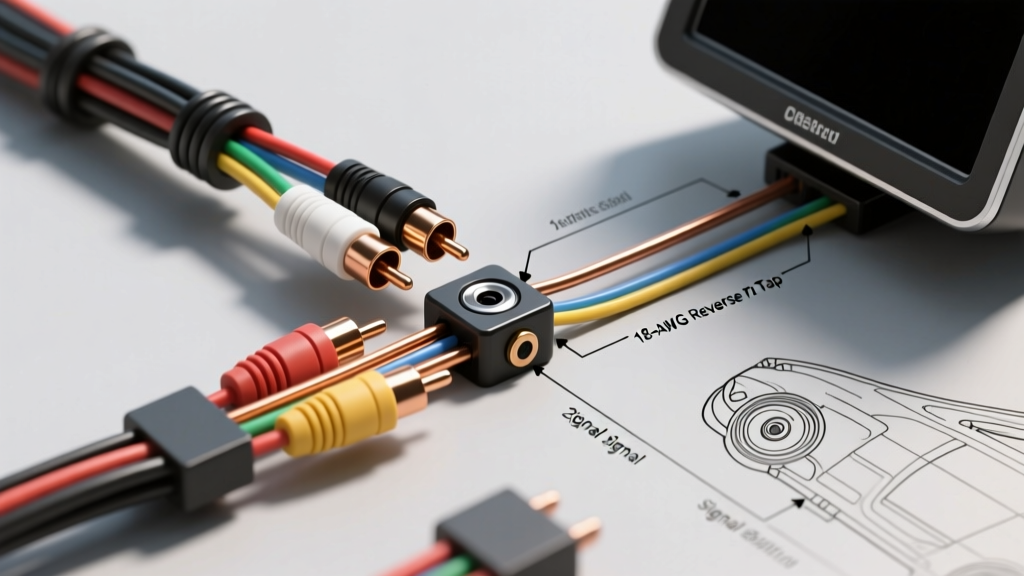
- The Main RCA Extension Cable: A 25-foot coaxial RCA video cable. Crucially, this cable integrates a thin 18-AWG red trigger wire at both ends. At the camera end, this red wire must be spliced to the reverse light 12V+ source. At the head unit end, it connects to the stereo's reverse trigger input.
Most universal CMOS cameras draw between 120mA and 250mA at 12V DC. Because the current draw is so low, the 20-AWG to 22-AWG pigtails on the camera head are perfectly adequate. However, extending the power run requires adherence to SAE J1128 Low Tension Primary Cable Standards to prevent voltage drop over the 20+ foot run from the front dash to the rear bumper.
The Modern Vehicle Hurdle: PWM Reverse Circuits
The most common point of failure for beginners installing backup cameras in vehicles manufactured after 2012 (particularly European models like BMW, Audi, VW, and newer Chrysler/Dodge platforms) is the Pulse Width Modulated (PWM) reverse light circuit. Modern Body Control Modules (BCM) use PWM to monitor bulb health. Instead of sending a steady 12V DC signal to the reverse bulb, the BCM rapidly pulses the voltage (often at 200Hz to 1kHz).
If you tap a standard CMOS camera directly into a PWM reverse circuit, the camera will flicker violently, display rolling lines, or fail to power on entirely because the internal voltage regulator cannot stabilize the pulsed DC input. Furthermore, the low average voltage (often reading 6V to 9V on a standard multimeter) may trigger a BCM "bulb out" error on your dashboard.
The Relay Bypass Solution
To solve the PWM issue, you must use a standard 12V automotive relay (such as a Bosch-style 4-pin relay, part number 0332014150) to isolate the camera from the BCM. Here is the pinout for the relay bypass:
- Pin 86 (Coil +): Connect to the vehicle's PWM reverse light wire (this acts only as a low-current signal trigger).
- Pin 85 (Coil -): Connect to a clean chassis ground.
- Pin 30 (Common): Connect to a steady 12V+ constant or switched ignition source from a nearby fused circuit (e.g., tail light fuse or 12V accessory socket).
- Pin 87 (Normally Open): Connect to the Red 18-AWG trigger wire on the camera's RCA cable and the camera head's Red power wire.
This setup ensures the camera receives a clean, steady 12V DC supply from Pin 87, while the BCM only sees the high-impedance coil of the relay, preventing bulb-out warnings.
Step-by-Step Reverse Trigger Power Tap
If your vehicle uses a traditional, non-PWM analog 12V reverse circuit, you can tap the wire directly. Follow these steps for a reliable connection:
- Locate the Reverse Wire: Remove the trunk or hatch interior trim panels. Access the back of the reverse light bulb socket (commonly a 921 or 3156 wedge base).
- Verify with a Multimeter: Set your digital multimeter to DC Volts. With the vehicle in Reverse (engine off, ignition on, parking brake engaged), probe the wires. The positive wire will read 12.2V to 14.4V. The ground wire will read 0V.
- Make the Connection: Never use cheap scotch locks or stamped T-taps. These sever copper strands and invite corrosion. Use a Posi-Tap (PTV-1820) connector, which uses a set-screw mechanism for a gas-tight connection, or strip the insulation, solder the 18-AWG camera wire to the vehicle wire, and seal it with dual-wall adhesive heat shrink.
- Establish a Chassis Ground: Do not rely solely on the bulb socket ground. Crimp an 18-AWG ring terminal onto the camera's black ground wire. Locate an unpainted M6 or M8 metal bolt on the chassis near the taillight. Clean the contact area with sandpaper, attach the ring terminal, and torque the bolt to 8-10 Nm to ensure a zero-resistance ground path.
Routing the RCA Video Signal Cable
Video signals are highly susceptible to Electromagnetic Interference (EMI). Alternator whine (a high-pitched buzzing that changes pitch with engine RPM) is a classic symptom of poor RCA routing. To prevent this:
- Route the RCA cable down the passenger side of the vehicle. The main factory wiring harness, CAN-bus lines, and high-current amplifier power wires are typically routed down the driver's side.
- Ensure the RCA cable crosses high-current power wires at a strict 90-degree angle if an intersection is unavoidable.
- Use an RCA cable with a 95% braided copper shield rather than a cheap foil-shielded cable. Foil shields tear easily when pulled through vehicle grommets and metal bulkheads.
Head Unit Reverse Trigger Integration
At the front of the vehicle, the RCA plug inserts into the head unit's yellow "CAM IN" or "RCAM" port. The integrated 18-AWG red wire at this end must be connected to the head unit's reverse trigger wire. This wire is typically labeled REV, BACK, or REVERSE on the stereo's wiring diagram. Common industry colors for this wire are Orange/White (Pioneer/Kenwood) or Purple/White (Alpine/Sony). When this wire receives 12V+, the head unit automatically interrupts the current audio source and switches the display to the camera feed.
Wiring Specification & Pinout Reference Table
| Wire Color / ID | Function | AWG Size | Connection Destination |
|---|---|---|---|
| Red (Camera Pigtail) | 12V+ Camera Power | 20-AWG | Relay Pin 87 / RCA Red Trigger |
| Black (Camera Pigtail) | Camera Chassis Ground | 20-AWG | Clean M6 Chassis Bolt (8-10 Nm) |
| Red (RCA Integrated) | Reverse Trigger Signal | 18-AWG | Head Unit "REV" or "BACK" Wire |
| Yellow/Green Loop | Parking Grid Toggle | N/A | Cut loop to disable overlay grid |
| Relay Pin 86 | Relay Coil Trigger | 18-AWG | Vehicle Reverse Light 12V+ (PWM) |
Troubleshooting Common Beginner Mistakes
Even with careful planning, electrical gremlins can appear. Use this decision tree to diagnose common backup camera installation failures, referencing advanced diagnostic procedures outlined by Haynes Manuals Tech Tutorials:
Symptom: Rolling Horizontal Lines on the Display
- Cause: Ground Loop. The ground potential at the camera is different from the ground potential at the head unit, causing 60Hz AC alternator ripple to bleed into the video signal shield.
- Fix: First, verify the camera ground is on bare metal. If the issue persists, install a 12V DC Ground Loop Isolator on the RCA line near the head unit. Alternatively, power the camera using a dedicated 12V source from the front of the car, running both power and ground alongside the RCA cable to ensure a unified ground reference.
Symptom: Camera Powers On, But Head Unit Doesn't Switch to Video
- Cause: The head unit is not receiving the 12V trigger signal, or the camera menu setting is disabled.
- Fix: Check the connection at the head unit's "REV" wire using a multimeter. Ensure it reads 12V+ when the car is in reverse. If voltage is present, access the head unit's hidden settings menu and ensure the "Backup Camera" or "Rear View" feature is toggled to ON, and the battery type is set to 12V (not 24V).
Symptom: Camera Flickers or Shuts Off When Engine is Running
- Cause: Voltage drop or PWM interference. When the engine starts, the alternator introduces AC ripple, and the BCM may begin pulsing the reverse circuit.
- Fix: Install the 4-pin relay bypass described above. If a relay is already installed, add a 1000µF 25V electrolytic capacitor across the camera's 12V+ and Ground wires at the camera head to act as a buffer and smooth out any residual voltage spikes.
Mastering the backup camera installation process requires patience, proper wire preparation, and an understanding of modern vehicle network architectures. By utilizing proper 18-AWG tapping methods, respecting SAE wire standards, and isolating PWM circuits, you will achieve a clean, reliable, and factory-looking rearview monitoring system.