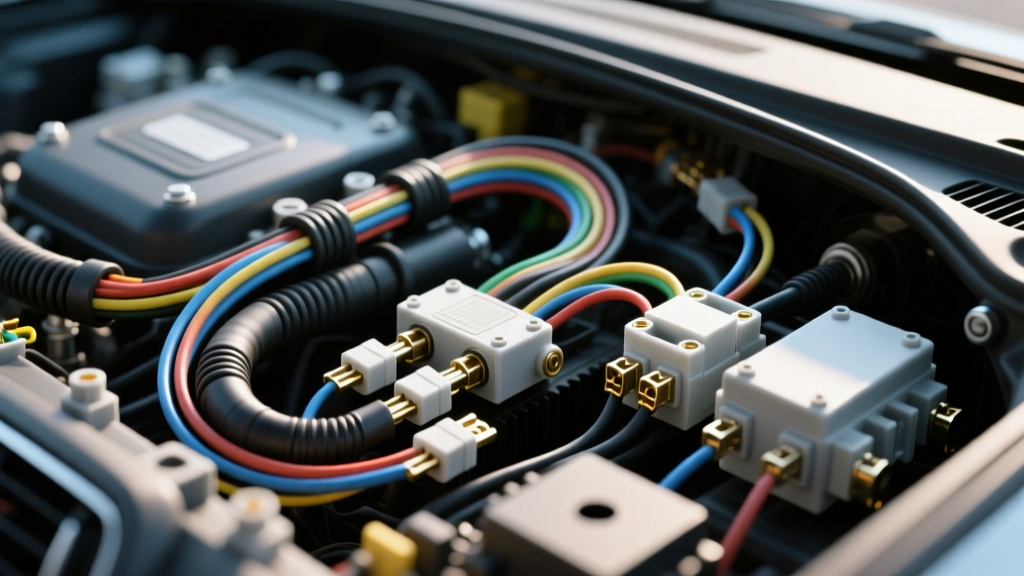
The Economics of Automotive Do It Yourself Security Camera Installation
Upgrading your vehicle with a hardwired, 3-channel surveillance system is one of the most effective ways to monitor vandalism, hit-and-runs, and break-ins while parked. However, professional mobile electronics installers typically charge between $150 and $350 for labor alone to route wiring through A-pillars, headliners, and liftgates. By undertaking a do it yourself security camera installation, you can reallocate that labor budget toward higher-quality consumables, premium fuse taps, and acoustic dampening materials that ensure a factory-grade finish.
This cost and tool requirements analysis breaks down the exact financial investment, mandatory diagnostic equipment, and electrical architecture knowledge required to execute a reliable automotive security camera integration without triggering CAN bus faults or parasitic battery drains.
Hardware vs. Consumables: Budget Breakdown
Many DIYers underestimate the cost of proper wiring consumables. Relying on the cheap, pre-crimped spade connectors included in generic hardwire kits is a primary cause of intermittent power loss and voltage drop. Below is a realistic cost analysis for a professional-grade DIY installation.
| Category | Item / Specification | Estimated Cost | Purpose & Justification |
|---|---|---|---|
| Diagnostic Tool | High-Impedance Digital Multimeter (DMM) | $35.00 - $60.00 | Safe circuit verification without drawing parasitic current or triggering SRS modules. |
| Consumable | Tesa 51036 PET Fleece Tape (19mm) | $12.00 | High-temp harness wrapping to prevent acoustic rattles inside the A-pillar and dash. |
| Connection | Premium Add-A-Fuse Taps (Micro2 / Low-Profile) | $15.00 (Pack) | Ensures proper blade orientation and prevents bypassing the OEM fused circuit. |
| Routing | Nylon Trim Pry Tool Set (5-piece) | $8.00 | Prevents scoring of interior plastics and accidental puncture of airbag wiring looms. |
| Connection | Adhesive-Lined Heat Shrink (3:1 Ratio) | $10.00 | Waterproofing rear hatch wire transitions to prevent corrosion in the camera module. |
| Total Estimated DIY Consumable & Tool Cost | $80.00 - $105.00 | ||
Mandatory Tooling for the DIY Installer
A successful do it yourself security camera installation relies on accurate circuit identification. Modern vehicles utilize complex Body Control Modules (BCMs) and multiplexed CAN bus networks. Using the wrong testing equipment can result in blown ECU fuses or deployed airbags.
High-Impedance Testing vs. Standard Test Lights
Never use a standard incandescent test light to probe for constant 12V (B+) or switched 12V (ACC) circuits in a modern fuse box. A test light draws physical current to illuminate the bulb. If you accidentally probe a CAN bus data line or an SRS (Supplemental Restraint System) circuit, that current draw can corrupt data packets or trigger a fault code. According to diagnostic guidelines from AA1Car, a high-impedance Digital Multimeter (DMM) with a minimum input impedance of 10 megohms is mandatory. It reads voltage potential without drawing measurable amperage, keeping sensitive vehicle networks completely undisturbed during your testing.
Wire Tracing and Tone Generators
When routing the rear security camera cable from the front fuse box to the rear hatch or trunk, you must pass through existing rubber weather boots. An inductive wire tracer allows you to identify pass-through grommets without blindly poking holes with a coat hanger, which can compromise the cabin's vapor barrier and lead to water intrusion.
Wiring Specifications: AWG, Pinouts, and Fuse Taps
Most aftermarket 3-channel security camera hardwire kits utilize 18 AWG to 20 AWG stranded copper wire. The standard color coding for these kits is typically:
- Yellow: Constant 12V (B+) - Powers the parking mode surveillance.
- Red: Switched 12V (ACC) - Tells the camera when the ignition is on to switch from parking mode to driving mode.
- Black: Chassis Ground (GND).
Note: Always verify with a multimeter, as some European-manufactured kits swap the Red and Yellow assignments.
The OBD-II Port Alternative vs. Fuse Box Tapping
For DIYers intimidated by micro-fuse panels, tapping the OBD-II port is a common alternative. However, you must understand the pinout architecture to avoid overloading the Data Link Connector (DLC).
| OBD-II Pin | Function | Wire Gauge (Typical) | Security Camera Application |
|---|---|---|---|
| Pin 16 | Battery Positive (Constant 12V) | 16 AWG - 18 AWG | Hardwire Kit Yellow (B+) - Usually protected by a 15A or 20A fuse. |
| Pin 4 | Chassis Ground | 16 AWG | Hardwire Kit Black (GND) - Direct chassis earth. |
| Pin 5 | Signal Ground | 18 AWG | Do NOT use for camera ground; reserved for low-voltage sensor references. |
| Pin 6 / 14 | CAN High / CAN Low | 20 AWG (Twisted Pair) | DANGER: Never tap or splice these. Doing so will crash the vehicle network. |
Understanding Voltage Drop in Long Camera Runs
When installing a rear-facing security camera in an SUV or truck, the cable run from the front fuse box to the rear hatch can exceed 15 feet. According to SAE International standards regarding automotive electrical distribution, voltage drop over distance must be calculated. An 18 AWG copper wire has a resistance of roughly 6.38 ohms per 1,000 feet. A 15-foot run (30 feet round-trip for power and ground) yields 0.19 ohms of resistance. If the camera draws 2 amps (common when interior IR LEDs activate for cabin security), the voltage drop is 0.38V. While acceptable, using cheaper 22 AWG extension cables will increase resistance, causing the camera to brownout and reboot endlessly when the IR LEDs engage.
Step-by-Step Cost-Saving Routing Techniques
To achieve a professional result without professional labor costs, follow these routing and integration protocols:
- A-Pillar Airbag Safety: Before removing the A-pillar trim, locate the SRS curtain airbag. Never route your camera wire across the airbag deployment path. The wire must be routed behind the airbag module, secured to the OEM wiring harness using Tesa fleece tape and zip ties.
- Headliner Transition: Use a blunt plastic spudger to gently lower the headliner edge. Do not bend the headliner board, as the foam backing will crease permanently, ruining the interior aesthetic.
- Rear Hatch Weather Boot: Spray a 50/50 mixture of water and dish soap onto the rubber grommet and the camera cable. This allows the cable to slide through the tight rubber boot without tearing the weather seal, preventing future water leaks into the cabin.
Real-World Failure Modes: CAN Bus Sleep Issues
The most catastrophic mistake in a do it yourself security camera installation is tapping a 'fake' constant 12V circuit. Many modern fuse box slots labeled as 'constant' are actually controlled by the BCM and remain awake for up to 45 minutes after the car is locked, or worse, they never allow the vehicle's CAN bus to enter 'sleep' mode.
If you tap a circuit like the power seat memory module, the radio amplifier, or a telematics gateway for your B+ constant power, the vehicle's main computers will stay awake. Instead of the car drawing a normal parasitic sleep current of 30-50 milliamps, it will draw 2 to 4 amps continuously. Your vehicle battery will be completely dead within 12 hours. Always verify your chosen B+ fuse with a multimeter: lock the car, wait 30 minutes, and ensure the circuit maintains 12.4V+ without keeping adjacent data modules awake. Ideal circuits include the hazard light flasher module, OBD-II Pin 16, or dedicated 12V accessory sockets that are verified as true battery-direct lines.
Configuring the Hardwire Kit Voltage Cutoff
Finally, adjust the physical DIP switches or app settings on your hardwire kit's voltage cutoff module. For a standard flooded lead-acid battery, set the cutoff to 12.0V or 12.2V to ensure enough Cold Cranking Amps (CCA) remain to start the engine. If your vehicle is equipped with an AGM (Absorbent Glass Mat) battery, commonly found in vehicles with Auto Start-Stop technology, you can safely lower the cutoff threshold to 11.8V, maximizing your security camera's parking surveillance duration without risking a no-start condition. For advanced mobile electronics certification standards and best practices, refer to the MECP (Mobile Electronics Certification Professional) study resources.