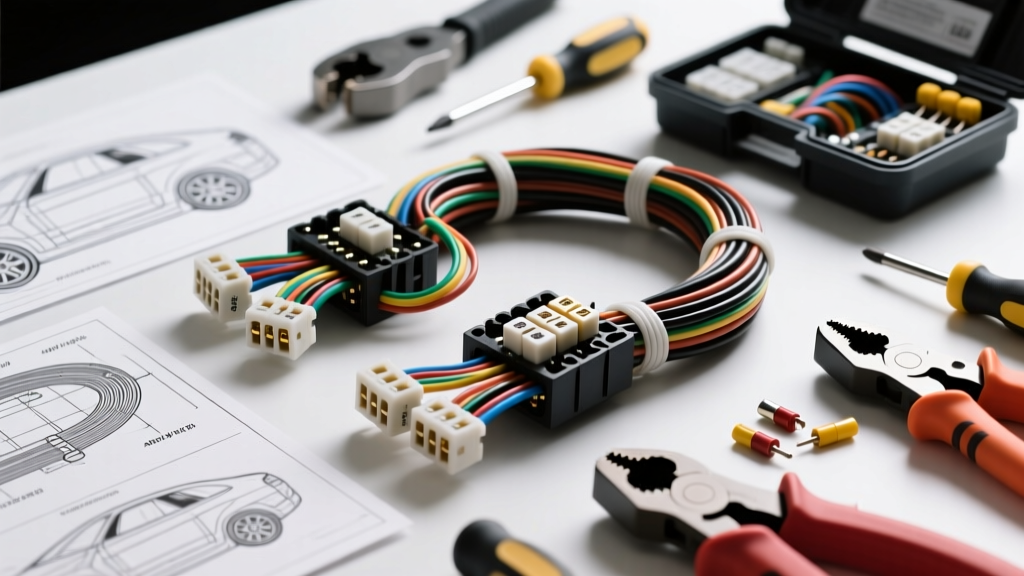
The Economics of a Clean YI Dash Cam Setup
Integrating a YI Smart Dash Cam or adapting a YI 4K action camera for automotive use requires moving beyond the cluttered 12V cigarette lighter socket. A proper hardwire installation ensures continuous parking surveillance, frees up console space, and eliminates cable sag across the driver's field of vision. However, executing a safe, reliable YI camera installation demands a precise understanding of automotive electrical systems, voltage regulation, and safety-critical routing protocols.
From an electrical engineering perspective, YI cameras typically require a 5V 2A (10W) input via micro-USB or USB-C. Because a vehicle's alternator outputs between 13.5V and 14.8V, a direct connection is impossible. You must utilize a hardwire kit equipped with a DC-DC buck converter and a Low-Voltage Cutoff (LVC) module. This analysis breaks down the exact costs, specialized tooling, and wire gauge specifications required to integrate a YI camera into your vehicle's fuse panel without risking parasitic battery drain or airbag deployment interference.
Comprehensive Cost Breakdown & Component Analysis
Many DIYers underestimate the ancillary costs of a proper installation. Relying on cheap, unrated fuse taps or improper wire gauges can lead to melted fuse boxes or electrical fires. Below is a realistic cost matrix for a professional-grade YI camera hardwire setup.
| Component / Material | Estimated Cost | Technical Specifications & Notes |
|---|---|---|
| YI Compatible Hardwire Kit (DC-DC Step Down) | $15.00 - $28.00 | Must include LVC set to 11.8V or 12.0V. Input: 12-24V. Output: 5V 2A. |
| Add-a-Circuit Fuse Tap Kit | $12.00 - $18.00 | Must match vehicle profile (Mini ATM, Micro2 APT, or Low-Profile ATT). 18 AWG lead. |
| Nylon Trim Removal Tool Set | $8.00 - $15.00 | Non-marring wedges and panel clips. Essential for A-pillar and headliner routing. |
| Tesa 51036 Harness Tape | $9.00 - $14.00 | High-temp cloth tape to wrap wiring and prevent cabin rattles against sheet metal. |
| Ring Terminals & Heat Shrink | $6.00 - $10.00 | #10 or #8 ring terminals for 20-18 AWG wire, 3:1 shrink ratio for chassis grounding. |
| Quality Digital Multimeter | $25.00 - $60.00 | CAT III rated. Required for identifying ACC vs. Constant 12V circuits and ground testing. |
Total Estimated Investment: $75.00 - $145.00 (excluding the camera itself). While budget kits exist, investing in OEM-style fuse taps and proper harness tape prevents long-term electrical gremlins and interior rattles.
Essential Tooling & Diagnostic Equipment
To perform a YI camera installation that meets SAE J1128 standards for low-tension primary cable usage in automotive environments, you cannot rely on a basic household toolbox. The following tools are mandatory for a safe integration:
- Ratcheting Wire Crimper (22-16 AWG): Do not use standard pliers to crimp ring terminals. A ratcheting crimper ensures a gas-tight connection that will not pull out under vibration, preventing short circuits against the chassis.
- Digital Multimeter (DMM): Necessary for testing fuse panel slots. You must identify a 'Switched' (ACC) circuit and a 'Constant' (BAT) circuit. The DMM will also verify chassis ground resistance (must be less than 0.05 ohms).
- Panel Pry Tools & Clip Pliers: Modern vehicle A-pillars and dash end-caps use fragile plastic retaining clips. Steel screwdrivers will mar the interior and snap OEM clips.
- Heat Gun or Butane Torch: For sealing adhesive-lined heat shrink tubing over the chassis ground ring terminal to prevent oxidation and corrosion over time.
- Torx and Metric Socket Set: Required for accessing the vehicle's main grounding studs, typically 10mm or 12mm hex bolts, or Torx T20/T25 screws on lower dash panels.
Electrical Specifications & Hardwire Pinouts
The YI hardwire kit acts as the bridge between the vehicle's high-current 12V system and the camera's sensitive 5V logic board. Understanding the pinout and wire gauge is critical. Most aftermarket hardwire kits utilize a standard 3-wire configuration. According to SAE J1128, 20 AWG stranded copper wire is rated for up to 5 amps in chassis wiring applications. Since a YI camera draws roughly 0.98 amps on the 12V side (accounting for buck converter efficiency), 20 AWG is perfectly adequate and safe.
Standard 3-Wire Hardwire Diagram Data
| Wire Color | Function | Target Connection | Fuse Rating |
|---|---|---|---|
| Yellow | VBAT (Constant 12V+) | Fuse Tap (Always Hot Circuit - e.g., Interior Lights, Hazard, OBD2) | 2A or 3A |
| Red | ACC (Switched 12V+) | Fuse Tap (Ignition Circuit - e.g., Radio, Wipers, Cigar Lighter) | 2A or 3A |
| Black | GND (Chassis Ground) | Unpainted Metal Bolt on Chassis or Seat Bracket | N/A |
The Role of the Low-Voltage Cutoff (LVC)
When hardwiring for parking mode, the Yellow wire provides continuous power to keep the YI camera in standby or recording mode. The LVC module monitors the vehicle's battery voltage. If the voltage drops to the preset threshold (usually 11.8V), the LVC physically severs the ground or power path to the camera. This ensures your vehicle retains enough cold-cranking amps (CCA) to start the engine the next morning. Bypassing or buying a kit without an LVC is a guaranteed path to a dead car battery.
Step-by-Step Fuse Identification & Safety Protocols
The most common failure point in a YI camera installation is improper fuse selection. Tapping into the wrong circuit can disrupt safety systems or cause the camera to reboot during engine cranking.
1. Identifying the Correct Fuses with a Multimeter
- Turn the vehicle completely OFF and remove the key (or push-button fob outside the cabin).
- Set your multimeter to DC Voltage (20V scale).
- Connect the black probe to a known bare metal ground.
- Use the red probe to test the exposed metal test points on top of the fuses in the interior fuse box.
- Constant (BAT): A fuse that reads ~12.4V with the car OFF is your Yellow wire target.
- Switched (ACC): Turn the ignition to the 'ON' position (without starting the engine). A fuse that now reads ~12.4V, but read 0V when the car was off, is your Red wire target.
CRITICAL WARNING: Never tap into fuses labeled SRS, Airbag, ABS, ECU, Fuel Pump, or Transmission. Stick to 'comfort' circuits like the radio, heated seats, or 12V accessory ports. Refer to Littelfuse automotive guidelines for proper fuse tap orientation to ensure both the original circuit and your new camera circuit are protected.
2. Side-Curtain Airbag Routing (NHTSA Compliance)
Routing the hardwire cable down the A-pillar requires extreme caution. Modern vehicles are equipped with side-curtain airbags that deploy downward from the roofline with explosive force. If your camera wire is zip-tied over or across the airbag, the deployment will snap the wire, turning it into a high-speed projectile and potentially preventing the airbag from covering the window.
According to NHTSA Airbag Safety Guidelines, aftermarket wiring must never interfere with restraint systems. You must pull back the A-pillar trim, locate the factory wiring harness, and route your YI camera cable behind the airbag curtain. Secure the camera wire to the factory harness using Tesa tape or zip-ties, ensuring it follows the exact same path as the OEM wiring. Never use self-tapping screws into the A-pillar metal, as you may puncture the airbag canister or wiring.
Troubleshooting Matrix: Common YI Hardwire Failures
Even with meticulous planning, electrical anomalies can occur. Use this diagnostic tree to resolve common post-installation issues:
| Symptom | Root Cause Analysis | Corrective Action |
|---|---|---|
| Camera shuts off momentarily during engine cranking. | ACC fuse circuit drops below LVC threshold during starter engagement (voltage sag). | Move the Red (ACC) tap to a circuit that remains hot during the 'Start' position, such as the radio or ignition switch output. |
| Camera records 24/7, vehicle battery dies overnight. | Yellow (BAT) and Red (ACC) wires swapped at the fuse box, or LVC module failure. | Verify fuse states with a multimeter. If wired correctly, replace the hardwire kit's LVC module. |
| Camera displays 'SD Card Error' or reboots randomly. | Voltage drop due to poor chassis ground or undersized fuse tap wire. | Check ground resistance (must be <0.05 ohms). Sand away paint/dielectric grease at the grounding bolt and re-crimp the ring terminal. |
| No power to the YI camera upon installation. | Inline glass/blade fuse on the hardwire kit is blown, or fuse tap is inserted backward. | Check the inline fuse. Ensure the Add-a-Circuit tap feeds power through the new fuse, not bypassing it. |
Final Integration & Wire Management
Once the electrical connections are verified and the YI camera boots into parking mode successfully, the final step is wire management. Tuck the DC-DC buck converter module behind the glovebox or lower dash panel. Do not leave it dangling, as it will rattle against the HVAC ducting. Wrap the module in foam tape or Tesa 51036 harness tape. Reinstall the A-pillar trim, ensuring all plastic clips seat firmly with a firm push. By investing in the correct tools and adhering to SAE and NHTSA safety standards, your YI camera installation will provide years of reliable, unobtrusive automotive surveillance.