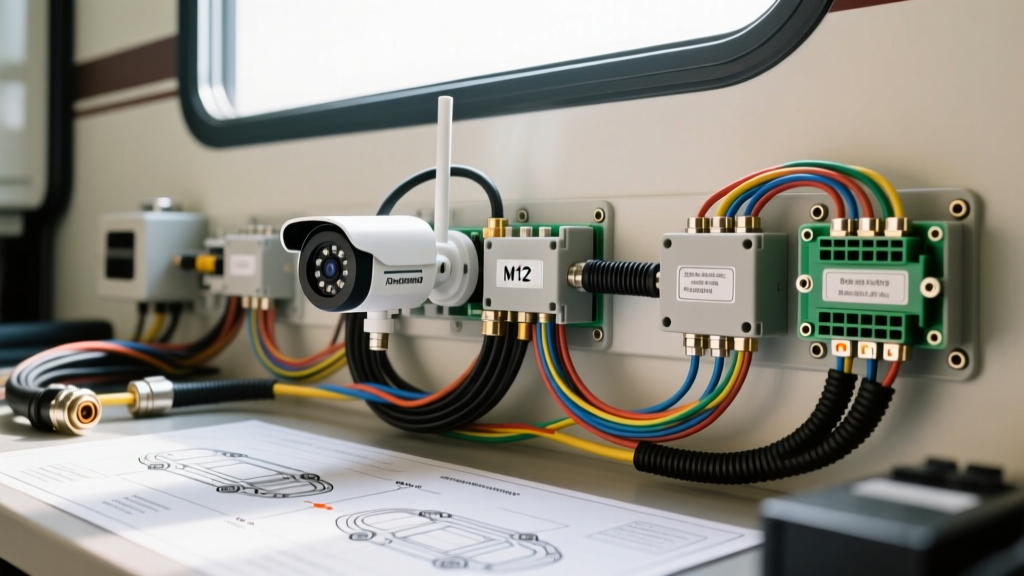
Introduction to Vehicular IP Camera Systems
Modern heavy-duty trucks, overland expedition vehicles, and luxury RVs are rapidly transitioning from analog AHD/CVBS setups to network-based architectures. A proper ip camera installation in these environments relies on Automotive Ethernet and Power over Ethernet (PoE) to deliver high-definition video over a single shielded cable. However, the harsh vehicular environment—characterized by extreme vibration, temperature cycling, and electromagnetic interference (EMI) from alternators and inverters—introduces unique failure modes not found in residential networking.
When performing an automotive or RV ip camera installation, technicians must navigate physical layer degradation, PoE voltage drop, and network handshake failures. This step-by-step troubleshooting flow is designed for automotive electrical experts to systematically isolate and resolve IP camera failures in mobile platforms.
Phase 1: Physical Layer & Connector Verification
The most common point of failure in any vehicular network is the physical termination. Unlike static indoor environments, RVs and fleet trucks utilize ruggedized M12 X-coded connectors rather than standard RJ45 jacks for exterior and chassis-mounted cameras. The M12 X-code features an 8-pin configuration with a metallic cross-separation to prevent crosstalk and support 10Gbps data rates, though most IP cameras operate at 100BASE-TX.
M12 X-Coded Pinout and T568B Mapping
Improper pin mapping between the interior RJ45 switch and the exterior M12 camera connector is a frequent culprit for link-light failures. Always verify continuity using a tone generator and a pinout mapper capable of testing M12 to RJ45 adapters.
| M12 Pin | Signal | T568B Color Code | PoE Function (Alt A) |
|---|---|---|---|
| 1 | TX+ (Pair 1) | White/Orange | Positive DC |
| 2 | TX- (Pair 1) | Orange | Positive DC |
| 3 | RX+ (Pair 2) | White/Green | Negative DC |
| 4 | RX- (Pair 2) | Green | Negative DC |
| 5 | TX+ (Pair 3) | White/Blue | Positive DC (Alt B) |
| 6 | TX- (Pair 3) | Blue | Positive DC (Alt B) |
| 7 | RX+ (Pair 4) | White/Brown | Negative DC (Alt B) |
| 8 | RX- (Pair 4) | Brown | Negative DC (Alt B) |
Shielding and Ground Loops
Automotive Ethernet cables must be Shielded Twisted Pair (STP), typically 22 AWG with a foil shield and a 24 AWG stranded drain wire. According to SAE J3078 guidelines for vehicular Ethernet, the drain wire must be terminated to the connector shell. However, in vehicles with multiple grounding points (e.g., chassis ground vs. inverter ground), grounding the shield at both the camera and the switch can create a ground loop. This loop induces low-frequency noise that corrupts data packets. Fix: Implement single-point grounding. Terminate the drain wire at the interior switch side and trim/insulate it at the camera M12 connector.
Crimping vs. IDC Termination for M12 Connectors
When terminating 22 AWG shielded Ethernet to an M12 X-coded field-installable plug, technicians often default to solder-crimp methods. However, in high-vibration automotive environments, solder joints can fatigue and develop micro-fractures, leading to intermittent data loss. The industry best practice for vehicular ip camera installation is to use Insulation Displacement Contact (IDC) M12 connectors. IDC terminations bite through the wire insulation to make a cold-weld gas-tight connection with the copper conductor. This method is vastly superior for withstanding the 10G to 50G shock loads typical of heavy-duty trucks traversing uneven terrain. Always use a specialized M12 IDC termination tool to ensure uniform pressure across all eight pins, and verify that the cable's outer jacket is securely clamped by the connector's strain relief to prevent tension from transferring to the data pairs.
Phase 2: Power over Ethernet (PoE) & Voltage Drop Diagnostics
IP cameras require PoE to operate. The IEEE 802.3bt PoE Standard dictates that a Powered Device (PD) requires a minimum of 36V DC to initiate the handshake sequence. In long RV cable runs (often exceeding 40 feet from the battery bank to the rear bumper), voltage drop can prevent the camera from powering on, even if the data link is intact.
AWG Sizing and Voltage Drop Chart
| Wire Gauge (AWG) | Resistance / 100ft | Max Distance (802.3at 30W) | Voltage Drop @ 0.6A |
|---|---|---|---|
| 24 AWG | 2.52 Ω | ~45 ft | 1.51V |
| 22 AWG | 1.61 Ω | ~70 ft | 0.96V |
| 18 AWG | 0.64 Ω | ~150 ft | 0.38V |
Diagnostic Step: Do not rely solely on the switch's PoE status LED. Use a PoE inline tester at the camera end to measure the actual voltage under load. If the voltage drops below 37V, the PSE (Power Sourcing Equipment) will abort the handshake to protect the circuit. If you are running 24 AWG cable over 50 feet, you must upgrade to an 18 AWG passive PoE injector setup or utilize a thicker 20 AWG automotive-grade Ethernet cable.
Phase 3: Network Handshake & IP Assignment Troubleshooting
If Layer 1 (Physical) and Layer 2 (Power) are verified, the issue lies in the network configuration. Vehicular IP camera systems often operate on isolated, localized LANs without a standard DHCP server, leading to IP conflicts or APIPA (Automatic Private IP Addressing) assignment failures.
- Symptom: Camera powers on, link light is solid, but no video feed on the head unit.
- Cause: The camera defaulted to a static IP (e.g., 192.168.1.108) that is outside the subnet mask of the RV's local network switch, or two cameras are fighting for the same MAC/IP address.
- Action: Connect a laptop directly to the camera's pigtail using a static IP on the same subnet (e.g., 192.168.1.10). Ping the camera. If successful, access the web GUI and reconfigure the camera to DHCP or assign a unique static IP.
Furthermore, ensure that IGMP Snooping is enabled on the managed vehicular switch. IP cameras often multicast their video streams; without IGMP snooping, the switch floods all ports with multicast traffic, causing network saturation and dropped frames on the display.
Master Troubleshooting Decision Tree
Use this matrix to rapidly isolate the root cause of the ip camera installation failure.
| Symptom | Probable Cause | Diagnostic Action | Resolution |
|---|---|---|---|
| No Power / No Link Light | PoE Handshake Failure or Open Circuit | Test inline voltage at M12 connector under load. | Upgrade AWG or fix broken T568B termination. |
| Link Light On / No Video | IP Subnet Mismatch or Multicast Flood | Ping camera IP; check switch IGMP settings. | Reassign IP; enable IGMP Snooping. |
| Intermittent Video Dropout | EMI Interference or Ground Loop | Inspect shield drain wire termination. | Implement single-point shield grounding. |
| Camera Reboots Randomly | Thermal Overload or Voltage Sag | Monitor PoE voltage during alternator high-load. | Add local 12V-to-48V PoE booster at camera. |
Environmental Sealing and Preventative Maintenance
A successful ip camera installation does not end at the network handshake. Exterior M12 connectors are rated for IP67, but only when properly torqued. Hand-tightening is insufficient and will allow capillary action to draw moisture into the connector during pressure washing or heavy rain. Always use an M12 torque wrench set to exactly 0.6 Nm to compress the internal O-ring without stripping the zinc-nickel plating.
Additionally, apply a marine-grade dielectric grease (such as Nyogel 760G) to the RJ45 and M12 pins before mating. This prevents galvanic corrosion caused by the dissimilar metals in the connector shells and the harsh, salt-laden environments encountered by fleet trucks and expedition RVs. By adhering to TIA-568 cabling guidelines and rigorous automotive testing standards, you can ensure a robust, failure-resistant IP camera network that withstands the rigors of the road.