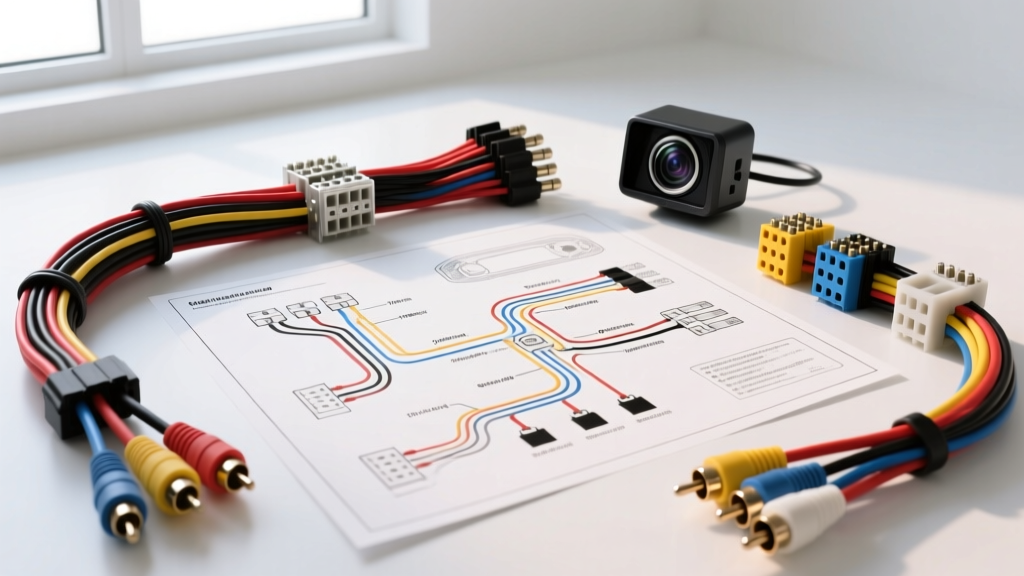
Understanding the Universal Backup Camera Wiring Diagram
Integrating an aftermarket backup camera into an existing vehicle electrical system requires a precise understanding of low-voltage DC power routing, coaxial video shielding, and reverse-trigger logic. While factory systems utilize complex CANbus data streams and proprietary LVDS (Low-Voltage Differential Signaling) cables, the universal aftermarket backup camera wiring diagram relies on a much simpler, standardized architecture: a 12V DC power feed, a chassis ground, and a shielded RCA composite video signal. This guide provides a comprehensive, professional-grade installation methodology, addressing modern vehicle complexities such as Pulse Width Modulation (PWM) taillight circuits and electromagnetic interference (EMI).
Essential Tools and Wire Gauge Specifications
Before tapping into the vehicle's reverse lighting circuit or routing the video cable, ensure you have the correct materials. Using undersized wire or unshielded cables will result in voltage drop, video ghosting, or alternator whine.
| Component | Specification | Purpose & Notes |
|---|---|---|
| Camera Power/Ground Wire | 18 AWG Stranded Copper (GXL/SGXL) | Primary power feed. GXL insulation is rated for high under-hood/underbody temperatures. |
| Video Transmission | Shielded Coaxial RCA (75-Ohm) | Prevents EMI from high-current audio amplifier power cables or ignition coils. |
| Wire Connectors | Posi-Tap or Solder/Heat Shrink | Avoid cheap plastic T-taps which fray strands and cause corrosion. See MECP guidelines for best practices. |
| Reverse Trigger (Head Unit) | 22 AWG to 18 AWG | Connects to the head unit's reverse trigger input (typically Orange/White or Purple). |
| Relay (For PWM Circuits) | 12V SPDT (Bosch-style 5-pin) | Required for modern vehicles (FCA, VW, BMW) to stabilize the camera trigger signal. |
Decoding the Backup Camera Wiring Diagram
The universal camera pigtail typically features three primary connections, though some advanced models with integrated guide lines or microphone audio may include additional wires. Below is the standard pinout and color code matrix for 95% of aftermarket CCD and CMOS backup cameras.
- Red Wire (+12V): Connects to the vehicle's reverse light positive wire. This powers the camera and sends a 12V trigger signal through the RCA cable's secondary trigger wire to the head unit.
- Black Wire (Ground): Must be secured to a bare-metal chassis ground. Do not rely on the taillight housing ground, as plastic housings and painted surfaces will cause high resistance and camera reboot loops.
- Yellow RCA Connector: Carries the NTSC/PAL composite video signal. The integrated thin wire running alongside the RCA is the secondary reverse trigger for the head unit.
- Green/White Loop (Optional): Cutting this loop on the camera pigtail often toggles the image from normal to mirrored, or turns off the overlay guide lines.
The PWM Problem: Why Your Camera Might Flicker
A critical failure point in modern backup camera installations occurs when tapping directly into the reverse light circuit of vehicles manufactured after 2012. Many modern automakers use Pulse Width Modulation (PWM) to control exterior lighting. Instead of a steady 12V DC signal, the vehicle sends rapid 12V pulses to the bulb to extend LED lifespan and monitor for burnt-out bulbs.
When a backup camera is wired directly to a PWM circuit, the camera receives fragmented power. This results in a flickering image, rolling horizontal bars, or a complete "No Signal" error on the head unit. Furthermore, the vehicle's CANbus system may detect the camera's current draw as a "short circuit" and cut power to the taillight entirely.
The SPDT Relay Solution
To resolve this, you must use a standard 12V SPDT (Single Pole Double Throw) relay to isolate the camera from the PWM signal. The relay coil is triggered by the PWM reverse light, while the camera draws clean, constant 12V power from a nearby fused accessory circuit or the battery. According to automotive electrical standards outlined by SAE International (SAE J1113), isolating sensitive microelectronics from high-frequency switching circuits is mandatory for electromagnetic compatibility.
| Relay Pin | Connection Target | Function |
|---|---|---|
| 85 (Coil +) | Vehicle Reverse Light (+) | Receives PWM signal to activate the relay electromagnet. |
| 86 (Coil -) | Chassis Ground | Completes the relay coil circuit. |
| 30 (Common) | Constant 12V or Ignition 12V | Provides clean, uninterrupted DC power to the camera. |
| 87 (Normally Open) | Camera Red (+) Wire | Outputs clean 12V only when the vehicle is in reverse. |
Step-by-Step Installation & Routing Protocol
Step 1: Camera Mounting and Grounding
Whether utilizing a license plate bracket or a flush-mount hole saw (typically 18.5mm to 22mm diameter depending on the CCD housing), ensure the camera lens is centered. For the ground wire, strip the 18 AWG black wire, crimp a #10 ring terminal, and attach it to a structural chassis bolt. Use sandpaper to remove any paint or undercoating. Verify the ground using a multimeter; the resistance between the camera ground and the battery negative terminal should read less than 0.5 ohms.
Step 2: Routing the RCA and Power Harness
Route the RCA video cable through the vehicle's interior, ideally along the passenger side door sill plates to avoid the driver-side primary wiring harness. Critical Rule: Never run the unshielded or poorly shielded RCA cable parallel to high-current amplifier power wires (e.g., 4 AWG or 8 AWG battery cables). If crossing power wires is unavoidable, cross them at a strict 90-degree angle to minimize inductive coupling and alternator whine.
Step 3: Head Unit Reverse Trigger Connection
At the dashboard, locate the head unit's reverse trigger wire. For Pioneer and Kenwood units, this is typically an Orange/White wire; for Alpine, it is often Purple. Connect the secondary trigger wire (the thin wire running alongside the RCA ends) to this head unit wire. When the head unit detects 12V on this pin, it will automatically override the current display source and switch to the camera input.
Common Failure Modes and Multimeter Troubleshooting
Even with a correct backup camera wiring diagram, real-world variables can cause system faults. Use this diagnostic matrix to troubleshoot common installation errors.
| Symptom | Probable Cause | Diagnostic Fix |
|---|---|---|
| Camera image flickers or rolls | PWM reverse light circuit or poor ground. | Install SPDT relay. Check ground resistance (must be < 0.5Ω). |
| "No Signal" but camera is warm | RCA center pin bent or trigger wire disconnected. | Verify 12V at the head unit trigger wire when in reverse. Inspect RCA ends. |
| Alternator whine in audio/camera | Ground loop or RCA routed near amp power. | Ensure camera ground and head unit ground share a common potential. Reroute RCA. |
| Image is upside down | Camera mounted inverted or loop wire incorrect. | Locate the green/white loop on the camera pigtail and cut/bridge as per manual. |
Authoritative References
For further reading on automotive electrical standards and mobile electronics integration, consult the following resources: