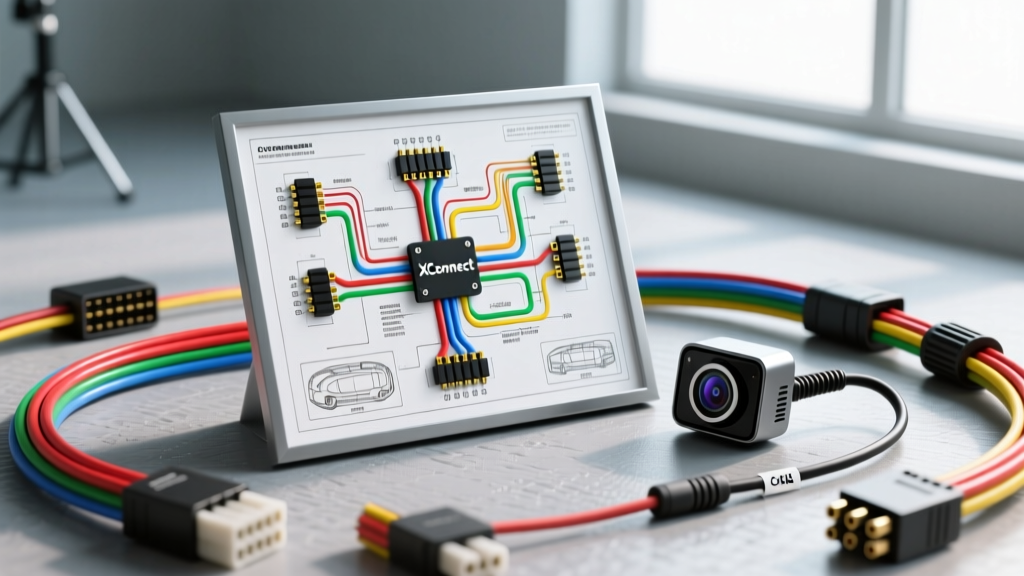
Understanding the 4-Pin XConnect Architecture in Automotive Camera Systems
Heavy-duty trucks, RVs, and custom fleet vehicles frequently utilize quick-disconnect harnesses to route video and power from rear-mounted backup cameras or trailer-mounted dash cams to the cab. The 4-pin XConnect (often an aviation-style GX16 or proprietary IP67-rated equivalent) is the industry standard for these applications. Unlike standard RCA and barrel-DC plugs, the XConnect provides a threaded, locking, and weather-sealed interface capable of withstanding high-vibration environments and severe moisture exposure.
However, the transition from standard analog CVBS (Composite Video Baseband Signal) to modern AHD (Analog High Definition) 1080p and 4K camera systems has introduced new complexities. A failing XConnect junction doesn't always result in a simple blackout; it can cause impedance mismatches, ground loops, and intermittent IR array failures. This guide provides a comprehensive XConnect wiring diagram and a step-by-step troubleshooting flow to isolate and resolve camera signal and power faults.
Standard 4-Pin XConnect Wiring Diagram & Pinout Specifications
Before probing with a multimeter, you must verify the pinout. While some proprietary systems swap Pin 3 and Pin 4, the standardized SAE-compliant 4-pin aviation XConnect configuration for camera systems is detailed below. Adhering to SAE J1128 wire gauge standards is critical to prevent voltage drop over long chassis runs.
| Pin Number | Function | Standard Wire Color | AWG / Cable Type | Technical Notes |
|---|---|---|---|---|
| 1 | VCC (12V DC Power) | Red | 18 AWG Stranded | Must handle up to 500mA when IR LEDs engage. |
| 2 | GND (Common Ground) | Black | 18 AWG Stranded | Must terminate to a clean chassis ground, not a plastic bumper. |
| 3 | Video Signal | Yellow (Coax Center) | RG174 75-Ohm Coax | Shield must be grounded at the camera side to prevent noise. |
| 4 | Audio / IR Trigger | Green or White | 22 AWG Stranded | Often used for reverse trigger or mic power. |
The AHD vs. CVBS Impedance Factor
A common failure mode when upgrading an older RV or truck from a 480p CVBS camera to a 1080p AHD camera is a 'No Signal' error, despite power being present. AHD signals operate at higher frequencies (up to 50MHz for 1080p30). If the XConnect wiring diagram is executed using standard stranded wire for Pin 3 instead of a true 75-ohm RG174 coaxial cable, or if the coaxial shield is 'pigtailed' rather than terminated via a 360-degree crimp, high-frequency attenuation occurs. The monitor's AHD handshake fails, resulting in a blank screen. Always verify that Pin 3 utilizes shielded coaxial wiring and that the shield is properly bonded to the XConnect metal shell or a dedicated ground pin.
Step-by-Step Troubleshooting Decision Tree
Follow this sequential diagnostic flow to isolate faults within the XConnect junction and the surrounding harness. You will need a digital multimeter (DMM), an oscilloscope (optional but recommended for AHD), and a 12V dummy load.
Symptom A: Complete Camera Blackout (No Power / No Video)
- Step 1: Visual & Mechanical Inspection. Disconnect the XConnect. Inspect the female socket for 'pin push-out.' In high-vibration environments, the internal retaining spring can fail, causing Pin 1 or 2 to retract into the plastic housing when mated. Use a terminal extraction tool to reseat any backed-out pins.
- Step 2: Source Voltage Test. Reconnect the XConnect. Back-probe Pin 1 (Red) and Pin 2 (Black) at the camera side of the connector while the system is powered. If you read 0V, the fault is upstream (blown fuse, broken harness). If you read 12.6V, proceed to Step 3.
- Step 3: Load Testing. Cover the camera's light sensor to force the IR array to turn on. Monitor the voltage at Pin 1. If the voltage drops below 10.5V under load, you have severe resistance (corrosion or undersized wire) in the XConnect mating surface or the 18 AWG supply wire. Clean pins with contact cleaner and apply dielectric grease.
Symptom B: Rolling Bars, Flickering, or 'Snow' on Video Feed
- Step 1: Ground Loop Isolation. Rolling horizontal bars are the hallmark of an alternator whine ground loop. This occurs when the camera's ground (Pin 2) and the monitor's ground are at different electrical potentials, causing current to flow through the video shield (Pin 3). Verify that Pin 2 grounds to the vehicle chassis within 12 inches of the camera, not back at the battery.
- Step 2: Shield Continuity Check. Disconnect both ends of the harness. Use the continuity setting on your DMM to check between the XConnect metal shell and the RCA shield at the monitor end. You should see less than 1 ohm of resistance. If the shield is broken, the video signal is acting as an antenna for EMI (Electromagnetic Interference) from the vehicle's ignition system.
- Step 3: Pin 3 Tension Test. A loose Pin 3 connection will cause intermittent signal dropouts. Use a pin-gauge to verify the retention force of the female socket. If the pin slides in without tactile resistance, replace the XConnect connector body.
Symptom C: IR Night Vision Fails to Engage
- Step 1: Photocell Voltage Verification. The camera's internal logic board requires a stable 5V or 12V reference to trigger the IR relay. Measure voltage at Pin 1 while the camera is in a dark environment. A drop below 11.0V will often cause the camera's microcontroller to reset or fail to trigger the high-draw IR LEDs.
- Step 2: Check Pin 4 (If Applicable). In some XConnect wiring diagrams, Pin 4 is utilized as a dedicated 12V reverse-trigger line that powers a relay to activate the camera's night mode. Verify 12V is present on Pin 4 when the vehicle is shifted into reverse.
Advanced Diagnostics: Calculating Voltage Drop Over Long Runs
When routing camera wiring from the rear of a 40-foot motorhome or a 53-foot dry van trailer, wire gauge becomes a critical failure point. According to IPC/WHMA-A-620 standards for cable and wire harness assemblies, voltage drop must be calculated to ensure terminal equipment receives adequate power.
The formula for voltage drop is: V_drop = 2 × L × I × R
- L = Length of the wire in feet (one way)
- I = Current draw in Amps (e.g., 0.4A for a camera with IR LEDs)
- R = Resistance per foot of the wire (18 AWG copper is approx. 0.00638 ohms/ft)
Example: For a 35-foot run using 18 AWG wire drawing 0.4A:
V_drop = 2 × 35 × 0.4 × 0.00638 = 0.178 Volts.
While 0.178V is negligible, this calculation assumes pristine copper. In reality, the XConnect junction, butt splices, and ground terminals introduce transition resistance. If the XConnect pins are oxidized, they can add 2 to 5 ohms of resistance. A mere 3 ohms of corrosion at the XConnect junction will result in a 1.2V drop (0.4A × 3 ohms), pushing the camera's operating voltage below its 10.5V threshold and causing a reboot loop. Fix: For any XConnect run exceeding 25 feet, upgrade the power and ground pins to 16 AWG wire and use silver-conductive contact grease on the mating pins.
XConnect Termination and Weatherproofing Best Practices
The most common cause of XConnect failure is moisture ingress leading to galvanic corrosion between dissimilar metals (e.g., copper wire and nickel-plated brass pins). To ensure longevity in automotive and marine environments:
- Solder, Don't Crimp: For the internal solder cups of a GX16/XConnect aviation plug, strip the wire, tin it with rosin-core solder, and flow it into the cup. Ensure no solder bridges to the adjacent pin.
- Internal Potting: Once all four pins are soldered and the coaxial shield is secured, fill the rear cavity of the XConnect connector with marine-grade epoxy or hot-melt adhesive. This provides vital strain relief and prevents moisture from wicking down the wire jacket into the solder cups.
- O-Ring Maintenance: The IP67 rating relies on the internal rubber O-ring. Before mating the connectors, apply a thin film of silicone dielectric grease to the O-ring to prevent tearing during the threading process and to displace ambient moisture.
By strictly following this XConnect wiring diagram and utilizing systematic multimeter diagnostics, you can eliminate the guesswork from camera installations and ensure a reliable, high-definition video feed in the most demanding automotive environments.