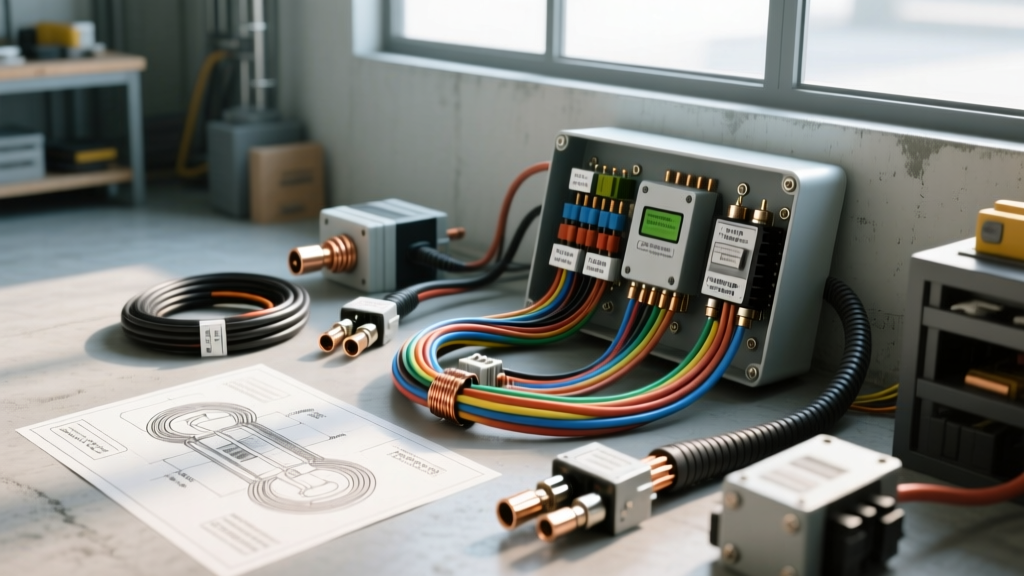
The Challenge: Residential Security in 12V DC Environments
When RV owners, skoolie converters, and fleet managers search for a Vivint camera installation guide, they are often met with residential 120V AC instructions. Smart home security cameras, including those from Vivint, Ring, and Arlo, are engineered for the stable, high-voltage alternating current (AC) of a residential power grid, or they rely on 5V DC USB adapters plugged into indoor wall warts. Attempting a direct Vivint camera installation in an automotive, marine, or recreational vehicle (RV) environment without proper DC-DC conversion is a guaranteed way to destroy the camera's internal voltage regulators.
Automotive electrical systems are notoriously noisy and volatile. A resting 12V battery reads 12.6V, but once the engine starts and the alternator engages, system voltage spikes to 13.8V–14.4V. Furthermore, vehicles experience load dumps, inductive spikes from AC compressors, and voltage drops over long wire runs. To successfully adapt a smart security camera for a 12V automotive environment, you must master DC step-down conversion, proper American Wire Gauge (AWG) sizing, and automotive-grade fuse tapping. This guide breaks down the beginner-friendly fundamentals of integrating residential-style surveillance into a 12V DC automotive chassis.
Understanding the Power Gap: 120V AC vs. 14.4V DC
Most hardwired outdoor security cameras utilize a proprietary power brick that steps down 120V AC to either 12V DC or 5V DC. If your camera requires 5V DC (common for USB-powered or Wi-Fi-enabled smart cameras), wiring it directly to a 12V fuse panel will instantly fry the logic board. If the camera requires 12V DC, connecting it directly to the vehicle's fuse box might seem logical, but the 14.4V alternator output will eventually overheat the camera's internal capacitors and cause thermal shutdown.
The solution is the implementation of an automotive-grade DC-DC Buck Converter. A buck converter efficiently steps down the 13.8V–14.4V input to a regulated, ripple-free 12.0V or 5.0V output, regardless of engine RPM or alternator load. For high-end camera installations, we recommend using an isolated DC-DC converter with built-in electromagnetic interference (EMI) filtering to prevent alternator whine and signal degradation on the camera's video feed.
Component Selection for Automotive Integration
- Wire Type: Never use residential THHN or stranded lamp cord. You must use GXL (Cross-linked polyethylene) or TXL automotive primary wire. GXL features a thin, high-temp insulation rated for 125°C, making it resistant to engine bay heat and abrasion.
- Connectors: Abandon twist-on wire nuts and electrical tape. Use Deutsch DT series connectors for weatherproof exterior connections, and adhesive-lined heat shrink butt splices for interior chassis routing.
- Step-Down Module: Use a sealed, IP67-rated 12V-to-5V (or 12V-to-12V regulated) buck converter rated for at least 3 Amps continuous output to handle the camera's IR night-vision power spikes.
AWG Sizing and Voltage Drop Mitigation
The most common failure in a DIY RV or fleet van camera installation is voltage drop. Unlike a home where the outlet is 20 feet from the breaker panel, an RV camera mounted on the rear bumper might be 45 feet from the front-mounted 12V fuse panel. If you use 18 AWG wire for a 45-foot run, the resistance will cause the voltage to drop below the camera's minimum operating threshold, resulting in endless reboot loops when the IR illuminators turn on at night.
According to the National Electrical Code (NFPA 70) Article 551 regarding Recreational Vehicles, low-voltage DC circuits must be sized to prevent excessive voltage drop. We recommend keeping voltage drop below 3% for sensitive electronics.
12V DC Automotive Wire Sizing Chart (Camera Loads)
| Total Cable Length (Out & Back) | Camera Load (Amps) | Recommended GXL Wire Gauge | Max Voltage Drop |
|---|---|---|---|
| 0 - 10 Feet | 1.0A - 2.0A | 16 AWG | < 0.2V |
| 10 - 25 Feet | 1.0A - 2.0A | 14 AWG | < 0.3V |
| 25 - 45 Feet | 1.0A - 2.0A | 12 AWG | < 0.4V |
| 45 - 70 Feet | 1.0A - 2.0A | 10 AWG | < 0.5V |
Note: Always calculate total circuit length by doubling the one-way distance from the fuse panel to the camera (to account for the ground return path).
Step-by-Step Wiring Execution
1. Tapping the Automotive Fuse Panel
To power the camera system, you must tap into the vehicle's fuse box using an Add-A-Circuit (Piggyback) fuse tap. This method is endorsed by automotive electrical professionals because it preserves the factory wiring harness integrity. Never tap into critical safety circuits like the SRS (Airbags), ECU, or ABS modules. Instead, locate an IGN (Ignition) or ACC (Accessory) fuse slot. This ensures the camera system powers down when the key is removed, preventing parasitic draw from draining your vehicle's starter battery.
Insert a 5A or 10A ATO/Mini fuse into the tap, depending on your total camera load. Crimp a 16 AWG GXL pigtail to the tap's wire, seal it with adhesive heat shrink, and route it through a factory rubber grommet into the cabin or RV living space.
2. Routing and EMI Protection
Automotive environments are plagued by Electromagnetic Interference (EMI). As outlined in the SAE J1113 standard for Electromagnetic Compatibility, sensitive data lines and low-voltage power lines must be routed away from high-current sources. Keep your camera's DC power lines at least 6 inches away from spark plug wires, alternator output cables, and high-amperage inverter feeds. If you must cross a high-current cable, do so at a strict 90-degree angle to minimize inductive coupling.
3. Installing the DC-DC Buck Converter
Mount the buck converter in a dry, ventilated interior compartment. Connect the 12V input from the fuse tap to the converter's input terminals. Connect a heavy-duty ground wire (equal in gauge to the positive wire) directly to a bare, unpainted metal chassis point. Use a star washer to bite through any microscopic corrosion, and apply a dab of dielectric grease over the terminal to prevent oxidation.
4. Exterior Camera Mounting and Sealing
When drilling through the RV or van exterior skin for the camera pigtail, use a stepped drill bit to create a clean hole. Before pulling the wire through, install a marine-grade rubber grommet. Feed the wire through, then inject a bead of marine-grade polyurethane sealant (such as 3M 5200 or Sikaflex) into the grommet. This prevents water ingress and capillary action from wicking moisture into your interior walls.
Grounding: The Most Overlooked Failure Point
Beginners often assume that any metal bolt on a vehicle's chassis is a valid ground. In modern automotive manufacturing, chassis panels are frequently coated with e-coat, paint, or anti-corrosion treatments that act as electrical insulators. A poor ground creates high resistance, which manifests as a voltage drop. The camera may power on during the day, but the moment the infrared (IR) LEDs engage at night—drawing an extra 500mA to 1A—the voltage at the camera drops below 4.5V, causing a boot loop.
The Fix: Always use a multimeter to perform a voltage drop test on your ground circuit. Set your multimeter to DC Volts. Place the red probe on the negative terminal of the battery and the black probe on the camera's ground wire connection point. With the camera powered on and IR LEDs active, the reading should be less than 0.1V. If it reads higher, scrape the chassis down to bare, shiny metal, re-torque the bolt, and re-test.
Troubleshooting Common 12V Camera Failures
Even with meticulous planning, automotive electrical systems can present unique challenges. Use this diagnostic decision tree to resolve common issues encountered during a Vivint-style camera adaptation:
- Symptom: Camera powers on during the day but reboots continuously at night.
Cause: Voltage drop under IR load.
Fix: Upgrade the main trunk wire from 14 AWG to 10 AWG, or relocate the DC-DC buck converter closer to the camera to minimize the length of the low-voltage (5V) output run. - Symptom: Video feed shows horizontal rolling bars or static.
Cause: Alternator whine / EMI interference.
Fix: Ensure the camera's video/data cable is shielded. Install a ferrite choke bead on the power line near the camera, and verify the buck converter has adequate EMI filtering. - Symptom: Camera does not power on; Add-A-Circuit fuse is intact.
Cause: High-resistance ground or corroded inline connector.
Fix: Perform the 0.1V ground voltage drop test. Check all Deutsch connector pins for green copper oxide corrosion; apply dielectric grease to all exterior mating surfaces.
Final Thoughts on Automotive Surveillance
Adapting a residential smart home security system for a vehicle requires a fundamental shift in how you view electrical power. By respecting the volatile nature of 14.4V alternator systems, utilizing GXL automotive wire, mitigating voltage drop with proper AWG sizing, and executing flawless chassis grounds, you can achieve a reliable, professional-grade surveillance setup. For further reading on low-voltage RV wiring standards, consult the Recreational Vehicle Industry Association (RVIA) technical bulletins on 12V DC circuit protection and routing.