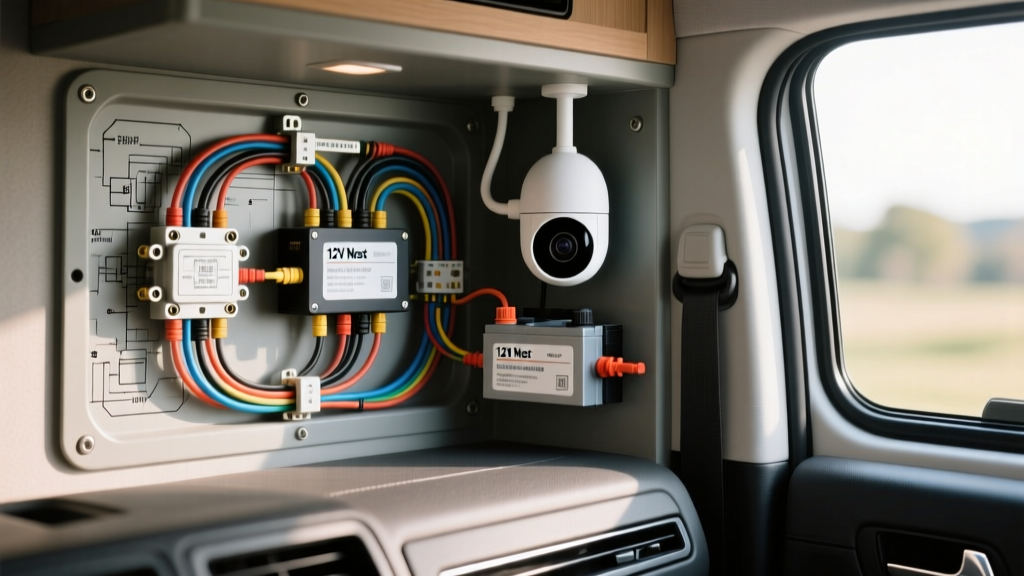
Adapting Home Security for the Overland & RV Environment
When building out a camper van, overland rig, or RV, securing your vehicle while boondocking is a top priority. Many builders attempt a standard nest outdoor camera installation only to realize that consumer-grade security cameras are designed for 120V AC wall outlets, not the 12V DC electrical systems found in automotive and marine environments. Running a massive 1000W pure sine wave inverter 24/7 just to power an 18-watt camera is a gross waste of battery capacity and introduces unnecessary parasitic draw.
The beginner-friendly fundamental solution is to bypass the AC adapter entirely. By utilizing a regulated DC-DC step-up (boost) converter, you can safely integrate a Nest Outdoor Camera directly into your rig's 12V auxiliary bus. This guide covers the exact wiring schematics, AWG requirements, waterproof penetration methods, and vibration-proofing techniques required to make a consumer camera survive the harsh realities of off-road travel and highway speeds.
Understanding the Power Matrix: AC vs. DC Automotive
Before cutting any wires, it is critical to understand the electrical characteristics of the camera. The wired version of the Nest Outdoor Camera requires a strict 15V DC input. The OEM power brick steps down 120V AC to 15V DC at roughly 1.2 Amps. In an automotive environment, your alternator outputs between 13.8V and 14.4V, while a resting LiFePO4 or AGM battery bank sits between 12.0V and 13.2V. Connecting the camera directly to a 12V bus will result in a continuous boot loop or failure to power on.
| Parameter | OEM Wall Adapter | Custom 12V RV Setup |
|---|---|---|
| Input Voltage | 120V AC (60Hz) | 12.0V - 14.4V DC |
| Output Voltage | 15V DC | 15.0V DC (Regulated) |
| Current Draw | ~1.2A (18W) | ~1.6A (at 12V nominal) |
| Wire Gauge Required | N/A | 16 AWG (Source), 18 AWG (Load) |
| Overcurrent Protection | Internal Brick Fuse | 3A ATC Inline Fuse |
Bill of Materials (BOM) for Automotive Integration
- DC-DC Boost Converter: 150W Step-Up module (e.g., based on the XL6009 or LM2587 chip) with adjustable potentiometer.
- Wire (Source Side): 16 AWG stranded copper, cross-linked polyethylene (XLPE) insulation. SAE J1128 compliant for under-hood or high-heat chassis routing.
- Wire (Load Side): 18 AWG stranded copper for the final run to the camera.
- Connectors: 2-Pin Deutsch DT Series (Plug, Receptacle, Wedgelocks, and solid contacts).
- Fuse: 3A Mini ATC blade fuse with inline waterproof holder.
- Sealing: Marine-grade cable gland, Dicor lap sealant, and butyl tape.
- Tools: IWISS IWS-3220M Deutsch crimp tool, heat gun, adhesive-lined heat shrink, digital multimeter.
Step-by-Step Wiring & Circuit Flow Diagram
Proper circuit routing ensures minimal voltage drop and protects the sensitive logic boards inside the camera from automotive voltage spikes (load dump). Below is the textual representation of the wiring diagram flow.
Circuit Flow Description
- 12V Source: Battery Positive (+) -> 3A ATC Fuse -> 16 AWG Red Wire -> DC-DC Boost Converter (VIN+).
- Ground Source: Battery Negative (-) / Chassis Ground -> 16 AWG Black Wire -> DC-DC Boost Converter (VIN-).
- Step-Up Stage: Converter (VOUT+) calibrated to 15.0V -> 18 AWG Red Wire -> Deutsch DT Pin 1 (Socket).
- Ground Continuation: Converter (VOUT-) -> 18 AWG Black Wire -> Deutsch DT Pin 2 (Socket).
- Exterior Harness: Deutsch DT Plug -> 18 AWG Splice -> Nest Camera Internal Wiring.
Step 1: Tapping the 12V Auxiliary Bus
Never wire security cameras directly to the vehicle's ignition-switched circuits unless you want the camera to die every time you turn off the engine. Tap into your RV's house battery bus bar or an always-hot upfitter circuit. Crimp a ring terminal onto your 16 AWG red wire and secure it to the positive bus bar. Within 6 inches of this connection, install the 3A inline ATC fuse holder. This protects the wire from melting in the event the boost converter suffers an internal short circuit.
Step 2: Calibrating the DC-DC Boost Converter
This is the most critical step in the nest outdoor camera installation process. Automotive alternators can push 14.4V, which is dangerously close to the 15V target.
Using a digital multimeter, connect the probes to the VOUT terminals of the boost converter. Use a small flathead screwdriver to turn the brass potentiometer screw. Adjust it until the multimeter reads exactly 15.0V DC. Once calibrated, apply a drop of clear nail polish or Loctite over the potentiometer screw to prevent off-road vibrations from shifting the calibration over time.
Step 3: Splicing the Proprietary Nest Cable
The Nest Outdoor camera features a proprietary, weather-sealed magnetic or hardwired base. To route this through an RV wall, you must carefully cut off the OEM weatherproof plug. Strip back the outer UV-resistant jacket to reveal the internal 18 AWG wires (typically Red for V+ and Black for GND).
Do not use standard twist-and-tape methods. Slide adhesive-lined marine heat shrink over the wires. Solder the 18 AWG Nest wires to your 18 AWG Deutsch connector pigtails. Apply heat until the adhesive oozes from the ends of the shrink tubing, creating a watertight, vibration-proof seal that meets SAE J1128 durability expectations for low-voltage primary cable splicing.
Waterproofing & Exterior Penetration Standards
Drilling a hole in your van or RV sidewall is a permanent modification that invites water intrusion if done poorly. According to guidelines derived from NFPA 1192 Standard on Recreational Vehicles, all exterior electrical penetrations must be sealed against the elements and protected from physical chafing.
The Deutsch Connector Disconnect
Why use a Deutsch DT connector instead of running one continuous wire from the bus bar to the camera? Overland vehicles frequently encounter low-hanging branches, car washes, and tight trails. By installing a 2-pin Deutsch DT disconnect on the exterior roof rack or sidewall, you can unplug and safely stow the expensive camera inside the vehicle during heavy off-road transit. Ensure you use the green plastic wedgelocks inside the connector housing; without them, the vibration of a diesel engine or corrugated dirt roads will back the pins out of the housing, causing an intermittent connection and camera reboots.
Sealing the Penetration Point
Drill a 3/4-inch hole through the vehicle skin. Deburr the edges with a file to prevent sharp metal from slicing the wire insulation over time. Feed the wire through a nylon marine cable gland. Apply a generous ring of butyl tape to the base of the gland, press it firmly against the vehicle skin, and secure it with stainless steel machine screws and nylon-insert lock nuts. Finally, bead a layer of Dicor lap sealant or marine-grade silicone around the perimeter to block capillary water action.
Troubleshooting: Boot Loops and Faraday Cages
Even with a perfect wiring job, automotive environments introduce unique variables that can disrupt a consumer camera's operation. Use this diagnostic tree if your installation fails to initialize.
Symptom: Camera is Stuck in a Continuous Boot Loop
- Cause: Voltage drop under load. When the camera's IR night-vision LEDs activate, current draw spikes. If your wire gauge is too thin or the boost converter is undersized, the voltage at the camera head drops below 14.2V, triggering a safety reboot.
- Fix: Verify the 16 AWG source wire is not exceeding 10 feet in length. Measure voltage at the Deutsch connector while the camera is actively drawing power. If it reads below 14.8V, upgrade the boost converter to a higher-amperage model or shorten the wire run.
Symptom: Camera Shows 'Offline' in the App
Final System Verification
Once the physical nest outdoor camera installation is complete, perform a 24-hour burn-in test. Monitor the boost converter's temperature; it should remain warm but not hot to the touch. Verify the camera's night vision by covering the ambient light sensor, forcing the IR LEDs to draw maximum current. If the 15V line remains stable and the exterior Dicor sealant shows no signs of weeping, your overland security system is fully integrated and ready for the backcountry.
For more information on managing complex 12V loads and inverter alternatives, consult the Google Nest Cam Technical Specifications to ensure your custom power delivery always matches the manufacturer's strict tolerance thresholds.