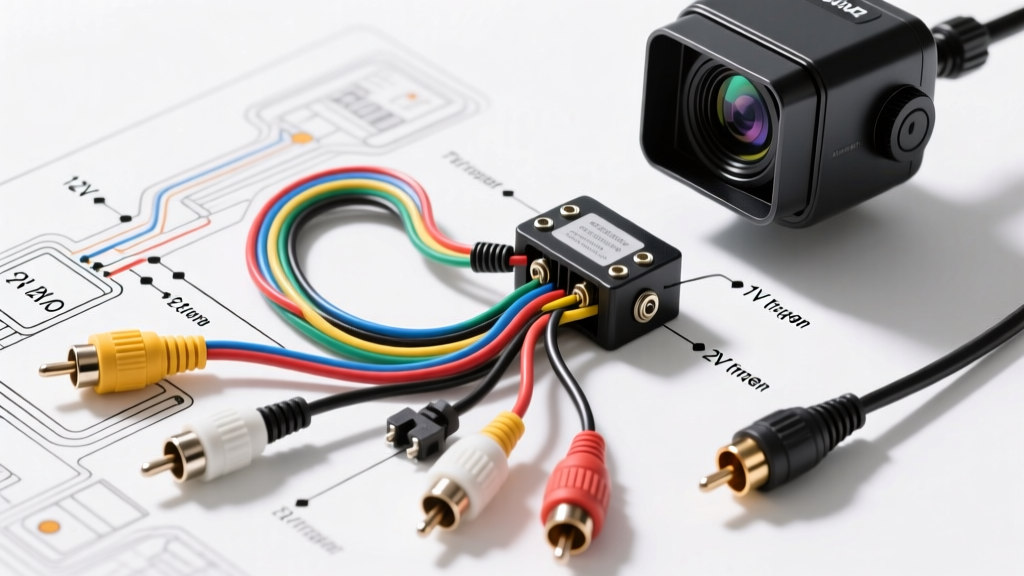
Decoding the Universal Back Up Camera Wiring Diagram
When consulting a standard back up camera wiring diagram, most DIY installers focus solely on the video feed. However, as any Mobile Electronics Certified Professional (MECP) will tell you, the true complexity of a reliable camera installation lies in the 12V trigger routing, impedance matching, and managing modern CAN-bus electrical systems. A factory-looking, glitch-free installation requires a deep understanding of automotive electrical topology, not just twisting wires together and wrapping them in electrical tape.
The vast majority of aftermarket backup cameras utilize a standard RCA composite video cable paired with a dual-wire pigtail (one red, one black) emerging from the RCA shield. In some commercial or heavy-duty setups, you will encounter a 4-pin aviation connector (M12 style). Regardless of the physical connector, the electrical principles remain identical. The video signal is an NTSC or PAL analog waveform operating at 1.0V peak-to-peak into a 75-ohm load. If your wiring diagram ignores impedance or shielding, you are setting yourself up for signal degradation.
Wire Function & Gauge Reference Matrix
| Wire / Pin | Color Code | Function | Recommended AWG |
|---|---|---|---|
| Camera Power (+) | Red | Supplies +12V to camera from reverse lamp | 18 AWG TXL |
| Camera Ground (-) | Black | Chassis ground or return to battery | 18 AWG TXL |
| Video Signal | RCA Center | NTSC/PAL Composite Video Feed | RG-59 (75Ω) |
| Video Shield | RCA Barrel | Signal Ground / EMI Shielding | Braided Copper |
| Head Unit Trigger | Red Pigtail | Tells HU to switch to reverse input | 20-18 AWG |
The PWM Reverse Light Dilemma (And How to Fix It)
The most common failure point when following a generic back up camera wiring diagram on modern vehicles (typically 2015 and newer) is the reverse light tap. Modern vehicles, especially European models (BMW, Audi, VW) and newer FCA/Stellantis platforms, do not send a clean +12V DC signal to the reverse bulbs. Instead, they use Pulse Width Modulation (PWM) to monitor bulb health and manage LED taillights.
If you tap a PWM-controlled reverse light directly to power your camera, the camera will receive rapid voltage spikes and drops. This results in a flickering image, rolling horizontal bars, or the head unit dropping the video signal entirely because the voltage dips below the head unit's 9V trigger threshold. To solve this, you must bypass the PWM signal using a standard 4-pin Bosch-style automotive relay.
Relay Bypass Wiring Steps
- Terminal 86 (Coil +): Connect to the vehicle's PWM reverse light wire using a Posi-Tap. This acts only as a trigger signal for the relay coil.
- Terminal 85 (Coil -): Connect to a clean chassis ground point.
- Terminal 30 (Common): Connect to a clean, fused +12V constant source from the vehicle's fuse box or battery (using an inline 5A ATC fuse).
- Terminal 87 (Normally Open): Connect to the camera's red power wire AND the head unit's reverse trigger wire.
When the vehicle is shifted into reverse, the PWM signal energizes the relay coil, closing the circuit between Terminal 30 and 87. This feeds the camera and head unit a perfectly clean, unmodulated +12V DC signal directly from the battery, eliminating flicker.
Routing, EMI, and Alternator Whine Prevention
According to SAE J1113 Electromagnetic Compatibility Standards, automotive cabins are highly hostile environments for low-voltage analog video signals. The RCA cable acting as your video feed is essentially an antenna. If you route the RCA cable parallel to high-current wiring—such as fuel pump feeds, ignition coil harnesses, or power window motors—you will induce Electromagnetic Interference (EMI). This manifests as "alternator whine" (a high-pitched buzzing in the audio that syncs with video noise) or snow on the camera display.
Routing Best Practices:
- Always route the RCA video cable down the opposite side of the vehicle's cabin from the main power wiring harness.
- Use high-quality, double-shielded RG-59 automotive RCA cables. Avoid the ultra-thin, unshielded cables included in budget camera kits.
- Where the RCA cable must cross high-current wires, do so at a strict 90-degree angle to minimize inductive coupling.
- Ensure the camera's ground wire is terminated to bare, unpainted metal using a ring terminal and star washer. A poor ground creates a ground loop, which is the primary cause of alternator whine on the display.
Heavy-Duty Aviation Connector Pinouts
For commercial trucks, RVs, and heavy-duty towing setups, standard RCA cables fail due to vibration and moisture ingress. These setups utilize a 4-pin M12 or standard aviation screw-on connector. When adapting these to a standard passenger vehicle head unit, you must re-pin or splice the harness according to the following industry-standard configuration:
- Pin 1 (Red): +12V Camera Power
- Pin 2 (Green/White): 12V Reverse Trigger to Head Unit
- Pin 3 (Black): Chassis Ground
- Pin 4 (Yellow): Composite Video Signal
Splicing a 4-pin aviation cable requires careful attention to the shield drain wire. The shield drain must be tied to Pin 3 (Ground) at the head unit end only, creating a single-ended ground to prevent ground loops.
Head Unit Integration: Trigger Pin Configurations
The final node in your back up camera wiring diagram is the aftermarket head unit. To force the Double-DIN receiver to switch from the CarPlay/Android Auto interface to the camera input, it requires a +12V trigger signal.
- Pioneer: Typically a Purple/White striped wire labeled "Rev"
- Kenwood / JVC: Usually a solid Purple wire labeled "Reverse"
- Alpine: Often a Purple wire, but verify the specific harness diagram as some use a dedicated camera harness.
Always use a digital multimeter to verify the head unit's trigger wire does NOT output voltage. It is an input-only wire. Feeding +12V into a data bus or output wire will fry the receiver's logic board.
OEM Integration Modules: If you are using a CAN-bus interface module (like an Axxess ASWC-1 or PAC RP4), the module often intercepts the reverse gear data directly from the OBD2 network. In these cases, the module will output a dedicated +12V reverse trigger wire (often purple) that you must connect to both the head unit's reverse input and the camera's red trigger pigtail. Do not tap the physical reverse light if the data module provides a clean trigger output.
Troubleshooting Matrix: Video Artifacts and Power Loss
Even with a perfect diagram, real-world variables can cause issues. Use this diagnostic matrix based on Crutchfield Car Video Installation Guides and field experience:
| Symptom | Probable Cause | Technical Fix |
|---|---|---|
| Image flickers rapidly or cuts out when engine is running | PWM reverse light signal or failing voltage regulator | Install 4-pin relay bypass or a 1000µF PWM filter capacitor inline on the +12V feed. |
| Rolling horizontal bars across the screen | Ground loop or unshielded RCA cable | Check camera ground for paint/rust. Replace RCA with double-shielded RG-59. |
| Head unit displays "No Signal" despite camera being powered | Trigger wire connected to wrong HU pin, or NTSC/PAL mismatch | Verify trigger wire with multimeter. Access camera's hidden DIP switches to toggle NTSC/PAL format. |
| Camera works in Park, but not in Reverse | Trigger wire tapped to parking light circuit instead of reverse | Re-tap to the correct reverse lamp circuit using a test light to verify +12V only in Reverse gear. |
Weatherproofing the Exterior Connections
A wiring diagram is useless if the physical connections corrode after the first winter. The transition from the camera's pigtail to the vehicle's interior wiring is the most vulnerable point. Never use twist connectors, wire nuts, or standard electrical tape for exterior or trunk-lid connections.
Instead, use adhesive-lined dual-wall heat shrink tubing. The inner layer of hot-melt adhesive seals out moisture, while the outer polyolefin layer provides strain relief. Furthermore, pack any aviation connectors or exterior RCA barrel connectors with silicone dielectric grease before mating them. This displaces moisture and prevents galvanic corrosion between dissimilar metals, ensuring your installation survives years of temperature cycling and car washes.
When routing the harness from the trunk lid or liftgate into the main body, always use a flexible fish tape and feed it through the factory rubber weather grommets. Avoid the trunk hinge pinch points entirely; a pinched RCA cable will eventually short the center conductor to the shield, resulting in a permanent "No Signal" error that requires pulling the entire headliner and trunk trim to replace.