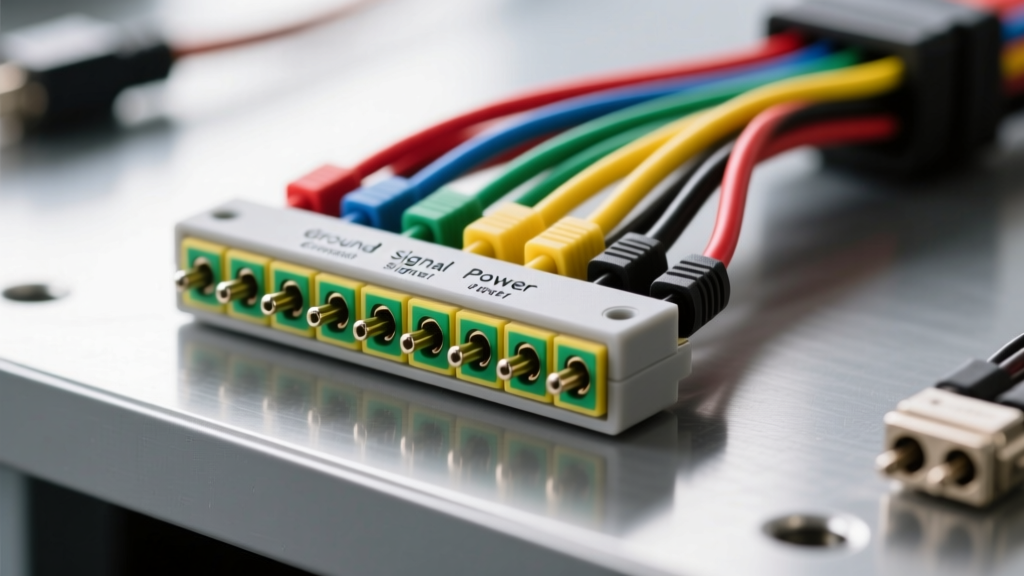
The Economics of Heavy-Duty Diagnostics: Understanding the 9-Pin Port
When a Class 8 heavy-duty truck or piece of off-highway equipment rolls into the bay with a check engine light and a dash full of fault codes, the first point of contact is the diagnostic port. For modern heavy-duty diesel applications, this is the SAE J1939-13 standard 9-pin circular connector. Before investing thousands in proprietary software, replacing expensive Engine Control Modules (ECMs), or blaming a communication fault on a failed transmission controller, technicians must master the 9 pin diagnostic connector wiring diagram.
This guide provides a comprehensive cost and tool requirements analysis. We will break down the exact pinout specifications, evaluate the ROI of various diagnostic tool tiers, and provide a cost-saving multimeter decision tree to help you diagnose physical layer network faults without immediately relying on expensive scan tools.
The Standard 9 Pin Diagnostic Connector Wiring Diagram
The heavy-duty 9-pin diagnostic connector (often manufactured by TE Connectivity / Deutsch in a green or black circular HD10 series shell) is the gateway to the vehicle's high-speed and medium-speed data networks. Understanding the wire colors, AWG sizes, and pin assignments is critical for physical layer verification. Note that Pin 'I' is intentionally skipped in the standard to avoid confusion with the number '1'.
| Pin | Function / Protocol | Standard Wire Color | Wire Gauge (AWG) | Network / Description |
|---|---|---|---|---|
| A | J1939 CAN High | Yellow | 18 AWG (Twisted Pair) | High-Speed CAN Bus (250 kbps / 500 kbps) |
| B | J1939 CAN Low | Green | 18 AWG (Twisted Pair) | High-Speed CAN Bus Return |
| C | J1708 / J1587 Data + | Orange | 18 AWG | Medium-Speed Legacy Data Link |
| D | J1708 / J1587 Data - | Brown | 18 AWG | Medium-Speed Legacy Data Link Return |
| E | Vehicle Ground | White | 14 AWG | Chassis / Battery Ground Reference |
| F | Unswitched Battery + | Red | 14 AWG | Constant 12V/24V Power (Scan Tool Memory) |
| G | Switched Battery + | Black | 14 AWG | Ignition-Switched Power (Scan Tool Wake-up) |
| H | OEM Specific / Allison | Blue | 18 AWG | Often used for Transmission / Allison TCM |
| J | OEM Specific / Unused | Purple | 18 AWG | Reserved for proprietary OEM diagnostics |
Reference: Pinout configurations align with the SAE J1939-13 Diagnostic Connector Standard for heavy-duty vehicle physical layers.
Diagnostic Tool Cost Tiers & Requirements Analysis
Diagnosing a 'No Communication' or 'Data Link Short' fault does not always require a $3,000 scan tool. By understanding the 9 pin diagnostic connector wiring diagram, you can select the right tool tier for the job, saving your shop thousands in unnecessary equipment depreciation and misdiagnosis.
Tier 1: Physical Layer Verification ($50 - $350)
Tools Required: Digital Multimeter (DMM) with min/max recording, 9-pin breakout box, and a basic test light.
Cost Analysis: A high-quality DMM like the Fluke 87V costs around $350, while a heavy-duty 9-pin breakout box costs between $45 and $85. This tier is mandatory for verifying power, ground, and terminating resistors. If a shop skips Tier 1 and jumps straight to Tier 2, they risk blaming a scan tool for a 'No Comm' fault when the actual issue is a corroded Pin E ground or a blown inline fuse on Pin G. ROI: Prevents misdiagnosis of ECM failures, saving $1,500+ in unwarranted parts and programming labor.
Tier 2: Protocol Decoders & Heavy-Duty Scan Tools ($800 - $3,500+)
Tools Required: Vehicle Communication Interface (VCI) like the Nexiq USB-Link 2 ($800) or a full suite like Noregon JPRO Professional Diagnostics ($2,500+ annual subscription).
Cost Analysis: These tools translate the raw J1939 and J1708 hex data into readable fault codes (SPNs and FMIs). They are required for active commanding, parameter resets, and ECM flashing. However, they cannot diagnose a physical wire break if the VCI cannot establish a handshake. ROI: Essential for dealership-level troubleshooting, but relies entirely on the physical layer (Tier 1) being intact.
Tier 3: Oscilloscopes & Advanced CAN Analysis ($400 - $1,500)
Tools Required: Automotive Oscilloscope (e.g., PicoScope 4225A) with CAN bus test leads and breakout adapters.
Cost Analysis: When a multimeter shows correct resistance but the scan tool still drops offline under load, you have an intermittent physical layer fault or electromagnetic interference (EMI). An oscilloscope visualizes the actual CAN High and CAN Low square waves. According to Pico Technology CAN Bus Diagnostics, analyzing the dominant and recessive states of the waveform can reveal shorted stub lines, degraded twisted pairs, or failing transceivers inside specific modules. ROI: High upfront cost, but isolates elusive network ghost faults in hours rather than days.
Cost-Saving Troubleshooting: Multimeter vs. Scan Tool Decision Tree
Use this systematic approach to diagnose 9-pin connector faults using basic, low-cost tools before deploying expensive software.
- Symptom: Scan tool screen is completely dead when plugged in.
- Action: Set DMM to DC Volts. Measure Pin F to Pin E (Unswitched Power to Ground). Then measure Pin G to Pin E (Switched Power to Ground with key ON).
- Expected: Battery voltage (12.6V or 24V+). If 0V, check the inline diagnostic fuses near the battery box or the ignition switch circuit. Cost to fix: $5 fuse vs. $300 scan tool repair.
- Symptom: Scan tool powers on, but displays 'No Communication' or 'Data Link Timeout'.
- Action: Set DMM to Ohms. Turn the key OFF and remove the keys. Measure resistance between Pin A (CAN Hi) and Pin B (CAN Low).
- Expected: 60 Ohms (± 5 Ohms). This indicates two 120-ohm terminating resistors in parallel. If you read 120 Ohms, one terminator is missing or the wiring is broken. If you read 0 Ohms, the CAN bus is shorted together. Cost to fix: $45 terminating resistor replacement vs. $2,000 ECM replacement.
- Symptom: Intermittent communication loss when the engine is running (high vibration/alternator load).
- Action: Perform a Voltage Drop Test on Pin E (Ground) with the engine running and all accessories on. Place the red lead on the battery negative post and the black lead on Pin E of the breakout box.
- Expected: Less than 0.1V DC. A reading of 0.5V or higher indicates a corroded chassis ground, which shifts the entire CAN bus reference voltage and causes data corruption. Cost to fix: $10 wire brush and dielectric grease.
Real-World Failure Modes & Component Repair Costs
When the physical wiring at the 9-pin connector fails, many shops default to replacing the entire diagnostic harness, which can cost upwards of $400 to $800 in parts and require significant labor to route through the firewall or chassis. By understanding the connector anatomy, you can perform targeted, low-cost repairs.
| Common Failure Mode | Diagnostic Tool Needed | Corrective Action & Component Cost | Estimated Labor Time |
|---|---|---|---|
| Corroded / Spread Pins in the HD10 Shell | Visual Inspection & Pin Drag Test | Extract pins using a Deutsch HD extraction tool ($45). Crimp new 16-20 AWG socket pins ($1.50 each). Apply dielectric grease. | 0.3 Hours |
| Broken CAN Twisted Pair (Open Circuit) | DMM (Continuity) or Breakout Box | Splice new 18 AWG twisted pair wire. Use adhesive-lined marine heat shrink to maintain the twist rate (minimum 3 twists per inch) to prevent EMI. ($15 in materials). | 0.5 Hours |
| Water Intrusion / Green Crust on Shell | Visual Inspection | Disassemble connector, clean with electrical contact cleaner, replace the rear grommet and sealing boots ($12). Ensure drip loop is maintained in the harness routing. | 0.4 Hours |
Summary: Maximizing Diagnostic ROI
Mastering the 9 pin diagnostic connector wiring diagram is not just about memorizing wire colors; it is about understanding the physical layer that allows your expensive diagnostic software to function. By investing in a high-quality multimeter, a 9-pin breakout box, and an oscilloscope, and by applying systematic voltage drop and resistance tests, you can isolate heavy-duty network faults with surgical precision. This approach prevents the costly 'parts cannon' approach, reduces vehicle downtime, and ensures that your shop's high-end scan tools are used for what they were designed for: software diagnostics, not basic electrical troubleshooting.