Understanding Automotive Connector Architecture
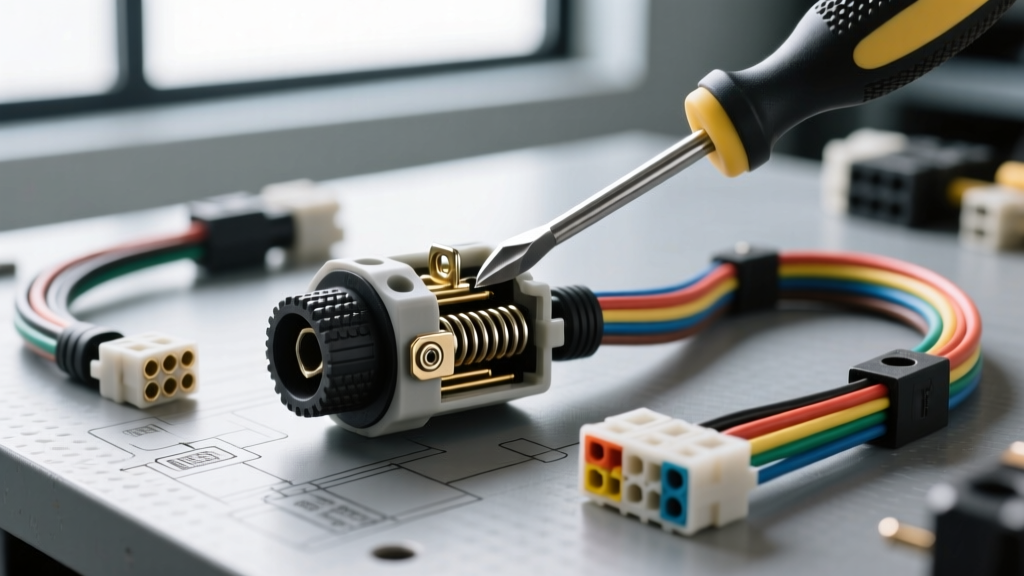
Learning how to disconnect car electrical connectors without breaking locking tabs or damaging delicate terminals is a foundational skill in automotive diagnostics. Modern vehicle electrical architectures rely on high-density, environmentally sealed connection systems. Unlike older vehicles that used simple spade terminals, modern platforms utilize complex polyamide (PA66) glass-filled housings featuring primary lance locks, Terminal Position Assurance (TPA) inserts, and Connector Position Assurance (CPA) clips.
Before applying force, an automotive electrical technician must identify the connector family. Forcing a connector apart without disengaging the secondary lock will permanently deform the terminal retention lances, leading to 'pushed-back' pins and intermittent open-circuit faults. Furthermore, the terminal plating dictates the handling care: tin-plated terminals (common in 12V power circuits) are robust, whereas gold-plated terminals (used in low-amperage CAN-bus data lines, typically 18-22 AWG) are highly susceptible to fretting corrosion if scraped or mishandled during disconnection.
Step-by-Step Troubleshooting Flow: Disconnecting Stuck Connectors
When a connector refuses to separate, follow this systematic troubleshooting flow to isolate the mechanical or environmental binding issue.
Phase 1: Visual Inspection and Lock Identification
- Locate the CPA/Secondary Lock: Inspect the connector for a secondary locking mechanism. On Delphi/Aptiv Metri-Pack 280 series connectors, this is often a red or white plastic wedge inserted into the housing. On TE Connectivity Superseal 1.5 connectors, the CPA is an integrated sliding lever.
- Remove the Secondary Lock: Use a small flathead pick or specialized CPA removal tool to gently pry the wedge outward. Note: Some secondary locks are designed to remain captive and simply slide back 2mm to release the primary lances.
- Check for Debris: Inspect the mating seam for packed dirt, road salt, or calcified debris that may be physically wedging the male and female housings together.
Phase 2: The 'Push-Squeeze-Pull' Technique
The most common failure mode when attempting to disconnect a harness is pulling solely on the wires. This transfers tensile stress to the 16 AWG or 18 AWG wires, potentially stretching the copper strands or pulling the terminal out of the housing.
- Push Together First: Firmly push the male and female housings toward each other. This unseats the primary locking lances from their retention shoulders, relieving tension on the plastic latch.
- Depress the Primary Latch: While maintaining inward pressure, use your thumb to fully depress the flexible locking tab. If the tab is calcified, use a plastic trim tool to avoid snapping the brittle PA66 nylon.
- Twist and Pull: Apply a very slight rotational twist (no more than 3-5 degrees) while pulling the housings apart. This breaks the vacuum seal created by the silicone ribbed weather seals.
Phase 3: Troubleshooting Seized and Corroded Housings
Connectors located in high-heat or high-moisture zones (e.g., alternator pigtails, oxygen sensor harnesses, ABS modules) frequently seize due to galvanic corrosion or heat-cycling.
- Chemical Penetration: Spray an electronics-safe contact cleaner (e.g., CRC QD Electronic Cleaner) directly into the mating seam. Allow it to wick into the silicone weather seals for 5 minutes. Avoid standard penetrating oils like WD-40, which can degrade the silicone seals and attract dust.
- Thermal Expansion: If the connector is seized due to heat-warping (common near exhaust manifolds), use a heat gun on a low setting (max 150°F / 65°C) to gently warm the female housing. This softens the PA66 plastic just enough to allow the latch to flex without snapping. Warning: Excessive heat will melt the housing and damage the internal Teflon wire insulation.
- Leverage Tools: For large, multi-pin ECM connectors (e.g., 38-pin or 60-pin Bosch/TE units), use a dedicated connector puller tool that hooks behind the housing to apply even, linear force.
Phase 4: Safe Terminal Extraction (Depinning)
If the housing is shattered or the locking tab is broken off inside the mating cavity, you must extract the individual terminals to salvage the pigtail.
- Identify the terminal type (e.g., Metri-Pack 150, Weather-Pack, JPT).
- Insert the appropriate hollow-cylinder or flat-blade depinning tool (such as the Lisle 39960 or OEMTOOLS terminal release set) into the front of the connector cavity.
- Push the tool in until it bottoms out, which compresses the terminal's forward-facing locking barbs.
- Gently pull the wire from the rear. Never pull with more than 3-5 lbs of force; if the wire stretches, the barbs are not fully depressed.
Automotive Connector Specification & Application Chart
Understanding the specifications of the connector you are working with prevents catastrophic damage to the wiring harness. Refer to this chart for standard automotive connector families:
| Connector Family | Typical AWG Range | Max Current Rating | Common Application | Locking Mechanism |
|---|---|---|---|---|
| Delphi Metri-Pack 150 | 22 - 16 AWG | 14 Amps | Sensors, Injectors, Lighting | Primary Lance + Optional TPA |
| Delphi Metri-Pack 280 | 16 - 10 AWG | 30 Amps | Fuel Pumps, ABS Valves, Relays | Primary Lance + Secondary Wedge |
| Packard Weather-Pack | 12 - 10 AWG | 20 Amps | Older GM Alternators, Bulkheads | Tower/Ramp Snap Lock |
| TE Superseal 1.5 | 20 - 14 AWG | 14 Amps | ECM/TCM Modules, CAN-Bus | Integrated Sliding CPA Lever |
| Deutsch DT Series | 20 - 14 AWG | 13 Amps | Heavy Duty, Off-Road, Diesel | Friction Lock + Secondary Wedge |
Special Case: SRS Airbag Connectors (Yellow Housings)
When learning how to disconnect car electrical connectors, the Supplemental Restraint System (SRS) requires a distinct protocol. SRS connectors are universally color-coded yellow and contain a proprietary internal shorting bar.
- The Shorting Bar: When the connector is disconnected, a metal clip automatically bridges the positive and negative terminals on the airbag module side. This prevents accidental deployment from static electricity or stray multimeter voltage.
- The Disconnect Rule: Never attempt to back-probe or force a pick into a yellow SRS connector. The shorting bar can be permanently deformed, causing an airbag circuit fault code (e.g., 'Squib Circuit Short to Ground').
- Procedure: Always disconnect the negative battery terminal and wait a minimum of 15 minutes (to allow the SRS backup capacitor to discharge) before depressing the CPA lock and separating the yellow housing. Refer to SAE International guidelines for SRS safety protocols.
Alternative: Back-Probing When Disconnection Fails
In some troubleshooting scenarios, a connector is so deeply integrated or corroded that disconnection risks destroying a $1,200 engine harness. In these cases, back-probing is the preferred diagnostic alternative.
Back-probing involves inserting a specialized, ultra-thin T-pin or back-probe tool into the rear of the connected housing, sliding it past the silicone weather seal, and making contact with the terminal barrel. This allows you to read sensor voltages (e.g., checking a 5V reference on a 20 AWG MAP sensor wire) or trigger actuators without breaking the environmental seal. Caution: Never use a standard steel sewing pin to pierce the wire insulation (piercing). Piercing 18 AWG data wires alters the copper cross-section, creates a moisture ingress point, and changes the impedance of high-speed CAN-bus lines, leading to phantom communication faults.
Reassembly and Prevention
Once the diagnostic procedure is complete, proper reassembly is critical. According to Aptiv Connection Systems engineering guidelines, the application of dielectric grease must be done correctly.
- Do Not Pack the Cavity: Packing the terminal cavity with grease can cause hydro-lock, preventing the connector from fully seating and engaging the primary lance.
- Apply to the Weather Seal: Apply a thin film of Nyogel 760G or standard silicone dielectric grease strictly to the ribbed silicone weather seals on the male connector. This reduces insertion force, prevents the rubber from tearing, and blocks moisture ingress.
- Verify the Click: Push the connectors together until you hear/feel the primary latch engage. Pull back gently on both halves to verify retention. Finally, slide the CPA lock into its final seated position.
For further technical data on terminal retention forces and environmental sealing standards, consult the TE Connectivity Automotive Engineering Documentation. Mastering the mechanical nuances of these connection systems will drastically reduce harness damage and eliminate intermittent electrical faults in your diagnostic workflow.