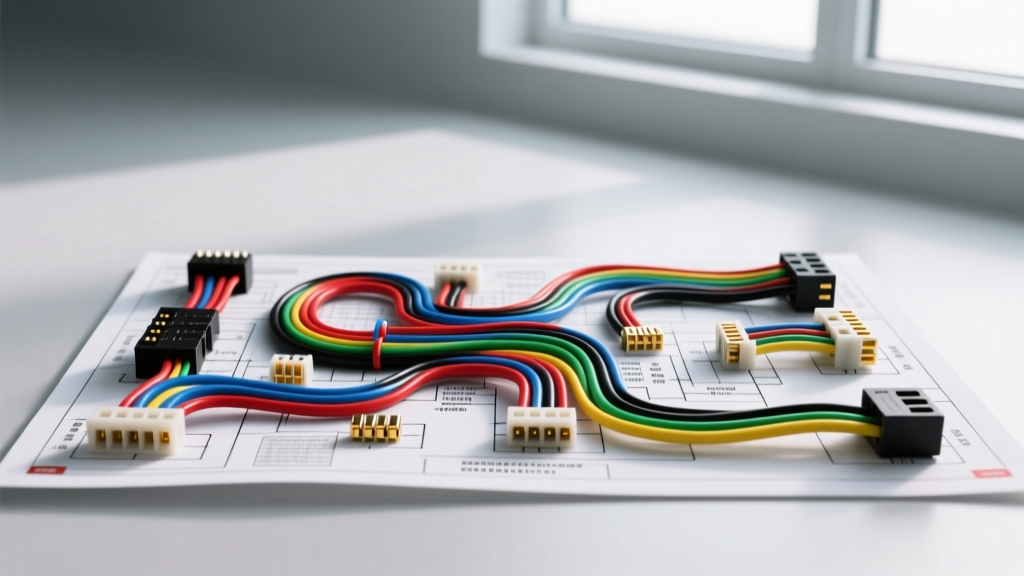
The Hidden Dangers of Mitsubishi Factory Stereo Wiring
Upgrading the head unit in a Mitsubishi vehicle—whether it is a Lancer Evolution, Eclipse, Outlander, or 3000GT—requires far more than just plugging in a universal harness adapter. Mitsubishi employs a highly proprietary electrical architecture, heavily reliant on the ETACS-ECU (Electrical Time and Alarm Control System) and, in newer models, a complex CAN-bus network. When DIY installers attempt to decipher a color code factory wiring Mitsubishi stereo wiring diagram without understanding the underlying safety protocols, the results are often catastrophic. Fried body control modules, blown main fusible links, and parasitic battery drains are common consequences of misinterpreting these circuits.
This guide outlines the most critical mistakes and safety warnings associated with Mitsubishi factory stereo wiring, providing the technical depth necessary to complete your installation without compromising the vehicle's electrical integrity.
Mistake #1: Assuming EIA/CEA Standard Color Codes Apply
The most frequent and damaging mistake installers make is assuming Mitsubishi follows the standard EIA/CEA aftermarket color codes (e.g., Yellow for Constant 12V, Red for Switched 12V, Black for Ground). Mitsubishi factory wiring does not adhere to these aftermarket standards. Factory harnesses utilize specific color combinations that vary not only by model but by the exact production month and trim level.
For example, in many 2008-2015 Mitsubishi Lancer and Outlander models, the Constant 12V memory wire is often Red/Blue or White/Red, while the Switched 12V accessory wire is Blue/Yellow. Ground is typically Black. If you mistakenly tap into a Green/White wire assuming it is a standard left-rear speaker positive, you may actually be splicing into the Illumination or CAN-bus data line, instantly shorting the circuit when the headlights are turned on.
Common Mitsubishi 20-Pin Harness Pinout Reference
Below is a reference table for a standard Mitsubishi 20-pin factory radio connector (commonly found in 2006-2014 platforms). Always verify with a digital multimeter (DMM) before making any connections.
| Pin | Wire Color (Typical) | Function | Safety Warning / Notes |
|---|---|---|---|
| 1 | Red/Blue or White/Red | Constant 12V (Battery) | Fused at engine bay. Do not exceed 15A draw. |
| 2 | Blue/Yellow or Blue/White | Switched 12V (ACC) | Often controlled via ETACS. Low current capacity. |
| 3 | Black | Chassis Ground | Ensure clean metal contact. Do not share with high-draw amps. |
| 4 | Green/White or Orange | Illumination | Variable voltage on some trims. Use a relay if drawing >500mA. |
| 5 | White/Red (Stripe) | CAN-H (Data +) | CRITICAL: Never apply 12V to this pin. Will destroy ETACS. |
| 6 | White/Black (Stripe) | CAN-L (Data -) | CRITICAL: Do not ground this pin. Will cause network failure. |
| 7-14 | White, Gray, Green, Purple (w/ Black tracers) | Speaker Outputs (FL, FR, RL, RR) | Verify with AC voltage meter while playing audio test tones. |
Mistake #2: Tapping into CAN-Bus and ETACS Data Lines
Modern Mitsubishi vehicles (roughly 2008 and newer) utilize a CAN-bus network to communicate audio data, steering wheel control (SWC) inputs, and vehicle status alerts (like door chimes and backup sensors) through the factory radio. The data lines (CAN-H and CAN-L) operate at low voltages (typically 2.5V to 3.5V) and are highly sensitive to voltage spikes.
SAFETY WARNING: Never use a standard 12V test light or an unregulated multimeter on auto-ranging mode to probe suspected data wires. A standard incandescent test light draws enough current to pull the CAN-bus voltage down, causing the ETACS-ECU to register a network fault, which can lock the vehicle's immobilizer or trigger a limp-home mode. Furthermore, attempting to hardwire an aftermarket radio's switched 12V wire to a CAN-bus line to 'trick' the radio into turning on will instantly fry the CAN-bus transceiver chip inside the ETACS module. Replacement and dealership reflashing of the ETACS module routinely exceeds $1,200.
The Fix: Always use a dedicated CAN-bus interface module (such as the Maestro RR or Axxess AX-MLOC) designed specifically for Mitsubishi platforms. These modules safely read the data network and output a standard 12V switched accessory wire for your aftermarket stereo, preserving the vehicle's data integrity.
Mistake #3: Ignoring Wire Gauge and Voltage Drop Specifications
Factory Mitsubishi stereo harnesses are typically wired with 20 AWG to 18 AWG copper wire. This is sufficient for the low-power (usually 7W x 4 RMS) factory head unit. However, modern aftermarket head units often feature internal amplifiers capable of 18W to 22W RMS x 4 channels, drawing significantly more peak current.
According to SAE J1128 standards for automotive electrical cable, pushing 10+ amps through 20 AWG wire over a 6-foot run (from the battery to the dash) results in severe voltage drop. This manifests as head unit reboots during heavy bass transients, distorted audio, and overheating of the factory wiring insulation.
Proper Power Termination Protocol
- Power/Ground Upgrades: If your aftermarket head unit specifies a 15A fuse, bypass the factory constant 12V wire. Run a dedicated 12 AWG or 10 AWG oxygen-free copper (OFC) power wire directly from the battery, using an inline ANL or MAXI fuse holder within 18 inches of the positive terminal.
- Grounding: Do not rely on the factory 18 AWG black ground wire for high-power units. Locate a structural steel bolt behind the dash, sand away the paint to bare metal, and terminate a dedicated 12 AWG ground wire using a ring terminal.
- Termination Method: Abandon twist-and-tape or cheap vinyl electrical tape. Use marine-grade adhesive-lined heat shrink solder seals. The adhesive lining melts and seals the connection against the high humidity and temperature fluctuations inherent in automotive dashboards, preventing copper oxidation and high-resistance faults.
Symptom-Cause-Fix Troubleshooting Decision Tree
When a Mitsubishi stereo installation fails, use this diagnostic tree to identify the root cause without causing further electrical damage.
- Symptom: Head unit turns on, but memory (presets/clock) resets every time the car is turned off.
- Cause: Constant 12V and Switched 12V wires are reversed at the harness adapter.
- Fix: Swap the Red/Blue (Constant) and Blue/Yellow (Switched) connections. Verify with a DMM; Constant should read 12.6V with the key OFF.
- Symptom: Steering wheel controls (SWC) are completely dead, and the dash displays a 'COMMUNICATION ERROR' message.
- Cause: CAN-H or CAN-L wires were severed, shorted to ground, or spliced into incorrectly during radio removal.
- Fix: Check continuity of the White/Red and White/Black data wires back to the ETACS module. Repair using twisted-pair shielded cable. Do not use standard solder; use crimp-and-seal to maintain impedance.
- Symptom: Head unit powers on but shuts off immediately when volume exceeds 20.
- Cause: Voltage drop on the factory 18 AWG constant 12V wire triggering the head unit's internal low-voltage protection circuit.
- Fix: Run a dedicated 12 AWG OFC power wire from the battery to the dash.
Conclusion and Best Practices
Working with a Mitsubishi stereo wiring diagram requires a methodical, safety-first approach. The integration of the ETACS-ECU and CAN-bus networks means that a simple wiring error can cascade into thousands of dollars in module replacements. Always invest in a high-quality, vehicle-specific wiring interface rather than attempting to hardwire a universal harness. For comprehensive vehicle-specific pinouts and adapter recommendations, consult established automotive electrical resources like the Crutchfield Stereo Wiring Guide or the official Haynes Mitsubishi Service Manuals. By respecting the factory color codes, utilizing proper AWG wire sizing, and protecting the data networks, you ensure a clean, reliable, and safe audio upgrade.