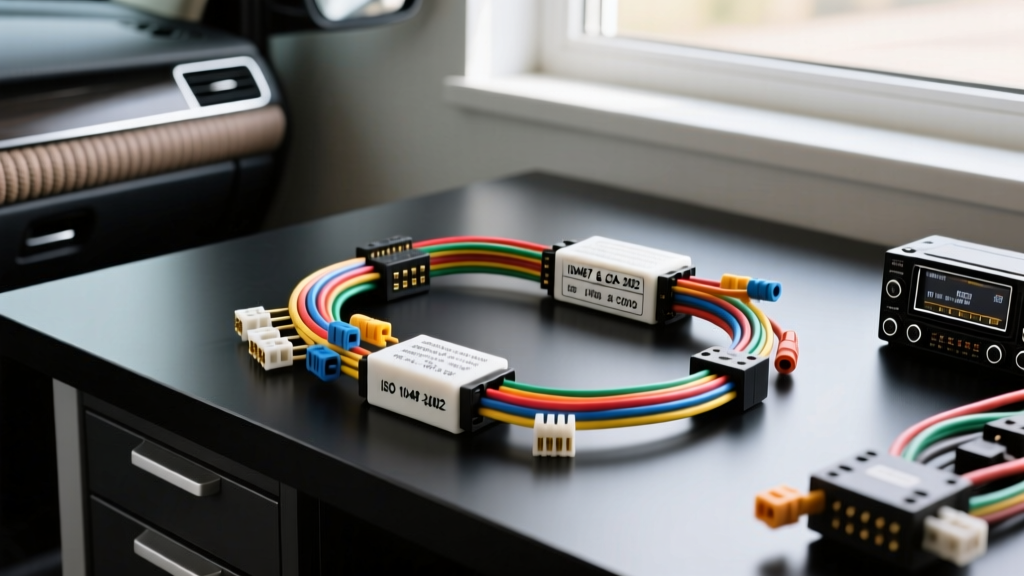
Decoding Automotive Radio Wiring Diagrams: The Beginner's Blueprint
For beginners entering the world of car audio, interpreting automotive radio wiring diagrams can feel like learning a foreign language. However, beneath the chaotic web of colorful wires found behind your dashboard lies a highly structured, standardized system. Whether you are upgrading a factory head unit or installing a modern digital media receiver, understanding the universal standards that govern these connections is critical for a safe, functional installation. This guide breaks down the foundational frameworks of automotive radio wiring diagrams, focusing on the globally recognized ISO 10487 standard and the North American EIA/CEA-2002 color codes. By mastering these diagrams, you will eliminate guesswork, prevent electrical shorts, and ensure your stereo system receives clean power and accurate signal routing.
The Global Standard: ISO 10487 Connector Pinouts
Before the late 1980s, every car manufacturer used proprietary connectors and completely unique wiring schematics. To solve this, the International Organization for Standardization introduced ISO 10487. This standard defines the physical dimensions of the connectors and the specific pin assignments for car radios. An ISO-compliant automotive radio wiring diagram will typically split the connections into two primary blocks: Block A (Power and Control) and Block B (Speaker Outputs).
Block A: Power, Ground, and Control Signals
Block A handles the vital power delivery and accessory controls required to turn the head unit on, maintain memory, and operate auxiliary features. Below is the standard ISO 10487 Block A pinout configuration:
| Pin | Function | Standard Wire Color | Notes |
|---|---|---|---|
| 1 | Speed Signal | Violet/White | Rarely used; for speed-sensitive volume. |
| 2 | Mute Control | Brown/White | Used for external muting (e.g., phone calls). |
| 3 | Reverse Signal | Orange/White | Triggers backup camera display. |
| 4 | +12V Constant (Battery) | Yellow | Supplies continuous power for memory/presets. |
| 5 | Power Antenna | Blue | Outputs +12V only when the radio is ON. |
| 6 | +12V Switched (Ignition) | Red | Turns the head unit on/off with the key. |
| 7 | Illumination | Orange | Dims the display when headlights are activated. |
| 8 | Ground | Black | Main chassis ground return path. |
Block B: Front and Rear Speaker Outputs
Block B is dedicated exclusively to amplified speaker-level signals. Standard ISO diagrams assign specific colors to prevent out-of-phase wiring, which destroys stereo imaging and bass response.
| Pin | Speaker Location | Polarity | Wire Color |
|---|---|---|---|
| 1 | Rear Right | Positive (+) | Purple |
| 2 | Rear Right | Negative (-) | Purple with Black Stripe |
| 3 | Front Right | Positive (+) | Gray |
| 4 | Front Right | Negative (-) | Gray with Black Stripe |
| 5 | Front Left | Positive (+) | White |
| 6 | Front Left | Negative (-) | White with Black Stripe |
| 7 | Rear Left | Positive (+) | Green |
| 8 | Rear Left | Negative (-) | Green with Black Stripe |
North American Market: EIA/CEA-2002 Color Codes
While ISO 10487 is the global physical standard, the North American aftermarket heavily relies on the EIA/CEA-2002 standard for wire coloring. For the most part, CEA-2002 aligns perfectly with ISO 10487, but it introduces critical distinctions for amplifier integration and dimmer circuits that beginners must recognize when reading automotive radio wiring diagrams.
- Blue vs. Blue/White: In ISO, Pin 5 (Blue) is for a motorized power antenna. Under CEA-2002, the Blue wire is still Power Antenna, but a Blue/White wire is added specifically for Amplifier Turn-On. This is a crucial distinction: a power antenna wire drops voltage when you switch from AM/FM to Bluetooth or USB, which will cause an external amplifier to shut off mid-song. The Blue/White amp turn-on wire stays at a steady +12V whenever the head unit is powered.
- Orange vs. Orange/White: Orange is standard illumination (+12V when headlights are on). Orange/White is the variable dimmer signal, which pulses or provides variable resistance to match the dashboard's exact brightness level.
Wire Gauge (AWG) and Current Handling Specifications
Automotive radio wiring diagrams rarely specify wire thickness, assuming the manufacturer has pre-sized the harness. However, when extending wires or building custom harnesses, you must adhere to American Wire Gauge (AWG) safety thresholds.
- 18 AWG (0.82 mm²): Standard for all speaker outputs (Pins 1-8 on Block B) and low-current accessory signals (Illumination, Mute, Reverse). 18 AWG can safely handle up to 14 amps over short distances, which is more than enough for a standard 4x50W peak (approx. 15W RMS per channel) internal amplifier.
- 16 AWG (1.31 mm²): Highly recommended for the Main Ground (Pin 8). The ground wire carries the cumulative return current of the entire head unit. Voltage drop on the ground path is the number one cause of alternator whine and clipping in car audio systems.
- 14 AWG to 12 AWG (2.08 mm² to 3.31 mm²): If you are bypassing the factory fuse block to run a direct battery line for a high-draw digital media receiver or a small integrated amplifier, you must step up to 14 AWG or 12 AWG for both the Constant 12V (Pin 4) and the Ground, installing an inline 15A ATC fuse within 18 inches of the battery terminal.
The CAN-Bus Warning: What Diagrams Don't Show
Modern vehicles (roughly 2005 and newer) utilize Controller Area Network (CAN-bus) systems to manage vehicle electronics. In many late-model cars, the factory radio does not have a dedicated physical ignition wire; instead, it receives a digital 'wake-up' command via the CAN-H and CAN-L data lines. When looking at an OEM wiring diagram for a modern vehicle, you will see data pins. Never splice standard ISO/CEA power wires into CAN-bus data lines. Doing so will instantly destroy the head unit's microprocessor and can cause catastrophic failure to the vehicle's Body Control Module (BCM). For these vehicles, beginners must use a smart CAN-bus interface module (like those from Maestro or PAC) that translates digital data commands into standard physical +12V switched outputs for your aftermarket radio's Red ignition wire.
Common Wiring Diagram Misinterpretations and Troubleshooting
Even with a perfect automotive radio wiring diagram, installation errors occur. Here is how to troubleshoot the most common beginner mistakes using a Digital Multimeter (DMM):
Symptom: Head Unit Loses Clock and Radio Presets When Car is Off
- Cause: Pin 4 (Yellow/Constant) and Pin 6 (Red/Switched) are swapped on the vehicle adapter harness.
- DMM Verification: Set your multimeter to DC Voltage (20V scale). With the car key completely OFF and removed, probe the OEM harness pins. The pin reading ~12.4V is your Constant 12V (connect to Yellow). Turn the key to the ACC position. The pin that now reads ~12.4V is your Switched 12V (connect to Red).
Symptom: Head Unit Display is Blindingly Bright at Night
- Cause: The Illumination wire (Orange) is either unconnected or incorrectly wired to a switched 12V source instead of the vehicle's headlight dimmer circuit.
- DMM Verification: Turn on the vehicle's headlights. Probe the suspected illumination wire on the OEM harness. It should show +12V only when the headlights are active, and 0V when they are off.
Symptom: High-Pitched Alternator Whine in Speakers
- Cause: Ground loop caused by poor chassis grounding or tapping into a noisy OEM ground point. As noted by SAE J1113 electromagnetic compatibility guidelines, automotive electrical systems are incredibly noisy environments.
- Fix: Do not rely on the factory radio harness ground wire if it is thin (20+ AWG). Run a dedicated 16 AWG ground wire from the aftermarket head unit's Block A Pin 8 directly to a clean, unpainted metal bolt on the chassis, ensuring you use a ring terminal and sand away any rust or paint to achieve bare metal contact.
Best Practices for Harness Termination
When adapting an ISO/CEA aftermarket harness to a vehicle-specific pigtail, avoid electrical tape and twisted wire connections. The vibrations and temperature fluctuations inside a vehicle dashboard will cause twisted wires to oxidize, increase resistance, and eventually fail. Instead, use staggered butt connectors crimped with a proper ratcheting crimp tool. For the ultimate reliability, solder the connections and seal them with dual-wall, adhesive-lined heat shrink tubing (such as 3M MDT). The inner adhesive melts and seals out moisture, preventing copper oxidation and ensuring your automotive radio wiring diagram translates into a flawless, long-lasting physical installation.