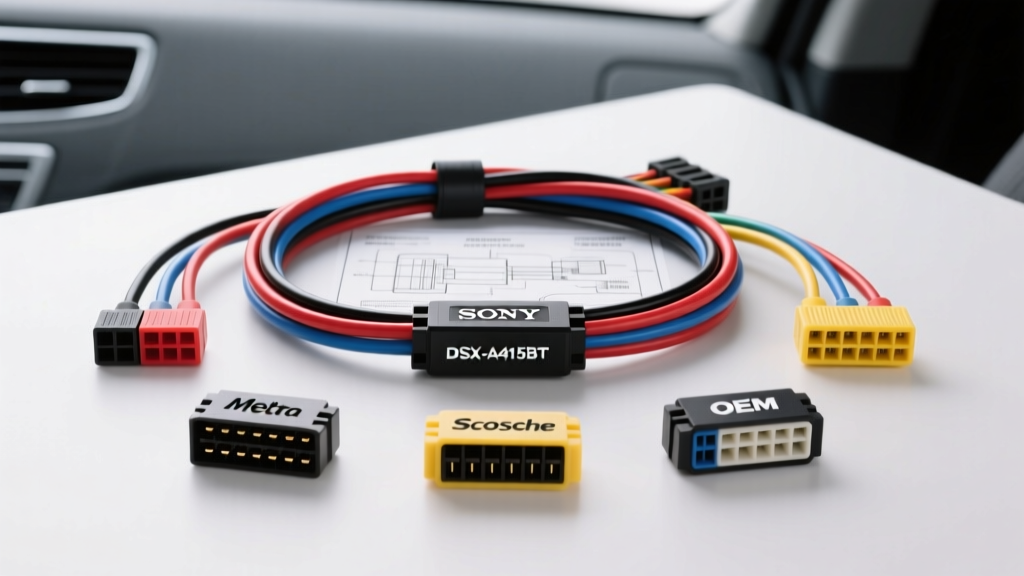
Decoding the Sony DSX-A415BT Wiring Harness Diagram
Installing the Sony DSX-A415BT digital media receiver requires a precise understanding of its proprietary 16-pin EIAJ wiring harness block. Unlike older DIN-standard units, the DSX-A415BT utilizes a standardized EIA (Electronic Industries Alliance) color code for its primary power and speaker outputs, but integrates specific low-current data and illumination wires that often cause conflicts if mapped incorrectly to modern vehicle CAN-bus systems. Before selecting an adapter, you must understand the baseline pinout of the Sony pigtail.
The Sony harness utilizes 18 AWG (American Wire Gauge) stranded oxygen-free copper (OFC) for power circuits and 22 AWG for speaker outputs, adhering to SAE J1128 automotive wire standards for low-tension primary cables. Below is the definitive pin configuration and wire color chart for the DSX-A415BT.
| Pin | Function | Sony EIA Wire Color | AWG |
|---|---|---|---|
| 1 | Right Rear Speaker (+) | Purple | 22 |
| 2 | Right Rear Speaker (-) | Purple w/ Black Stripe | 22 |
| 3 | Right Front Speaker (+) | Gray | 22 |
| 4 | Right Front Speaker (-) | Gray w/ Black Stripe | 22 |
| 5 | Left Front Speaker (+) | White | 22 |
| 6 | Left Front Speaker (-) | White w/ Black Stripe | 22 |
| 7 | Left Rear Speaker (+) | Green | 22 |
| 8 | Left Rear Speaker (-) | Green w/ Black Stripe | 22 |
| 9 | Chassis Ground | Black | 18 |
| 10 | Amplifier Turn-On (Remote) | Blue w/ White Stripe | 20 |
| 11 | Phone Mute / Aux Input | Brown | 22 |
| 12 | +12V Switched (Accessory) | Red | 18 |
| 13 | +12V Constant (Memory) | Yellow | 18 |
| 14 | Illumination / Dimmer | Orange w/ White Stripe | 22 |
| 15 | Power Antenna Turn-On | Blue | 20 |
| 16 | Not Used / Reserved | Empty | N/A |
Product Comparison: Selecting the Right Harness Adapter
The most critical decision in your installation is selecting the correct vehicle-specific adapter to bridge the Sony DSX-A415BT wiring harness diagram to your vehicle's factory plug. Using the wrong adapter can result in parasitic battery drains, blown BCM (Body Control Module) fuses, or loss of OnStar/Chime functionality. We compare the top three industry-standard harness solutions below.
Option 1: Metra Vehicle-Specific Harnesses (Standard Analog)
For vehicles from 1998 to 2012 with standard analog Class-II or non-data-bus audio systems (e.g., Ford 70-1761 or GM 70-1857), Metra Electronics offers direct color-to-color EIA matching. These harnesses feature 18 AWG primary wire with standard butt-connectors pre-stripped. Verdict: Ideal for older vehicles, but strictly avoid using standard Metra harnesses on 2006+ GM or 2008+ Ford vehicles, as they lack the necessary data-bus translation chips and will trigger anti-theft lockouts.
Option 2: Scosche Universal & GM/Ford Data Kits
Scosche kits (like the GM09B) often include a secondary purple wire for Class II Data. A common catastrophic mistake is connecting this purple data wire directly to the Sony harness. The DSX-A415BT does not natively decode GM Class II or GMLAN data. This wire must only be routed to a secondary steering wheel control interface (like the Axxess ASWC-1). Verdict: Excellent for budget-conscious installs in mid-2000s vehicles, provided the installer knows to isolate the data lines from the Sony 16-pin block.
Option 3: PAC RadioPRO Interfaces (The CAN-Bus Solution)
For late-model vehicles (2010+ GM, Ford, and Chrysler) where the factory radio dictates CAN-bus chimes, OnStar, and steering wheel controls, a standard wiring diagram is useless. You must use a PAC RP5-GM31 or Ford RP3-FD11 interface. These modules intercept the vehicle's digital CAN network and output standard analog EIA wires (Red, Yellow, Black, and Speaker pairs) that perfectly match the Sony DSX-A415BT diagram. Verdict: Mandatory for modern vehicles. The premium cost is justified by the retention of factory warning chimes and steering wheel audio controls.
Wire-to-Wire Mapping: Sony EIA to Standard Adapter
When utilizing a PAC interface or a standard Metra/Scosche analog adapter, the color mapping is generally standardized. However, the Illumination and Amplifier Turn-On wires frequently cause installation failures. Refer to this mapping chart to ensure accurate termination.
| Sony DSX-A415BT Function | Sony Wire Color | Standard Adapter Wire Color | Technical Note |
|---|---|---|---|
| +12V Constant | Yellow | Yellow | Must connect to a fused, always-hot source. |
| +12V Accessory | Red | Red | Connect to ignition-switched source or ACC output from CAN module. |
| Ground | Black | Black | Do not rely solely on the dash bracket for grounding. |
| Illumination | Orange/White | Orange/White | Warning: Do NOT connect to modern PWM dimmer circuits; use a fixed 12V parking light source or cap it. |
| Amp Turn-On | Blue/White | Blue/White | Outputs max 300mA. Use a 30A relay for high-draw amplifiers. |
Advanced Protocols: Steering Wheel Controls (SWC) and Amplifiers
The Sony DSX-A415BT features a dedicated 3.5mm SWC input jack and a wired remote input, but it requires an external translator to communicate with the vehicle's resistance-based or CAN-bus steering wheel buttons. When wiring the adapter harness, you will integrate an interface like the Axxess ASWC-1. The ASWC-1 pigtail splices into the vehicle's SWC wires (typically a single data wire and a ground) and outputs a 3.5mm jack that plugs directly into the back of the Sony unit. No splicing into the main 16-pin Sony harness is required for SWC.
If you are adding an external 4-channel amplifier to drive the DSX-A415BT's 4-volt RCA pre-outs, you must use the Blue/White (Pin 10) wire. A critical error is using the solid Blue wire (Pin 15), which is strictly for power antennas. The solid Blue wire drops voltage when the radio switches to CD or Aux mode, which will cause your amplifier to shut off mid-song. Always use the Blue/White stripe for amplifier remote turn-on.
Termination Standards: Soldering vs. Crimping
Automotive environments subject wiring to extreme thermal cycling and high-frequency vibration. While twist-on wire connectors and standard vinyl electrical tape are universally condemned in professional automotive electrical work, the debate between crimping and soldering remains. For the Sony DSX-A415BT harness adapter connection, we mandate the Solder and Adhesive-Lined Heat Shrink method.
- Stripping: Use precision wire strippers to remove exactly 5/16" of insulation from the 18 AWG and 22 AWG wires. Do not nick the copper stranding, which reduces tensile strength.
- Heat Shrink Prep: Slide a piece of 3:1 shrink ratio, dual-wall polyolefin heat shrink tubing (with internal thermoplastic adhesive) over the wire before joining.
- Soldering: Use a rosin-core 60/40 tin-lead or lead-free automotive solder. Avoid acid-core flux, which will corrode the copper stranding over time and create high-resistance joints.
- Sealing: Apply heat evenly until the tubing shrinks tightly and the adhesive purges slightly from the ends, creating a waterproof, airtight seal that prevents galvanic corrosion.
Troubleshooting Common Harness Conflicts
Symptom: The Sony DSX-A415BT loses Bluetooth pairing and radio presets every time the vehicle is turned off.
Cause: The Yellow (Constant 12V) and Red (Switched 12V) wires are reversed on the adapter harness, or the vehicle's accessory circuit retains power while the constant circuit drops due to a BCM sleep mode.
Fix: Use a digital multimeter (DMM) to verify the vehicle-side adapter pins. The Yellow wire must read 12.4V-12.6V with the key completely out of the ignition. The Red wire must read 0V with the key off, and 12V+ in the ACC/Run position.
Symptom: The head unit display does not dim at night, or it causes the vehicle's dashboard illumination fuse to blow.
Cause: The Orange/White illumination wire on the Sony harness is connected to a modern PWM (Pulse Width Modulation) dimmer circuit found in 2010+ Dodge/Jeep and GM vehicles. The Sony unit expects a simple +12V trigger, not a pulsed ground signal.
Fix: Isolate the Orange/White wire. If night dimming is required, locate a dedicated +12V parking light circuit behind the headlight switch rather than tapping into the BCM dimmer output.