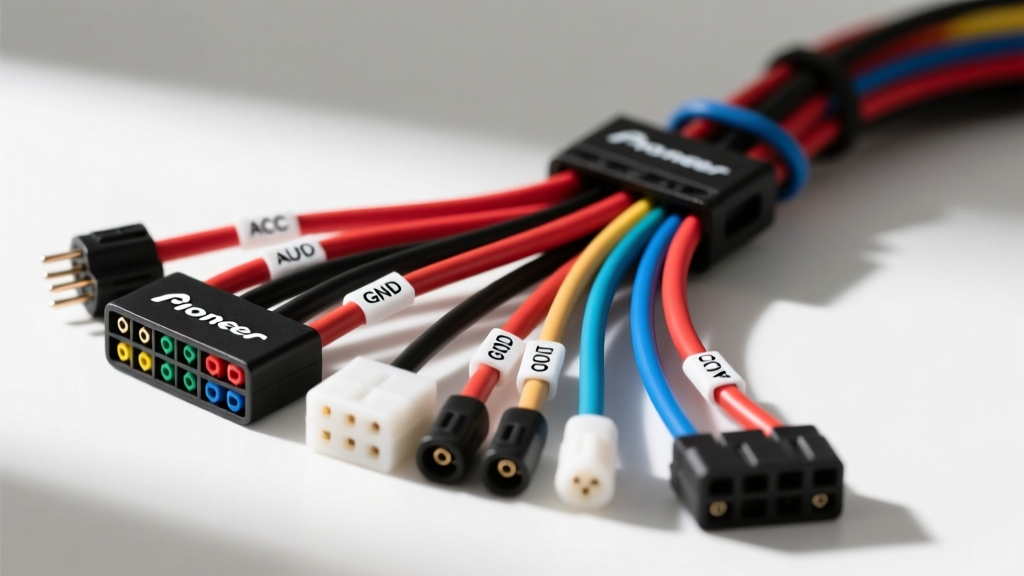
Understanding the Pioneer SPH-10BT Harness Architecture
The Pioneer SPH-10BT is a highly capable single-DIN smartphone receiver featuring a built-in Digital Signal Processor (DSP), Bluetooth streaming, and dedicated app integration. Because of its advanced processing requirements, the unit is highly sensitive to voltage fluctuations and poor grounding. Unlike older, simpler CD players that could tolerate sloppy wiring, the SPH-10BT will exhibit Bluetooth dropouts, DSP clipping, or complete reboots if the wiring harness is compromised.
Troubleshooting the Pioneer SPH-10BT wiring harness requires moving beyond simple visual inspections. You must verify wire gauge integrity, pinout accuracy, and voltage drop across the 16-pin proprietary connector. This guide provides a step-by-step troubleshooting decision tree to isolate and resolve the most common electrical faults associated with this specific head unit.
Pioneer SPH-10BT 16-Pin Harness Pinout & Specifications
Before diving into the troubleshooting flow, reference the standard Pioneer 16-pin power and speaker harness block. The SPH-10BT utilizes 18 AWG wire for power/ground circuits and 22 AWG for speaker and remote turn-on leads, compliant with SAE J1128 Low Voltage Cable standards.
| Pin | Function | Wire Color | AWG | Notes / Specs |
|---|---|---|---|---|
| 1 | Right Rear (+) | Purple | 22 | Speaker output |
| 2 | Right Rear (-) | Purple/Black | 22 | Do not ground to chassis |
| 3 | Right Front (+) | Gray | 22 | Speaker output |
| 4 | Right Front (-) | Gray/Black | 22 | Do not ground to chassis |
| 5 | Left Front (+) | White | 22 | Speaker output |
| 6 | Left Front (-) | White/Black | 22 | Do not ground to chassis |
| 7 | Left Rear (+) | Green | 22 | Speaker output |
| 8 | Left Rear (-) | Green/Black | 22 | Do not ground to chassis |
| 9 | Chassis Ground | Black | 18 | Must be bare metal, ring terminal |
| 10 | Amp Turn-On | Blue/White | 22 | Max 300mA output |
| 11 | Mute Control | Orange/White | 22 | Rarely used in aftermarket swaps |
| 12 | Illumination | Orange | 22 | Dimmer signal (0-12V) |
| 13 | Accessory (Switched) | Red | 18 | 12V only when ignition is ON |
| 14 | Battery (Constant) | Yellow | 18 | 12V constant for memory |
| 15 | Not Used | N/A | N/A | Empty pin |
| 16 | Not Used | N/A | N/A | Empty pin |
Step-by-Step Troubleshooting Decision Trees
Symptom 1: The Unit Will Not Power On At All
Probable Cause: Loss of switched 12V (Red) or constant 12V (Yellow), or a blown inline fuse.
Troubleshooting Flow:
- Verify Inline Fuses: Check the 10A blade fuse on the Yellow (Constant) wire and the 10A fuse on the Red (Accessory) wire. The SPH-10BT requires both circuits to complete the internal logic boot sequence.
- Multimeter Test (Key OFF): Set your multimeter to DC Voltage. Probe the Yellow wire at the vehicle's adapter harness. You must read between 12.2V and 12.6V. If 0V, trace back to the battery or factory constant 12V feed.
- Multimeter Test (Key ON/ACC): Probe the Red wire. You must read 12.2V+. If 0V, the ignition switch circuit is dead, or the adapter harness (e.g., Metra 70-1761) is not seated fully into the factory vehicle plug.
- Check the Black Ground: If both Red and Yellow show 12V+ but the unit is dead, the Black (Pin 9) ground wire is floating. A ground wire wrapped around a seat bolt or tucked behind plastic trim will not complete the circuit. It must be secured to bare, unpainted chassis metal using a crimped ring terminal.
Symptom 2: Radio Loses Memory and Presets on Restart
Probable Cause: The Yellow (Constant) and Red (Switched) wires are swapped at the vehicle adapter harness.
Troubleshooting Flow:
- Understand the Logic: The SPH-10BT uses the Yellow wire to maintain volatile memory (Bluetooth pairings, EQ settings, radio presets). If the Yellow wire is connected to a switched ignition source, the unit loses power entirely when the key is removed, wiping the memory.
- The VW/Chrysler/Jeep Quirk: In many older Volkswagen, Nissan, and Jeep models, the factory wiring standard swaps the constant and switched 12V pins compared to the Pioneer standard. If you are using a generic adapter harness without checking, the Red and Yellow functions will be reversed.
- The Fix: Use your multimeter to identify which wire in the vehicle's factory plug has constant 12V (key off) and which has switched 12V (key on). If they are reversed relative to the Pioneer harness, you must depin the Red and Yellow wires from the aftermarket adapter and swap their positions, or use a specific swap-harness designed for your exact vehicle year and model.
Symptom 3: External Amplifier Fails to Trigger
Probable Cause: Overloading the Blue/White (Pin 10) remote turn-on circuit or a broken 22 AWG lead.
Troubleshooting Flow:
- Check Current Draw Limits: The SPH-10BT's internal remote turn-on transistor is rated for a maximum of 300mA. If you are using the Blue/White wire to trigger multiple amplifiers, a DSP, and a line driver, you are likely exceeding this limit, causing the internal fuse to blow or the transistor to fail.
- Voltage Test: Turn the unit on and probe the Blue/White wire at the amplifier end. You should see 12V. If you see 0V, check for a break in the 22 AWG wire. If you see a severe voltage drop (e.g., 6V), the wire is pinched or the connection is corroded.
- The Relay Solution: If the internal turn-on circuit is blown, or if you are running high-current accessories, wire a standard 12V 30A automotive relay. Use the SPH-10BT's Blue/White wire to trigger the relay coil (Pin 85/86), and pull the main switching current for your amplifiers directly from a fused 12V battery source through the relay's switched contacts (Pin 30 to 87).
Symptom 4: Intermittent Bluetooth Drops or Audio Popping
Probable Cause: Voltage sag on the main power wires or a high-resistance ground causing DSP starvation.
Troubleshooting Flow:
- The DSP Current Spike: When the SPH-10BT processes heavy bass transients or initializes a Bluetooth handshake, it draws momentary spikes of current. If the 18 AWG power wires are stretched too thin, or if the installer used 20 AWG or 22 AWG wire to extend the harness, the voltage at the head unit will momentarily sag below 11.2V. This causes the Bluetooth module to crash and reboot.
- Perform a Voltage Drop Test: Set your multimeter to DC Voltage. Place the red probe on the battery positive terminal and the black probe on the back of the SPH-10BT harness where the Yellow/Red wires enter the 16-pin block. Have a helper turn the volume up to 30. If the multimeter reads more than a 0.5V drop across the power wire, the wire gauge is too small or the connection is corroded. Upgrade the power feed to 14 AWG or 12 AWG for long runs.
- Check Ground Resistance: Set the multimeter to Ohms (Ω). Measure resistance between the battery negative terminal and the SPH-10BT Black ground wire. It should read less than 0.1Ω. Any higher indicates a poor chassis ground, which will also introduce alternator whine into the speaker outputs.
Best Practices for Harness Adapters and Terminations
When integrating the Pioneer SPH-10BT wiring harness with a vehicle-specific adapter (such as those from Metra Online or Scosche), the termination method dictates long-term reliability. Avoid 'T-taps' or 'scotch locks' at all costs; they pierce the wire insulation, allowing moisture to corrode the copper strands, eventually leading to high-resistance faults that mimic a failing head unit.
Instead, use the following termination hierarchy:
- Best: Strip, twist, and solder the 18 AWG and 22 AWG wires, then seal with adhesive-lined dual-wall heat shrink tubing. This prevents oxidation and provides mechanical strain relief.
- Acceptable: High-quality crimp connectors (nylon insulated butt splices) using a proper ratcheting crimp tool. Ensure the crimp barrel matches the AWG size (usually the red barrel for 18-22 AWG).
- Avoid: Standard electrical tape. The adhesive dries out in the high-heat environment behind a dashboard, causing the tape to unwrap and exposing bare wires to the metal dash chassis, resulting in short circuits.
By following this structured troubleshooting flow and adhering to proper wire gauge and termination standards, you can ensure your Pioneer SPH-10BT operates flawlessly, delivering clean audio and stable smartphone connectivity for the life of the vehicle. For further technical specifications, always consult the official Pioneer SPH-10BT documentation and your vehicle's specific factory service manual.