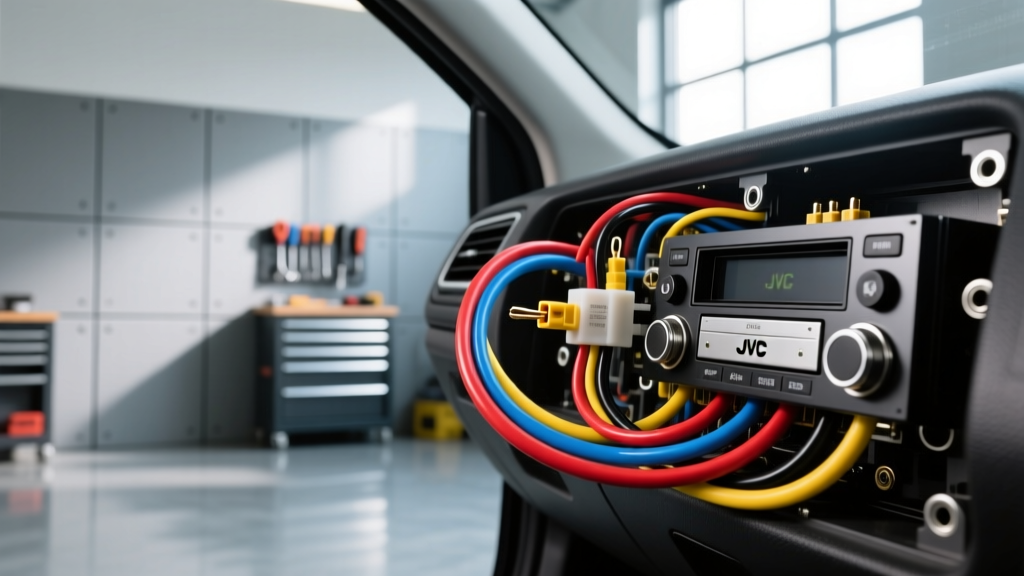
The Danger of the Generic JVC Wiring Harness Diagram
Upgrading to an aftermarket JVC head unit—whether it is a multimedia KW-V series receiver or a digital media KD-X series unit—requires precise electrical integration. A quick online search for a generic 'jvc wiring harness diagram' often yields outdated, forum-sourced, or entirely incorrect pinout charts. Because JVC frequently updates its proprietary connector layouts and steering wheel control (SWC) logic across different model years, relying on a universal diagram is a fast track to blowing internal trace fuses, frying MOSFET amplifier ICs, or triggering vehicle CAN-bus fault codes.
This guide outlines the critical safety warnings and the most common wiring mistakes installers make when adapting a JVC wiring harness to a factory vehicle harness, ensuring your installation is safe, reliable, and fully functional.
Critical Safety Warnings Before You Splice
Automotive electrical systems operate in harsh, high-vibration environments. Before cutting, stripping, or crimping a single wire on your JVC harness adapter, adhere to these non-negotiable safety protocols:
- Disconnect the Battery: Always disconnect the negative battery terminal and wait at least 3 minutes before beginning work. This allows the vehicle's airbag capacitors and infotainment modules to discharge, preventing accidental SRS deployment or module bricking.
- Never 'Pop' Test Speakers: Many DIY installers use a 9V battery to briefly touch speaker wires and identify the factory speaker locations. Never do this on a JVC head unit with a built-in amplifier. The voltage spike will instantly destroy the internal Toshiba or Sanyo MOSFET output ICs, permanently ruining the head unit's internal 4x50W amplifier.
- Use Proper Wire Gauges: According to SAE J1128 Low Tension Primary Cable standards, standard head unit power and ground circuits require a minimum of 18 AWG wire. If you are extending the JVC harness to reach a custom amp rack or a distant grounding point, you must step up to 16 AWG or 14 AWG to prevent voltage drop and thermal melting.
The Top 4 JVC Wiring Harness Mistakes
Mistake 1: Confusing Illumination with the Dimmer Circuit
On most standard JVC wiring harness diagrams, the Orange wire is for Illumination (a simple 12V on/off trigger when headlights are activated), while the Orange/White stripe wire is for the Dimmer circuit (which receives variable voltage from the dashboard rheostat). A common mistake is wiring the vehicle's variable dimmer wire to the JVC's solid Orange illumination wire. This feeds variable, fluctuating voltage into the head unit's binary illumination switch, which can overheat the internal resistor network and cause the display backlighting to fail entirely.
Mistake 2: The Steering Wheel Control (SWC) Grounding Disaster
JVC utilizes an analog, resistance-based ladder network for Steering Wheel Controls. The harness typically features a Purple/White wire (SW1) and a Brown/White wire (SW2). A catastrophic mistake occurs when installers confuse these analog resistance wires with digital CAN-bus or LIN-bus SWC wires found in modern Ford, Chrysler, or GM vehicles. Wiring a digital 5V or 12V CAN-bus line directly into JVC's analog SW1/SW2 inputs will short the vehicle's data network, throwing U-codes (like U0100) and potentially bricking the steering column control module. Always use a dedicated resistance-matching interface like the PAC SWI-JVC or Axxess ASWC-1, referencing Axxess Interfaces technical documentation for the correct vehicle-specific resistor dip-switch settings.
Mistake 3: Amplifier Remote Turn-On vs. Power Antenna
JVC harnesses include a Blue wire and a Blue/White wire. The solid Blue wire is strictly for a motorized power antenna; it only outputs 12V when the AM/FM tuner is active. The Blue/White wire is the Amplifier Remote Turn-On, which outputs 12V whenever the head unit is powered on, regardless of the source. If you wire your external amplifier's remote turn-on to the solid Blue wire, your subwoofer and external amps will cut out the moment you switch to Bluetooth, USB, or Apple CarPlay.
Mistake 4: Undersized Grounding and Chassis Loops
The Black wire on the JVC harness is the main chassis ground. Many installers lazily wrap this around a factory dash bolt or use a self-tapping screw into painted sheet metal. This creates a high-resistance ground, leading to alternator whine, screen flickering, and the head unit rebooting when the bass hits. Always run the JVC ground wire back to the factory harness ground, or terminate it to bare, sanded chassis metal using a star washer and a properly crimped ring terminal.
Standard JVC Aftermarket Pinout & Wire Color Chart
While you must always verify against the specific paper manual included in your JVC box, the following table represents the industry-standard JVC 16-pin/ISO color code layout used in the majority of their single-DIN and double-DIN receivers.
| Wire Color | Function | AWG Spec | Technical Notes |
|---|---|---|---|
| Yellow | 12V Constant (Battery) | 18 AWG | Memory & Presets. Must have voltage at all times. |
| Red | 12V Switched (Ignition) | 18 AWG | Accessory power. Turns unit on/off. |
| Black | Chassis Ground | 18 AWG | Must share common ground plane with external amps. |
| Blue/White | Amp Remote Turn-On | 20 AWG | Max 300mA draw. Use a relay for multiple amps. |
| Orange | Illumination | 20 AWG | 12V+ when headlights are on. |
| Purple/White | SWC 1 (Analog) | 22 AWG | Resistance ladder input. Do not apply 12V. |
| Brown/White | SWC 2 (Analog) | 22 AWG | Resistance ladder input. Do not apply 12V. |
| White / White-Black | Front Left Speaker (+/-) | 18 AWG | Ensure proper phase polarity to prevent bass cancellation. |
| Gray / Gray-Black | Front Right Speaker (+/-) | 18 AWG | Ensure proper phase polarity. |
Troubleshooting Decision Tree: JVC Harness Failures
If your JVC unit is not behaving correctly after wiring the harness adapter, use this diagnostic tree before assuming the unit is defective:
- Symptom: Head unit loses radio presets and clock every time the car is turned off.
- Cause: Yellow (Constant) and Red (Switched) wires are reversed at the harness adapter.
- Fix: Swap the Red and Yellow wire positions on the aftermarket harness side. (Note: Some European vehicles, like older VWs and Peugeots, reverse the constant and switched pins at the factory ISO connector by design).
- Symptom: Head unit turns on, but shuts off immediately when volume is increased.
- Cause: Voltage drop on the 12V Constant line or a high-resistance ground.
- Fix: Test the Yellow wire with a Digital Multimeter (DMM) under load. If it drops below 11.5V when the amp kicks in, upgrade the power and ground wiring to 14 AWG and run a dedicated ground to the chassis.
- Symptom: Alternator whine that pitches up with engine RPM.
- Cause: Ground loop created by using different grounding points for the JVC head unit and the external amplifier.
- Fix: Ensure the JVC Black ground wire and the amplifier's main ground wire terminate to the exact same chassis bolt or grounding bus bar.
Proper Termination: Solder vs. Crimp
When mating the JVC pigtail to your vehicle-specific adapter harness, the method of termination dictates the longevity of the installation. As highlighted in Crutchfield's car stereo installation guidelines, the 'twist and tape' method is entirely unacceptable in automotive environments. Temperature fluctuations and vibration will cause electrical tape to unspool, leading to bare copper shorts against the metal dash frame.
For a permanent connection, use a soldering iron with rosin-core solder, followed by adhesive-lined heat shrink tubing. The adhesive lining melts and seals the connection against moisture and corrosion. If soldering is not possible, use automotive-grade, nylon-insulated butt crimp connectors. Avoid cheap vinyl crimps, as the insulation can crack in extreme heat, exposing the joint to short-circuit risks.
Final Verification Protocol
Before plugging the JVC harness into the back of the head unit and pushing it into the dash, perform a final DMM continuity test. Set your multimeter to the continuity (beep) setting. Touch one probe to the Black ground wire on the JVC harness and the other to a known good chassis ground. You should see near-zero resistance (under 0.5 ohms). Next, verify that none of the speaker output wires (White, Gray, Green, Purple) show continuity to ground, which would indicate a pinched wire or a factory amplifier integration error. Taking these extra ten minutes to verify your JVC wiring harness diagram connections will save you from tearing the dash apart a second time.