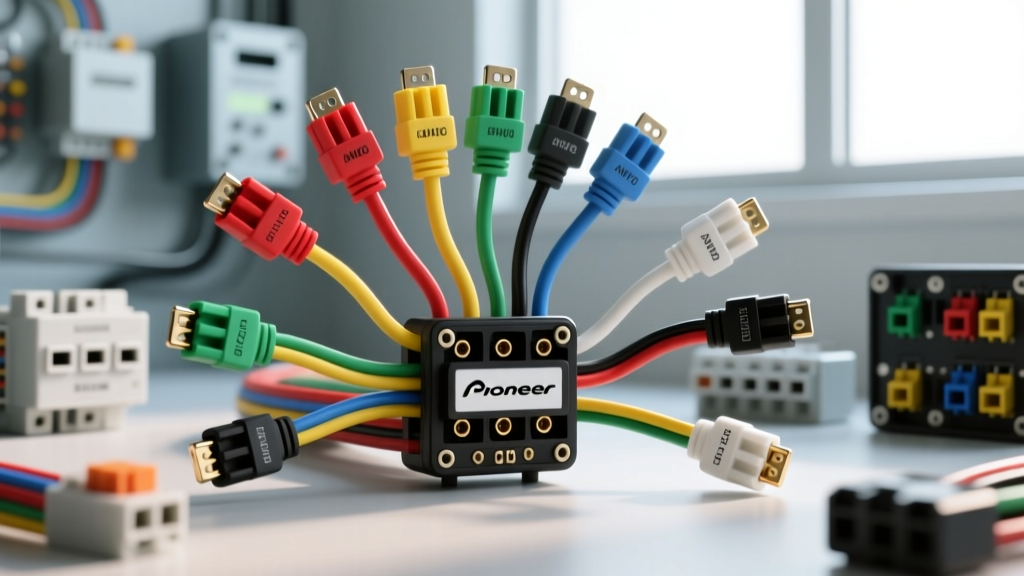
Upgrading to Pioneer: Decoding the Aftermarket Harness
When executing a head unit upgrade project, transitioning from an OEM radio to an aftermarket Pioneer receiver requires a precise understanding of the vehicle's electrical architecture. Unlike factory harnesses, which vary wildly between a 2015 Ram 1500 and a 2020 Honda Civic, aftermarket Pioneer head units adhere to a universal standard. Locating a reliable diagram for the Pioneer wiring harness color code is the critical first step in ensuring your new deck receives stable power, retains memory, and triggers external amplifiers without causing a short circuit.
In this modification guide, we break down the exact wire color codes, AWG (American Wire Gauge) specifications, and current limitations inherent to Pioneer's aftermarket harnesses. Whether you are hardwiring into a classic vehicle or integrating a CAN-bus data module in a modern late-model truck, understanding these circuits will prevent blown fuses, memory loss, and alternator whine.
The ANSI/CTA-2006 Standard: Pioneer Wiring Harness Color Code Diagram
Pioneer, like most major aftermarket mobile electronics manufacturers, designs its wiring harnesses to comply with the ANSI/CTA-2006 (formerly CEA-2006) Mobile Electronics standard. This ensures that whether you are installing an AVH-W4500NEX or a DMH-W2770NEX, the primary power and speaker wire colors remain identical. According to the Consumer Technology Association (CTA), standardizing these color codes minimizes installation errors and ensures cross-brand compatibility with wiring adapters from Metra, Axxess, and Scosche.
Power, Ground, and Accessory Circuits
The core power circuit relies on 18 AWG stranded copper wire, capable of handling the standard 10A to 15A draw of a modern Class-D internal amplifier and logic board. Below is the primary power diagram reference.
| Wire Color | Function | AWG | Max Current / Fuse | Modification Note |
|---|---|---|---|---|
| Yellow | 12V Constant (Battery) | 18 AWG | 15A (Inline Fuse) | Must connect directly to battery or constant 12V source to retain radio memory and clock settings. |
| Red | 12V Switched (Ignition) | 18 AWG | 10A (Inline Fuse) | Triggers the unit on/off. Connect to ignition-switched fuse or data module output. |
| Black | Chassis Ground | 18 AWG | N/A | Must be terminated to bare, unpainted metal. Do NOT ground to the OEM radio harness ground wire to avoid ground loops. |
| Orange/White | Illumination / Dimmer | 22 AWG | 300mA | Connects to the headlight switch circuit. Triggers screen dimming and button backlighting. |
The Critical Difference Between Blue and Blue/White
One of the most common mistakes during a stereo modification project is confusing the solid Blue wire with the Blue/White stripe wire. While both are 18 AWG and output a +12V trigger signal, their applications are vastly different:
- Blue/White (Amplifier Remote Turn-On): This wire outputs +12V when the Pioneer unit is powered on. It is designed to trigger external amplifiers, DSPs, and line output converters. Warning: The internal trace on the Pioneer PCB is typically limited to 300mA. If you are triggering multiple high-current amplifiers, you must use this wire to trigger a standard 12V automotive relay, rather than daisy-chaining the amp remote wires directly.
- Blue (Power Antenna): This wire outputs +12V only when the AM/FM radio tuner is active. If you connect this to your amplifier remote, your external amps will shut off every time you switch to Bluetooth, USB, or Apple CarPlay, resulting in an audio system that only plays sound on the radio band.
Speaker Output Pinouts and Phase Matching
Pioneer utilizes a standard 8-speaker (4-channel) output configuration. The speaker wires are also 18 AWG. While the internal amplifier can drive 4-ohm loads down to 2-ohms in some high-end NEX models, maintaining proper phase (polarity) is vital for sound staging and bass response. The wire with the black stripe is universally the negative terminal.
| Channel | Positive Wire (+) | Negative Wire (-) | ISO Pinout Reference |
|---|---|---|---|
| Front Left | White | White w/ Black Stripe | Pin 1 / Pin 5 |
| Front Right | Gray | Gray w/ Black Stripe | Pin 2 / Pin 6 |
| Rear Left | Green | Green w/ Black Stripe | Pin 3 / Pin 7 |
| Rear Right | Purple | Purple w/ Black Stripe | Pin 4 / Pin 8 |
Expert Tip: If you are bypassing the OEM amplifier in a premium sound system (like a Bose or JBL setup), you must use a line output converter (LOC) or a dedicated bypass harness. Feeding Pioneer's high-level speaker outputs back into a factory amplifier's high-level inputs will cause severe clipping and potential thermal damage to the voice coils.
Harness Integration: Adapters vs. Hardwiring
When performing the physical modification, you have two choices for connecting the Pioneer harness to the vehicle: using a T-harness adapter or hardwiring. For 95% of modern vehicles, a vehicle-specific adapter (such as the Metra 70-1761 for Honda or the Axxess XSVI-2105-NAV for Ford) is the superior choice. These adapters plug directly into the OEM radio cavity, preserving the factory wiring for future restorations and preventing warranty issues related to cut factory wires.
Dealing with CAN-Bus and Data Networks
In vehicles manufactured after 2010, the traditional 12V switched (Red wire) ignition source is often absent from the radio cavity. Instead, the OEM head unit receives a digital wake-up signal via the CAN-bus network. If you simply connect the Pioneer's Red wire to a constant 12V source, the radio will never turn off and will drain your battery.
For these modification projects, you must integrate a data interface module (e.g., PAC RP4-CH11 or Maestro iDatalink). The data module intercepts the CAN-bus signals and outputs a simulated 12V switched wire, which you then splice to the Red wire on your Pioneer harness. Furthermore, these modules translate OEM steering wheel controls and backup camera triggers into the standardized Pioneer SWC and Camera Reverse (Purple/White) wires.
Professional Termination and Modification Best Practices
The longevity of your stereo upgrade relies heavily on how you terminate the connections between the Pioneer pigtail and the vehicle adapter. The vibration and temperature fluctuations inside a vehicle dashboard will quickly destroy inferior connections.
- Avoid T-Taps and Scotch Locks: These pierce the wire insulation, exposing raw copper to moisture and causing oxidation. They also sever strands of the 18 AWG wire, reducing current capacity and creating a fire hazard.
- Use Adhesive-Lined Heat Shrink: The gold standard for mobile audio wiring is soldering the connection and sealing it with dual-wall, adhesive-lined heat shrink. The heat-activated glue creates a waterproof seal that prevents capillary action from drawing moisture into the copper strands.
- Posi-Twist Connectors: If soldering inside the dash is not feasible, Posi-Twist or high-quality nylon crimp cap connectors are acceptable alternatives, provided they are wrapped in Tesa cloth tape to prevent rattling against the HVAC housing.
Troubleshooting Common Pioneer Wiring Faults
Even with a perfect diagram, modification projects can encounter electrical gremlins. Use this diagnostic tree to resolve common Pioneer installation issues:
- Symptom: Radio resets clock and presets every time the vehicle is turned off.
Cause: The Yellow (Constant) and Red (Switched) wires are swapped.
Fix: Verify the vehicle harness with a multimeter. The wire that holds 12V with the key OFF must connect to the Pioneer Yellow wire. - Symptom: High-pitched alternator whine that increases with engine RPM.
Cause: Ground loop caused by sharing a ground point with a high-current device or using the OEM harness ground.
Fix: Run a dedicated 18 AWG or 16 AWG ground wire from the Pioneer Black wire directly to a clean, unpainted chassis bolt behind the dash. - Symptom: External amplifier stays on after the vehicle is turned off, draining the battery.
Cause: The Blue/White remote wire is shorted to a constant 12V source, or a data module is failing to send the sleep signal.
Fix: Use a multimeter to test the Blue/White wire at the Pioneer harness. It should read 0V when the unit is powered down. If it reads 12V, check for a pinched wire behind the chassis.
Authoritative References
For further technical specifications and vehicle-specific integration guides, consult the following resources:
- Consumer Technology Association (CTA) - ANSI/CTA-2006 Mobile Electronics Wiring Standards.
- Crutchfield Car Stereo Wiring Guide - Comprehensive vehicle fitment and adapter compatibility databases.
- Pioneer Electronics Official Manual Repository - Model-specific pinouts, internal fuse ratings, and CAN-bus integration protocols.