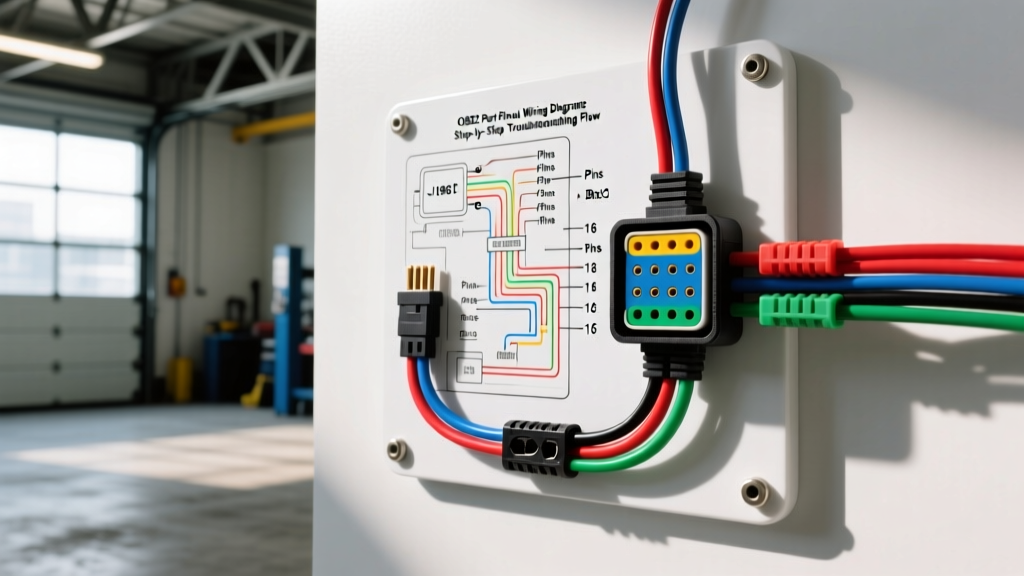
Understanding the SAE J1962 OBD2 Port Pinout
The Data Link Connector (DLC), universally known as the OBD2 port, is the primary gateway for automotive diagnostics, emissions testing, and module programming. Mandated by the EPA and standardized under the SAE J1962 specification, the 16-pin female connector provides a universal physical interface for scan tools. However, while the physical shape is standardized, the internal wiring diagram and pinout assignments vary significantly between standard protocol pins and manufacturer-specific data lines.
When a scan tool fails to power on, displays a 'Link Error,' or cannot communicate with specific modules, technicians must rely on a systematic troubleshooting flow. This guide provides a step-by-step diagnostic approach using the OBD2 port pinout wiring diagram to isolate power, ground, and network communication faults.
Standard vs. Manufacturer-Specific OBD2 Pinouts
Before probing the connector, it is critical to understand which pins are standardized across all vehicles and which are reserved for OEM-specific networks (like GM GMLAN or Ford MS-CAN). The table below outlines the universal J1962 pin assignments.
| Pin | Standard Assignment | Typical Wire Gauge | Common Wire Colors (OEM Dependent) |
|---|---|---|---|
| 1 | Manufacturer Discretion | 18-20 AWG | Varies (e.g., GM GMLAN Single Wire) |
| 2 | J1850 Bus (+) / SAE J1850 PWM | 18-20 AWG | White/Black (Ford) |
| 3 | Manufacturer Discretion | 18-20 AWG | Varies |
| 4 | Chassis Ground (CG) | 14-16 AWG | Black or Brown |
| 5 | Signal Ground (SG) | 14-16 AWG | Black/White or Brown |
| 6 | CAN High (ISO 15765-4) | 18-20 AWG | Orange/Violet, White, or Green |
| 7 | ISO 9141-2 K-Line / ISO 14230 | 18-20 AWG | Yellow, Green/White, or Gray |
| 8 | Manufacturer Discretion | 18-20 AWG | Varies |
| 9 | Manufacturer Discretion | 18-20 AWG | Varies |
| 10 | J1850 Bus (-) / SAE J1850 VPW | 18-20 AWG | Red/Black (Ford) |
| 11 | Manufacturer Discretion | 18-20 AWG | Varies |
| 12 | Manufacturer Discretion | 18-20 AWG | Varies |
| 13 | Manufacturer Discretion | 18-20 AWG | Varies |
| 14 | CAN Low (ISO 15765-4) | 18-20 AWG | Orange/Brown, Green, or Yellow |
| 15 | ISO 9141-2 L-Line | 18-20 AWG | Blue or Gray |
| 16 | Battery Positive (+12V) | 14-16 AWG | Red, White, or Pink |
Step-by-Step Troubleshooting Flow: No-Link & No-Comm Scenarios
When a vehicle exhibits a no-communication symptom, follow this sequential diagnostic flow to isolate the fault. Never skip the foundational power and ground checks, as 70% of all OBD2 communication failures stem from compromised DLC power circuits.
Step 1: Verify Power and Ground (Pins 16, 4, 5)
If your scan tool does not power on or randomly reboots during module initialization, the DLC power circuit is compromised. Pin 16 supplies constant battery voltage, typically protected by a 10A or 15A fuse in the instrument panel fuse block.
- Test 1 (Open Circuit Voltage): Set your Digital Multimeter (DMM) to DC Volts. Probe Pin 16 (positive) and Pin 4 (negative). You should read within 0.1V of the main battery voltage (typically 12.2V - 12.6V).
- Test 2 (Voltage Drop Under Load): A 12V test light or open-circuit DMM test will not reveal high-resistance corrosion. Connect a headlight bulb or a dedicated carbon pile load tester across Pin 16 and Pin 4. While under load, measure the voltage drop. A drop greater than 0.2V indicates a corroded fuse, pushed-back terminal, or compromised 14 AWG ground wire.
- Test 3 (Signal Ground Integrity): Pin 5 is the dedicated signal ground for data lines. Measure resistance between Pin 5 and Pin 4 (Chassis Ground). It should read less than 0.5 ohms. If open, the PCM/ECM may not recognize the scan tool's handshake requests.
Step 2: Inspect CAN Bus Physical Layer (Pins 6, 14)
If the scan tool powers on but displays 'Link Error' or 'Cannot Connect to Vehicle,' the high-speed CAN bus (ISO 15765-4) is likely down. Modern vehicles use a twisted pair of 18-20 AWG wires for CAN High (Pin 6) and CAN Low (Pin 14).
- Termination Resistance Check: Turn the ignition OFF. Set your DMM to Ohms. Probe between Pin 6 and Pin 14. A healthy CAN bus will read exactly 60 ohms (two 120-ohm terminating resistors in parallel, usually located in the PCM and the instrument cluster or ABS module).
- Reading ~120 ohms: One terminating resistor is missing or a module is unpowered/disconnected.
- Reading 0 ohms: CAN High and CAN Low are shorted together, or shorted to ground.
- Reading Infinite/OL: Open circuit in the twisted pair harness.
- Voltage Bias Check: Turn the ignition ON (engine off). Measure DC voltage from Pin 6 to ground (should be 2.5V to 3.5V). Measure Pin 14 to ground (should be 1.5V to 2.5V). If both read 0V, the bus is shorted to ground. If both read 12V, the bus is shorted to battery positive.
Step 3: Check Manufacturer-Specific & Legacy Protocol Pins
Not all communication failures occur on the main High-Speed CAN bus. If you can communicate with the PCM but cannot reach the Body Control Module (BCM) or ABS module, the fault may lie on an OEM-specific network routed through the discretionary pins.
- GM GMLAN (Single Wire CAN): Often found on Pin 1. Idle voltage is 0V, jumping to 3.5V during active transmission. Check for shorts to ground, which will pull the entire single-wire network down.
- Ford MS-CAN / I-CAN: Often routed through Pins 3 and 11. Requires a specific scan tool cable or an adapter to bridge these pins to the scan tool's standard CAN pins.
- Legacy K-Line (Pin 7): Pre-2008 vehicles often rely on ISO 9141-2. Pin 7 should show a pull-up voltage of roughly 12V when idle. If it reads 0V, the K-Line is shorted to ground, often due to a failed aftermarket radio or alarm module spliced into the diagnostic line.
Step 4: Oscilloscope Signal Validation
When multimeter tests pass but communication remains erratic, connect an automotive oscilloscope to Pins 6 and 14. According to EPA OBD-II compliance guidelines, the High-Speed CAN bus operates at 500 kbps.
- Scope Setup: Channel A to Pin 6, Channel B to Pin 14. Timebase: 10 µs/div. Voltage: 2V/div.
- Waveform Analysis: The CAN High signal should dominate between 2.5V and 3.5V, while CAN Low mirrors it between 1.5V and 2.5V. The differential voltage (CAN H minus CAN L) must cleanly swing between 0V (recessive) and 2V (dominant).
- Identifying Noise: If the waveform shows excessive ringing, voltage spikes, or asymmetrical mirroring, inspect the harness for untwisted wires, improper soldered repairs, or routing near high-voltage ignition components.
Common Wiring Failure Modes & Physical Repairs
Electrical diagnostics are only half the battle; physical connector integrity is equally vital. The J1962 connector is subject to repeated mechanical stress from technicians plugging and unplugging scan tools.
1. Spread Terminals (Pin Drag Test)
Female terminals inside the DLC can spread over time, causing intermittent contact with the male scan tool pins. Perform a pin drag test using a spare, unused male J1962 pin or a appropriately sized test probe. Insert the probe into each cavity; you should feel distinct mechanical resistance. If a probe slides in without friction, the terminal is spread and the DLC pigtail must be replaced.
2. Pushed-Back Pins
When a technician forces a scan tool plug at an angle, individual pins inside the DLC connector housing can push backward, losing contact. Inspect the rear of the connector cavity. If a wire's terminal is not fully seated and locked into the plastic housing, use a terminal extraction tool to remove it, reset the locking barb, and reseat it until it clicks.
3. Harness Chafing Near the Kick Panel
The DLC harness typically routes up the steering column or behind the left-side kick panel. It is highly susceptible to chafing against metal brackets or the hood release lever. If you find a short to ground on the CAN bus, carefully unwrap the corrugated loom within 12 inches of the DLC connector. Repair any broken 18 AWG wires using heat-shrink butt splices—never use twisted wire and electrical tape, as this alters the impedance of the CAN bus and causes signal reflection.
Authoritative References
For advanced module-specific network topologies and OEM wiring diagrams, always consult the vehicle manufacturer's service information. The diagnostic methodologies outlined above are based on industry-standard practices documented by the following authorities:
- SAE J1962: Diagnostic Connector - Society of Automotive Engineers (Defines physical and pinout standards for the DLC).
- EPA On-Board Diagnostics (OBD) Guidelines - Environmental Protection Agency (Outlines federal mandates for OBD-II communication protocols and pin standardizations).
- SAE J1979: E/E Diagnostic Test Modes - Society of Automotive Engineers (Details the data link communication protocols and handshake sequences used over the J1962 connector).