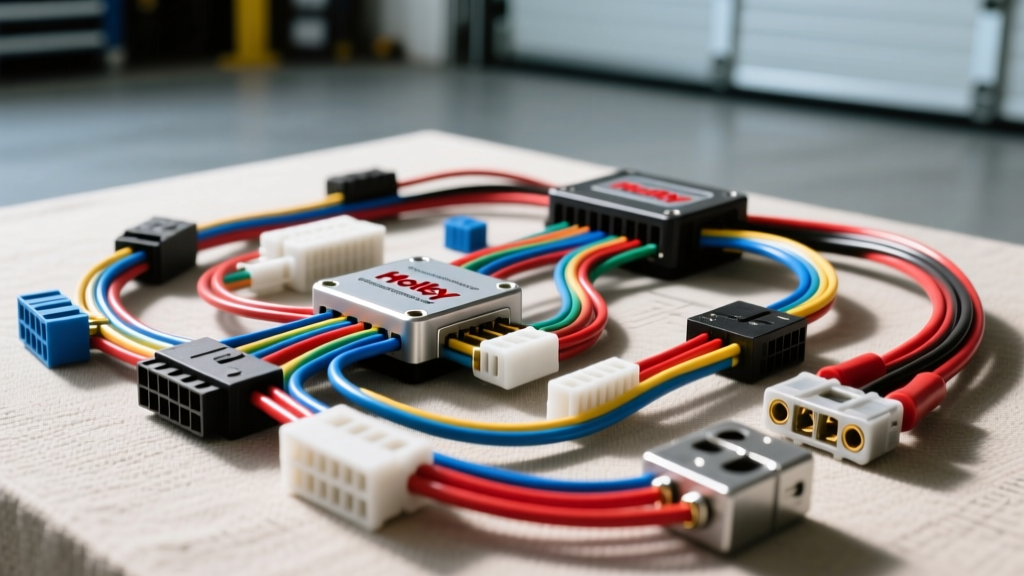
The Role of a Wiring Diagram Creator in Custom Engine Swaps
Executing a complex engine swap, such as dropping a Gen IV LS3 into a classic chassis using a Holley Terminator X standalone ECU, requires more than just zip-tying wires together. Professional automotive electricians rely on a dedicated wiring diagram creator to digitally map every circuit, define AWG requirements, and assign specific connector pinouts before a single wire is cut. A wiring diagram creator bridges the gap between abstract electrical theory and physical harness fabrication, ensuring that high-current fuel injector circuits and sensitive 5-volt sensor references are routed correctly to prevent electromagnetic interference (EMI) and voltage drop.
This practical installation guide walks you through utilizing a wiring diagram creator to design your custom harness, followed by the physical execution of crimping, routing, and testing the loom in the engine bay.
Phase 1: Configuring Your Wiring Diagram Creator
Before opening your wire strippers, you must configure your wiring diagram creator software (such as AutoCAD Electrical, SolidWorks Electrical, or specialized automotive harness tools like Zuken E3.series). The first step is establishing a standardized component library and color-coding schema based on industry standards.
Standard SAE J1128 Color Code Mapping
According to the SAE J1128 Low Tension Primary Cable Standard, maintaining consistent wire colors across your digital schematic and physical build is critical for future troubleshooting. Configure your diagram creator's layer palette to match these automotive standards:
| Circuit Function | SAE J1128 Wire Color | Diagram Creator Layer Name |
|---|---|---|
| Constant Battery Power (12V+) | Red | PWR_BATT_12V |
| Switched Ignition Power | Pink | PWR_IGN_SW |
| Power Ground | Black | GND_MAIN |
| Sensor Signal (Analog) | Dark Green | SIG_SENSOR |
| 5V Reference | Orange | REF_5V |
| CAN High / CAN Low | Light Blue / White | DATA_CAN_H_L |
Phase 2: Defining AWG and Connector Specifications
A major advantage of using a wiring diagram creator is the ability to assign physical properties to virtual wires. When designing a Holley Terminator X harness for an LS swap, you must account for the amperage draw of high-impedance versus low-impedance fuel injectors, as well as the physical cavity size of your chosen connectors.
Wire Gauge and Pin Selection Matrix
Use this matrix to populate the bill of materials (BOM) within your diagram creator. For sealed engine bay environments, the Delphi (now Aptiv) Metri-Pack 280 series is the industry standard. Reference the Aptiv Metri-Pack 280 Specification Sheet for exact cavity dimensions.
| ECU Circuit Type | Required AWG | Connector Series | Terminal Part Number |
|---|---|---|---|
| Main ECU Power / Ground | 10 AWG | Metri-Pack 280 | 12129382 (Female) |
| Injector Drivers (Peak & Hold) | 14 AWG | Metri-Pack 280 | 12129382 (Female) |
| 5V Ref & Sensor Ground | 18 AWG | Metri-Pack 150 | 12124580 (Female) |
| MAP / IAT / TPS Signals | 20 AWG | Metri-Pack 150 | 12124580 (Female) |
| Transmission Solenoids (4L80E) | 16 AWG | Deutsch DTM 12-Pin | DTM-16-12 (Socket) |
Phase 3: Translating the Diagram to Physical Installation
Once your wiring diagram creator has generated the final schematic and BOM, the physical installation begins. Print the schematic on a large-format plotter or load it onto a ruggedized tablet in your workspace. Never attempt to build a custom harness without the generated diagram physically present.
Step 1: Cutting, Stripping, and Open-Barrel Crimping
Cut your GXL or TXL cross-linked polyethylene wire to the lengths specified in your diagram creator's cut list, adding exactly 10% extra for routing slack. When stripping 18 AWG to 20 AWG sensor wires for Metri-Pack 150 terminals, use a precision wire stripper to remove exactly 3.5mm of insulation.
For crimping, avoid cheap insulated ring-terminal crimpers. Automotive OEM harnesses utilize open-barrel (F-crimp) terminals. You must use an open-barrel crimping tool, such as the DM-8 or a Hozan P-706, which features distinct dies for the conductor crimp and the insulation crimp. The conductor crimp should exhibit a visible 'bellmouth' at the rear to prevent the wire from shearing under engine vibration.
Step 2: Connector Pinning and Secondary Locks
Follow the pinout table generated by your wiring diagram creator to insert terminals into the Delphi connector housings. You will hear a distinct 'click' when the terminal's locking tang engages the housing ramp.
Crucially, do not skip the Terminal Position Assurance (TPA) locks. These secondary plastic wedges slide into the connector face and physically prevent the terminal from backing out if a wire is snagged in the engine bay. The Holley Terminator X Installation Manual explicitly warns that backed-out injector pins will cause a lean misfire and potential engine damage under wide-open throttle (WOT).
Step 3: Routing, Looming, and EMI Mitigation
Group your wires based on the layers defined in your wiring diagram creator. High-current circuits (injectors, ignition coils) generate significant electromagnetic fields. If routed parallel to low-voltage sensor signals (like the O2 sensor or MAP signal), EMI will induce 'noise' into the ECU, causing erratic fuel trims.
Route high-current and low-current bundles in separate split-loom convoluted tubing. Wrap the loom in Tesa 51036 PET fleece tape for high-temperature abrasion resistance. When crossing high-current and signal wires, ensure they intersect at a strict 90-degree angle to minimize inductive coupling.
Phase 4: Continuity Testing and CAN Bus Termination
Before plugging the newly fabricated harness into the Holley Terminator X ECU, perform a point-to-point continuity test using a digital multimeter. Use your printed wiring diagram creator schematic to verify every pin.
Set your multimeter to the resistance (Ohms) setting. Probe Pin A1 (Battery 12V) on the ECU connector and the corresponding ring terminal at the starter solenoid. You should read less than 0.5 ohms. Next, test for short-to-ground by probing the sensor signal wires against the engine block; the meter should read 'OL' (Open Loop).
Finally, verify your CAN bus network. If your diagram includes a CAN connection to a digital dash or transmission controller, measure the resistance between the CAN High (Light Blue) and CAN Low (White) pins at the OBD-II diagnostic port. With the ECU powered off, you should read exactly 60 ohms, indicating that the two 120-ohm terminating resistors (one in the ECU, one in the dash) are in parallel and correctly wired. A reading of 120 ohms indicates a missing terminator or a broken wire, which must be corrected in the physical harness and updated in your diagram creator software.
Conclusion
Building a custom automotive harness is a meticulous process where digital planning dictates physical success. By leveraging a wiring diagram creator to enforce SAE color codes, calculate AWG requirements, and map precise Metri-Pack pinouts, you eliminate guesswork. The resulting harness will not only start the engine but will provide years of reliable, noise-free operation under the harshest under-hood conditions.