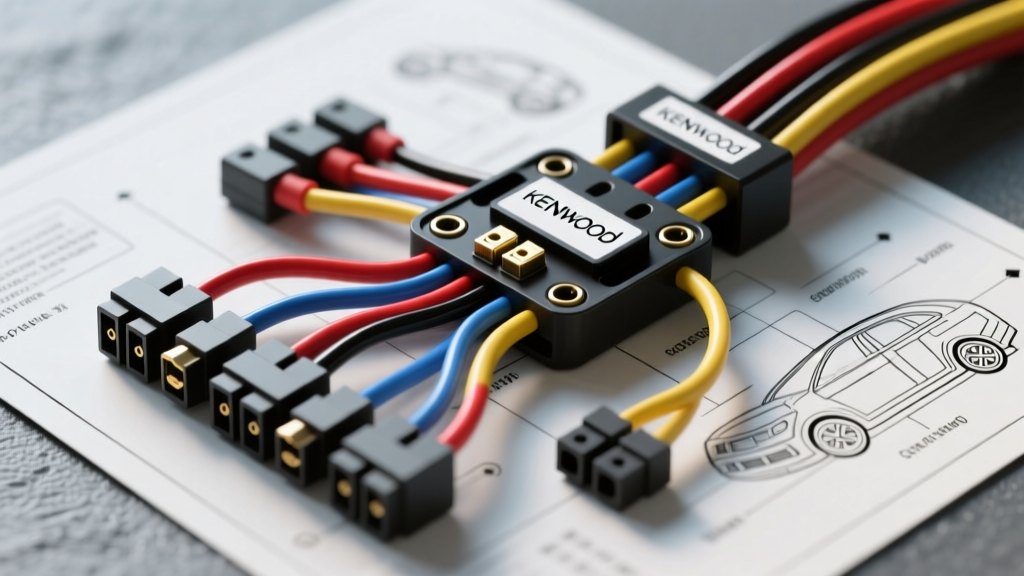
Introduction to Kenwood Harness Architecture
Interpreting a Kenwood car wiring diagram requires more than just matching colors; it demands a systematic approach to voltage verification, ground integrity, and data-bus integration. Whether you are installing a legacy KDC-series CD receiver or a modern DMX-series digital media receiver, the foundational 16-pin ISO-style power and speaker block remains largely consistent. However, modern Kenwood units integrate complex CAN-bus, J1939, and Steering Wheel Control (SWC) networks that require precise diagnostic flows. This guide provides an expert-level, step-by-step troubleshooting methodology to isolate and resolve electrical faults during and after installation.
Phase 1: Power and Ground Verification (The Foundation)
Before connecting any speaker loads or data modules, you must validate the primary power circuit. A common failure mode in aftermarket installations is a voltage drop across the ground circuit, leading to the head unit entering 'Protect Mode' or resetting during high-volume transients.
Step 1: Multimeter Setup and Voltage Testing
Set your digital multimeter (DMM) to DC Voltage (20V range). Probe the vehicle-side harness adapter before connecting the Kenwood pigtail.
- Constant 12V (Yellow): Should read 12.2V - 12.6V with the key OFF. If reading below 11.5V, check for high resistance in the constant fuse tap.
- Switched 12V (Red): Should read 0V with key OFF, and jump to 12.2V+ in the ACC or RUN position.
- Ground (Black): Switch DMM to Continuity/Ohms. Probe the ground wire to a known bare-metal chassis point. Resistance must be less than 0.5 ohms.
Kenwood 16-Pin Main Harness Reference Table
| Pin | Wire Color | Function | AWG | Troubleshooting Note |
|---|---|---|---|---|
| 1 | Yellow | Constant 12V+ (Memory) | 18 AWG | Loss of presets/clock indicates a blown inline fuse or poor crimp. |
| 2 | Red | Switched 12V+ (Ignition) | 18 AWG | If unit powers off during engine crank, source is tied to a starter-interrupted circuit. |
| 3 | Black | Chassis Ground | 18 AWG | Never ground to painted metal or factory plastic dash supports. |
| 4 | Blue/White | System Remote Turn-On | 22 AWG | Supplies max 300mA. Use a relay for multi-amplifier setups. |
| 5 | Orange/White | Illumination/Dimmer | 22 AWG | Connect to vehicle headlight circuit. Do not connect to 12V+ constant. |
Phase 2: Speaker Output & Phase Troubleshooting
Kenwood adheres to the EIA RS-310-A standard for speaker wire color coding. Internal amplifiers in modern Kenwood receivers output roughly 22W RMS x 4 channels at 4 ohms. Shorting a speaker wire to the chassis will immediately trigger the unit's internal protection IC, cutting all audio.
Step 2: Isolating Speaker Shorts
- Disconnect the 16-pin harness from the rear of the Kenwood unit.
- Set your DMM to Continuity.
- Probe each speaker negative wire (White/Black, Gray/Black, Green/Black, Purple/Black) against a known chassis ground.
- Result Analysis: If the DMM beeps (continuity), you have a pinched speaker wire behind the dash or a blown voice coil shorting to the speaker basket. You must trace the EIA standard color code to the specific corner of the vehicle to locate the fault.
Standard EIA Speaker Color Matrix
- Left Front: White (+) / White with Black Stripe (-)
- Right Front: Gray (+) / Gray with Black Stripe (-)
- Left Rear: Green (+) / Green with Black Stripe (-)
- Right Rear: Purple (+) / Purple with Black Stripe (-)
Phase 3: Data Bus, CAN-Bus, and SWC Integration
Modern Kenwood car wiring diagrams feature secondary harnesses dedicated to data. For vehicles utilizing CAN-bus (e.g., late-model Chrysler, Ford, and VW), the Kenwood unit relies on an interface module (like the PAC RP5-CH11 or Axxess XSVI) to translate digital network signals into analog 12V triggers and SWC resistor ladders.
Step 3: Troubleshooting Steering Wheel Controls (SWC)
If your SWC buttons are unresponsive or performing the wrong functions, the issue is rarely the Kenwood head unit itself. It is almost always a resistance mismatch at the interface harness.
- Locate the SWC wires on the vehicle adapter (typically a 3.5mm jack or a pair of wires labeled SW1/SW2 and Ground).
- Consult your specific PAC or Axxess interface programming guide to verify the dip-switch or push-button programming sequence.
- Use your DMM to measure the resistance across the SW1 and Ground wires while pressing each steering wheel button. You should see distinct resistance drops (e.g., 300Ω for Volume Up, 150Ω for Volume Down). If the resistance reads 'OL' (Open Line), the clock spring in the steering column is likely damaged.
Phase 4: Diagnostic Decision Tree
Use this structured decision tree to rapidly diagnose common post-installation faults based on the Kenwood wiring schematic.
Symptom A: Head Unit Turns On, But Shuts Off When Engine Cranks
- Cause: The Red (Switched 12V) wire is connected to a circuit that drops voltage during the starter engagement phase, or it is tied to the same constant source as the Yellow wire, confusing the internal power-management IC.
- Fix: Move the Red wire tap to a dedicated ACC fuse (e.g., wiper or radio fuse) using an Add-A-Circuit fuse tap. Verify with a DMM that voltage remains above 10V during crank.
Symptom B: Loud 'Pop' Through Speakers When Unit Powers On/Off
- Cause: The Blue/White (Amp Turn-On) wire is connected to a constant 12V source, or the external amplifier is turning on before the Kenwood head unit's internal mute circuit has disengaged.
- Fix: Ensure the Blue/White wire is strictly connected to the amplifier's 'Remote' terminal. If the pop persists, install a 1000µF capacitor across the amplifier's 12V and Ground terminals, or use a relay triggered by the Blue/White wire to delay the amp turn-on by 2 seconds.
Symptom C: Alternator Whine in Audio Output
- Cause: Ground loop. The Kenwood chassis ground and the external amplifier ground are at different electrical potentials, causing alternator ripple voltage to bleed into the RCA shield grounds.
- Fix: Implement a 'Star Ground' topology. Ensure the head unit's Black wire is grounded to the exact same bare-metal chassis point as the external amplifiers and DSP modules. For comprehensive RCA shielding diagnostics, refer to the Crutchfield Car Audio Wiring Guide.
Expert Tips for Harness Depinning and Repinning
When adapting a Kenwood harness to a specialized OEM plug (such as a 46-pin Ford or 28-pin Toyota connector), you may need to repin terminals. Never use brute force. Utilize a precision terminal release tool to depress the micro-barb on the Molex or Sumitomo connector. Always seal unused wires with adhesive-lined heat shrink tubing to prevent copper oxidation and stray voltage arcing inside the dash cavity.
Authoritative References
For model-specific pinouts and firmware updates that alter CAN-bus logic, always consult official documentation:
- Kenwood Official Support & Firmware Database - Essential for verifying digital media receiver network protocols.
- Crutchfield Vehicle Fit & Wiring Database - Industry-standard reference for OEM-to-Aftermarket adapter color translations.
- PAC Audio Technical Support - Critical for CAN-bus interface and SWC resistance ladder configurations.