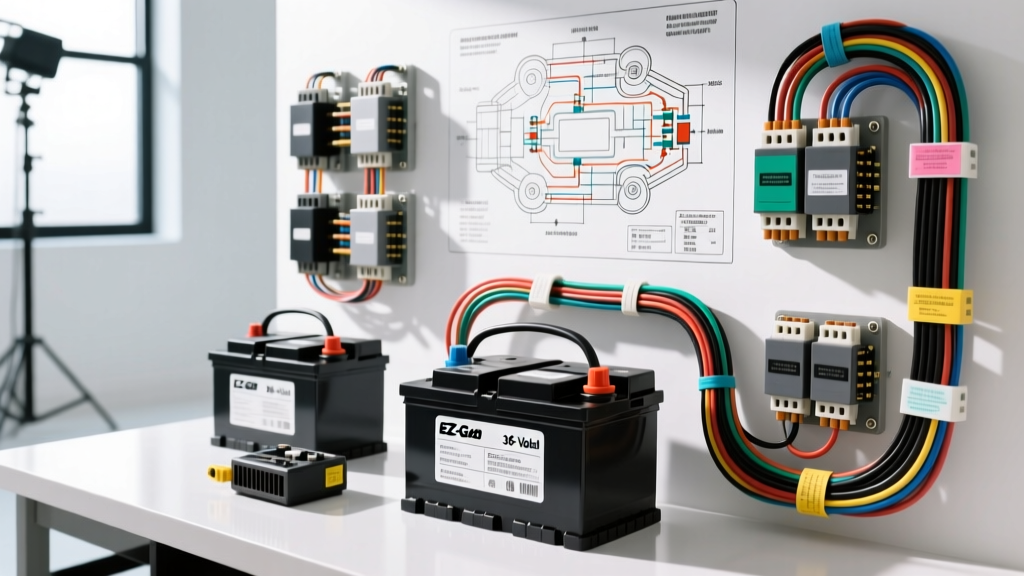
Introduction to the EZ-GO 36V DCS Architecture
When working with light electric vehicles, few platforms are as ubiquitous and enduring as the EZ-GO TXT. For technicians and DIY enthusiasts, interpreting an EZ-GO wiring diagram 36 volt schematic is a fundamental skill. The 36-volt Drive Control System (DCS), introduced in the mid-1990s and utilized through the late 2000s, relies on a robust series-wound motor and a solid-state speed controller. Unlike modern AC drive systems, the 36V DC architecture is highly serviceable, provided you understand the precise routing of high-amperage battery cables and low-voltage logic circuits.
This practical installation guide walks you through the complete rewiring of a 36V EZ-GO TXT, from the battery bank series configuration to the DCS controller pinouts. Whether you are replacing a melted main harness, upgrading to high-silicon 2 AWG cables, or bypassing a failed Onboard Computer (OBC) on later 36V models, adhering strictly to the OEM wiring schematic is critical to prevent catastrophic MOSFET failure or electrical fires.
Decoding the EZ-GO Wiring Diagram 36 Volt Layout
The core philosophy of the EZ-GO 36V electrical system is the separation of the high-current traction circuit and the low-current logic circuit. The traction circuit originates at the battery bank, passes through a main circuit breaker, enters the heavy-duty solenoid, and terminates at the DCS controller and series-wound motor. The logic circuit, governed by the key switch, microswitches, and the Forward/Reverse (F/R) assembly, dictates when the solenoid coil is energized and how the motor field is polarized.
According to Nivel Parts EZ-GO Wiring Schematics, the standard DCS 36V controller utilizes a four-terminal high-current bus bar setup alongside a multi-pin logic connector. Misrouting the motor armature and field wires is the most common cause of immediate controller destruction upon initial power-up. The armature circuit (A1 and A2) handles the bulk of the amperage, while the field circuit (S1 and S2) is modulated by the controller to manage torque and RPM.
Mandatory Wire Specifications and Hardware
Before cutting or crimping any wire, you must verify your materials against SAE standards. Using undersized wire for the main traction circuit will result in severe voltage drop, overheated insulation, and premature solenoid contact welding. As outlined in the SAE J1128 Low Tension Primary Cable specifications, high-amperage DC circuits demand specific stranding and insulation ratings.
| Circuit Application | AWG Size | Wire Color Code | Terminal Type | Torque Specification |
|---|---|---|---|---|
| Main Battery Interconnects | 2 AWG OFC | Red / Black | 3/8' Ring Lug | 110 in-lbs (9.2 ft-lbs) |
| Solenoid to Controller B+ | 2 AWG OFC | Red | 3/8' Ring Lug | 15 ft-lbs |
| Controller to Motor Armature | 4 AWG OFC | Red/White Tracer | 5/16' Ring Lug | 10 ft-lbs |
| Motor Field Routing (F/R) | 6 AWG OFC | Blue / Yellow | 1/4' Spade / Ring | 65 in-lbs |
| Solenoid Coil Activation | 14 AWG | Orange / White | Push-on Spade | N/A (Hand Crimp) |
| Logic / Microswitch Harness | 16 AWG | Assorted | Molex / Spade | N/A |
Always use Oxygen-Free Copper (OFC) or high-strand-count silicone-jacketed welding cable for the main power runs. Standard copper-clad aluminum (CCA) wire sold in big-box stores possesses higher resistance and will overheat under the 300+ amp peak loads generated during hill climbs or heavy towing.
Step 1: Series Wiring the 36V Battery Bank
The 36-volt system relies on six 6-volt deep-cycle batteries (such as Trojan T-105 or US Battery 2200RE) wired in series. In a series circuit, the voltage multiplies while the amperage capacity (Ah) remains constant.
- Preparation: Clean all battery terminal posts with a wire brush and apply a thin layer of dielectric grease to prevent sulfation buildup.
- Series Jumps: Starting at Battery 1 (Negative), connect a 2 AWG black jumper to the Negative terminal of Battery 2. Connect the Positive terminal of Battery 2 to the Negative of Battery 3. Repeat this alternating Positive-to-Negative pattern across all six batteries.
- Main Output: You will be left with an unused Positive terminal on Battery 1 and an unused Negative terminal on Battery 6. These are your main 36V output posts.
- Verification: Before connecting the cart's main harness, use a digital multimeter (DMM) to measure the voltage across the main output posts. A fully charged, rested 36V bank should read between 38.2V and 38.8V. If you read 6V or 12V, you have inadvertently wired a parallel loop or skipped a battery.
Step 2: Main Solenoid and Controller Integration
The main solenoid acts as the heavy-duty relay that bridges the battery bank to the DCS controller. The OEM solenoid (typically part number 70113G01 or an Albright SW200 equivalent) features two large 3/8' threaded studs for the traction circuit and two small 1/4' spade terminals for the coil circuit.
Traction Circuit Routing
- Connect a 2 AWG Red cable from the main battery positive (via the 400A main fuse or breaker) to the left large stud on the solenoid.
- Connect a 2 AWG Red cable from the right large stud on the solenoid to the B+ (Battery Positive) terminal on the DCS controller.
- Connect the main battery negative directly to the B- (Battery Negative) terminal on the controller using a 2 AWG Black cable. Never route the main negative through the solenoid.
Solenoid Coil Activation
The solenoid requires a 36V signal to close the internal contacts. One small spade terminal receives constant 36V from the battery positive via a 10A inline fuse. The opposing small spade terminal connects to the controller's solenoid driver circuit (often routed through the OBC and key switch). When the throttle is depressed, the controller completes the ground path, energizing the coil. You should hear a distinct, heavy mechanical 'click' from the solenoid when the key is on, the cart is in gear, and the throttle is pressed.
Step 3: Forward/Reverse Switch and Motor Field Routing
The EZ-GO DCS system utilizes a series-wound motor. To reverse the direction of a DC series-wound motor, you must reverse the polarity of the stator field relative to the armature. This is accomplished mechanically via the dashboard Forward/Reverse (F/R) switch, which acts as a heavy-duty double-pole, double-throw (DPDT) knife switch.
- Locate the motor terminals: A1 and A2 (Armature), S1 and S2 (Field).
- Route the Controller M- (Motor Minus) output to motor terminal A2.
- Route the Controller M+ (Motor Plus) output to the center common post of the F/R switch.
- The F/R switch routes power to either A1 or S1 depending on the lever position. The remaining motor terminals are bridged to complete the series loop.
- Ensure the 6 AWG Blue and Yellow field wires are securely crimped. A loose field connection will cause the motor to over-speed dangerously (a 'runaway' condition) or arc heavily, melting the F/R switch housing.
Real-World Troubleshooting: Voltage Drop and FET Failures
Even with a perfect understanding of the EZ-GO wiring diagram 36 volt schematic, environmental factors and component degradation cause faults. Use this diagnostic decision tree to isolate common 36V DCS issues:
Symptom: Solenoid Clicks, But Cart Does Not Move
- Test 1: Measure voltage across the two large solenoid studs while the throttle is depressed. If you read 36V+ on both sides, the solenoid is passing current. The fault lies downstream.
- Test 2: Check the motor brushes. Worn carbon brushes will prevent the armature from receiving current, even if the controller is outputting full voltage.
- Test 3: Inspect the F/R switch contacts. Carbon buildup on the internal copper wafers creates high resistance, starving the motor field of amperage.
Symptom: Solenoid Does Not Click (No Logic Activation)
- Test 1: Verify the microswitch on the F/R assembly. If the microswitch is misaligned, the cart's safety interlock prevents the solenoid coil from receiving the activation signal.
- Test 2: On 1996-2003 models equipped with the OBC (Onboard Computer), check the OBC relay. A failed OBC will interrupt the solenoid ground path. Many technicians perform an OBC bypass by wiring the solenoid coil ground directly to the controller's logic ground, eliminating the computer entirely.
Symptom: Cart Moves in Short Bursts, Then Cuts Out
- Cause: This is the hallmark of a failing controller MOSFET bank or a severe voltage drop in the battery interconnects.
- Fix: Perform a loaded voltage drop test across every battery jumper cable while the cart is elevated and the drive wheels are blocked. Any single cable showing a voltage drop greater than 0.2V under load must be replaced. Additionally, check the controller's heat sink for thermal paste degradation.
Authoritative References
For further technical validation, always consult OEM documentation and established electrical standards:
- SAE J1128: Low Tension Primary Cable Standard - Essential for selecting the correct wire insulation and stranding for high-current DC automotive and off-road applications.
- Nivel Parts EZ-GO TXT Wiring Schematics - Comprehensive archive of OEM DCS, PDS, and RXV electrical diagrams and part number cross-references.