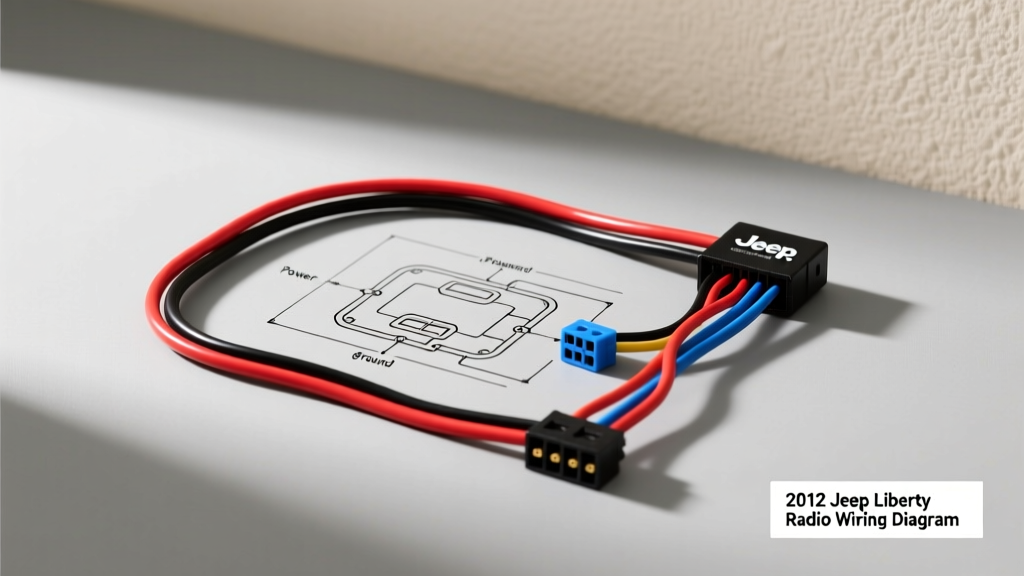
Introduction to the 2012 KK Platform Audio System
Upgrading the head unit in a KK-generation SUV requires significantly more care than simply plugging in an aftermarket harness adapter. When consulting a 2012 Jeep Liberty radio wiring diagram, installers frequently overlook the multiplexed data networks integrated directly into the center dash. The 2012 model year relies heavily on the Totally Integrated Power Module (TIPM) and a high-speed CAN-Bus architecture to manage accessory power, audio routing, and vehicle security. Making a single wiring error in this environment doesn't just result in a dead stereo—it can brick the vehicle's communication network, trigger airbag fault codes, or permanently damage the TIPM. This guide outlines the critical safety warnings, exact OEM pinouts, and the most common catastrophic mistakes made during 2012 Liberty radio installations.
Critical Safety Warnings: CAN-Bus and Airbag Interference
Before cutting, stripping, or splicing a single wire behind the dash bezel, you must understand the systemic risks inherent in the 2012 Liberty's electrical layout. The center stack is a high-traffic area for both infotainment data and critical safety restraints.
The CAN-Bus Short Circuit Hazard
Pins 1 and 2 on the main 22-pin Chrysler connector carry the CAN-B High and Low data signals. These lines operate on a 2.5V to 3.5V differential signal. Accidentally splicing a 12V constant or switched power wire into either of these circuits will instantly backfeed the data bus. This overvoltage event will fry the TIPM's internal transceivers, resulting in a no-start condition, complete loss of instrument cluster communication, and a cascade of phantom check engine lights. Always use a digital multimeter (DMM) to verify data lines before connecting any aftermarket interface module.
Airbag Clock Spring and ORC Proximity
While the radio harness is centrally located, routing aftermarket RCA cables, amplifier turn-on wires, or steering wheel control (SWC) adapters behind the dash requires extreme caution. The steering column clock spring and Occupant Restraint Controller (ORC) harnesses run dangerously close to the center stack support brackets. Per SAE J2344 guidelines for high-voltage and sensitive restraint systems, you must always disconnect the negative battery terminal and wait a minimum of 15 minutes for the airbag capacitors to discharge before working behind the bezel. Never use sharp metal trim removal tools near the yellow-jacketed ORC wiring.
2012 Jeep Liberty Radio Wiring Diagram: OEM Pinout Table
The 2012 Jeep Liberty (Sales Code RES/RER base and premium audio systems) utilizes a standardized 22-pin Chrysler connector. Below is the definitive pinout reference for the main power, data, and speaker circuits. Note that wire colors can occasionally vary based on the exact build month and trim level (e.g., Sport vs. Limited), so physical verification with a DMM is mandatory.
| Pin | OEM Wire Color | Function / Circuit | AWG |
|---|---|---|---|
| 1 | White/Light Green | CAN-B (+) Data High | 20 |
| 2 | White/Dark Green | CAN-B (-) Data Low | 20 |
| 3 | Dark Green/Orange | Right Rear Speaker (+) | 20 |
| 4 | Dark Green/Black | Right Rear Speaker (-) | 20 |
| 7 | Yellow/Red | Fused B+ (Constant 12V Memory) | 16 |
| 8 | Dark Green/Red | Audio Mute Signal | 22 |
| 9 | Black/Light Green | Chassis Ground | 16 |
| 10 | Pink/White | RAP (Retained Accessory Power) | 18 |
| 11 | Green | Left Front Speaker (+) | 20 |
| 12 | Green/Black | Left Front Speaker (-) | 20 |
| 13 | Purple | Right Front Speaker (+) | 20 |
| 14 | Purple/Black | Right Front Speaker (-) | 20 |
| 15 | Brown | Left Rear Speaker (+) | 20 |
| 16 | Brown/Black | Left Rear Speaker (-) | 20 |
| 22 | Gray | Shield / Drain Wire | 22 |
Reference: Pinout data cross-referenced with Mopar Connection Repair Kit documentation for the 2011-2012 KK platform.
Top 4 Installation Mistakes That Fry the TIPM
Even seasoned car audio installers make critical errors when transitioning from older, analog vehicles to CAN-Bus heavy platforms like the 2012 Liberty. Avoid these four catastrophic mistakes:
Mistake 1: Ignoring the CAN-Bus Wake-Up Protocol
Unlike older vehicles that use a simple 12V switched ignition wire to turn on the radio, the 2012 Liberty uses the CAN-Bus network to send a digital 'wake-up' command to the OEM head unit. Many installers attempt to splice into the ignition cylinder or fuse box to find a switched 12V source for their aftermarket radio's red wire. While this might power the unit, it bypasses the vehicle's sleep cycle. The radio will draw parasitic current while the vehicle is off, draining the battery in 48 hours and potentially confusing the TIPM's anti-theft immobilizer logic. Always use a CAN-Bus interface module (like the Axxess XSV-6522 or PAC RP5-CH11) to properly translate the digital wake-up signal into a safe 12V switched output.
Mistake 2: Misinterpreting the RAP Circuit
Pin 10 (Pink/White) is the Retained Accessory Power (RAP) circuit. This wire maintains 12V power to the radio for approximately 10 minutes after the ignition is turned off, or until the driver's door is opened. Mistaking this for a constant 12V memory wire and splicing your aftermarket radio's yellow wire into it will result in the radio losing its presets and clock every time you exit the vehicle. The yellow wire MUST go to Pin 7 (Yellow/Red, Constant B+).
Mistake 3: Overloading the Dash Illumination LIN-Bus
Installers often look for an 'Orange' or 'Orange/White' wire to connect their aftermarket stereo's illumination dimmer wire. In the 2012 Liberty, dash lighting is controlled via a multiplexed LIN-Bus or PWM (Pulse Width Modulation) signal managed by the Cabin Compartment Node (CCN). Tapping into a random orange wire behind the dash and connecting it to a 12V aftermarket illumination input can backfeed the CCN, blowing the interior lighting fuse or causing the dash cluster to flicker erratically. If your interface harness does not provide a dedicated, stepped-down illumination output, leave the aftermarket radio's orange/white dimmer wire disconnected.
Mistake 4: Using T-Tap Connectors on 20 AWG Data Wires
Using 'scotch locks' or T-Tap connectors on the 20 AWG CAN-Bus wires (Pins 1 and 2) to connect steering wheel control interfaces is a severe fire and data-loss hazard. These connectors often fail to pierce the thin OEM insulation cleanly, creating high-resistance joints that corrupt the differential data signal. This leads to intermittent steering wheel button failures and CAN-Bus network timeouts.
Proper Wire Splicing and AWG Specifications
Automotive environments subject wiring to extreme thermal cycling and high-frequency vibration. According to IPC/WHMA-A-620 standards for automotive wire harnesses, soldering alone is not recommended for high-vibration dash environments, as the rigid solder joint can cause the wire to fatigue and snap just behind the solder wick.
- Power and Ground (16 AWG): Use open-barrel crimp connectors followed by adhesive-lined polyolefin heat shrink tubing. The heat-activated glue inside the tubing creates a waterproof, strain-relieved seal that prevents copper oxidation.
- Speaker Wires (18-20 AWG): Oxygen-Free Copper (OFC) is recommended to prevent signal degradation. Use butt-crimps with nylon insulation crimps to prevent the wire from pulling out under tension.
- Data Lines (20-22 AWG): Never use crimp caps or twist-and-tape methods. Use specialized micro-crimps or carefully solder the joint, ensuring the heat shrink extends at least 1/2 inch past the splice on both sides to provide mechanical strain relief.
Troubleshooting Decision Tree: No Power or Blown Fuses
If you have completed the installation and are experiencing electrical anomalies, use this diagnostic decision tree to isolate the fault without causing further damage to the TIPM.
-
Symptom: Radio turns on, but shuts off immediately when cranking the engine.
- Cause: The aftermarket radio's constant 12V (Yellow) and switched 12V (Red) wires are swapped, or the interface module is not properly buffering the voltage drop during starter engagement.
- Fix: Verify Pin 7 (Yellow/Red) is connected to the aftermarket Yellow wire. If using a CAN-Bus adapter, ensure the 'Accessory Out' wire is connected to the radio's Red wire, not the Yellow.
-
Symptom: Instrument cluster flickers, and 'ESP/ABS' warning lights illuminate after installation.
- Cause: A short circuit or voltage backfeed on the CAN-B High/Low lines (Pins 1 & 2). The ABS module shares this data bus and is detecting network corruption.
- Fix: Immediately disconnect the aftermarket interface. Inspect Pins 1 and 2 for crushed insulation or stray copper strands touching the chassis or 12V sources. Clear the DTCs with an OBD-II scanner capable of reading Chrysler CAN-Bus networks.
-
Symptom: No sound from front speakers, but subwoofers and rear speakers work perfectly.
- Cause: The 2012 Liberty with the premium audio package (Sales Code REQ or RER) uses an external OEM amplifier located under the driver's seat or in the rear cargo area. The front speaker outputs on the OEM head unit are low-level pre-outs, not high-level amplified signals.
- Fix: You must use a line output converter (LOC) or an interface module with built-in summing and signal boosting capabilities to properly drive the aftermarket amplifier or head unit's high-level inputs.
By respecting the multiplexed architecture of the 2012 Jeep Liberty and adhering to strict automotive wiring standards, you can upgrade the vehicle's audio system without compromising the integrity of the TIPM or the CAN-Bus network. Always prioritize verified pinouts and proper crimping techniques over quick-fix splicing methods.