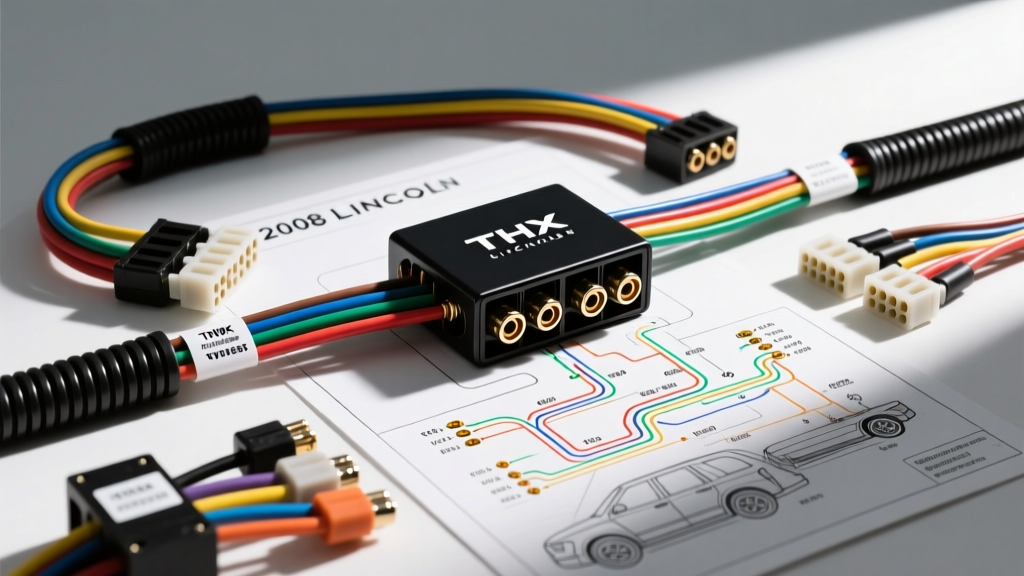
Understanding the 2008 Lincoln Navigator Audio Architecture
The 2008 Lincoln Navigator (built on the Ford U326 platform) features a highly integrated, CAN-bus dependent electrical system. When enthusiasts and professional installers search for a 2008 Navigator wiring diagram for soundsystem modifications, they quickly realize that traditional 12V remote turn-on wires and standard RCA pre-outs are largely absent. Whether your Navigator is equipped with the base Audiophile system or the premium 600W THX II Surround Sound system, the Audio Control Module (ACM) communicates via the Medium Speed CAN (MS-CAN) network. This architecture means that upgrading the sound system requires a strategic approach to signal extraction, DSP bypass, and power management.
This comprehensive guide provides the exact OEM pinouts, wire color codes, and modification strategies required to bypass the factory amplifier, integrate a Line Output Converter (LOC) or Digital Signal Processor (DSP), and safely route aftermarket power wiring without triggering the Navigator's anti-theft or battery-saver modules.
OEM Audio Control Module (ACM) 24-Pin Pinout
The primary brain of the factory audio system is the ACM, located in the center stack dash bezel. If you are retaining the factory head unit to preserve SYNC functionality and steering wheel controls, you will need to tap into the 24-pin harness (Connector C240a) directly behind the ACM. Below is the critical pinout data required for power and front-stage signal extraction.
| Pin | Wire Color | Function / Circuit | AWG / Notes |
|---|---|---|---|
| 1 | Yellow / Light Green | +BATT (Memory / Constant 12V) | 16 AWG |
| 2 | Light Green / Purple | Accessory (Ignition Switched 12V) | 16 AWG |
| 3 | Black / Yellow | Chassis Ground | 16 AWG |
| 4 | White / Green | Front Left Speaker (+) | 18 AWG |
| 5 | Black / Green | Front Left Speaker (-) | 18 AWG |
| 6 | White / Purple | Front Right Speaker (+) | 18 AWG |
| 7 | Black / Purple | Front Right Speaker (-) | 18 AWG |
| 14 | White / Orange | Rear Left Speaker (+) | 18 AWG |
| 15 | Black / Orange | Rear Left Speaker (-) | 18 AWG |
Source: Ford Motor Company Service Documentation & Crutchfield Research Database.
THX II Amplifier Bypass and Signal Extraction Strategy
The 2008 Navigator's THX II amplifier is mounted in the right rear quarter panel trim. It receives high-level, pre-amplified signals from the ACM and processes them through a factory DSP for time alignment and crossover duties. When upgrading, you have two primary paths:
Path A: The DSP / LOC Integration (Retaining Factory ACM)
If you are keeping the factory radio, you must intercept the speaker wires before they enter the factory THX amp, or tap them at the ACM. Tapping at the ACM is preferred because the signals are cleaner and haven't been altered by the THX factory DSP. We recommend using a high-quality Active Line Output Converter (LOC) like the AudioControl LC2i PRO or a DSP with high-level inputs (e.g., JL Audio TwK 88).
- Signal Tapping: Splice into Pins 4, 5, 6, and 7 (Front L/R) at the ACM using T-taps or, preferably, by de-pinning the connector and soldering 18 AWG pigtails to ensure zero signal degradation.
- Remote Turn-On Issue: The 2008 Navigator does not output a traditional 12V remote turn-on wire from the ACM. The factory amp is woken up via the MS-CAN bus. To trigger an aftermarket amp, use an LOC with "Great Turn-On" (GTO) signal-sensing technology, or wire a 12V automotive relay triggered by Pin 2 (Accessory Light Green/Purple) to feed a dedicated 12V+ remote wire to your aftermarket amplifiers.
Path B: Complete Head Unit Replacement
If you are replacing the ACM, you cannot simply plug in a standard aftermarket harness. You must use a CAN-bus integration module (such as the Maestro RR or PAC RP73-LN01) to translate the MS-CAN data into standard 12V accessory outputs and steering wheel control (SWC) resistances. According to SAE J1113 standards for automotive electromagnetic compatibility, ensuring proper CAN-bus termination and shielding is critical to prevent alternator whine from bleeding into your new RCA interconnects.
Power, Ground, and Firewall Routing Specifications
The 2008 Navigator is equipped with a high-output alternator (typically 175A to 210A), making it an excellent candidate for high-wattage audio builds. However, proper wire gauge selection and firewall routing are non-negotiable for safety and performance.
| Component | Recommended AWG | Routing & Termination Notes |
|---|---|---|
| Main Amp Power | 4 AWG or 8 AWG (OFC) | Route through the driver-side firewall grommet located behind the brake booster. Use a rubber grommet guard to prevent chassis cutting. |
| Main Amp Ground | 4 AWG or 8 AWG (OFC) | Keep under 18 inches. Scrape away factory paint and primer to bare metal. Coat with dielectric grease after torquing to 15 ft-lbs. |
| Subwoofer Amp Power | 4 AWG (OFC) | Run alongside main power but keep RCA interconnects on the opposite side of the vehicle to prevent EMI/RFI interference. |
| Speaker Wire | 16 AWG or 14 AWG | Use 100% Oxygen-Free Copper (OFC). Avoid CCA (Copper Clad Aluminum) for long runs to door panels to prevent high-frequency roll-off. |
Troubleshooting Common Post-Upgrade Audio Issues
Even with a perfect 2008 Navigator wiring diagram for soundsystem reference, installers frequently encounter specific electrical gremlins native to the Ford U326 platform. Use this decision tree to diagnose post-installation faults:
1. Alternator Whine / Engine Noise in Speakers
- Cause: Ground loop induced by differing ground potentials between the ACM and the aftermarket amplifier, or RCA cables running parallel to the factory MS-CAN or power harness.
- Fix: Verify that the LOC or DSP ground is tied to the exact same chassis ground point as the aftermarket amplifier. Ensure RCA cables are routed strictly down the center console, away from the driver-side kick panel wiring loom.
2. Battery Drain (Parasitic Draw) After Install
- Cause: The aftermarket amplifier is not turning off. Because the Navigator uses a CAN-bus sleep mode, the accessory circuit (Pin 2) may stay active for up to 10 minutes after the vehicle is locked, or the installer incorrectly wired the amp remote to a constant 12V source.
- Fix: Use a multimeter to verify the remote turn-on wire drops to 0V within 15 minutes of locking the vehicle. If using a signal-sensing LOC, ensure the GTO threshold is calibrated correctly so it doesn't trigger from CAN-bus electrical noise while the car is asleep.
3. Lack of Bass / Thin Sound Quality
- Cause: If you tapped the speaker wires after the factory THX amplifier instead of at the ACM, you are receiving a crossed-over, time-aligned, and phase-shifted signal. The factory amp actively filters bass out of the door speakers to protect them.
- Fix: Relocate your high-level signal taps directly to the ACM 24-pin connector (Pins 4-7 and 14-15) to capture a clean, full-range, pre-DSP signal for your aftermarket LOC or DSP.
For further verification of module locations and connector cavity views, always cross-reference your specific VIN with the Crutchfield vehicle fit database or OEM service manuals before cutting or splicing any factory wiring. Proper preparation and adherence to these AWG and pinout specifications will guarantee a reliable, high-fidelity audio upgrade in your 2008 Lincoln Navigator.