Mastering the 2008 Chevy Impala Radio Wiring Diagram & Data Bus Architecture
Upgrading the head unit in a 9th-generation W-body vehicle requires far more than matching speaker wires. The 2008 Chevy Impala radio wiring diagram reveals a complex network dependent on SAE J1850 Class 2 serial data. Unlike older vehicles that utilize a simple 12V switched ignition wire to wake the radio, the 2008 Impala's factory head unit operates as a node on the vehicle's data bus. When you turn the key, the Body Control Module (BCM) sends a digital wake-up command over a single wire. If your aftermarket installation ignores this architecture, you will experience parasitic battery drain, loss of OnStar functionality, and missing dashboard warning chimes.
This guide uses the OEM wiring schematic as a baseline to compare and select the correct aftermarket integration harnesses. Whether you are retaining a factory Bose amplifier, keeping steering wheel controls, or simply ensuring the radio turns off when the door opens, selecting the right interface module is critical.
OEM 24-Pin Radio Connector Pinout & Wire Colors
The 2008 Impala utilizes a primary 24-pin Delphi connector for speakers, power, and serial data. The wire insulation is typically 18 AWG TXL (cross-linked polyethylene), chosen for its high heat resistance and thin wall, which allows more circuits in a compact connector. Below is the critical pinout for the main harness.
| Pin | Function | Wire Color | AWG |
|---|---|---|---|
| A1 | Left Front Speaker (+) | Tan | 18 |
| A2 | Left Front Speaker (-) | Gray | 18 |
| A3 | Right Front Speaker (+) | Light Green | 18 |
| A4 | Right Front Speaker (-) | Dark Green | 18 |
| A9 | Left Rear Speaker (+) | Brown | 18 |
| A10 | Left Rear Speaker (-) | Yellow | 18 |
| A11 | Right Rear Speaker (+) | Dark Blue | 18 |
| A12 | Right Rear Speaker (-) | Light Blue | 18 |
| B13 | Battery 12V+ (Constant) | Yellow | 16 |
| B14 | Ground | Black/White | 16 |
| B15 | Class 2 Serial Data | Dark Green/White | 18 |
| B16 | OnStar / Amp Turn-On | Gray/Black | 18 |
Note: The 2008 Impala does not have a dedicated 12V accessory (ignition) wire at the radio harness. The head unit reads the Class 2 Data line (Pin B15) to determine ignition status and door-open retention logic.
Product Comparison: Selecting the Right Integration Harness
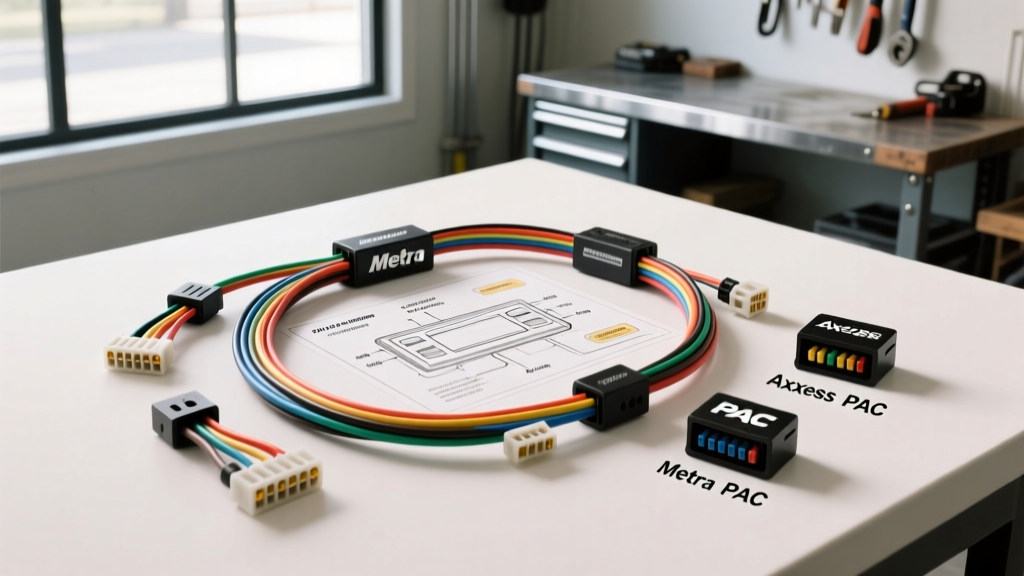
Because the 2008 Chevy Impala relies on the SAE J1850 VPW (Variable Pulse Width) data protocol, a standard universal wiring harness will not work. You must use a data bus interface. Below is a technical comparison of the top three integration modules on the market, evaluated against the OEM diagram requirements.
1. Metra XSVI-2104-LAN (Basic Data Bus Interface)
- Best For: Base audio models without OnStar, factory amplifiers, or steering wheel controls.
- Technical Execution: This module intercepts the Dark Green/White Class 2 wire and translates the BCM wake-up/sleep commands into a standard 12V switched accessory output for your aftermarket radio.
- Limitations: It does not retain warning chimes (which are routed through the factory radio) and will disable OnStar. If your Impala has the premium Bose system, this harness lacks the pre-out RCA converters and amp turn-on logic required.
2. Axxess GMOS-04 (OnStar & Amplified System Retention)
- Best For: Vehicles equipped with the Bose premium audio system and active OnStar modules.
- Technical Execution: The GMOS-04 features an internal relay matrix and a proprietary data chip that mimics the factory radio's node ID. It safely mutes the aftermarket audio when OnStar initiates a call, routing the OnStar audio through the front left speaker. It also provides a clean 12V turn-on signal for the factory Bose amplifier (tapping into the Gray/Black wire on Pin B16).
- Limitations: While it retains chimes and OnStar, it does not support steering wheel controls (SWC) without adding a secondary module like the Axxess ASWC-1.
3. PAC RP5-GM11 (Full Integration & SWC Retention)
- Best For: Enthusiasts wanting a complete OEM+ experience, including steering wheel controls, OnStar, and warning chimes.
- Technical Execution: The RP5-GM11 is the most advanced PAC RadioPRO interface. It reads the Class 2 data bus for ignition, door triggers, and Vehicle Speed Sensor (VSS) data. Crucially, it features built-in analog-to-digital conversion for the steering wheel control resistor ladder, allowing you to map volume and track buttons directly to your new head unit without a secondary SWC adapter.
- Expert Verdict: Despite its higher price point, the RP5-GM11 eliminates the need for splicing into the steering column clock spring wires, significantly reducing installation time and failure points.
Installation Standards & Wire Termination Best Practices
When splicing your chosen harness adapter to the OEM 2008 Impala radio wiring diagram, the physical connection quality dictates the longevity of the data bus. The Class 2 network is highly sensitive to voltage drops and signal reflection.
- Avoid T-Taps: Never use scotch locks or T-taps on the Dark Green/White Class 2 data wire. Piercing the TXL insulation exposes the copper to corrosion, and the mechanical crimp often damages the stranded wire, increasing resistance and causing intermittent BCM communication faults (e.g., U1000 DTCs).
- Solder and Seal: Strip 3/8" of insulation, use a Western Union splice, and solder with rosin-core flux. Cover with marine-grade adhesive-lined heat shrink (dual-wall polyolefin) to prevent moisture wicking into the harness.
- Power Wire Upgrades: If your aftermarket radio or DSP draws more than 15A, do not rely on the OEM 16 AWG Yellow constant power wire. Run a dedicated 12 AWG GXL wire directly from the battery with an inline ANL fuse, utilizing the OEM wire only for the data module's logic wake-up.
Troubleshooting the Data Bus Wake-Up
Even with the correct harness, improper installation can lead to network faults. Use this symptom-cause-fix decision tree to diagnose common 2008 Impala radio issues.
- Symptom: Aftermarket radio stays on after key removal and door opening, draining the battery.
- Cause: The data interface failed to read the BCM "sleep" command, or the Class 2 wire is shorted to 12V.
- Fix: Verify the Dark Green/White wire connection. Ensure no bare copper is touching the Yellow 12V+ wire, which would backfeed the data bus and keep the BCM awake.
- Symptom: Radio turns on, but there is no audio from the speakers (Bose equipped models).
- Cause: The factory Bose amplifier is not turning on because the interface module isn't sending the 12V trigger.
- Fix: Check the Gray/Black wire (Pin B16) at the vehicle harness. Use a multimeter to verify it receives 12V+ exactly 1-2 seconds after the radio powers on. If using the Metra harness, upgrade to the Axxess GMOS-04.
- Symptom: Steering wheel controls are erratic or unresponsive (PAC RP5-GM11 installed).
- Cause: The interface is reading voltage fluctuations on the SWC data line due to poor grounding.
- Fix: Ensure the Black/White ground wire is terminated to a clean, unpainted chassis point, or splice it directly into the OEM radio ground wire using a proper crimp barrel connector.
Final Thoughts on W-Body Integration
Successfully navigating the 2008 Chevy Impala radio wiring diagram requires respecting the vehicle's multiplexed electrical architecture. By selecting a harness adapter that properly translates the SAE J1850 Class 2 data into standard 12V logic—while retaining critical safety chimes and OnStar routing—you ensure a seamless, reliable upgrade. Always verify your specific RPO codes (such as UQA for Bose or UE1 for OnStar) in the glovebox sticker before purchasing your integration module to guarantee compatibility.
For further reading on GM serial data networks, refer to the Metra Online technical library and official SAE International J1850 documentation.