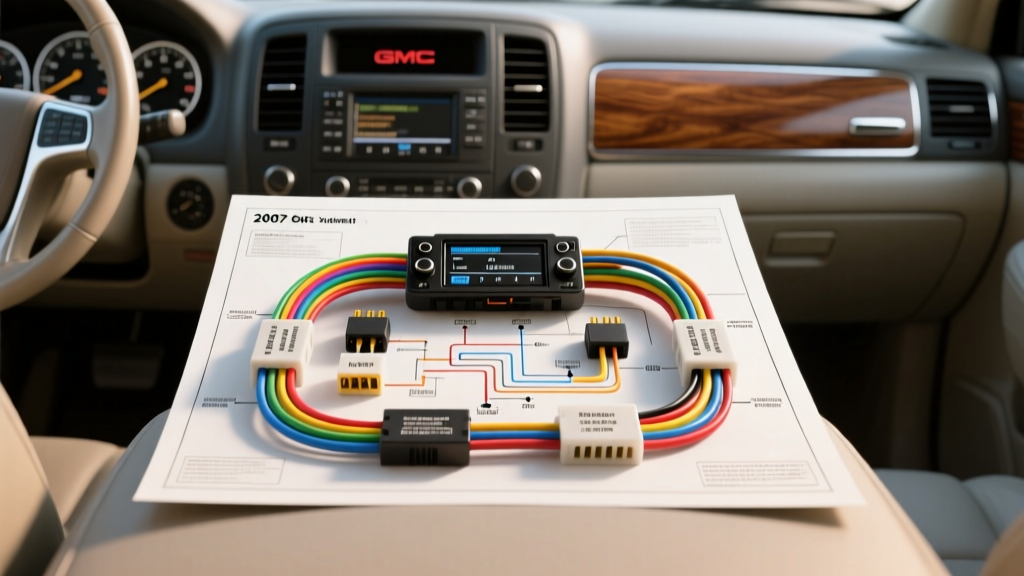
Understanding the GMT900 Audio Architecture
The 2007 GMC Yukon marked the debut of the GMT900 platform, introducing a highly multiplexed electrical architecture where the radio is no longer a standalone accessory. Instead, it functions as a critical node on the vehicle's Class 2 Serial Data network. Whether you are dealing with a completely dead infotainment screen, a parasitic battery drain, or distorted audio from the Bose amplifier, relying on a generic 12-volt test light will lead to misdiagnosis. This guide utilizes the OEM AllData DIY Wiring Schematics to provide a definitive step-by-step troubleshooting flow for the 2007 Yukon's radio harness, focusing on exact pinouts, wire gauges, and network communication protocols.
2007 GMC Yukon Radio Connector Pinout Reference (X1 - 24 Pin)
The primary interface for the 2007 Yukon radio is the 24-pin X1 connector. Below is the critical pinout data required for multimeter back-probing. Always use a T-pin or dedicated back-probe tool to avoid spreading the female terminal pins, which can cause intermittent connection failures later.
| Pin | Function | Wire Color | AWG | Diagnostic Notes |
|---|---|---|---|---|
| 10 | Battery Positive (B+) | Orange | 12 | Constant 12V. Feeds KAM and RAP logic. |
| 11 | Main Ground | Black/White | 12 | Routes to Ground G203 (Left Kick Panel). |
| 12 | Accessory Power (IGN 1) | Yellow | 18 | Switched 12V via BCM / RAP relay. |
| 13 | Class 2 Serial Data | Purple | 20 | Network bus. 0-7V PWM square wave. |
| 14 | Right Front Speaker (+) | Light Green | 22 | Base audio only. Balanced line if Bose (UQ3). |
| 15 | Right Front Speaker (-) | Dark Green | 22 | Base audio only. Do not ground if Bose equipped. |
| 16 | Left Front Speaker (+) | Tan | 22 | Base audio only. |
| 17 | Left Front Speaker (-) | Gray | 22 | Base audio only. |
Note: Vehicles equipped with the Bose premium audio system (RPO UQ3/UQ4) utilize an external amplifier. The speaker pins on the radio output low-level balanced signals to the amp, not amplified speaker-level power. Grounding these pins will short the radio's internal pre-amp stage.
Step-by-Step Troubleshooting Flowchart
Symptom 1: Radio is Completely Dead (No Power or Display)
Step 1: Verify Fuses and RAP Logic
Locate the Instrument Panel (I/P) fuse block on the driver's side dash. Check the 15A 'RADIO' fuse and the 20A 'AMP' fuse (if equipped). The 2007 Yukon uses Retained Accessory Power (RAP). If the BCM does not see a door-ajar signal, it may cut power to Pin 12 (Yellow) prematurely. Ensure the dome lights trigger when opening the door to verify the door jamb switches are functioning.
Step 2: Perform a Voltage Drop Test on B+ and Ground
Do not just check for 12V presence; check for current capacity. Set your digital multimeter (DMM) to DC Volts. Place the red probe on the battery positive terminal and the black probe on Pin 10 (Orange wire) back-probed at the radio connector. A reading above 0.1V indicates high resistance in the B+ feed, often caused by corrosion at the underhood fuse block. Repeat for the ground circuit: place the red probe on Pin 11 (Black/White) and the black probe on the battery negative terminal.
Step 3: Inspect and Service Ground G203
The radio and HVAC control module share Ground G203, located under the driver's side dash near the left kick panel. According to Haynes GM Full-Size SUV Manuals, this ground is notorious for loosening due to dash vibration. Remove the 8mm retaining nut, clean the ring terminals and chassis mating surface with a wire brush, and re-torque to 2 Nm (18 lb-in). Apply a thin layer of dielectric grease over the terminals to prevent future oxidation.
Symptom 2: Radio Turns On But No Audio Output
Step 1: Identify the Audio Architecture (Base vs. Bose)
Check the RPO codes in the glovebox. If you see UQA, you have the base system (amplifier internal to the radio). If you see UQ3 or UQ4, you have the Bose system with an external amplifier located under the center console or in the rear quarter panel.
Step 2: Test Speaker Outputs (Base System Only)
For UQA base systems, disconnect the radio and use the DMM in Ohms mode to measure resistance across the speaker pairs (e.g., Pin 16 Tan to Pin 17 Gray). You should read between 2.0 and 4.5 ohms. An 'OL' (Open Loop) reading indicates a blown speaker voice coil or a broken wire in the door jamb boot—a common failure point on the GMT900 platform due to repeated door articulation.
Step 3: Diagnose the External Amplifier (Bose Systems)
If equipped with Bose, the radio sends audio via shielded twisted pairs to the external amp. Check the amplifier's dedicated B+ and Ground pins. Furthermore, inspect the amplifier chassis for water intrusion. The GMT900 Yukon is prone to rear HVAC condensation drain clogs, which can drip directly onto the amplifier wiring harness, causing internal corrosion and total audio failure.
Symptom 3: Parasitic Battery Drain (Radio Stays On After Key-Off)
Step 1: Understand the Class 2 Serial Data Bus
The 2007 Yukon radio does not rely solely on the accessory wire to turn off; it listens to the Class 2 Serial Data bus (Pin 13, Purple wire). When the ignition is turned off, the Body Control Module (BCM) sends a 'sleep' command over this bus. If another module on the network (like a stuck seat memory module or a faulty OnStar VCIM) keeps the bus awake, the radio will remain powered on, draining the battery.
Step 2: Isolate the Network Fault
Connect a DMM set to Milliamps (or use a DC clamp meter) to the battery negative cable. Close all doors, latch the hood, and wait 20 minutes for the modules to enter sleep mode. If the draw remains above 50mA, the bus is awake. Use a breakout box or carefully back-probe Pin 13. The SAE Vehicular Networks Committee specifies that Class 2 data operates as a 0-7V PWM signal. If you see a steady 0V or 12V on the Purple wire instead of a pulsing signal, you have a hard short to ground or voltage, requiring you to unplug modules one by one until the bus wakes up and the parasitic draw ceases.
Expert Tips for Aftermarket Upgrades
When installing an aftermarket head unit in a 2007 GMC Yukon, never cut or cap the Purple Class 2 Serial Data wire. Doing so will cause severe communication faults, potentially disabling the anti-theft system, chime generation (which is routed through the left front speaker via the radio), and steering wheel control functionality. Always use a GM-specific data bypass module (such as those from PAC or Axxess) that translates the Class 2 data commands into standard 12V accessory triggers and analog steering wheel resistance signals for the new stereo. Ensure your aftermarket harness utilizes a minimum of 14 AWG wire for the constant and switched power feeds to handle the increased current draw of modern capacitive touchscreens and built-in amplifiers.