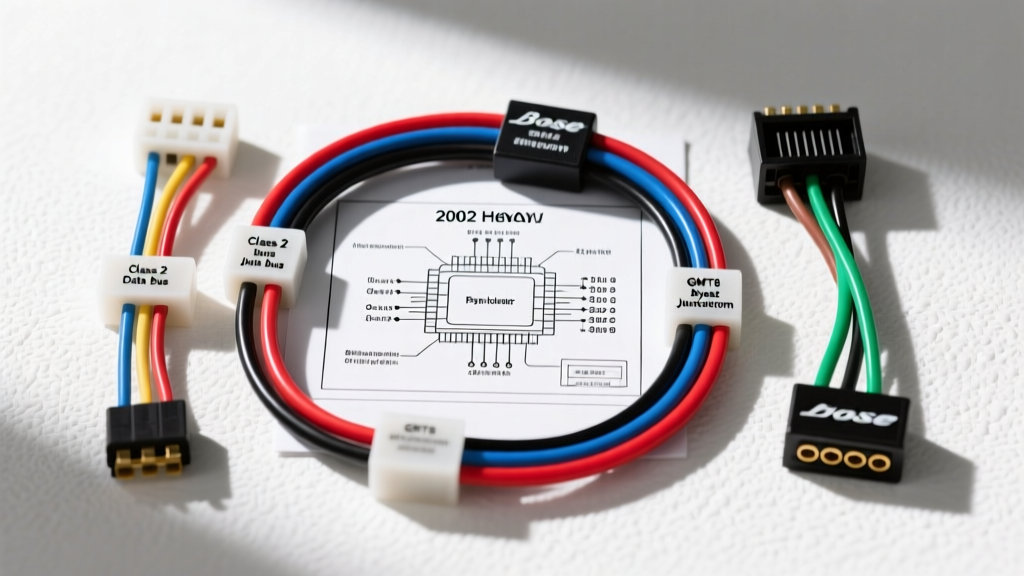
GMT800 Audio Architecture: Beyond the Basic 12V Switch
The 2002 Chevrolet Avalanche, built on General Motors' robust GMT800 platform, represents a transitional era in automotive electrical systems. Unlike older vehicles that relied on simple analog ignition switches to power the head unit, the 2002 Avalanche integrates the radio into the Body Control Module (BCM) network via Retained Accessory Power (RAP) and the Class 2 serial data bus. Understanding the 2002 Chevy Avalanche stereo wiring diagram requires more than just matching speaker wire colors; it demands a working knowledge of data-driven power modes, low-level audio signals, and multiplexed steering wheel controls.
Whether you are retaining the factory Bose premium audio system, bypassing the external amplifier for an aftermarket head unit, or integrating a modern digital media receiver, this advanced technical deep dive provides the exact pin configurations, AWG specifications, and real-world troubleshooting protocols required for a flawless installation.
C1 Connector: Main Power, Ground, and Speaker Outputs
The primary harness for the 2002 Avalanche radio is the Delphi Pack-Con II 24-pin connector, typically divided into C1 and C2 blocks in GM service manuals. The C1 block handles high-current power delivery and standard high-level speaker outputs for base audio models. According to GM OEM Service Documentation (Helms Inc.), the power circuits are protected by the RDO BAT and RDO IGN fuses in the instrument panel fuse block.
| Pin | Wire Color | AWG | Function / Circuit |
|---|---|---|---|
| 13 | Orange | 14 | Battery 12V+ (Constant / RAP Feed) |
| 14 | Yellow | 16 | Switched Ignition 12V+ (BCM Sense) |
| 15 | Black/White | 14 | Chassis Ground (G200) |
| 16 | Brown/White | 18 | Instrument Panel Illumination (Dimmer) |
| 1 | Tan | 18 | Left Front Speaker (+) |
| 2 | Gray | 18 | Left Front Speaker (-) |
| 3 | Light Green | 18 | Right Front Speaker (+) |
| 4 | Dark Green | 18 | Right Front Speaker (-) |
| 5 | Brown | 18 | Left Rear Speaker (+) |
| 6 | Yellow | 18 | Left Rear Speaker (-) |
| 7 | Dark Blue | 18 | Right Rear Speaker (+) |
| 8 | Light Blue | 18 | Right Rear Speaker (-) |
Note: If your Avalanche is equipped with the base (non-Bose) audio system, these speaker wires carry high-level amplified audio directly from the head unit's internal IC amplifier. Ensure your aftermarket head unit's RCA pre-outs are not inadvertently spliced into these high-level lines, which will cause immediate clipping and pre-amp stage failure.
C2 Connector: Data, Amplifier Control, and SWC
The C2 block is the nerve center for advanced audio features. This is where the Class 2 serial data bus, steering wheel control (SWC) signals, and amplifier turn-on circuits reside. Proper handling of these low-voltage, low-current circuits is critical to preventing BCM communication faults.
| Pin | Wire Color | AWG | Function / Circuit |
|---|---|---|---|
| 1 | Pink | 18 | Amplifier Turn-On (Bose System) |
| 2 | Dark Green | 22 | Class 2 Serial Data Bus |
| 9 | Light Blue/Black | 20 | Steering Wheel Controls (Resistive Ladder) |
| 12 | Black | 18 | Secondary Audio Ground (Signal Shield) |
Advanced Protocol: Bypassing the Bose Premium Amplifier
The most common pitfall when upgrading a 2002 Avalanche with the Bose premium package is attempting to use the factory speaker wires at the dash harness. The OEM Bose head unit does not output high-level speaker signals; instead, it outputs low-level, balanced audio signals that are routed to the external Bose amplifier (located under the center console/rear cab area). The amplifier then drives the speakers.
The Impedance Mismatch Problem
If you connect a standard aftermarket head unit's high-level speaker outputs to the factory Bose low-level wiring, the impedance mismatch will cause severe audio distortion, trigger the head unit's internal protection mode, and potentially burn out the output transistors. Furthermore, the factory Bose wiring utilizes specific twisted-pair routing to reject electromagnetic interference (EMI) from the GMT800's high-output alternator.
The Correct Bypass Procedure
To properly bypass the Bose amplifier and utilize an aftermarket head unit's internal amplifier or RCA pre-outs, you must run new speaker wires from the dash to each speaker location.
- Wire Gauge: Use 16 AWG stranded copper speaker wire for the rear speakers due to the long cable run from the dash to the rear cab corners. Use 18 AWG for the front doors. This prevents high-frequency attenuation over distance.
- Routing: Route the new wires through the factory rubber door boots using a silicone lubricant and a fish tape. Do not run speaker wires parallel to the Class 2 data harness or the main SRS (airbag) yellow wiring to prevent crosstalk and safety system interference.
- Connections: Avoid 'scotch-lock' T-taps. The vibration inherent to the Avalanche's truck-based chassis will cause T-taps to loosen and arc. Use solder-and-heat-shrink tubing or high-quality crimp connectors at the speaker terminals.
Class 2 Serial Data and Retained Accessory Power (RAP)
General Motors utilized the SAE J1850 Variable Pulse Width (VPW) protocol for the Class 2 data bus, operating at 10.4 kbps. As detailed in the SAE J1850 Class B Data Communication Network Interface standard, this single-wire bus (Pin 2, Dark Green) allows the BCM, PCM, and Radio to share status information.
Why Aftermarket Radios Turn On Immediately
In a factory GMT800 setup, the radio stays powered via the Orange (Battery) wire even when the key is removed, until the BCM detects a door opening, which breaks the RAP relay circuit. When you install an aftermarket radio using a standard wiring harness adapter, the radio typically reads the Yellow (Switched Ignition) wire. Because the Yellow wire drops to 0V when the key is turned off, the aftermarket radio will shut off immediately, disabling the factory RAP feature. If you wish to retain RAP functionality, you must use a specialized interface module (such as the Axxess GTO-01) that listens to the Class 2 data bus and triggers an internal relay to maintain power to the aftermarket head unit's accessory wire until the BCM broadcasts the 'door open' data packet.
OnStar Retention and U-Codes
If your 2002 Avalanche is equipped with OnStar, the system is deeply integrated into the Class 2 bus. Simply cutting the Dark Green wire or unplugging the radio without a termination resistor can cause the BCM to log U1000 (Class 2 Communication DTC) codes. To retain OnStar audio routing and factory chimes (which are generated by the radio speaker in GMT800 trucks), a microprocessor-based interface like the PAC OS-2 is mandatory. These modules emulate the Class 2 handshake, tricking the BCM into believing the factory radio is still present.
Steering Wheel Controls (SWC) Integration
The Avalanche utilizes a resistive multiplex network for steering wheel audio controls. The Light Blue/Black wire on Pin 9 carries varying voltage drops depending on which button is pressed (Volume Up, Volume Down, Seek, etc.).
Because this is an analog resistor ladder and not a digital data stream, you cannot simply splice this into a modern Bluetooth head unit. You must use an SWC interface (like the Axxess ASWC-1). Pro-Tip: The ASWC-1 requires a solid ground to read the voltage drops accurately. Splice the interface's ground wire directly into the Black/White (Pin 15) main chassis ground rather than relying on a secondary dash ground, which may suffer from voltage drop due to the Avalanche's high-draw HVAC blower motor.
Troubleshooting Common GMT800 Audio Electrical Faults
Even with perfect wiring diagrams, the 2002 Avalanche presents unique electrical quirks. Use this decision tree to diagnose post-installation issues:
- Symptom: Aftermarket radio powers on, but no audio from speakers (Bose system).
Cause: The factory Bose amplifier is not turning on.
Fix: Verify the Pink wire (Pin 1, C2) is receiving +12V when the radio is on. Splice the Pink wire to the aftermarket head unit's Blue/White remote turn-on lead. - Symptom: Parasitic battery draw overnight; battery dies after 2 days.
Cause: The aftermarket radio is keeping the Class 2 bus awake, or the RAP interface module is failing to sleep.
Fix: Disconnect the radio harness. If the draw stops, check the Yellow ignition sense wire. Ensure it is not back-feeding voltage into the BCM's ignition sense circuit. Use a diode on the Yellow wire if back-feeding is detected. - Symptom: Alternator whine that increases with engine RPM.
Cause: Ground loop caused by the aftermarket head unit grounding to the dash frame instead of the factory Black/White wire.
Fix: Remove any chassis grounding screws added for the aftermarket harness. Tie all ground wires exclusively to the factory Black/White (Pin 15) wire using a single, properly crimped ring terminal bolted to a clean, unpainted chassis point near the kick panel.
For further vehicle-specific fitment data and harness compatibility, the Crutchfield Vehicle Research Database remains an excellent supplementary resource for verifying trim-level variations between the Z66 and Z71 Avalanche packages, which occasionally dictate the presence of rear-pillar tweeters and specific subwoofer enclosures.