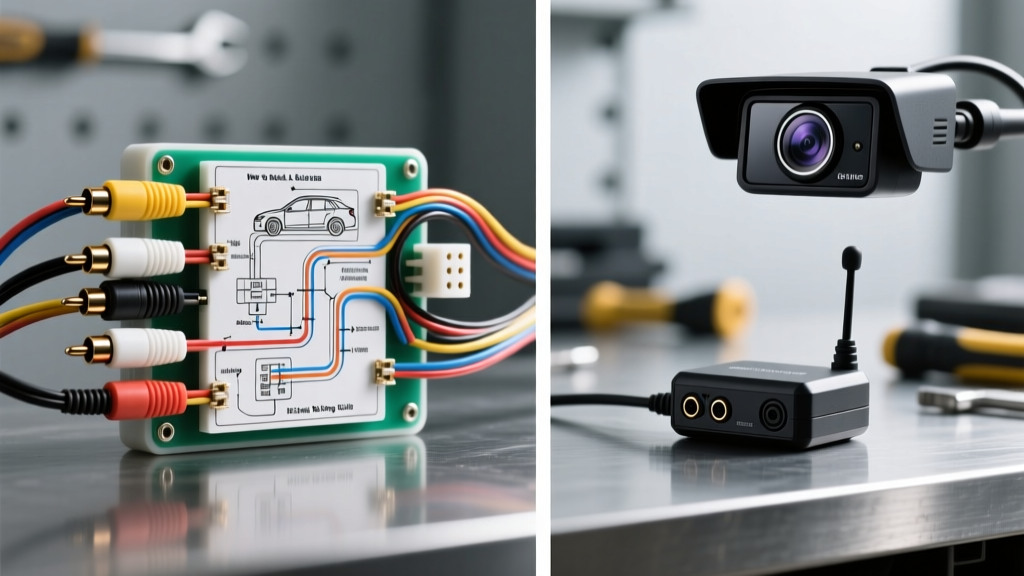
Choosing the Right Backup Camera System: Wired vs. Wireless vs. OEM
Understanding how to install a backup camera begins with selecting the correct architecture for your specific vehicle and head unit. The aftermarket offers three primary pathways: traditional wired RCA composite, digital wireless transmitters, and OEM CAN-bus FAKRA integrations. Each system dictates a completely different wiring topology, power draw profile, and signal routing methodology.
System Comparison Matrix
| Feature | Wired RCA (Composite) | Wireless Digital (2.4GHz) | OEM CAN-Bus / FAKRA |
|---|---|---|---|
| Signal Latency | < 15ms (Near Instant) | 80ms - 150ms | < 20ms |
| Interference Susceptibility | Low (if shielded properly) | High (Bluetooth/WiFi overlap) | None (Shielded Coax) |
| Wiring Complexity | High (Full cabin routing) | Low (Power only) | Medium (Requires decoder) |
| Typical Video Cable | RG-59 Coax (75-ohm) | N/A (RF Antenna) | FAKRA Z-Type (50-ohm) |
| Power Draw (Camera) | 120mA - 250mA | 300mA - 500mA (w/ TX) | 150mA - 300mA |
How to Install a Backup Camera: Wired RCA System Deep Dive
For the highest reliability and lowest latency, a hardwired RCA composite system remains the gold standard for aftermarket installations. According to MECP (Mobile Electronics Certification Program) guidelines, proper signal isolation and clean 12V DC power are the primary determinants of a successful deployment.
Reverse Trigger Wire Identification & Tapping
The head unit requires a +12V signal to switch the display to the camera input. This is typically handled by the head unit's reverse trigger wire (commonly purple or orange/white on Pioneer and Alpine harnesses).
- CRITICAL WARNING: Never connect the camera's main power draw to the head unit's reverse trigger wire. The head unit's internal switching transistor is usually rated for a maximum of 150mA to 300mA. A camera drawing 250mA plus the wireless transmitter (if applicable) will fry the head unit's reverse trigger circuit.
- Proper Method: The head unit trigger wire should only signal a relay or be connected directly to the camera's low-current signal input if the camera features an isolated trigger circuit.
Video Cable Routing & Shielding Best Practices
When routing the RG-59 RCA video cable from the rear hatch to the dashboard, electromagnetic interference (EMI) from the vehicle's alternator and CAN-bus networks can induce severe whining bars or static. Reference the SAE J1113 Electromagnetic Compatibility standards for automotive component routing.
- Never run the RCA video cable parallel to the vehicle's main power harness or amplifier power wires.
- If crossing a high-current power wire is unavoidable, cross the RCA cable at a strict 90-degree angle to minimize inductive coupling.
- Ensure the RCA ground shields are continuous. If using a multi-piece extension, wrap the connection points in copper foil tape to maintain the Faraday cage effect.
The PWM Problem: Modern LED Taillight Integration
A massive failure point when learning how to install a backup camera on modern vehicles (2015+) is Pulse Width Modulation (PWM). Modern vehicles rarely send a clean 12V DC signal to the reverse lights; instead, they pulse the voltage at high frequencies to dim or monitor LED circuits. If you tap a PWM reverse light circuit directly to power your camera, the camera will flicker violently, display 'No Signal', or suffer premature CMOS sensor failure.
The 12V DC Relay Bypass Solution
To solve the PWM issue, you must use a standard Bosch-style 5-pin automotive relay (30A) to provide clean, constant 12V DC power to the camera, using the PWM reverse light wire only as a low-current trigger signal.
| Relay Pin | Function | Connection Target | Wire Gauge (AWG) |
|---|---|---|---|
| Pin 85 | Coil Ground | Chassis Ground (Clean bare metal) | 18 AWG |
| Pin 86 | Coil Trigger (+) | Reverse Light PWM Wire (via Posi-Tap) | 22 AWG |
| Pin 30 | Common (Input) | +12V Constant Battery (Fused at 5A) | 14 AWG |
| Pin 87 | Normally Open (Output) | Camera +12V Red Power Wire | 18 AWG |
| Pin 87a | Normally Closed | Not Used (Tape and secure) | N/A |
Expert Tip: Solder a 1N4001 rectifier diode across pins 85 and 86 (stripe facing pin 86) to absorb back-EMF voltage spikes when the relay coil de-energizes, protecting the vehicle's delicate Body Control Module (BCM).
OEM Integration: FAKRA Connectors and CAN-Bus Decoders
For late-model trucks (e.g., Ford F-150, Ram 1500) equipped with tow-mirror prep packages or factory 360-degree camera systems, RCA cables are obsolete. These vehicles use FAKRA Z-type (lavender) coaxial connectors.
Furthermore, the vehicle does not use a physical reverse trigger wire. The transmission range sensor sends a digital message over the MS-CAN or HS-CAN network to the APIM (Accessory Protocol Interface Module), which then commands the radio to switch inputs. To install an aftermarket camera into a factory screen, you must utilize a CAN-bus decoder interface (such as those from Maestro RR or Axxess). The decoder reads the CAN-bus reverse message and outputs a physical +12V reverse trigger wire for your aftermarket camera power relay.
Note on Impedance: FAKRA automotive coaxial cables are typically 50-ohm, while aftermarket RCA cameras are 75-ohm. While a passive FAKRA-to-RCA adapter will physically connect them, the impedance mismatch can cause signal ghosting on longer runs (over 15 feet). For runs exceeding this, an active impedance-matching amplifier is required.
Wire Gauge & Current Draw Specifications
Proper wire sizing prevents voltage drop, which manifests as a rolling horizontal bar on the camera display (a classic ground loop symptom). The following chart outlines the minimum AWG requirements based on standard automotive copper wire standards.
| Circuit Segment | Max Current | Min Wire Gauge (AWG) | Fuse Requirement |
|---|---|---|---|
| Head Unit Reverse Trigger | 150mA | 22 AWG | Internal (Radio) |
| Camera Power (Short Run <10ft) | 300mA | 20 AWG | None (Relay protected) |
| Camera Power (Long Run >15ft) | 300mA | 18 AWG | 2A Inline ATC |
| Relay Constant 12V Feed | 5A (Surge) | 14 AWG | 5A Inline ATC |
Common Installation Failures & Troubleshooting
Symptom: 'No Signal' or Blue Screen When Shifting to Reverse
- Cause 1: Head unit reverse trigger wire is not receiving +12V. Fix: Test the trigger wire at the back of the radio harness with a multimeter while the vehicle is in reverse (engine off, ignition on).
- Cause 2: RCA cable center pin has been pushed back inside the housing during routing. Fix: Inspect RCA ends and use a small pick to pull the center pin flush with the outer shielding.
Symptom: Camera Image Flickers or Rolls
- Cause 1: PWM interference from LED reverse lights. Fix: Install the 5-pin relay bypass or a 1000µF 16V capacitor across the camera's power and ground wires to smooth the voltage ripple.
- Cause 2: Ground Loop. The camera ground and the head unit ground are at different potentials. Fix: Ensure the camera's black ground wire is grounded to the exact same chassis bolt as the head unit or the rear harness ground block. Do not ground to bare license plate screws.
For comprehensive vehicle-specific wiring diagrams and harness pinouts, always consult factory service manuals or certified resources like Crutchfield's Car AV Learning Center before cutting or splicing any factory wiring. Proper preparation, clean soldering, and the use of heat-shrink tubing over electrical tape will ensure your backup camera system lasts the lifetime of the vehicle.