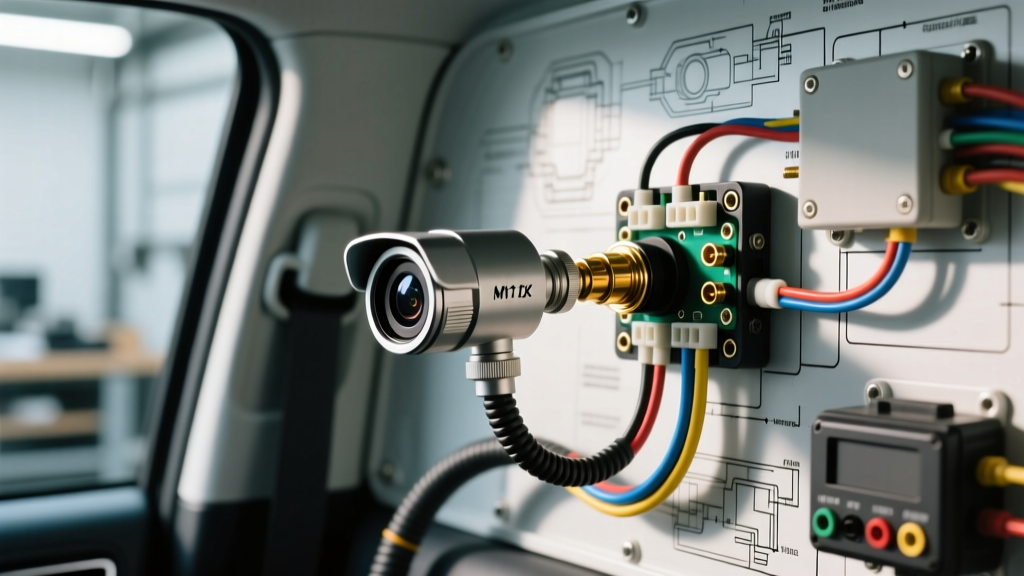
Introduction to Fleet and RV CCTV Surveillance Systems
Unlike standard single-channel backup cameras, multi-channel commercial fleet and RV surveillance systems operate as closed-circuit networks. When referencing a commercial or RV cctv camera wiring diagram, technicians must account for centralized Digital Video Recorders (DVR), 4-channel aviation harnesses, and strict electromagnetic compatibility (EMC) requirements. These systems endure extreme vibration, temperature fluctuations, and high-current alternator environments. A minor wiring fault that would only cause static on a basic backup camera will trigger a complete channel lockout or DVR kernel panic on a multi-channel CCTV setup.
This guide provides a step-by-step diagnostic decision tree for troubleshooting 4-channel and 8-channel automotive CCTV systems, focusing on M12 aviation connectors, 75-ohm coaxial integrity, and DVR power topology.
Core CCTV Camera Wiring Diagram Specifications
Automotive CCTV systems predominantly utilize M12 A-coded 4-pin aviation connectors rather than standard RCA or 12V DC barrel plugs. These connectors provide IP69K waterproofing and locking collars to prevent vibration-induced disconnects. Below is the industry-standard pinout configuration found in most heavy-duty RV and fleet cctv camera wiring diagram schematics.
| Pin Number | Function | Wire Color (Typical) | AWG Size | Shielding / Impedance |
|---|---|---|---|---|
| Pin 1 | VCC (12V / 24V DC) | Red | 18 AWG | Unshielded, Automotive GXL |
| Pin 2 | Ground (GND) | Black | 18 AWG | Unshielded, Automotive GXL |
| Pin 3 | Audio (Mic Input) | White | 22 AWG | Shielded Twisted Pair (STP) |
| Pin 4 | Video (Composite) | Yellow / Clear | 22 AWG Coax | 75-Ohm RG178 / Shielded |
Step-by-Step Troubleshooting Decision Tree
Use the following diagnostic flow to isolate faults in your CCTV harness. Always begin with a fully charged vehicle battery (minimum 12.4V resting) and ensure the vehicle is running to simulate alternator load if diagnosing interference.
Symptom 1: Complete System Blackout (DVR Will Not Power On)
If the DVR fails to boot, the issue lies in the primary power delivery circuit. Fleet CCTV systems require a stable 12V supply capable of sustaining 3A to 5A continuous draw, especially when camera IR (Infrared) arrays activate at night.
- Step 1: Verify the Ignition Sense vs. Constant 12V. Most mobile DVRs utilize a 3-wire power harness: Constant 12V (Yellow), Ignition/Switched 12V (Red), and Ground (Black). Use a Digital Multimeter (DMM) set to DC Voltage. Probe the Constant 12V pin at the DVR molex connector. If reading is below 11.5V, trace back to the battery junction block.
- Step 2: Inspect the Add-A-Circuit Fuse Tap. Never use T-tap connectors for a CCTV DVR power feed. T-taps pierce wire insulation, leading to copper oxidation and voltage drops over time. Verify that an Add-A-Circuit (ATO/ATC fuse tap) is installed in the fuse box, utilizing a dedicated 10A circuit (e.g., cigar lighter or upfitter switch) with the DVR inline fuse set to 5A.
- Step 3: Perform a Voltage Drop Test on the Ground. Place the red DMM lead on the battery negative terminal and the black lead on the DVR ground ring terminal. Crank the engine. A voltage drop reading greater than 0.1V indicates a corroded or loose ground. Clean the chassis contact point to bare metal using a wire wheel, apply dielectric grease to the perimeter, and torque the M6 ring terminal to 8-10 Nm.
Symptom 2: Single Camera Feed Missing (Channel Blank)
When the DVR boots but one specific channel displays 'No Signal' or a black screen, the fault is isolated to the camera head, the M12 aviation connector, or the coaxial run.
- Step 1: Inspect M12 Connector Alignment and Pin Condition. Disconnect the M12 aviation plug at the camera. Check for the alignment keyway. If the plug was forced without aligning the keyway, Pin 4 (Video) or Pin 1 (VCC) may be pushed back into the housing or bent. Use a magnifying glass to inspect for green copper sulfide corrosion, indicating IP67 seal failure.
- Step 2: Test Camera Head Voltage Under Load. Reconnect the camera. Back-probe Pin 1 and Pin 2 at the camera connector using sewing needles or specialized back-probe pins. With the IR illuminators covered (forcing them to turn on), measure the DC voltage. If the voltage drops below 10.5V, the 18 AWG power wire has a high-resistance fault or partial break inside the loom. According to Automotive Electrical 101 guidelines, long wire runs over 30 feet on 18 AWG wire will experience severe voltage drop; upgrading the power feed to 16 AWG is required for large RVs.
- Step 3: Coaxial Continuity and Impedance Check. If power is present (12V at the camera), the video signal is failing to reach the DVR. Disconnect both ends of the harness. Use a Time Domain Reflectometer (TDR) or a standard multimeter set to Ohms. Check for continuity between Pin 4 (center conductor) and Pin 2 (shield). You should read infinite resistance (OL). If you read near 0 ohms, the coaxial cable has been crushed or pinched behind a metal bulkhead, causing a dead short.
Symptom 3: Video Rolling, Alternator Whine, or IR Glare
Video interference is the most common complaint in mobile CCTV installations. This is almost always caused by a ground loop or improper shielding, which is frequently overlooked in generic cctv camera wiring diagram guides.
- Step 1: Diagnose the Ground Loop. Alternator whine (a high-pitched whine that increases with engine RPM) occurs when the camera ground and the DVR ground are at different electrical potentials, causing current to flow through the video shield wire. Ensure the system follows a Star Ground Topology. All camera grounds and the DVR ground must meet at a single, centralized chassis grounding point. Do not daisy-chain grounds.
- Step 2: Verify Shield Drain Wire Termination. In the 4-pin M12 connector, the outer shield of the coaxial and audio wires must be tied to Pin 2 (Ground). If the shield is left floating at the camera end, it acts as an antenna, picking up EMI from the vehicle's CAN bus or ignition coils.
- Step 3: Install a Ground Loop Isolator. If the vehicle's chassis is heavily modified (e.g., aluminum-bodied RVs or composite fleet trucks) and a clean star-ground cannot be established, install an inline BNC-to-M12 ground loop isolator on the video channel at the DVR input. Ensure the isolator supports 0-5 MHz bandwidth to prevent degradation of the composite video signal.
Advanced Diagnostic Testing: Signal Verification
For stubborn faults where the DVR rejects the camera feed despite correct pinouts and power, you must verify the composite video signal integrity. Standard NTSC/PAL automotive cameras output a 1V peak-to-peak (1Vp-p) composite signal with a 75-ohm impedance.
Connect an automotive oscilloscope to Pin 4 (Video) and Pin 2 (Ground) at the DVR harness connector. Observe the waveform. You should see the horizontal and vertical sync pulses dipping below the 0V baseline, with the active video data oscillating between 0.3V and 1.0V. If the waveform is compressed, distorted, or reads significantly less than 1Vp-p, the camera's internal video driver IC has failed, or the 75-ohm termination resistor inside the DVR has blown due to a transient voltage spike.
Furthermore, fleet vehicles must adhere to strict electromagnetic compatibility standards to prevent the CCTV harness from interfering with ABS or airbag modules. Proper routing of the CCTV harness away from high-voltage injector lines and adherence to SAE J1113 EMC testing protocols ensures that the shielded twisted pairs effectively reject radiated emissions.
Authoritative References & Standards
- SAE J1113: Electromagnetic Compatibility Measurement Procedures and Limits - Essential for understanding EMI shielding requirements in commercial vehicle camera harnesses.
- Automotive Electrical 101: Basic Electricity - Industry-standard reference for voltage drop testing and AWG current capacity limits.
- Federal Motor Carrier Safety Administration (FMCSA) - Regulations regarding driver visibility, camera placement, and fleet surveillance compliance.