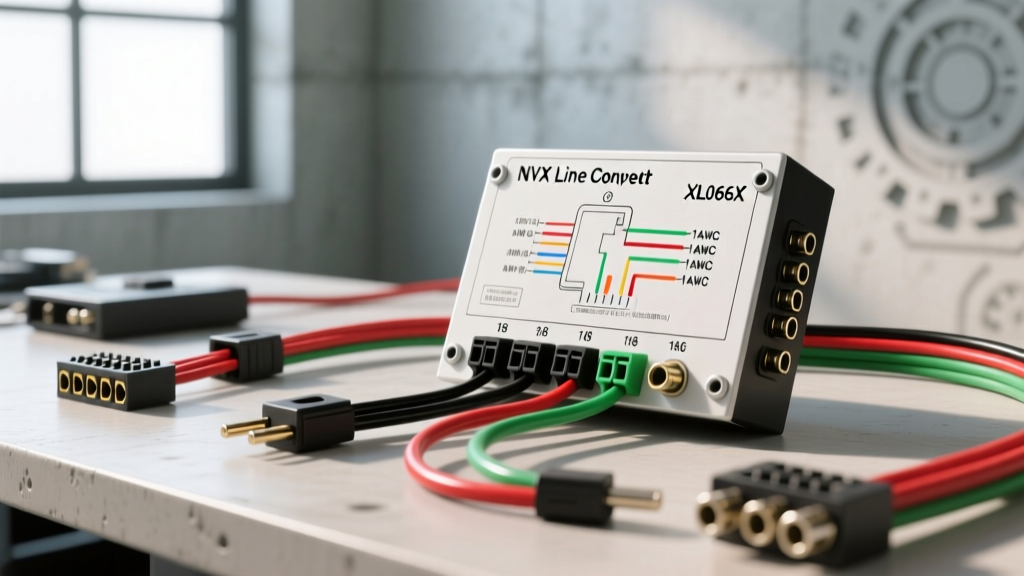
Project Overview: Bypassing PWM Reverse Lights for Camera Triggers
Integrating an aftermarket 360-degree camera system or a DSP-driven backup camera overlay into modern vehicles with premium factory audio (such as Bose, Harman Kardon, or B&O systems) requires extracting a clean audio signal. However, the most significant hurdle in modern camera installations is the reverse trigger. Vehicles from 2018 onward utilize Pulse Width Modulation (PWM) on the reverse light circuit to monitor bulb health via the Body Control Module (BCM). Tapping this circuit with a standard 12V relay often triggers a CAN-bus error, shuts off the reverse lights, or provides a dirty, fluctuating voltage that causes the camera screen to flicker.
This is where the NVX line output converter XL066X wiring diagram becomes an essential asset for your upgrade project. The XL066X is a 6-channel high-level to low-level LOC featuring a signal-sensing remote turn-on output. By tapping a factory speaker wire that carries the reverse warning chime or a dedicated reverse-trigger audio channel, the XL066X detects the AC audio signal and instantly outputs a clean, regulated 12V DC signal on its Blue/White remote wire. This completely isolates your camera module from the vehicle's sensitive CAN-bus lighting circuits. Below, we detail the exact pinouts, wire gauge requirements, and calibration steps to execute this modification flawlessly.
NVX XL066X Wiring Diagram & Pinout Matrix
Proper wire gauge selection and routing are critical to prevent voltage drop and electromagnetic interference (EMI). The following table outlines the exact harness configuration for the XL066X when used in a camera and DSP integration project.
| Wire Color | Function | AWG Size | Connection Destination |
|---|---|---|---|
| Yellow | 12V Constant Power | 16 AWG OFC | Fuse Box (Add-a-Circuit) or Battery |
| Black | Chassis Ground | 16 AWG OFC | Factory Seatbelt Bolt / Bare Chassis |
| Blue/White | Signal-Sensing Remote Out | 18 AWG | Camera Module "Reverse Trigger" Input |
| White / White-Black | Left Front (+ / -) | 18 AWG | Factory FL Speaker Harness |
| Gray / Gray-Black | Right Front (+ / -) | 18 AWG | Factory FR Speaker Harness |
| Green / Green-Black | Left Rear (+ / -) | 18 AWG | Factory RL Speaker / Chime Harness |
| Purple / Purple-Black | Right Rear (+ / -) | 18 AWG | Factory RR Speaker Harness |
Note: Always use Oxygen-Free Copper (OFC) wiring. Copper-Clad Aluminum (CCA) wire exhibits higher resistance and is prone to corrosion at the crimp points, leading to LOC signal dropouts.
Step-by-Step Harness Integration & Wire Prep
Stripping, Crimping, and Soldering
When tapping into the factory speaker harness behind the radio or factory amplifier, avoid using piercing T-taps. T-taps oxidize over time and can sever the thin 20 AWG or 22 AWG factory speaker strands. Instead, use the following methodology:
- Strip the Factory Wire: Use a precision wire stripper to remove 1/4 inch of insulation from the factory speaker wire without nicking the copper.
- Prepare the LOC Harness: Strip 3/8 inch of insulation from the 18 AWG NVX XL066X input wires.
- The Western Union Splice: Twist the stranded OFC wire tightly, wrap it around the exposed factory wire, and solder the joint using rosin-core solder. This ensures a gas-tight, vibration-proof connection.
- Seal the Connection: Cover the soldered joint with 3M adhesive-lined marine heat shrink. The adhesive melts and seals out moisture, preventing green corrosion that alters impedance and ruins the LOC's signal reading.
For a deeper understanding of maintaining signal integrity across high-level inputs, refer to Crutchfield's Line Output Converter Guide, which emphasizes the importance of maintaining proper phase alignment when splicing into factory Class-D amplifier outputs.
The PWM Reverse Light Problem & Signal-Sensing Solution
In modern trucks and SUVs (e.g., 2019+ RAM 1500, 2021+ Ford F-150), the BCM sends a 5V to 12V PWM signal to the reverse lights. If you wire an aftermarket camera trigger directly to this, the BCM interprets the camera's resistance as a short circuit or a blown bulb, triggering a dashboard warning and cutting power to the circuit.
The XL066X Workaround:
Instead of tapping the reverse light, locate the factory speaker wire that carries the "Reverse Proximity Chime" or the "Turn Signal Click" (often found in the Left Rear or Right Rear channels on premium systems). Connect the corresponding Green or Purple input wires on the XL066X to this channel. When you shift the vehicle into reverse, the factory radio sends an audio signal to that speaker. The XL066X's internal signal-sensing circuit detects this AC audio wave and immediately activates the Blue/White remote output wire, sending a stable 12V DC signal to your aftermarket camera module's reverse trigger input. This provides a 100% CAN-bus safe trigger mechanism.
Chassis Grounding & EMI Shielding
A common failure mode in camera and DSP upgrades is alternator whine bleeding into the camera's microphone or the DSP's audio overlay. According to SAE J1113 Electromagnetic Compatibility Standards, unshielded low-voltage analog signals routed parallel to high-current ignition wires or CAN-bus trunks will induce EMI.
To prevent this, ensure the XL066X's 16 AWG Black ground wire is terminated to a bare, unpainted metal chassis point. Scrape away any factory e-coat or paint using a fiberglass scratch pen, attach a ring terminal, and secure it with a factory bolt. Apply a dab of dielectric grease over the terminal to prevent rust. Furthermore, route the XL066X's RCA output cables down the center of the vehicle (through the center console), keeping them at least 12 inches away from the vehicle's main door sill wiring harnesses.
Gain Staging & Calibration for DSP/Camera Overlays
Before connecting the XL066X's RCA outputs to your DSP or camera module's audio processor, you must properly set the LOC's internal gain potentiometers. Improper gain staging will send a clipped, distorted signal to your processor, causing the camera's warning chimes to sound harsh or triggering the DSP's internal protection modes.
- Turn all gain dials on the XL066X to the minimum (counter-clockwise) position.
- Play a 1kHz 0dBFS test tone through the factory head unit at 75% volume.
- Using a digital multimeter set to AC Volts, probe the RCA output jacks.
- Slowly turn the gain potentiometer clockwise until the multimeter reads between 2.0V and 4.0V (matching your DSP's input sensitivity).
- If you hear distortion or the multimeter reading fluctuates wildly, you have reached the clipping point of the factory amplifier. Dial the gain back by 10%.
Troubleshooting Common LOC & Camera Trigger Failures
When modifying complex automotive electrical systems, diagnostic precision is required. Use the following decision tree to resolve common integration issues.
| Symptom | Root Cause | Technical Fix |
|---|---|---|
| Camera screen flickers or fails to switch to reverse view. | PWM voltage drop on the reverse trigger line, or weak signal sense threshold. | Ensure Blue/White wire is connected to a speaker channel that plays audio immediately upon shifting into reverse. Adjust the XL066X's signal sense threshold dial (if equipped) to a lower mV trigger point. |
| High-pitched alternator whine in camera mic or DSP audio. | Ground loop caused by differing ground potentials between the LOC and the camera module. | Verify both the XL066X and the camera module share a common, bare-metal chassis ground point. Check RCA shields for continuity. See DIY Mobile Audio Ground Loop Diagnostics for advanced isolation techniques. |
| LOC gets excessively hot and shuts down. | Short circuit in the speaker input wires or incorrect impedance load. | Inspect all 18 AWG speaker splices for stray copper strands touching the chassis. Ensure you are not tapping into a factory 2-ohm subwoofer channel that exceeds the LOC's input voltage limits. |
| No remote 12V output on Blue/White wire. | Constant 12V (Yellow) or Ground (Black) is missing, preventing the internal relay from energizing. | Test Yellow wire for 12.6V with the vehicle off. Test Black wire for continuity to the battery negative terminal (should read less than 0.2 ohms). |
Final Verification
Once all connections are soldered, shielded, and secured, perform a full system sweep. Shift the vehicle through Park, Reverse, Neutral, and Drive to verify that the XL066X cleanly triggers the camera module only when the designated audio chime is active. Proper execution of this NVX XL066X wiring diagram ensures a factory-fit finish, preserving your vehicle's CAN-bus integrity while delivering pristine audio and video switching for your aftermarket tech upgrade.