Selecting the Right LaView System for Your Rig
When outfitting a truck, RV, or trailer with an observation system, the LaView camera installation process requires a solid understanding of 12V DC automotive electrical principles. While LaView is widely recognized in the IP security space, their RV and fleet observation systems—available in both hardwired 4-pin aviation and digital wireless configurations—offer robust solutions for blind-spot monitoring and reverse guidance. However, choosing between a wired and wireless LaView kit is not merely a matter of convenience; it dictates your wiring topology, power consumption, and susceptibility to electromagnetic interference (EMI).
This guide compares the LaView wired and wireless RV camera systems, providing expert-level wiring diagrams, pinout configurations, and critical troubleshooting steps to ensure a factory-grade installation. Whether you are routing cables through a 40-foot aluminum trailer or tapping into a modern CANbus-controlled reverse light circuit, the technical specifications below will prevent common failure modes like voltage drop, ground loops, and Body Control Module (BCM) faults.
Technical Comparison: Wired vs. Wireless LaView Kits
Before cutting into your vehicle's wiring harness, it is crucial to understand the electrical and signal differences between the two primary LaView camera installation methods. Wireless kits utilize a 2.4GHz digital transmission, while wired kits rely on shielded coaxial and power lines terminated with GX16 aviation connectors.
| Feature | LaView Wired (4-Pin Aviation) | LaView Digital Wireless |
|---|---|---|
| Signal Latency | 0ms (Real-time analog) | 50ms - 150ms (Digital encoding) |
| Power Draw (Camera) | ~0.3A @ 12V DC | ~0.5A @ 12V DC (includes transmitter) |
| Interference Risk | Low (Shielded coaxial) | Moderate (Susceptible to heavy EMI) |
| Installation Complexity | High (Requires drilling, routing) | Low (Only requires 12V power tap) |
| Best Application | Long trailers, aluminum RVs, fleet | Short bed trucks, fiberglass campers |
LaView 4-Pin Aviation (GX16) Wiring Diagram & Pinout
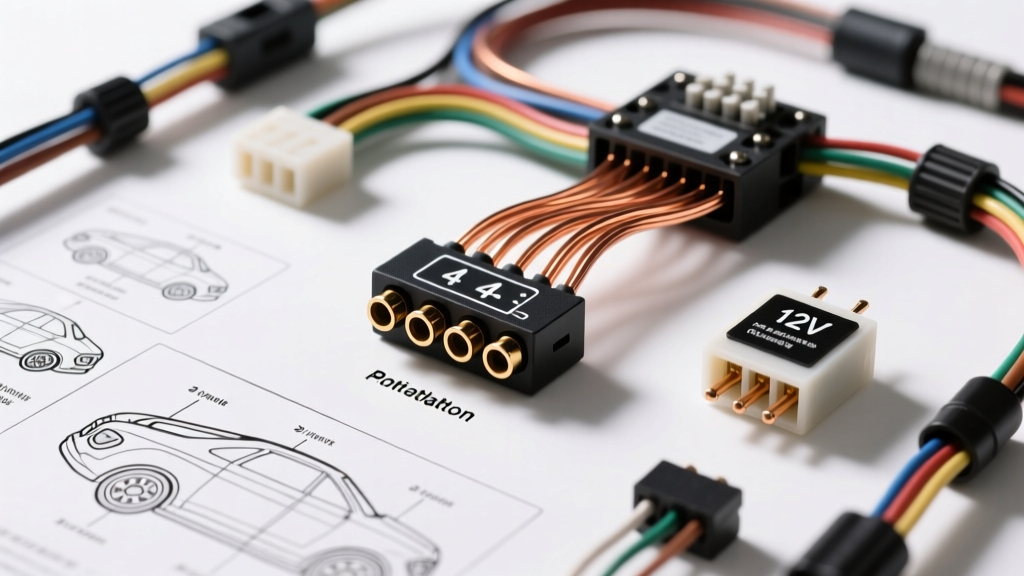
For the wired LaView camera installation, the system utilizes a standard GX16-4P (4-pin aviation) connector. This screw-on connector is favored in automotive and marine applications for its vibration resistance and weather sealing. However, improper soldering or misalignment of the internal pins is the leading cause of 'No Signal' errors.
When terminating the camera-side pigtail to the GX16 male connector, you must adhere to the standard automotive camera pinout. Always verify with your specific LaView manual, but the industry-standard configuration is as follows:
| Pin Number | Wire Color | Function | Technical Notes |
|---|---|---|---|
| Pin 1 | Red | 12V DC Power (+) | Requires inline 2A ATC fuse |
| Pin 2 | Black | Ground (-) | Must be chassis-grounded, not signal ground |
| Pin 3 | White | Audio / Mic | Shielded; keep away from 12V+ to avoid hum |
| Pin 4 | Yellow | Video Signal | Coaxial center conductor (75-ohm impedance) |
Expert Tip: When soldering the GX16 connector cups, use rosin-core solder and apply marine-grade adhesive-lined heat shrink over each joint. The strain relief boot on the aviation connector must be tightened securely to prevent the solder cups from tearing under the vibration of highway driving, a standard outlined in the IPC/WHMA-A-620 wiring harness acceptance criteria.
Executing the 12V Reverse Trigger Tap (CANbus & PWM Safe)
The most critical phase of any LaView camera installation is tapping into the reverse light circuit to trigger the monitor. On older vehicles, splicing directly into the reverse light wire is sufficient. However, modern trucks and SUVs (2015+ Ford F-150, 2018+ Ram 1500, and most GM platforms) use Pulse Width Modulation (PWM) or CANbus multiplexing to control exterior lighting.
If you tap a LaView camera's red trigger wire directly into a PWM reverse light circuit, the camera will flicker, display rolling bars, or fail to power on entirely. Worse, the parasitic draw can trigger a BCM fault code, disabling your taillights.
The Bosch Relay Isolation Method
To safely integrate the LaView system into a modern PWM vehicle, you must use a standard 5-pin automotive relay (Bosch style, 12V 30/40A) to isolate the camera's power draw from the vehicle's delicate lighting module.
- Pin 85 (Coil +): Splice into the vehicle's reverse light wire. The PWM signal is enough to energize the relay coil without drawing excessive current.
- Pin 86 (Coil -): Connect to a clean chassis ground.
- Pin 30 (Common): Connect to a dedicated 12V+ ignition-switched source (e.g., upfitter switch or auxiliary fuse block), protected by a 5A inline fuse.
- Pin 87 (Normally Open): Run this output directly to the Red 12V+ wire of the LaView camera or monitor trigger.
- Pin 87a (Normally Closed): Leave unconnected and insulated.
This setup ensures the camera receives a clean, steady 12V DC signal the moment the transmission is shifted into reverse, completely bypassing the PWM noise.
Voltage Drop Calculations for Long Trailer Runs
When performing a wired LaView camera installation on a large RV or flatbed trailer, wire gauge selection is paramount. The camera draws roughly 0.3A, which seems negligible. However, pushing 12V DC over a 45-foot run (90 feet total round-trip for power and ground) through cheap 18 AWG Copper-Clad Aluminum (CCA) wire will result in severe voltage drop. If the voltage at the camera drops below 10.5V, the IR night-vision array will fail to activate, or the video signal will degrade into static.
| Total Wire Run (Round Trip) | Current Draw | Recommended AWG (Pure Copper) | Voltage Drop |
|---|---|---|---|
| 20 Feet | 0.5A | 18 AWG | 0.06V (Negligible) |
| 40 Feet | 0.5A | 16 AWG | 0.08V (Acceptable) |
| 60 Feet | 0.5A | 14 AWG | 0.07V (Optimal) |
| 80+ Feet (Large RVs) | 0.5A | 12 AWG | 0.06V (Required for IR arrays) |
Always use stranded, tinned marine-grade copper wire (TXL or GXL insulation) for automotive applications. Avoid CCA wire entirely, as it is brittle, prone to oxidation at crimp terminals, and possesses higher resistance than pure copper.
Troubleshooting Common LaView Installation Failures
Symptom: Rolling Horizontal Lines (Alternator Whine)
Cause: A ground loop occurs when the camera and the dashboard monitor are grounded to different chassis points that have a slight voltage potential difference between them. This difference is amplified by the alternator's AC ripple.
Fix: Ensure both the monitor and the camera share a common ground point, or install a 12V DC Ground Loop Isolator on the red power feed near the monitor. Never ground the camera to the trailer hitch; always use a dedicated, sanded-to-bare-metal grounding bolt on the trailer frame.
Symptom: Wireless Signal Dropouts on Aluminum Trailers
Cause: Aluminum and steel trailer skins act as a Faraday cage, severely attenuating the 2.4GHz digital signal. Furthermore, heavy EMI from trailer brake controllers can disrupt the handshake between the transmitter and receiver.
Fix: If you must use a wireless LaView kit on an aluminum trailer, mount the transmitter antenna on the exterior roof line of the trailer using a magnetic base or L-bracket. Ensure compliance with SAE J1113 electromagnetic compatibility guidelines by keeping the antenna at least 18 inches away from the trailer brake controller wiring harness.
Symptom: IR Night Vision Flickers or Fails
Cause: The infrared LED array requires a massive current spike upon activation (often doubling the camera's amperage draw). If the wire gauge is too thin, or if the relay contacts are pitted, the voltage sags below the IR threshold.
Fix: Upgrade the power feed to 14 AWG pure copper and verify the 12V source can deliver a minimum of 2A continuous current without sagging. Test the voltage at the camera's GX16 connector with a multimeter while manually covering the camera's ambient light sensor to force the IR array to engage.
Authoritative References & Standards
- SAE J1113 (Electromagnetic Compatibility): Standards for managing EMI and RF interference in automotive electrical systems, critical for wireless camera routing.
- IPC/WHMA-A-620: Industry requirements for soldered electrical connections and wire harness strain relief, essential for aviation connector termination.
- NFPA 1192 (Standard on Recreational Vehicles): Guidelines for 12V DC wiring routing, overcurrent protection, and grounding in RV and trailer applications.