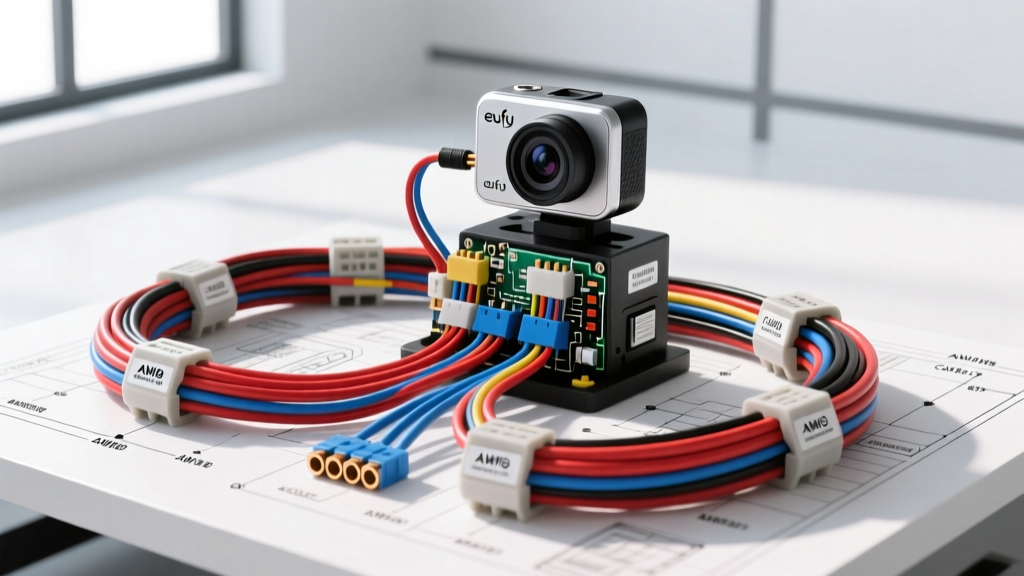
Advanced Eufy Camera Install: Beyond the Cigarette Lighter
Performing a professional-grade Eufy camera install requires a deep understanding of modern automotive multiplex networks, Body Control Module (BCM) sensitivities, and precise voltage regulation. While basic setups rely on 12V auxiliary sockets, an advanced hardwired integration ensures seamless parking mode operation, eliminates cabin clutter, and protects the vehicle's electrical architecture from parasitic drain. This guide provides an advanced technical deep dive into 3-wire hardwire kit pinouts, Add-A-Fuse orientation logic, OBD-II power integration, and voltage cutoff calibration for AGM and flooded lead-acid batteries.
Modern Vehicle Electrical Architecture & BCM Sensitivities
Modern vehicles utilize Controller Area Network (CAN) and Local Interconnect Network (LIN) buses to manage electrical loads. The BCM monitors current draw on virtually every circuit. If an aftermarket dashcam is wired into a BCM-controlled circuit (such as interior lighting or power windows) without proper isolation, the module may detect an "out of range" current fault, trigger a Diagnostic Trouble Code (DTC), or shut down the circuit entirely. According to SAE J1128 standards for low-tension primary cables, maintaining circuit integrity and avoiding electromagnetic interference (EMI) is critical when splicing into automotive harnesses. A proper Eufy camera install isolates the dashcam's power draw to non-multiplexed, direct-battery-fed circuits or utilizes dedicated OBD-II gateways.
3-Wire Hardwire Kit Pinout & AWG Matrix
The standard Eufy 3-wire hardwire kit utilizes a specific color-coded matrix to manage constant power, ignition-switched power, and chassis grounding. Selecting the correct American Wire Gauge (AWG) and target circuit is paramount to prevent voltage drop during engine cranking.
| Wire Color | Function | Target Circuit Examples | AWG Spec | Circuit Fuse Rating |
|---|---|---|---|---|
| Yellow | BATT (Constant 12V) | Power Seat Memory, Horn, Clock | 18 AWG | 5A - 10A |
| Red | ACC (Ignition 12V) | Wiper Motor, 12V Socket, Radio | 18 AWG | 5A - 15A |
| Black | GND (Chassis Ground) | Unpainted M6/M8 Chassis Bolt | 16 AWG | N/A |
Warning: Never tap into safety-critical systems such as SRS (Airbags), ABS modules, or ECU power feeds. Doing so violates ASE (Automotive Service Excellence) safety protocols and can interfere with life-saving deployment systems.
The Add-A-Fuse Orientation Fallacy
The most common failure point in any dashcam hardwire job is the incorrect orientation of the "Add-A-Fuse" (Fuse Tap). An automotive fuse panel supplies power from the "line" side (battery side) and routes it to the "load" side (component side).
How to Test for Correct Orientation
- Remove the OEM fuse and insert the Fuse Tap into the empty slot.
- Use a digital multimeter (DMM) set to DC Voltage.
- Probe the exposed metal tabs on top of the Fuse Tap. The tab that reads ~12.4V (with ignition off) is the LINE side.
- Insert the Fuse Tap so that the LINE side tab aligns with the battery-fed terminal in the fuse box.
If installed backward, the Eufy dashcam will draw power through the vehicle's OEM fuse. If the dashcam experiences a short, it could blow the OEM circuit fuse, disabling critical vehicle functions like the horn or wipers. Proper orientation ensures the dashcam is protected by its own dedicated inline fuse on the tap.
OBD-II vs. CAN Bus Wake Integration
For advanced parking mode surveillance, the Eufy camera requires a reliable wake-up signal. While the 3-wire kit relies on the ACC line dropping to 0V to trigger the G-sensor or time-lapse mode, advanced integrators often utilize the OBD-II port or tap the CAN bus directly.
OBD-II Power Gateway Integration
The OBD-II port (SAE J1962 connector) provides a robust, direct-to-battery power source that bypasses the BCM entirely.
- Pin 16: Constant Battery Power (Usually fused at 15A or 20A at the IPDM).
- Pin 4: Chassis Ground.
- Pin 5: Signal Ground.
Voltage Cutoff Calibration: AGM vs. Flooded Batteries
A critical step in the Eufy camera install is configuring the low-voltage cutoff in the Eufy Security app to prevent parasitic drain from stranding the vehicle. The cutoff threshold must be calibrated based on the vehicle's battery chemistry.
State of Charge (SoC) Reference Chart
| Voltage Cutoff Setting | Flooded Lead-Acid SoC | AGM Battery SoC | Recommended Use Case |
|---|---|---|---|
| 12.4V | ~75% | ~65% | Daily drivers, short commutes, older batteries. |
| 12.2V | ~50% | ~45% | Weekend vehicles, healthy batteries, mild climates. |
| 12.0V | ~25% | ~30% | Not recommended. High risk of cranking failure. |
| 11.8V / 11.6V | Critical / Sulfation Risk | Critical | Never use. Will permanently damage lead-acid plates. |
Always measure the battery's resting voltage (surface charge removed) after the vehicle has been off for 4 hours before finalizing your Eufy app settings. For vehicles equipped with Absorbent Glass Mat (AGM) batteries and Battery Management Systems (BMS), setting the cutoff to 12.4V is the safest baseline to ensure the BMS does not trigger a parasitic drain warning.
Grounding Best Practices & Galvanic Corrosion
A poor ground connection introduces resistance, which manifests as voltage drop. If the Eufy hardwire kit experiences a voltage drop on the ground wire, the internal 5V LDO (Low Dropout) regulator may starve, causing the camera to boot-loop during engine cranking.
- Locate an unpainted M6 or M8 chassis bolt in the A-pillar or under-dash kick panel.
- Use a star washer between the ring terminal and the chassis to bite through any residual clear coat or primer.
- Torque the bolt to manufacturer specifications (typically 8-12 Nm).
- Apply a dab of dielectric grease over the terminal to prevent galvanic corrosion, which is especially prevalent in regions that use road salt.
Troubleshooting Decision Tree
When an Eufy camera install exhibits erratic behavior, use this diagnostic decision tree to isolate the fault:
- Symptom: Dashcam reboots when engine cranks.
- Cause: Starter motor draw pulls system voltage below 9V; Eufy's internal capacitor cannot sustain the 5V rail.
- Fix: Install a 1-Farad capacitor across the BATT and GND wires near the camera head, or verify the BATT fuse tap is on a direct battery feed, not a switched relay.
- Symptom: Parking mode never engages.
- Cause: ACC wire is backfeeding from a CAN bus sleep module, keeping the Red wire at 2V-5V instead of 0V.
- Fix: Add a 1N4007 diode on the Red ACC wire (cathode facing the dashcam) to block reverse current leakage.
- Symptom: SD Card corruption / "Format SD Card" loop.
- Cause: Dirty power or high-frequency EMI from the alternator bleeding into the 12V line.
- Fix: Reroute the hardwire harness away from the alternator harness and ignition coils. Ensure the ground is on a clean chassis point, not a suspension strut or engine block.
Final Verification & Resources
After completing the physical routing and securing the harness with Tesa tape (to prevent rattles and protect against chafing), perform a 24-hour parasitic draw test using a DMM in series with the negative battery terminal. The Eufy dashcam in standby parking mode should draw no more than 2mA to 5mA. For official firmware updates, wiring schematics, and warranty information, always consult Eufy Official Support. By adhering to these advanced electrical principles, your Eufy camera install will deliver reliable, uninterrupted security without compromising the vehicle's complex electrical network.