Introduction to Composite Video Reverse Camera Systems
Integrating an aftermarket backup camera requires a precise understanding of low-voltage DC power distribution and high-frequency analog video signal transmission. When referencing a comprehensive reverse camera installation diagram, technicians must account for impedance matching, electromagnetic interference (EMI), and modern vehicle pulse-width modulation (PWM) lighting circuits. This technical specification reference provides the exact wiring architecture, wire gauge requirements, and connector pinouts necessary for a flawless composite video camera installation in both passenger and commercial vehicles.
Unlike digital LVDS (Low-Voltage Differential Signaling) systems used in OEM factory setups, aftermarket systems predominantly rely on NTSC or PAL composite video signals transmitted via unbalanced coaxial cables. According to SAE J1113 standards for Electromagnetic Compatibility, automotive environments are highly saturated with RF noise from alternators, ignition coils, and CAN bus networks. Therefore, proper shielding and grounding techniques outlined in this diagram are not optional; they are critical to preventing video tearing, rolling bars, and signal degradation.
Core Wiring Architecture & Signal Flow
A standard aftermarket reverse camera system utilizes three distinct circuit paths: the 12V DC power supply, the composite video signal path, and the reverse trigger activation circuit. Understanding the isolation of these paths is the first step in interpreting any professional reverse camera installation diagram.
1. The Video Signal Path (Composite RCA)
The video signal is transmitted from the camera's internal CCD or CMOS sensor board to the head unit via a 75-ohm coaxial cable. The standard connector is an RCA plug. The center conductor carries the analog video signal (typically 1V peak-to-peak), while the outer braided shield serves as the signal ground. Using standard unshielded speaker wire for video transmission will result in catastrophic alternator whine and visual static due to capacitive coupling with adjacent wiring harnesses.
2. The 12V DC Power & Ground Circuit
Most license-plate-mounted cameras draw between 150mA and 300mA. While the current draw is minimal, the voltage must remain a steady 12V DC. Power is typically sourced from the vehicle's reverse light circuit. However, as detailed in the PWM integration section below, modern vehicles require signal conditioning before this power reaches the camera.
3. The Head Unit Trigger Circuit
The aftermarket head unit requires a +12V signal on its 'Reverse' or 'Back' trigger wire (often colored orange or brown with a white stripe) to switch the display from the primary infotainment interface to the camera feed. This trigger wire must be connected in parallel with the camera's power source.
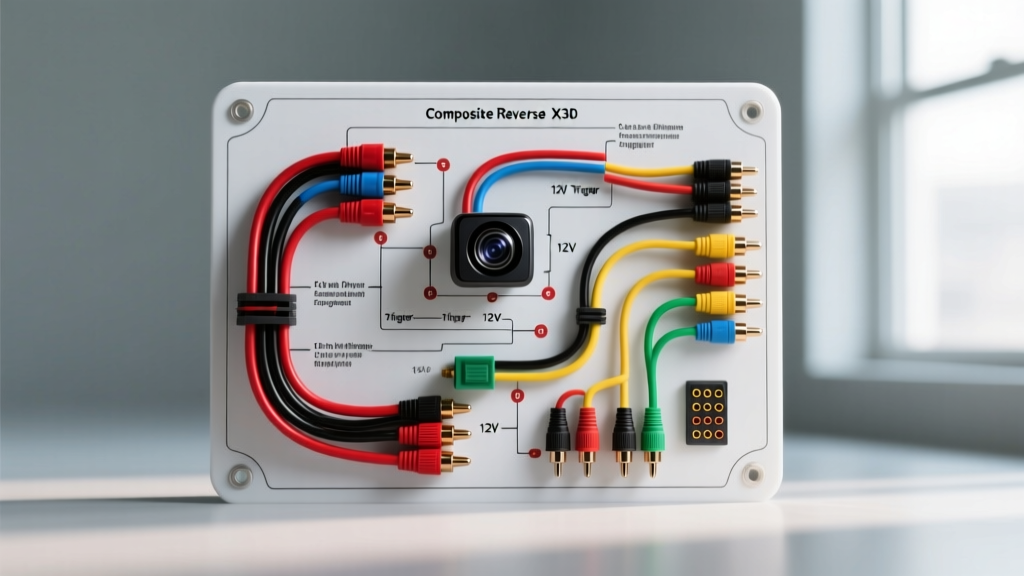
Master Reverse Camera Installation Diagram (Schematic Flow)
The following text-based schematic illustrates the standard wiring topology for a composite camera system integrated with a PWM-filtered relay harness.
- Source: Vehicle Reverse Light Harness (PWM Signal)
- Node A (Control): 12V Automotive Relay (Pin 86) <-- PWM Trigger Signal
- Node B (Ground): Chassis Ground (Pin 85)
- Node C (Supply): Fused Ignition 12V+ (Pin 30)
- Node D (Output): Relay (Pin 87) --> Splits to Camera 12V+ (Red Wire) AND Head Unit Reverse Trigger Wire
- Video Path: Camera Video Out (Yellow RCA) --> Shielded RG174 Coax --> Head Unit RCA Camera Input
- Camera Ground: Camera 12V- (Black Wire) --> Dedicated Chassis Ground (NOT reverse light ground)
Technical Specification & Wire Gauge Chart
Adhering to the correct American Wire Gauge (AWG) specifications prevents voltage drop and ensures the longevity of the camera's internal voltage regulators. The following table outlines the mandatory specifications for camera wiring.
| Circuit Path | Recommended AWG | Wire Type / Insulation | Maximum Run Length |
|---|---|---|---|
| Camera 12V+ Power | 18 AWG | Stranded Copper, GXL/TXL | 15 Feet |
| Camera 12V+ Power (Extended) | 16 AWG | Stranded Copper, GXL/TXL | 25 Feet (Commercial Vans) |
| Composite Video Signal | 26 AWG (Core) | RG174 Coaxial (Shielded) | 25 Feet (Use signal amp if longer) |
| Head Unit Trigger Wire | 20 AWG | Stranded Copper | N/A (Low current signal) |
| Chassis Ground | 16 AWG | Stranded Copper, Ring Terminal | 2 Feet (Keep as short as possible) |
The PWM Reverse Light Problem & Relay Solution
The most common point of failure in modern camera installations occurs when technicians wire the camera directly to the reverse light bulb on vehicles manufactured after 2010. Manufacturers like Volkswagen, BMW, Ford, and Dodge utilize Pulse Width Modulation (PWM) to monitor bulb outages and extend filament life. Instead of a steady 12V DC, the reverse light circuit receives a rapid square wave (often 12V pulsing at 500Hz with a 30% duty cycle).
If you connect a camera directly to a PWM circuit, the internal capacitors cannot smooth the ripple. The result is a camera that flickers, displays a 'No Signal' error, or suffers premature PCB failure. To resolve this, your reverse camera installation diagram must incorporate a standard 4-pin or 5-pin Bosch-style automotive relay to isolate the camera from the PWM signal.
Relay Wiring Pinout for PWM Bypass
- Pin 86 (Coil +): Tap into the vehicle's reverse light wire. The relay coil has high impedance and will not trigger the vehicle's bulb-outage CAN bus error.
- Pin 85 (Coil -): Connect to a clean, bare metal chassis ground.
- Pin 30 (Common): Connect to a steady 12V+ source (e.g., an ignition-switched fuse in the cabin fuse box using an add-a-circuit tap).
- Pin 87 (Normally Open): Connect to the camera's Red (12V+) wire and the head unit's reverse trigger wire. When the relay clicks, it feeds clean, steady 12V DC to the camera.
Expert Alternative: If a relay is physically impossible to route, a PWM filter consisting of a 1N4007 diode in series with the positive wire, followed by a 1000µF 25V electrolytic capacitor in parallel across the camera's power and ground, will smooth the PWM ripple into acceptable DC voltage.
Heavy-Duty 4-Pin Aviation Connector Pinout
For commercial trucks, RVs, and trailers, standard RCA connectors lack the environmental sealing and vibration resistance required. These installations utilize a 4-pin M12 or 'Aviation' screw-on connector. When adapting a commercial reverse camera installation diagram to a standard passenger vehicle head unit, you must map the aviation pins to the RCA and bare wire pigtails.
| Aviation Pin | Wire Color (Standard) | Function | Adaptation to Passenger Vehicle |
|---|---|---|---|
| Pin 1 | Red | 12V DC Power (+) | Connect to Relay Pin 87 Output |
| Pin 2 | Black | Ground (-) | Connect to Dedicated Chassis Ground |
| Pin 3 | White | Audio / Mic | Usually capped/unused in auto apps |
| Pin 4 | Yellow / Green | Composite Video Signal | Solder to RCA Center Pin |
| Shield | Bare Copper | Video Ground | Solder to RCA Outer Shield Barrel |
Common Integration Failure Modes & Diagnostics
Even with a perfect schematic, physical installation variables can introduce faults. Use the following diagnostic tree to troubleshoot common anomalies identified by MECP-certified mobile electronics technicians.
Symptom: Rolling Horizontal Bars on Display (Ground Loop)
- Cause: The camera ground and the head unit ground are at different electrical potentials, causing 60Hz alternator ripple to bleed into the video shield.
- Fix: Never ground the camera to the reverse light bulb ground. Run a dedicated 16 AWG ground wire from the camera pigtail directly to a sanded, bare-metal bolt on the vehicle chassis. If the issue persists, install a 1:1 RCA Ground Loop Isolator (GLI) inline at the head unit.
Symptom: Camera Displays 'No Signal' but Illuminates at Night
- Cause: The head unit is receiving power to the camera (IR LEDs turn on), but the trigger wire is missing, or the RCA center pin has a cold solder joint.
- Fix: Use a digital multimeter to verify +12V at the head unit's reverse trigger wire while the vehicle is in reverse. If 12V is present, inspect the RCA connection. Ensure the shield braid is not shorting against the center conductor inside the RCA boot.
Symptom: CAN Bus 'Bulb Out' Warning on Dashboard
- Cause: Tapping the reverse trigger wire directly into the CAN-controlled reverse light circuit draws enough current to alter the circuit's expected resistance profile.
- Fix: Utilize the relay bypass method outlined above, or install a CAN bus decoder module specifically designed for low-current LED/camera taps.
Authoritative References & Best Practices
For further validation of automotive electrical standards and installation methodologies, refer to the following industry resources:
- SAE International - J1113 Electromagnetic Compatibility Standards: Essential for understanding EMI shielding requirements in analog video transmission.
- Mobile Electronics Certification Professional (MECP): The governing body for automotive electronics installation best practices and safety protocols.
- Crutchfield Car A/V Learning Center: Comprehensive consumer and technician guides on aftermarket head unit integration and camera routing.
Always disconnect the vehicle's negative battery terminal before splicing into any lighting or CAN bus circuits. Use 3M dual-wall adhesive-lined heat shrink for all soldered connections in the rear hatch or trunk area to prevent moisture intrusion and galvanic corrosion, which remains the leading cause of long-term camera failure in harsh climates.