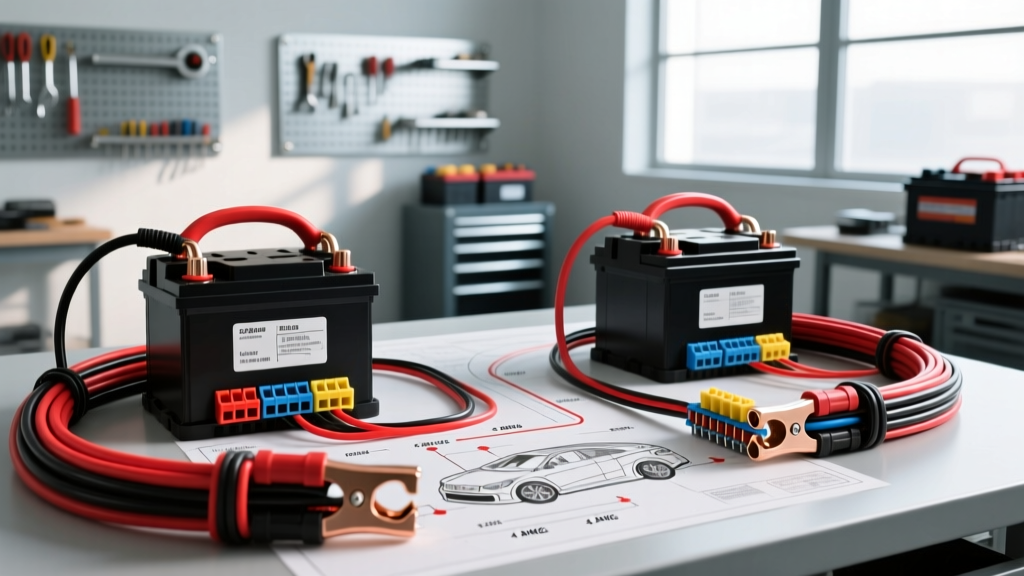
The Golden Rule of 24V Series Battery Wiring
When converting a dual-battery setup from a 12V parallel configuration to a 24V series configuration, a dangerous misconception often leads to undersized wiring. Many DIYers assume that because voltage doubles, the current (amps) is cut in half, allowing them to use thinner wire for the battery interconnect. While it is true that a 24V inverter draws half the DC input current of a 12V inverter to produce the same AC wattage, the series interconnect wire must carry the full system DC amperage.
In a series circuit, current remains constant across all components. The wire bridging the positive terminal of Battery 1 to the negative terminal of Battery 2 carries the exact same electrical load as the main positive lead feeding your inverter and the main negative lead returning to the chassis. Therefore, the interconnect wire gauge must identically match your main battery cables to prevent catastrophic voltage drop, thermal melting, or electrical fires.
What Gauge Wire to Connect 12V Batteries to Make 24V? (Sizing Chart)
To determine the correct American Wire Gauge (AWG), you must calculate the maximum continuous DC draw of your 24V load (typically an inverter/charger or DC-DC motor controller) and account for the wire run length. The chart below assumes a standard 24V nominal system (actual resting voltage ~25.4V) and an inverter efficiency of 88%.
| Continuous AC Load (Watts) | Max DC Amps (24V Nominal) | Min AWG (Run < 5 ft) | Min AWG (Run 5-10 ft) | Recommended Fuse Class T |
|---|---|---|---|---|
| 1000W | 48A | 6 AWG | 4 AWG | 70A |
| 2000W | 95A | 2 AWG | 1/0 AWG | 125A |
| 3000W | 142A | 1/0 AWG | 2/0 AWG | 175A |
| 4000W | 190A | 2/0 AWG | 3/0 AWG | 225A |
| 5000W+ | 238A+ | 3/0 AWG | 4/0 AWG | 300A |
Note: Always size your wire based on the inverter's maximum continuous draw, not the surge rating. For runs exceeding 10 feet, consult the Blue Sea Systems Wire Size Selection Chart to calculate exact voltage drop limitations (keeping drop under 3% for critical DC loads).
Product Comparison: Selecting the Right Interconnect Material
Choosing the correct gauge is only half the battle. The physical construction of the cable dictates its flexibility, corrosion resistance, and suitability for your specific environment (engine bay, marine bilge, or enclosed solar bank). Below is a comparison of the three primary products used for 24V battery interconnects.
1. SAE J1127 Battery Welding Cable (SGT)
Standard automotive battery cable, often referred to as SGT or welding cable, is built to the SAE J1127 specification. It features a massive strand count (e.g., 2/0 AWG contains over 5,500 individual 30 AWG bare copper strands) wrapped in a flexible EPDM or Neoprene rubber jacket.
- Pros: Extreme flexibility; easily routed through tight engine compartments and complex chassis geometries. Excellent heat resistance up to 105°C.
- Cons: Bare copper strands are prone to galvanic corrosion and wicking if exposed to moisture or battery acid. Not recommended for exposed marine environments.
- Best For: Under-hood automotive applications, off-road vehicle auxiliary bays, and enclosed RV battery boxes.
2. UL 1426 Marine-Grade Tinned Copper
Marine battery cable adheres to UL 1426 and ABYC E-11 standards. Every individual copper strand is electroplated with tin before being bundled and encased in a premium PVC jacket. According to Pacer Group marine specifications, the tinning process prevents black wire corrosion and halts capillary wicking.
- Pros: Superior corrosion resistance; significantly longer lifespan in high-humidity, salty, or acidic environments. Stiffer than welding cable, allowing for cleaner, rigid bends in battery boxes.
- Cons: Stiffer and harder to crimp; requires specialized marine-grade ratcheting crimpers to avoid crushing the tinned strands.
- Best For: Marine vessels, outdoor solar arrays, and golf cart battery banks exposed to the elements.
3. Solid Copper Interconnect Straps & Busbars
For adjacent 12V batteries (such as Group 24, Group 31, or L16 cells sitting side-by-side in a tray), pre-punched solid copper straps or flexible braided copper busbars eliminate the need for long cable runs.
- Pros: Zero voltage drop over short distances; extremely clean aesthetic; eliminates the risk of loose wire crimps. Often plated with tin or nickel.
- Cons: Zero flexibility. If battery terminals are slightly misaligned or if the batteries swell over time, rigid straps can crack battery posts or cause terminal leaks.
- Best For: Factory golf cart configurations, tightly packed solar battery banks, and heavy-duty truck saddle tanks.
Terminal Hardware, Torque Specs, and Color Coding
The physical connection at the battery post is the most common point of failure in a 24V series setup. A loose interconnect will arc, generate immense heat, and trigger inverter low-voltage shutdowns.
Hardware and Crimping
Never use solder-only connections for high-amperage battery interconnects; solder can melt under heavy surge loads. Always use heavy-duty, closed-barrel copper lugs (e.g., 3/8" or 5/16" ring terminals) compressed with a hydraulic or heavy ratcheting crimper. After crimping, seal the barrel entrance with 3M adhesive-lined marine heat shrink to prevent acid wicking.
Torque Specifications
Overtightening battery terminals can strip lead posts or crack the battery casing, while undertightening causes resistance. Use a calibrated inch-pound or foot-pound torque wrench:
- 3/8" (M10) Stainless Steel Bolt: 10 to 12 ft-lbs (120-144 in-lbs)
- 5/16" (M8) Stainless Steel Bolt: 7 to 9 ft-lbs (84-108 in-lbs)
- Side-Post (GM Style) 3/8" Bolt: 11 to 15 ft-lbs (Do not overtighten; thread stripping is common)
Pro-Tip: Apply a thin layer of No-Ox-Id A-Special or petroleum-based anti-oxidant paste to the terminal interfaces after torquing to prevent galvanic corrosion.
Color Coding the Series Bridge
Standard electrical code dictates Red for Positive and Black for Negative. However, the series interconnect bridges a positive post to a negative post. To avoid lethal confusion during future maintenance:
- Use Black cable for the interconnect.
- Apply Red heat shrink on the end connecting to Battery 1 Positive.
- Apply Black heat shrink on the end connecting to Battery 2 Negative.
- Label the center of the cable with high-voltage tape reading: "SERIES BRIDGE - LIVE 24V".
Troubleshooting Series Voltage Drop and Imbalance
Even with the correct wire gauge, 24V series systems can exhibit unique failure modes. Use this diagnostic tree to identify interconnect issues:
Symptom: Inverter Low Voltage Alarm Triggers Under Heavy Load
- Cause: Voltage drop across the series interconnect. If your inverter reads 22V but the batteries read 24.5V at rest, the interconnect wire is undersized, the crimp is failing, or the terminal is corroded.
- Fix: Perform a live voltage drop test. Place your multimeter probes directly across the interconnect cable (from Battery 1 Pos terminal to Battery 2 Neg terminal) while the inverter is under load. A healthy cable and crimp should show a voltage drop of less than 0.05V. If the drop is higher, replace the lugs and re-crimp.
Symptom: Battery 1 Boils / Overcharges While Battery 2 is Undercharged
- Cause: Mismatched battery internal resistance or a parasitic 12V draw tapped from only one of the batteries. In a 24V series setup, you must never tap a 12V accessory (like interior lights or a water pump) from the middle junction. This unbalances the bank, forcing the 24V charger to overcharge Battery 1 to compensate for the drain on Battery 2.
- Fix: Remove all 12V loads from the center series bridge. Use a dedicated 24V-to-12V DC-DC step-down converter connected across the entire 24V bank (Main Pos to Main Neg) to power 12V accessories safely.