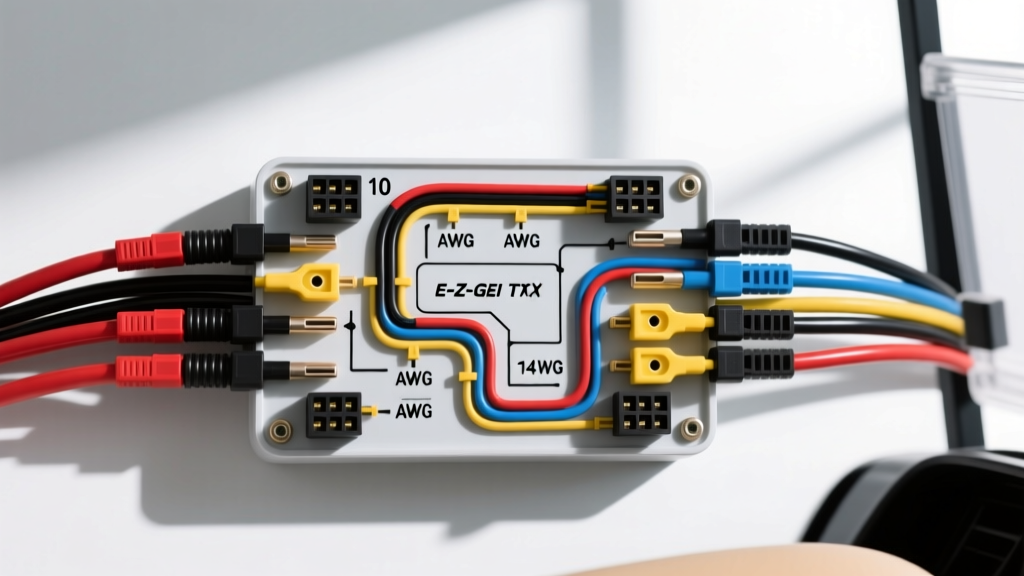
Introduction to the 36V E-Z-GO TXT Controller Replacement
Upgrading or replacing the motor speed controller in a 36-volt E-Z-GO TXT is one of the most effective ways to restore low-end torque, improve top-end speed, and eliminate the infamous 'stutter' associated with failing factory units. Whether you are installing a direct OEM replacement or upgrading to a high-performance aftermarket unit like the Curtis 1204 or Alltrax SR series, understanding the precise 36 volt E-Z-GO TXT controller wiring diagram is critical. A single misplaced logic wire or an improperly crimped high-current cable can result in catastrophic component failure, melted harnesses, or a welded solenoid.
This practical how-to guide provides automotive-grade installation procedures, exact AWG specifications, pinout configurations, and torque values required for a safe, reliable 36V TXT controller swap. We focus primarily on the classic 36V Series and early DCS (Drive Control System) architectures, which utilize the traditional 0-5K ohm throttle resistor box and dual microswitch Forward/Reverse (F/R) assembly.
Pre-Installation Safety & Arc Flash Mitigation
Working with a 36V DC battery pack presents severe arc flash and short-circuit hazards. Unlike AC current, DC current does not cross zero, meaning an arc will sustain itself until the circuit is physically broken or the metal melts. Before touching any wiring, adhere to these strict safety protocols:
- Total Power Disconnect: Place the Tow/Run switch in the 'Tow' position (if equipped). Disconnect the main negative cable from the battery pack's central negative post first, followed by the main positive cable.
- Capacitor Discharge: The controller's internal capacitors can hold a lethal charge for up to 15 minutes after disconnect. Use a 10,000-ohm, 10W bleed resistor across the main B+ and B- controller studs to safely discharge the system before unbolting cables.
- Insulated Tooling: Only use VDE-rated insulated wrenches (1000V rated) when working near the battery bank and solenoid to prevent accidental shorting against the chassis.
Understanding the 36V E-Z-GO TXT Controller Pinout
The standard 36V TXT controller features heavy-duty bus bar studs for high-current routing and a multi-pin Deutsch or Molex connector for low-voltage logic signals. Below is the standard pinout and wire gauge specification chart based on SAE J1128 primary cable standards and typical Curtis Instruments 36V architectures.
| Terminal / Pin | Function | Wire Color (OEM Spec) | AWG Size | Connector / Hardware |
|---|---|---|---|---|
| B+ Stud | Battery Positive Input | Red | 2 AWG | 5/16" Ring Terminal |
| B- Stud | Battery Negative / Ground | Black | 2 AWG | 5/16" Ring Terminal |
| M- Stud | Motor Negative Output | Blue (or Yellow) | 2 AWG | 5/16" Ring Terminal |
| Pin 1 (J1) | Solenoid Coil Positive | Blue (Small) | 14 AWG | Spade / Deutsch |
| Pin 2 (J1) | Solenoid Coil Negative | Black/White Tracer | 14 AWG | Spade / Deutsch |
| Pin 3 (J1) | Throttle Wiper (Signal) | Green | 18 AWG | Molex 3-Pin |
| Pin 4 (J1) | Throttle High (5V/8V Ref) | Red | 18 AWG | Molex 3-Pin |
| Pin 5 (J1) | Throttle Low (Ground Ref) | Black | 18 AWG | Molex 3-Pin |
| Pin 6 (J1) | Forward Microswitch Input | Yellow | 16 AWG | Spade |
| Pin 7 (J1) | Reverse Microswitch Input | Green/Black | 16 AWG | Spade |
Required Tools & Materials
To achieve an OEM-grade installation, standard pliers and electrical tape will not suffice. You must utilize professional-grade termination tools to ensure low-resistance connections that can handle the 300+ amp peak draw of a 36V golf cart motor.
- Hydraulic or Ratcheting Wire Crimper: Equipped with hex-crimp dies for 2 AWG and 14-16 AWG terminals.
- Adhesive-Lined Marine Heat Shrink: 3/8" for 2 AWG, 1/8" for logic wires. The internal meltable adhesive prevents moisture ingress and copper oxidation.
- Wire Brush & Contact Cleaner: For cleaning bus bars and solenoid studs.
- Silicone Thermal Compound: High thermal conductivity paste (e.g., Wakefield-Vette or Arctic Silver) for the controller heat sink.
- Torque Wrench: Inch-pound capable (in-lbs) for precise terminal tightening.
Step-by-Step Controller Installation
Step 1: Heat Sink Preparation & Mounting
The controller relies on the aluminum chassis plate to dissipate the immense heat generated by the internal MOSFETs during acceleration. Clean the mounting surface on the cart's chassis and the back of the controller with isopropyl alcohol. Apply a thin, even layer of silicone thermal compound to the controller base. Do not over-apply; a pea-sized amount spread evenly will prevent air pockets, which act as thermal insulators. Secure the controller using the factory M8 or 5/16" stainless steel bolts, tightening them in a star pattern to ensure even pressure distribution.
Step 2: High-Current Cable Routing & Termination
Inspect the existing 2 AWG Red (B+), Black (B-), and Blue (M-) cables. If the copper shows any signs of green corrosion (verdigris) or the insulation is brittle, replace them immediately using SAE J1128 compliant battery cable. Strip exactly 3/4" of insulation from the 2 AWG wire. Insert the wire into a heavy-duty copper ring terminal and use your ratcheting crimper. Slide a piece of adhesive-lined heat shrink over the joint and apply heat until the adhesive oozes from the ends. Connect B+ to the solenoid output, B- to the main pack negative, and M- to the motor's A2 terminal. Never route the M- motor cable parallel to the low-voltage throttle harness to prevent electromagnetic interference (EMI).
Step 3: Solenoid & Pre-Charge Resistor Wiring
The heavy-duty solenoid acts as the main contactor. To prevent the solenoid contacts from welding shut due to capacitor inrush current, a pre-charge resistor (typically 250 ohm, 10W) or a pre-charge diode must be wired across the solenoid's large studs. Connect the small Blue wire from the controller's Pin 1 to the solenoid's small activation terminal. Ensure the pre-charge resistor is securely mounted and not resting against any plastic components, as it will generate significant heat during the pre-charge cycle.
Step 4: Low-Voltage Logic & Throttle Integration
The 36V E-Z-GO TXT Series utilizes a mechanical 0-5,000 ohm throttle resistor box located under the driver's side cowl. Connect the 18 AWG Red, Black, and Green wires from the controller's logic plug to the corresponding throttle box terminals. Use a multimeter to verify the wiper (Green) pin reads approximately 5,000 ohms at rest (pedal up) and drops smoothly to 0 ohms at wide-open throttle (pedal down). Any 'dead spots' or infinite resistance spikes during the sweep indicate a worn resistor track that must be replaced, or the new controller will trigger a high-pedal lockout fault.
Step 5: Forward/Reverse Microswitch Alignment
The F/R switch assembly houses two microswitches that dictate the directional logic. Connect the Yellow (Forward) and Green/Black (Reverse) 16 AWG wires to their respective microswitches. Adjust the switch linkage so that the microswitch 'clicks' audibly exactly 1/4" before the mechanical F/R lever locks into the detent. This ensures the controller receives the directional signal before the motor is subjected to load.
Torque Specifications & Final Hardware Checks
Overtightening controller studs can strip the soft aluminum threads inside the bus bar, while undertightening leads to high resistance, arcing, and melted terminals. Adhere strictly to these torque specifications:
- Controller B+, B-, M- Studs (5/16"): 120 - 140 in-lbs.
- Solenoid Main Studs (3/8"): 150 - 180 in-lbs.
- Motor A1/A2 Terminals: 140 - 160 in-lbs.
- Controller Mounting Bolts: 15 - 18 ft-lbs.
After torquing, apply a small dab of clear dielectric grease or torque-seal marker across the nut and stud interface. This acts as a visual indicator to ensure the terminal has not vibrated loose over time.
Post-Installation Testing & Troubleshooting Matrix
Before reconnecting the main battery pack, double-check all pinouts against the 36 volt E-Z-GO TXT controller wiring diagram. Reconnect the main positive, then the main negative. Place the cart on jack stands to elevate the rear wheels for safe testing.
Refer to the E-Z-GO official service documentation and use this decision tree for initial diagnostics:
| Symptom | Probable Cause | Diagnostic Fix |
|---|---|---|
| Solenoid clicks, but no motor movement. | High Pedal Lockout (HPD) or Throttle Fault. | Verify throttle wiper reads 5k ohms at rest. Ensure pedal is fully released before key-on. |
| Solenoid does not click at all. | F/R microswitch out of adjustment or blown main fuse. | Check for 36V at the microswitch common terminal. Adjust F/R linkage for earlier engagement. |
| Cart moves in Reverse, but not Forward. | Forward microswitch failure or broken Yellow logic wire. | Bypass the Forward microswitch with a jumper wire to isolate the switch from the harness. |
| Controller overheats and cuts out after 5 mins. | Insufficient thermal paste or loose B+/M- terminals. | Check torque specs. Re-seat controller with fresh thermal compound. |
By following this precise installation methodology and respecting the electrical parameters of the 36V system, your E-Z-GO TXT will deliver smooth, reliable, and powerful performance for years to come. Always prioritize clean terminations and exact torque values over speed during the installation process.