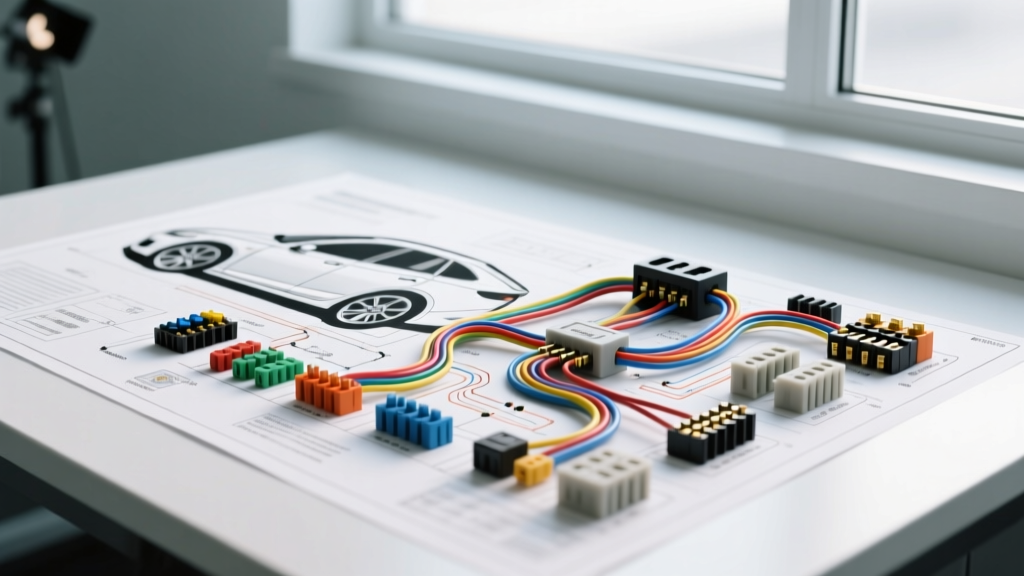
Mastering the Remote Start Wiring Diagram Troubleshooting Flow
When an aftermarket remote start system fails to engage, the issue rarely lies in the RF module itself. In over 90% of field cases, the fault traces back to improper circuit verification, voltage drops under load, or misinterpreted data bus signals. Relying solely on a generic remote start wiring diagram without a systematic diagnostic approach leads to chasing electrical ghosts. As emphasized by the Mobile Electronics Certification Program (MECP), professional installers must follow a strict step-by-step troubleshooting flow to isolate the failure point efficiently and safely.
This guide outlines a professional-grade diagnostic sequence for hardwired and Data-to-Data (D2D) remote start installations, focusing on standard Compustar/Firstech wire color codes and modern CAN bus bypass modules like the iDatalink Maestro or Fortin EVO.
Phase 1: Power and Ground Verification (The Foundation)
Before consulting the ignition or data portions of your remote start wiring diagram, you must validate the module's primary power sources. A remote start module requires high-current capability to drive internal relays and communicate with the vehicle's BCM (Body Control Module).
Testing the Main Power (12V Constant)
- Target Wire: Red/White (Main 12V+ Input)
- Required Gauge: 12 AWG minimum for hardwired connections.
- Diagnostic Step: Set your Digital Multimeter (DMM) to DC Volts. Measure between the Red/White wire at the module harness and a known good chassis ground. You should read 12.2V to 12.6V with the vehicle off.
- Load Testing: A surface charge can mask a failing connection. Turn on the vehicle's headlights and blower motor. If the voltage at the module drops below 11.5V, you have excessive resistance in the power feed. Check for undersized wire (e.g., using 18 AWG instead of 12 AWG) or a poor crimp at the battery terminal.
Testing the Chassis Ground
- Target Wire: Black (Main Ground)
- Diagnostic Step: Perform a voltage drop test across the ground wire. Place one DMM probe on the module's Black wire and the other on the vehicle's battery negative terminal. Crank the engine or trigger the remote start. A voltage drop exceeding 0.1V indicates a failing ground point. Always secure the ground to bare, unpainted chassis metal using a self-tapping screw or ring terminal, avoiding seat belt anchors which often feature isolation washers.
Phase 2: Ignition and Accessory Circuit Testing
The most common reason a remote start cranks but immediately dies, or fails to crank entirely, is an ignition sequence mismatch. The vehicle's ECU requires a specific sequence of Accessory, Ignition 1, Ignition 2, and Starter signals.
Verifying the Ignition Harness Outputs
Using a logic probe or DMM, back-probe the module's ignition outputs while commanding a remote start via the RF remote or diagnostic app.
- Orange (Accessory): Should read 12V+ during the 'ON' and 'RUN' positions, but drop to 0V during 'CRANK' on most modern vehicles to protect sensitive infotainment electronics.
- Yellow (Ignition 1): Must read a solid 12V+ during 'ON', 'RUN', and 'CRANK'.
- Pink (Ignition 2): Required on many heavy-duty trucks and older GM/Chrysler platforms to power secondary ECM circuits. Verify this against the specific vehicle's OEM remote start wiring diagram.
- Purple (Starter): Should only see 12V+ for the exact duration the starter is engaged (usually 0.8 to 1.5 seconds). If the starter wire remains hot after the engine catches, the tachometer signal is missing or improperly learned, causing the module to over-crank.
Phase 3: Data Bus (CAN) and Bypass Module Troubleshooting
On vehicles manufactured after 2010, hardwiring every ignition and status wire is obsolete. Installers rely on CAN bus interfaces. According to SAE International standards for in-vehicle networks, CAN bus topology relies on specific electrical characteristics that are easily disrupted by poor aftermarket splices.
CAN Bus Integrity Testing
If your bypass module (e.g., iDatalink Maestro) is flashing a red LED and failing to program, the data wires are your primary suspect.
- Wire Identification: CAN-H (typically Green/White or solid Green) and CAN-L (typically Green/Black or solid White). These must be a twisted pair to reject electromagnetic interference (EMI).
- Resistance Test: Turn the vehicle OFF and disconnect the battery. Set your DMM to Ohms. Measure across the CAN-H and CAN-L wires at the OBD2 port or the bypass module harness. You should read exactly 60 ohms. This is the result of two 120-ohm terminating resistors wired in parallel across the network. If you read 120 ohms, one of the vehicle's CAN nodes is disconnected. If you read 0 ohms, the CAN wires are shorted together.
- Signal Verification: Reconnect the battery and turn the ignition ON. Measure DC voltage from CAN-H to Ground (should be ~2.6V) and CAN-L to Ground (should be ~2.4V).
For detailed pinouts and firmware flashing procedures, always consult the iDatalink Maestro technical portal or the respective bypass manufacturer's database.
Phase 4: Safety Interlocks and Status Inputs
Remote start modules feature multiple safety shutdown triggers. If any of these inputs detect an active fault state during the start sequence, the module will abort and flash the vehicle's parking lights to indicate an error.
Testing Negative Status Inputs
- Hood Pin (Gray/Black): Must read 12V (Open) when the hood is closed, and 0V (Ground) when open. If the remote start aborts immediately, test for continuity between the hood pin wire and chassis ground. A pinched wire in the firewall grommet is a frequent culprit.
- Brake Switch (White/Red): Usually a positive (+) input. Verify 12V+ when the pedal is pressed. If wired to a data bus, ensure the BCM is correctly reporting the brake pedal status via the D2D interface.
- Door Triggers (Light Blue/Black): Verify that the module detects a door open/close event. If the vehicle uses a multiplexed door trigger (common in newer Ford and Toyota models), you must use a data interface rather than a hardwired diode-based connection.
Common Remote Start Wiring Faults Decision Tree
| Symptom | Probable Cause | Diagnostic Step | Solution |
|---|---|---|---|
| Module clicks 3 times, no crank. | Immobilizer bypass failure or missing tachometer signal. | Check D2D connection or test analog tach wire (Green/Purple) for AC voltage during crank. | Re-flash bypass module or re-learn tachometer threshold via programming menu. |
| Engine cranks but won't start. | Missing Ignition 2 or Accessory circuit. | Verify Yellow and Pink wires at the ignition harness with a DMM during the crank sequence. | Adjust ignition output timing or wire a secondary 30A Bosch-style relay for high-draw IGN2 circuits. |
| Starts, but dies after 2 seconds. | Tachometer signal lost or hood pin grounded. | Check hood pin switch for false ground. Verify CAN bus tach data. | Repair hood pin wiring or update bypass firmware to fix CAN tach drop-out. |
| Remote start triggers wipers/radio. | Accessory and Ignition wires swapped. | Review the specific vehicle's OEM ignition switch pinout diagram. | Swap Orange (ACC) and Yellow (IGN) wires at the module harness. |
Expert Connection Methodologies
The longevity of a remote start installation is dictated by the quality of the wire splices. When following a remote start wiring diagram that requires tapping into OEM harnesses, never use 'scotch-lock' or generic T-tap connectors. These pierce the wire insulation, exposing copper to moisture and causing green corrosion (verdigris) that increases resistance over time.
Approved Splicing Techniques
- Posi-Taps: For 18 AWG to 22 AWG signal wires, Posi-Taps provide a secure mechanical connection without severely compromising the OEM wire's structural integrity.
- Solder and Heat Shrink: The gold standard for permanent connections. Use rosin-core solder and adhesive-lined marine heat shrink to create a waterproof seal.
- T-Harnesses: Whenever available, use OEM-specific plug-and-play T-harnesses. These eliminate the need to cut or strip factory wires, preserving the vehicle's warranty and reducing installation errors to near zero.
By adhering to this structured troubleshooting flow, you move beyond guesswork and apply empirical electrical diagnostics to every remote start installation. This ensures reliable, cold-weather performance and eliminates the dreaded 'comeback' vehicles in your service bay.