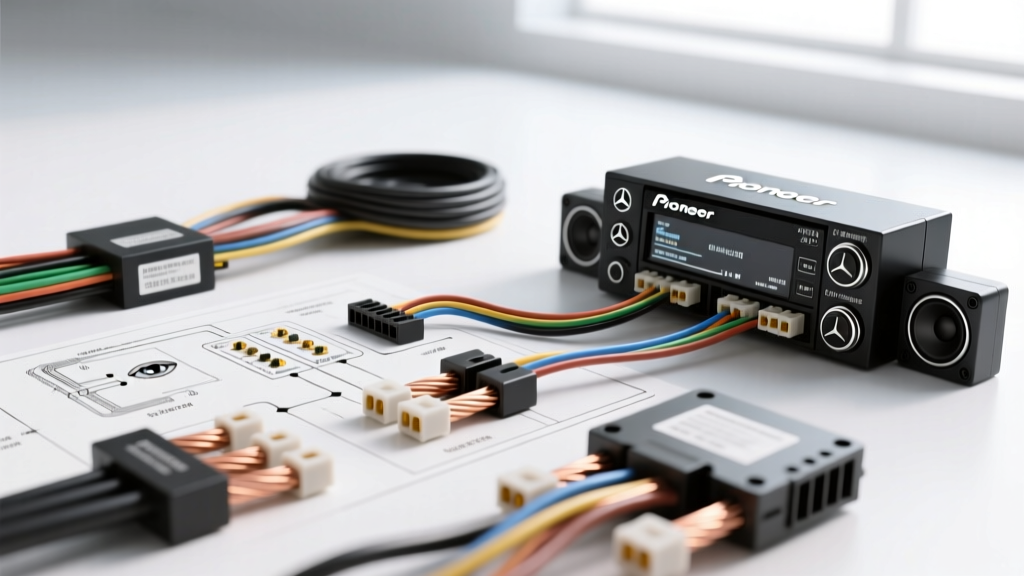
Understanding the 2000 E320 W210 Audio Architecture
Upgrading the head unit in a Mercedes-Benz W210 chassis is a rewarding project, but it is fraught with electrical pitfalls. When searching for a reliable pioneer radio wiring for a 2000 e320 w210 wiring diagram, enthusiasts quickly realize that the year 2000 represents a critical transition period for Mercedes-Benz infotainment. Depending on the exact build date and trim level, your 2000 E320 may feature the older analog amplified system (often Alpine or standard Bose) or the newer, highly complex D2B (Domestic Digital Bus) fiber-optic network used by Harman Kardon and later Bose systems.
Because Pioneer aftermarket head units rely on standard EIA color-coded analog outputs and 12V DC power triggers, integrating them into the W210 requires a methodical approach. This step-by-step troubleshooting flow is designed to help you diagnose and resolve the three most common installation failures: complete power loss, the dreaded 'no sound' fault, and alternator whine.
Phase 1: Head Unit Power Failure (Radio Won't Turn On)
The most frequent issue when installing a Pioneer DEH or AVH series receiver in a W210 is a unit that fails to power on entirely. This is rarely a fault of the Pioneer unit itself, but rather a misunderstanding of the Mercedes 10-pin ISO-style dash harness.
Step 1: Verify Constant and Switched 12V Sources
Unlike Japanese or domestic vehicles, the W210 factory radio harness often lacks a switched 12V (accessory) wire at the back of the radio. The factory unit was woken up via the CAN bus network or a specific SAM (Signal Acquisition Module) trigger. If your aftermarket harness adapter only provides Constant 12V and Ground, your Pioneer radio will not turn on with the key.
- Action: Set your digital multimeter (DMM) to DC Voltage (20V range).
- Test Constant 12V: Probe the Mercedes harness Pin 7 (Red/Green wire). You should read 12.2V - 12.6V with the car off.
- Test Ground: Probe Pin 4 (Brown wire). Continuity to a bare chassis point should read near 0.0 Ohms.
- Locate Switched 12V: If Pin 5 (Switched) is empty or dead, you must tap the cigarette lighter harness located just below the radio cavity. The lighter's switched wire is typically Green with a Black tracer. Use a Posi-Tap connector to splice your Pioneer Red (Accessory) wire to this circuit. Never use a scotch-lock, as it will corrode and cause voltage drop.
Step 2: Check the Inline Fuses
If power is present at the harness but the Pioneer unit is dead, check the inline fuse on the Pioneer Yellow (Constant) wire. The W210's aging wiring can sometimes cause a momentary inrush current when the battery is reconnected, blowing the standard 10A blade fuse on the aftermarket pigtail.
Phase 2: The 'No Sound' Fault (Factory Amplifier Bypass)
If your Pioneer radio powers on, the display illuminates, and the volume knob responds, but absolutely no sound comes from the door speakers, you have encountered the W210 factory amplifier bypass issue.
Step 1: Identify Your Amplifier Type (Analog vs. D2B)
The 2000 E320 will have either an analog trunk-mounted amplifier or a D2B fiber-optic amplifier. Look at the factory wiring plug you just unplugged from the back of the Mercedes radio.
- Analog System: You will see thick speaker wires (usually 16 AWG or 18 AWG) populating all 8 speaker pins on the 10-pin connector.
- D2B Fiber-Optic System: The speaker pins on the dash connector will be completely empty. Instead, you will see a small, square black connector with two orange or black fiber-optic cables. If you have this, a standard analog wiring harness will not work.
Step 2: Troubleshooting the D2B Fiber-Optic Ring
If your E320 has the D2B system, the factory amplifier is located in the trunk (usually left side behind the liner) and communicates via light pulses. You cannot simply splice speaker wires here.
- The Digital Interface Solution: You must install a D2B digital interface module (such as the Axxess XSV-90-03 or USASPEC PA12). This module plugs into the fiber-optic ring in the trunk, converts the digital signal from the factory CD changer port, and provides analog RCA outputs or a direct harness to run back to your Pioneer head unit.
- The Hardwire Bypass Solution: If the factory amp is blown or you refuse to buy a digital interface, you must abandon the factory speaker wiring entirely. You will need to run eight new strands of 16 AWG oxygen-free copper (OFC) speaker wire from the Pioneer head unit, down the driver's side A-pillar, under the door sill plates, through the rubber door jamb boots (using a silicone lubricant and a stiff coat hanger to pull them), and directly to the voice coil terminals of each door speaker.
Step 3: Troubleshooting the Analog Amplifier Bypass
If you have the analog system, the speaker wires at the dash are actually low-level pre-outs or high-level inputs feeding the trunk amp. To bypass the trunk amp and use the Pioneer's internal 50W x 4 MOSFET amplifier:
- Cut the factory speaker wires behind the Mercedes 10-pin plug.
- Splice them directly to your Pioneer's EIA-standard speaker wires (White, Grey, Green, Purple and their respective black-striped negatives).
- Critical Step: You must provide a 12V turn-on signal to the factory amplifier if you choose to keep it, OR you must ensure the trunk amp is completely bypassed. If you are bypassing, ensure the spliced wires are insulated with heat shrink tubing to prevent shorting against the metal radio cage, which will immediately trigger the Pioneer's internal short-protection relay and shut the unit down.
Phase 3: Signal Degradation and Alternator Whine
The W210 is notorious for ground loop issues due to its multiplexed electrical system and aging chassis ground points. If you hear a high-pitched whine that rises in pitch with engine RPM, follow this diagnostic tree:
- Check RCA Routing: Ensure your Pioneer RCA pre-out cables are routed down the passenger side of the vehicle, while the main power wire for any external amplifier is routed down the driver's side. Crossing these induces electromagnetic interference (EMI).
- Verify Head Unit Ground: Do not ground the Pioneer Black wire to a random bolt behind the dash. Many bolts in the W210 dash are painted or coated with zinc, creating a high-resistance ground. Scrape away paint to bare steel, use a star washer to bite into the metal, and secure with an M6 bolt. Torque to 8 Nm.
- Test the Alternator: A failing voltage regulator on the W210's Bosch alternator can dump AC ripple into the DC system. Use an oscilloscope or a DMM set to AC Voltage across the battery terminals while the car is running. If AC voltage exceeds 50mV (0.05V), the alternator diode pack is failing, and no amount of audio grounding will fix the noise.
W210 to Pioneer Pinout and Wire Color Reference Table
The following table outlines the standard mapping when using a premium analog bypass harness adapter (e.g., Metra 70-1786) for a 2000 E320 with a non-fiber-optic, analog amplified system. Always verify with a multimeter before making permanent connections.
| Function | Pioneer Harness Wire | Mercedes W210 Factory Wire (ISO Block) | Notes / Troubleshooting |
|---|---|---|---|
| Constant 12V (Memory) | Yellow | Red/Green (Pin 7) | Verify with DMM. Do not swap with Red. |
| Switched 12V (Accessory) | Red | Green/Black (Cigar Lighter Tap) | Often missing at factory radio plug. Use Posi-Tap. |
| Chassis Ground | Black | Brown (Pin 4) | Ensure clean chassis contact if extending. |
| Illumination / Dimmer | Orange/White | Grey/Blue | W210 dimmer circuit is PWM; may cause flickering. |
| Amp Turn-On | Blue/White | N/A (Run to Trunk Amp) | Required only if retaining factory analog amp. |
| Left Front Speaker (+/-) | White / White-Black | Pin 5 (+) / Pin 6 (-) | Verify phase with a 9V battery pop test. |
| Right Front Speaker (+/-) | Grey / Grey-Black | Pin 3 (+) / Pin 4 (-) | Ensure no short to dash cage. |
| Left Rear Speaker (+/-) | Green / Green-Black | Pin 7 (+) / Pin 8 (-) | Rear deck or rear door depending on trim. |
| Right Rear Speaker (+/-) | Purple / Purple-Black | Pin 1 (+) / Pin 2 (-) | Check for factory component crossover in door. |
Essential Tools for the W210 Installation
To execute this troubleshooting flow and complete the installation safely, you will need specific tools. The W210 dash is assembled with Mercedes-specific fasteners.
- Torx T20 Screwdriver: Required to remove the two bolts securing the radio cage after the climate control panel is slid upward.
- Plastic Trim Pry Tools: To safely pop the wood-grain or plastic center console trim without marring the 20-year-old clear coat.
- Digital Multimeter (DMM): Essential for verifying the SAM-switched 12V and testing for AC alternator ripple.
- Heat Shrink Tubing & Heat Gun: Never use electrical tape for permanent splices in a vehicle cabin; the adhesive melts in summer heat, leading to short circuits.
- Posi-Tap Connectors: For safely tapping the cigarette lighter harness for switched 12V without cutting the factory wire.
Authoritative References & Further Reading
For deeper electrical schematics and vehicle-specific integration data, consult the following authoritative resources:
- Crutchfield Vehicle Database: Comprehensive fitment and harness adapter guides for Mercedes-Benz vehicles. Crutchfield Mercedes-Benz Installation Guide.
- Pioneer Electronics Installation Manuals: Official wiring schematics and EIA color-code standards for all DEH and AVH series receivers. Pioneer Car Audio Installation Guides.
- SAE International: SAE J1128 standards for low-tension primary automotive cable, ensuring you select the correct AWG and insulation type for aftermarket speaker runs. SAE J1128 Wiring Standards.
By following this structured troubleshooting flow, you can bypass the complexities of the 2000 E320's factory audio system and enjoy the pristine, high-current output of your new Pioneer head unit. Always prioritize clean grounds, proper fuse protection, and secure harness connections to ensure long-term reliability in the demanding automotive environment.